This lesson covers HashiCorp Vault’s Key/Value (KV) Version 2 secrets engine. You’ll learn how to:
  • Inspect existing secrets engines.
  • Enable KV v2 versioning on an existing mount.
  • Create a new KV v2 mount.
  • Read and write versioned secrets and specific versions.
  • Use soft delete (undelete) vs permanent destroy semantics.
  • Manage metadata and custom metadata.
  • Use the correct path prefixes (data/, metadata/) for policies and the HTTP API.
Links and references:

Inspect existing secrets engines

List enabled secrets engines on the Vault node to identify mounts and their types:
bk@Bryans-MBP ~ % vault secrets list
Path        Type        Accessor              Description
----        ----        --------              -----------
cubbyhole/  cubbyhole   cubbyhole_9c6c2ca2   per-token private secret storage
identity/   identity    identity_e55fbf01     identity store
training/   kv          kv_11d31683           n/a
transit/    transit     transit_5bb3af5e      n/a
sys/        system      system_ae43616e       system endpoints used for control, policy and debugging
bk@Bryans-MBP ~ %
In this environment training/ is a KV v1 mount. The next section shows how to enable versioning to convert it to KV v2.

Enable versioning on an existing KV v1 mount

To convert an existing KV v1 mount (for example training/) into KV v2 (enable versioning):
bk@Bryans-MBP ~ % vault kv enable-versioning training/
Success! Tuned the secrets engine at: training/
bk@Bryans-MBP ~ %
Verify the mount now reports version:2:
bk@Bryans-MBP ~ % vault secrets list --detailed
Path                Plugin          Accessor                  Description
------              ------          --------                  -----------
training/           kv              kv_11d31683               system        system    false    replicated    false   false   map[version:2]
...
bk@Bryans-MBP ~ %
Now training/ is a versioned KV store (KV v2).

Create a new KV v2 mount

You can also enable a fresh KV v2 mount. Two common ways:
  • Explicit engine type:
    vault secrets enable -path=kvv2 kv-v2
    
  • Using the -version=2 option (CLI version dependent):
    vault secrets enable -path=kvv2 -version=2 kv
    
Example output:
bk@Bryans-MBP ~ % vault secrets enable -path=kvv2 kv-v2
Success! Enabled the kv-v2 secrets engine at: kvv2/
bk@Bryans-MBP ~ % vault secrets list
Path        Type        Accessor              Description
----        ----        --------              -----------
kvv2/       kv          kv_0559442e           n/a
...
bk@Bryans-MBP ~ %
You can add a description at enable time with -description="...".

Write secrets (KV v2) — vault kv put

When using the Vault CLI helper (vault kv), you can omit internal KV v2 prefixes (data/ and metadata/). The CLI will show internal paths in output but does not require you to type them. Write a secret at kvv2/apps/circleci:
bk@Bryans-MBP ~ % vault kv put kvv2/apps/circleci admin=password
====== Secret Path ======
kvv2/data/apps/circleci

======= Metadata =======
Key                 Value
---                 -----
created_time        2022-03-25T14:18:15.817666Z
custom_metadata     <nil>
deletion_time       n/a
destroyed           false
version             1
bk@Bryans-MBP ~ %
Update the secret (this creates version 2):
bk@Bryans-MBP ~ % vault kv put kvv2/apps/circleci admin=P@ssw0rd!
====== Secret Path ======
kvv2/data/apps/circleci

======= Metadata =======
Key                 Value
---                 -----
created_time        2022-03-25T14:19:38.741912Z
custom_metadata     <nil>
deletion_time       n/a
destroyed           false
version             2
bk@Bryans-MBP ~ %

Read secrets (latest and specific versions)

By default, vault kv get returns the latest version:
bk@Bryans-MBP ~ % vault kv get kvv2/apps/circleci
====== Secret Path ======
kvv2/data/apps/circleci

====== Metadata =======
Key                Value
---                -----
created_time       2022-03-25T14:19:38.741912Z
custom_metadata    <nil>
deletion_time      n/a
destroyed          false
version            2

===== Data =====
Key        Value
---        -----
admin      P@ssw0rd!
bk@Bryans-MBP ~ %
To read a specific version, supply -version=<n>:
bk@Bryans-MBP ~ % vault kv get -version=1 kvv2/apps/circleci
====== Secret Path ======
kvv2/data/apps/circleci

====== Metadata =======
Key                Value
---                -----
created_time        2022-03-25T14:18:15.817666Z
custom_metadata     <nil>
deletion_time       n/a
destroyed          false
version             1

===== Data =====
Key        Value
---        -----
admin      password
bk@Bryans-MBP ~ %

Delete (soft delete) and undelete

A normal vault kv delete performs a soft delete: it marks the latest version as deleted but retains metadata and previous versions. You can undelete specific versions later. Soft-delete the latest version:
bk@Bryans-MBP ~ % vault kv delete kvv2/apps/circleci
Success! Data deleted (if it existed) at: kvv2/apps/circleci
bk@Bryans-MBP ~ %
After a soft delete, vault kv get may show metadata but no data for the deleted version. To recover, use vault kv undelete and specify one or more versions to restore:
bk@Bryans-MBP ~ % vault kv undelete -versions=2 kvv2/apps/circleci
Success! Data written to: kvv2/undelete/apps/circleci
bk@Bryans-MBP ~ % vault kv get kvv2/apps/circleci
====== Secret Path ======
kvv2/data/apps/circleci

====== Metadata =======
Key                Value
---                -----
created_time       2022-03-25T14:19:38.741912Z
custom_metadata    <nil>
deletion_time      n/a
destroyed          false
version            2

==== Data ====
Key     Value
---     -----
admin   P@ssw0rd!
bk@Bryans-MBP ~ %
Undelete accepts multiple versions via the -versions flag (for example: -versions=2,3), which lets you restore several deleted versions at once.

Destroy (irreversible) vs undelete

vault kv destroy permanently removes specified versions from storage — this is irreversible without restoring from a Vault snapshot/backup.
Destroying KV v2 versions is permanent. You cannot recover destroyed versions with vault kv undelete. Only a Vault snapshot/backup can restore destroyed data.
Example: destroy version 1 and observe that it is removed:
bk@Bryans-MBP ~ % vault kv destroy -versions=1 kvv2/apps/circleci
Success! Permanently removed versions [1] from: kvv2/apps/circleci
bk@Bryans-MBP ~ %
bk@Bryans-MBP ~ % vault kv get -version=1 kvv2/apps/circleci
====== Secret Path ======
kvv2/data/apps/circleci

====== Metadata =======
Key                Value
---                -----
created_time       2022-03-25T14:18:15.817666Z
custom_metadata    <nil>
deletion_time      n/a
destroyed           true
version            1

==== Data ====
(no data; version destroyed)
bk@Bryans-MBP ~ %
Attempting to undelete a destroyed version fails:
bk@Bryans-MBP ~ % vault kv undelete -versions=1 kvv2/apps/circleci
Error: cannot undelete version 1: version is destroyed
bk@Bryans-MBP ~ %

View and tune metadata

Inspect metadata and the version history for a key:
bk@Bryans-MBP ~ % vault kv metadata get kvv2/apps/circleci
====== Metadata Path ======
kvv2/metadata/apps/circleci

========= Metadata =========
Key                    Value
---                    -----
cas_required           false
created_time           2022-03-25T14:18:15.817666Z
current_version        2
custom_metadata        <nil>
delete_version_after   0s
max_versions           0
oldest_version         0
updated_time           2022-03-25T14:19:38.741912Z

====== Version 1 ======
Key                Value
---                -----
created_time       2022-03-25T14:18:15.817666Z
deletion_time      n/a
destroyed          true

====== Version 2 ======
Key                Value
---                -----
created_time       2022-03-25T14:19:38.741912Z
deletion_time       n/a
destroyed          false
bk@Bryans-MBP ~ %
Tunable metadata settings:
  • max_versions — how many historical versions to retain (older versions beyond this are garbage-collected).
  • delete_version_after — time-to-live for versions (versions older than this may be removed).

Custom metadata

Attach key/value annotations to a secret using vault kv metadata put with -custom-metadata:
bk@Bryans-MBP ~ % vault kv metadata put -custom-metadata="abc=123" kvv2/apps/circleci
Success! Metadata written to: kvv2/metadata/apps/circleci
bk@Bryans-MBP ~ %
A JSON vault kv get -format=json response will include custom_metadata. Use jq to extract fields:
bk@Bryans-MBP ~ % vault kv get -format=json kvv2/apps/circleci | jq
{
  "request_id": "31dc4845-46be-be1a-3fba-25d9bde98470",
  "lease_id": "",
  "renewable": false,
  "lease_duration": 0,
  "data": {
    "data": {
      "admin": "P@ssw0rd!"
    },
    "metadata": {
      "created_time": "2022-03-25T14:19:38.741912Z",
      "custom_metadata": {
        "abc": "123"
      },
      "deletion_time": "",
      "destroyed": false,
      "version": 2
    }
  },
  "warnings": null
}
bk@Bryans-MBP ~ % vault kv get -format=json kvv2/apps/circleci | jq -r '.data.metadata.custom_metadata.abc'
123
bk@Bryans-MBP ~ %
Custom metadata is useful for annotations like owner, environment, or last-used timestamps.

List keys and fully delete a secret (metadata + data)

List keys under a mount:
bk@Bryans-MBP ~ % vault kv list kvv2
Keys
-----
apps/
bk@Bryans-MBP ~ % vault kv list kvv2/apps
Keys
-----
circleci
bk@Bryans-MBP ~ %
To permanently remove a secret path (all versions and the metadata), delete its metadata:
bk@Bryans-MBP ~ % vault kv metadata delete kvv2/apps/circleci
Success! Data deleted (if it existed) at: kvv2/metadata/apps/circleci
bk@Bryans-MBP ~ %
bk@Bryans-MBP ~ % vault kv list kvv2
No value found at kvv2/metadata
bk@Bryans-MBP ~ %
Deleting metadata removes both metadata and all versioned data for that path.

KV v2 in the Vault UI

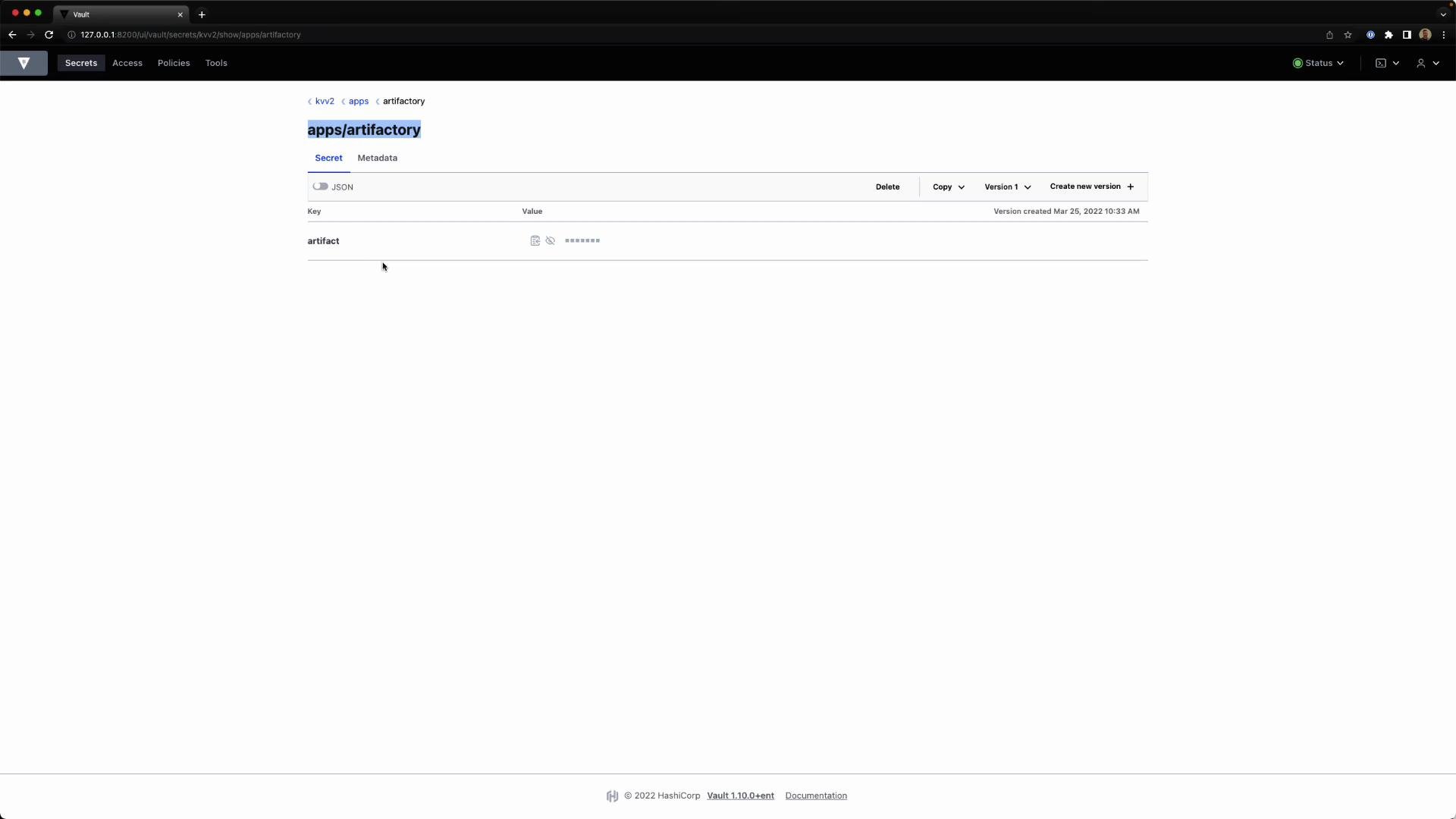
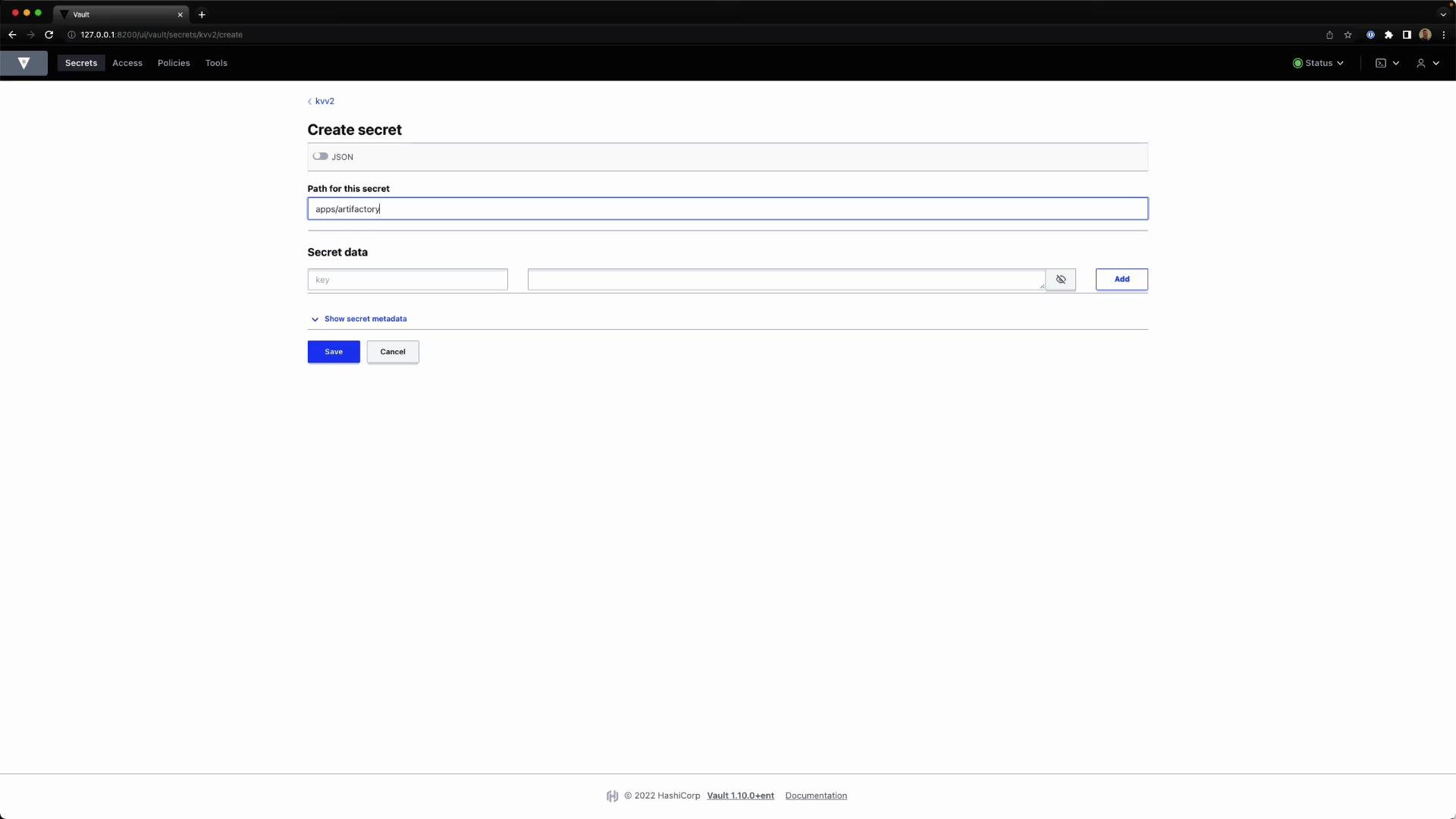
You can manage KV v2 mounts and keys in the Vault Web UI. Below are screenshots demonstrating the secrets engines list, creating a KV v2 secret, and viewing a saved secret (with masked values):
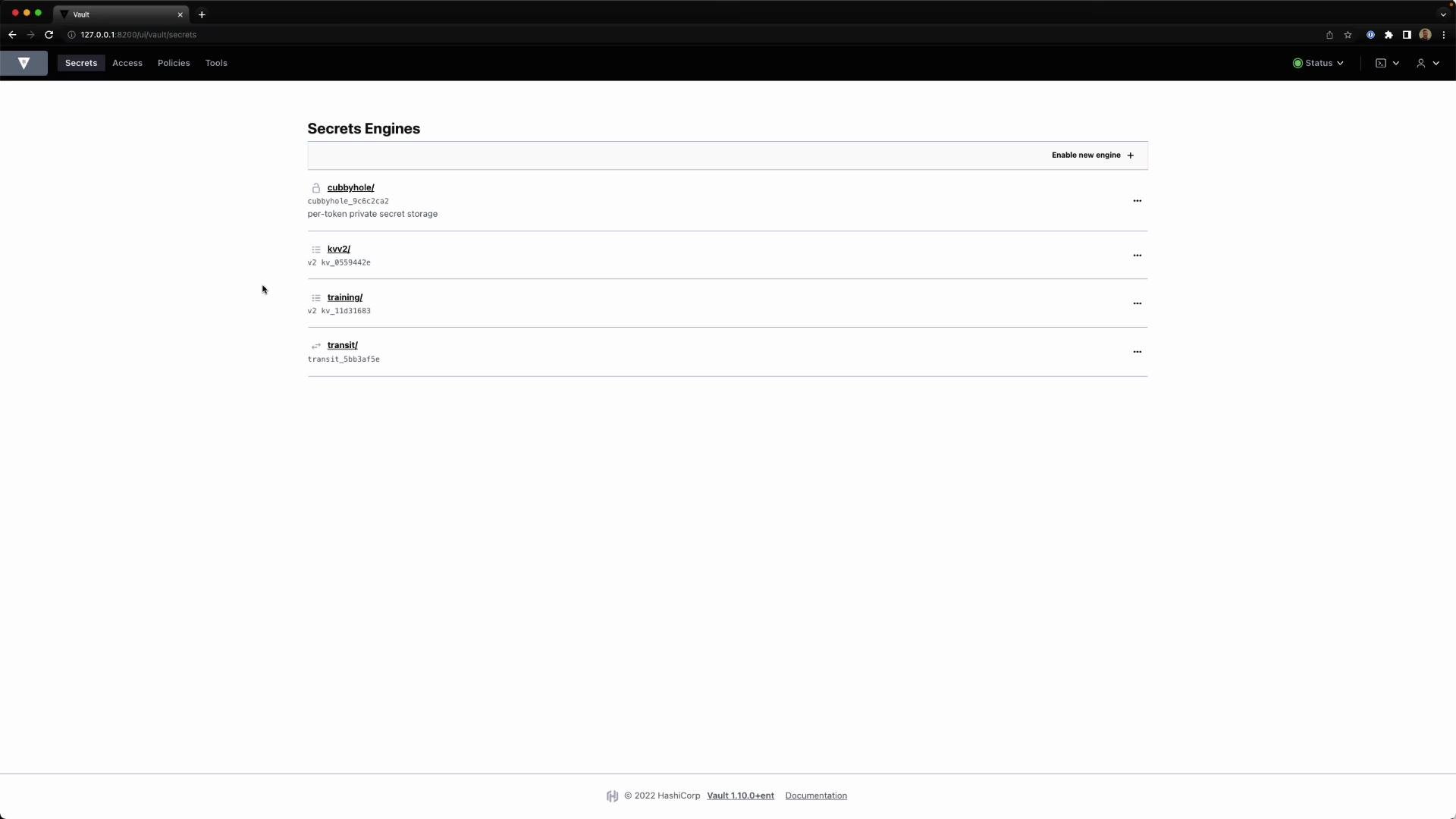
A screenshot of the HashiCorp Vault web UI on the "Secrets Engines" page showing a list of enabled secret engines (cubbyhole, kv v2, training, transit). The page includes a top navigation bar and a footer with the Vault version.
A screenshot of the HashiCorp Vault web UI showing the "Create secret" form (kv v2) with the path set to "apps/artifactory" and fields for key/value secret data. The page also shows JSON toggle, "Show secret metadata," an Add button for entries, and Save/Cancel controls.
A screenshot of the HashiCorp Vault web UI showing the secret at path "apps/artifactory" with a single key "artifact" whose value is masked. The page is served locally (127.0.0.1:8200) and shows version metadata from Mar 25, 2022.

Policies and KV v2 path prefixes

Policies and the HTTP API map to the internal KV v2 paths; therefore policy path strings must include data/ and metadata/ prefixes. Common mappings:
PurposePolicy/API path prefixExample
Secret data (read/write)data/kvv2/data/apps/artifactory
Metadata and listingmetadata/kvv2/metadata/apps/artifactory
Example policy for kvv2/apps/artifactory:
path "kvv2/data/apps/artifactory" {
    capabilities = ["read", "update", "create"]
}

path "kvv2/metadata/apps/artifactory" {
    capabilities = ["read", "list"]
}
Note: CLI helper commands (e.g., vault kv put/get/list) hide these prefixes for convenience, but policies and direct API calls must reference the internal prefixes.
CLI helper commands — vault kv put/get/list — abstract away the internal data/ and metadata/ prefixes. When writing policies or calling the HTTP API directly, always include data/ or metadata/ as appropriate.

Calling the KV v2 HTTP API (curl)

When interacting with KV v2 via the HTTP API, include the data/ prefix for reading secret data:
bk@Bryans-MBP ~ % curl --header "X-Vault-Token: hvs.QRx4pz2RIka7RhhrjiVRBNjq" \
    http://127.0.0.1:8200/v1/kvv2/data/apps/artifactory
{"request_id":"813e1862-d9e1-b563-a12f-991628a44213","lease_id":"","renewable":false,"lease_duration":0,"data":{"data":{"artifact":"jenkins"},"metadata":{"created_time":"2022-03-25T14:33:10.525712Z","custom_metadata":null,"deletion_time":"","destroyed":false,"version":1}},"wrap_info":null,"warnings":null,"auth":null}
bk@Bryans-MBP ~ %
Pretty-print the response with jq:
bk@Bryans-MBP ~ % curl --header "X-Vault-Token: hvs.QRx4pz2RIka7RhhrjiVRBNjq" \
    http://127.0.0.1:8200/v1/kvv2/data/apps/artifactory | jq
{
  "request_id": "ac5ea7c2-e8d4-858c-3c41-bda42b1fb8bf",
  "lease_id": "",
  "renewable": false,
  "lease_duration": 0,
  "data": {
    "data": {
      "artifact": "jenkins"
    },
    "metadata": {
      "created_time": "2022-03-25T14:33:10.525712Z",
      "custom_metadata": null,
      "deletion_time": "",
      "destroyed": false,
      "version": 1
    }
  },
  "wrap_info": null,
  "warnings": null,
  "auth": null
}
bk@Bryans-MBP ~ %
If you omit data/ in the URL for KV v2 reads, you will not receive the expected data payload structure and policy matches may fail. Use metadata/ for metadata API endpoints (e.g., .../kvv2/metadata/<path>).

Quick reference — commands and prefixes

ActionCLI helperHTTP API / Policy path
Write secretvault kv put kvv2/path key=valPOST /v1/kvv2/data/path
Read latestvault kv get kvv2/pathGET /v1/kvv2/data/path
Read version Nvault kv get -version=N kvv2/pathGET /v1/kvv2/data/path?version=N
Soft delete version(s)vault kv delete kvv2/pathPOST /v1/kvv2/delete/path
Undelete version(s)vault kv undelete -versions=X kvv2/pathPOST /v1/kvv2/undelete/path
Destroy version(s) (permanent)vault kv destroy -versions=X kvv2/pathPOST /v1/kvv2/destroy/path
Get metadatavault kv metadata get kvv2/pathGET /v1/kvv2/metadata/path
Delete metadata (permanent)vault kv metadata delete kvv2/pathDELETE /v1/kvv2/metadata/path

Summary

  • Convert KV v1 mounts to KV v2 with vault kv enable-versioning.
  • Enable new KV v2 mounts via vault secrets enable -path=<mount> kv-v2.
  • Use vault kv put/get/delete CLI helpers — they hide data/ and metadata/ prefixes.
  • Use vault kv undelete to recover soft-deleted versions; use vault kv destroy to permanently remove versions.
  • Manage retention with metadata (max_versions, delete_version_after) and annotate secrets with custom metadata.
  • For policies and direct API calls, always include the data/ and metadata/ prefixes in paths.
If you want details on CAS (compare-and-swap), conflict handling, or examples for tuning max_versions and delete_version_after, ask and I’ll provide targeted examples.

Watch Video