

*) and single‐segment (+) wildcards with dynamic templates, you can create flexible, maintainable access controls that adapt to your organization’s structure.
The Glob Wildcard (*)
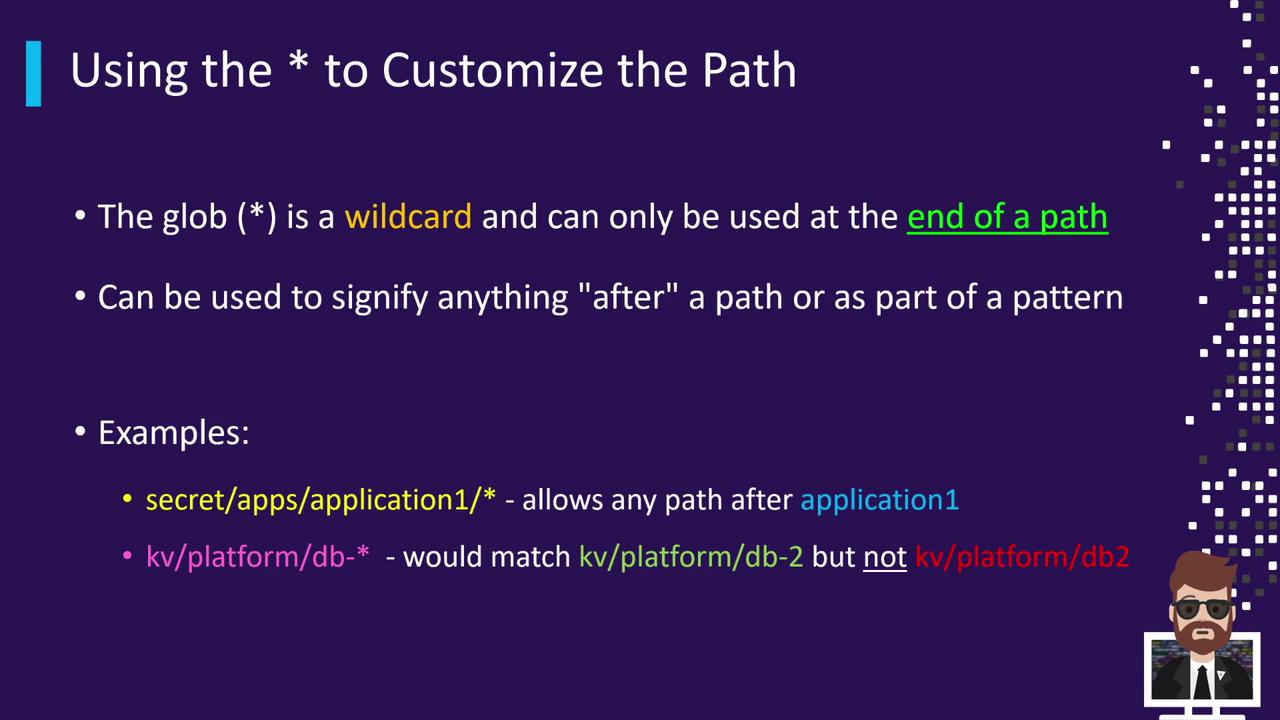
The glob wildcard (*) matches any sequence of characters—including path separators. It’s only valid at the end of a segment or within a pattern. Use it to grant access across multiple nested paths in one rule.
*, you can:
- Match every subpath under a prefix.
- Include hyphens, numbers, or letters as part of the pattern.
-
secret/apps/application1/*matches:secret/apps/application1/websecret/apps/application1/db/configsecret/apps/application1/anything/else
secret/apps/application1itself. -
KV/platform/DB-*matches:KV/platform/DB-2KV/platform/DB-10/web
KV/platform/DB2(missing the hyphen).
Example Policy with *
This rule grants
read access to every path under secret/apps/application1 but not to the directory itself. To include the base path, add an explicit rule:The Single-Segment Wildcard (+)
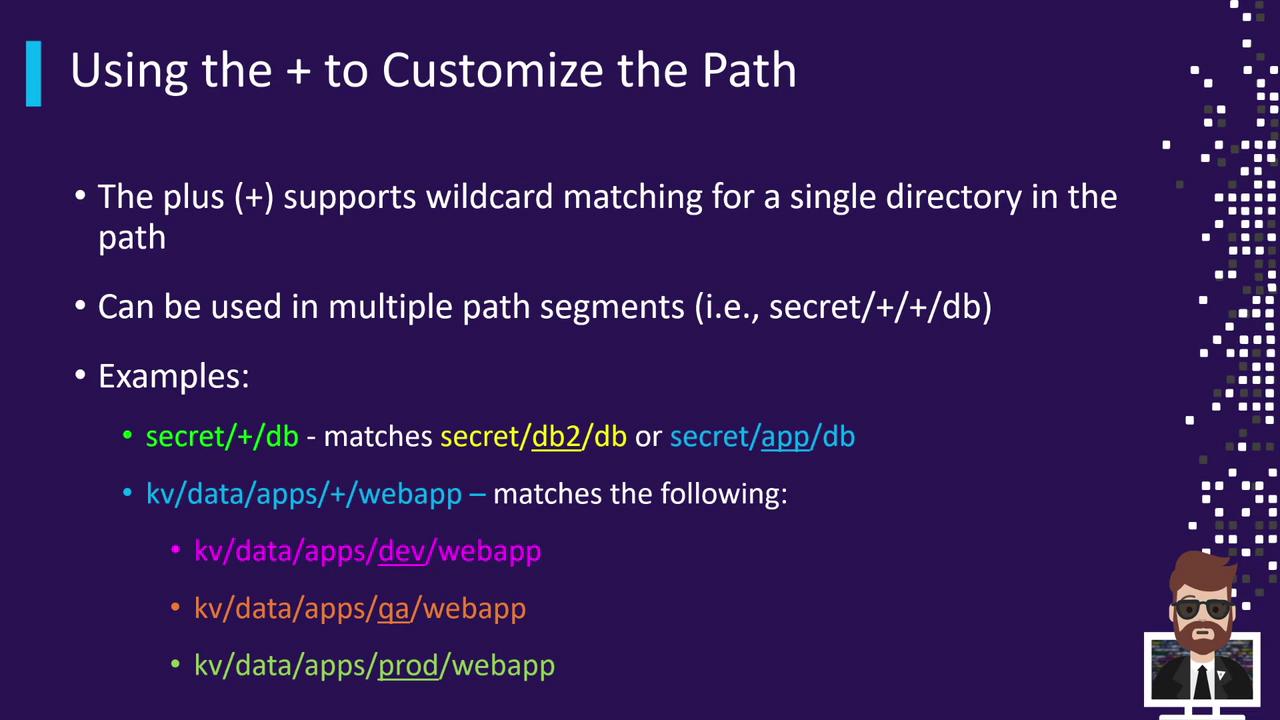
Use the single‐segment wildcard (+) to match exactly one segment in a path. You can chain multiple + wildcards for deeper control.
-
secret/+/DBmatches:secret/app/DBsecret/consul/DBsecret/123/DB
-
KV/data/apps/+/webappmatches:KV/data/apps/dev/webappKV/data/apps/qa/webappKV/data/apps/prod/webapp
Breaking Down a Complex Pattern
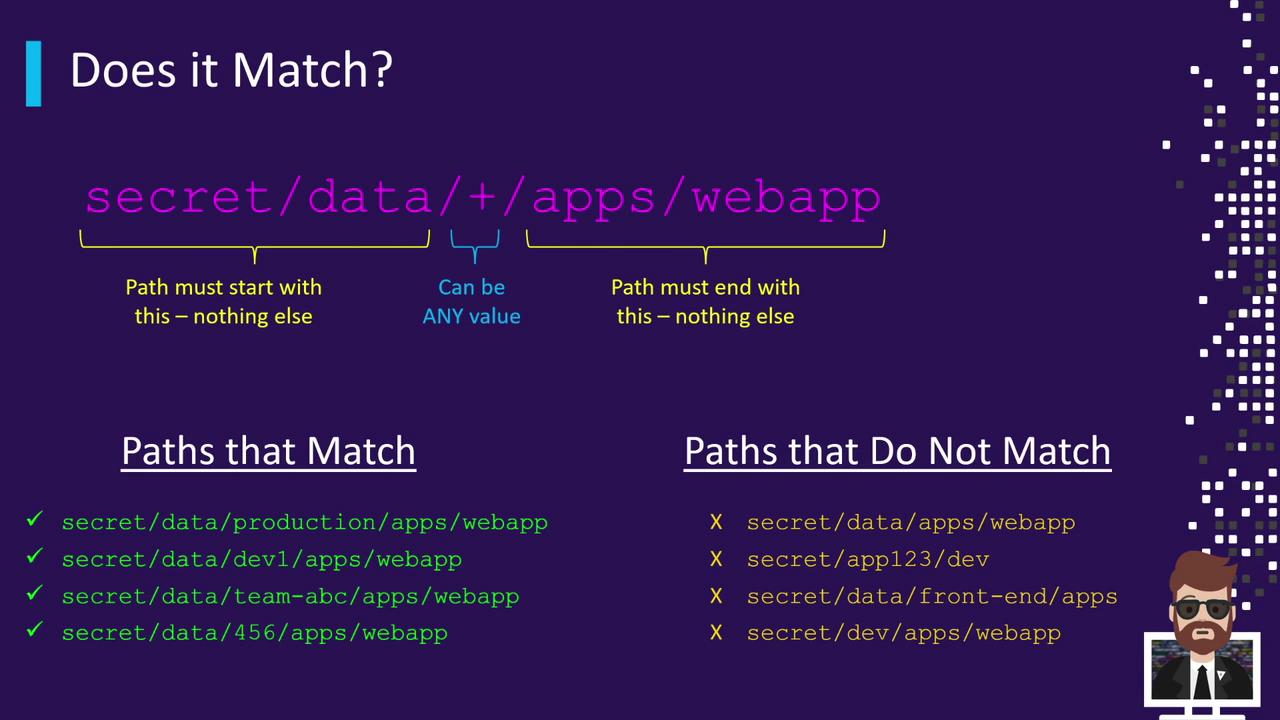
Considersecret/data/+/apps/webapp:
- secret: the mount path of the Secrets Engine.
- data: indicates KV version 2.
- +: matches any single segment (e.g.,
dev,qa,team-xyz). - apps/webapp: fixed suffix.
secret/data/<any>/apps/webapp will match.
Combining + and *
Mix both wildcards for even more flexible rules:
secret/+/+/webapp: two single segments (e.g.,secret/dev/qa/webapp).secret/apps/+/*team-*: one segment afterappsand then any suffix beginning withteam-(e.g.,secret/apps/dev/team-123).
ACL Templating in Paths
Vault’s ACL templating lets you interpolate variables from the token’s context (such as identity entity or group metadata). Templates use{{ }}.
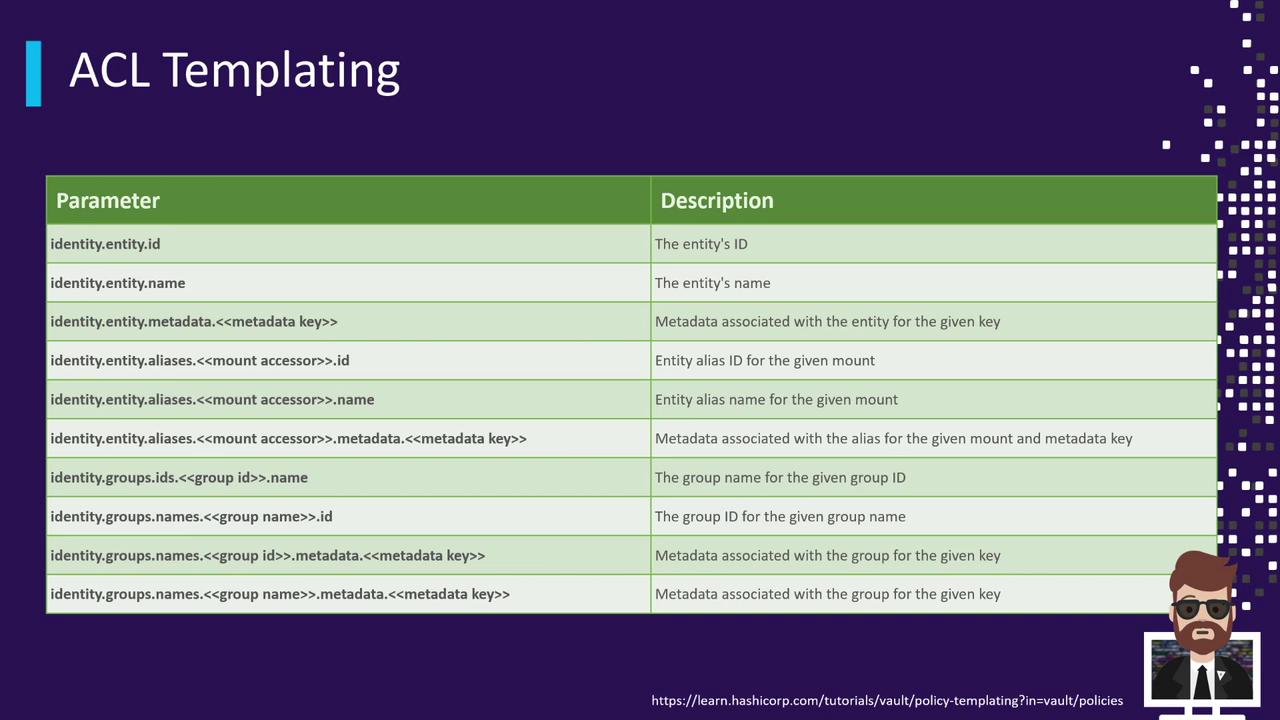
identity.entity.id:
- User A (entity ID
12345) gains access tosecret/data/12345/*. - User B (entity ID
678910) gains access tosecret/data/678910/*.
For a full list of template variables—such as
identity.entity.name, identity.group.id, and more—see the Vault policy template variables documentation.By mastering glob and single‐segment wildcards along with ACL templates, you’ll be able to define concise, scalable policies that adapt automatically to your team’s hierarchy and usage patterns.