

Common Vault Paths
Paths prefixed with
sys/ map to Vault’s internal systems. For example, sys/rekey is used to rotate and re-encrypt data encryption keys.Understanding a Secrets Engine Path
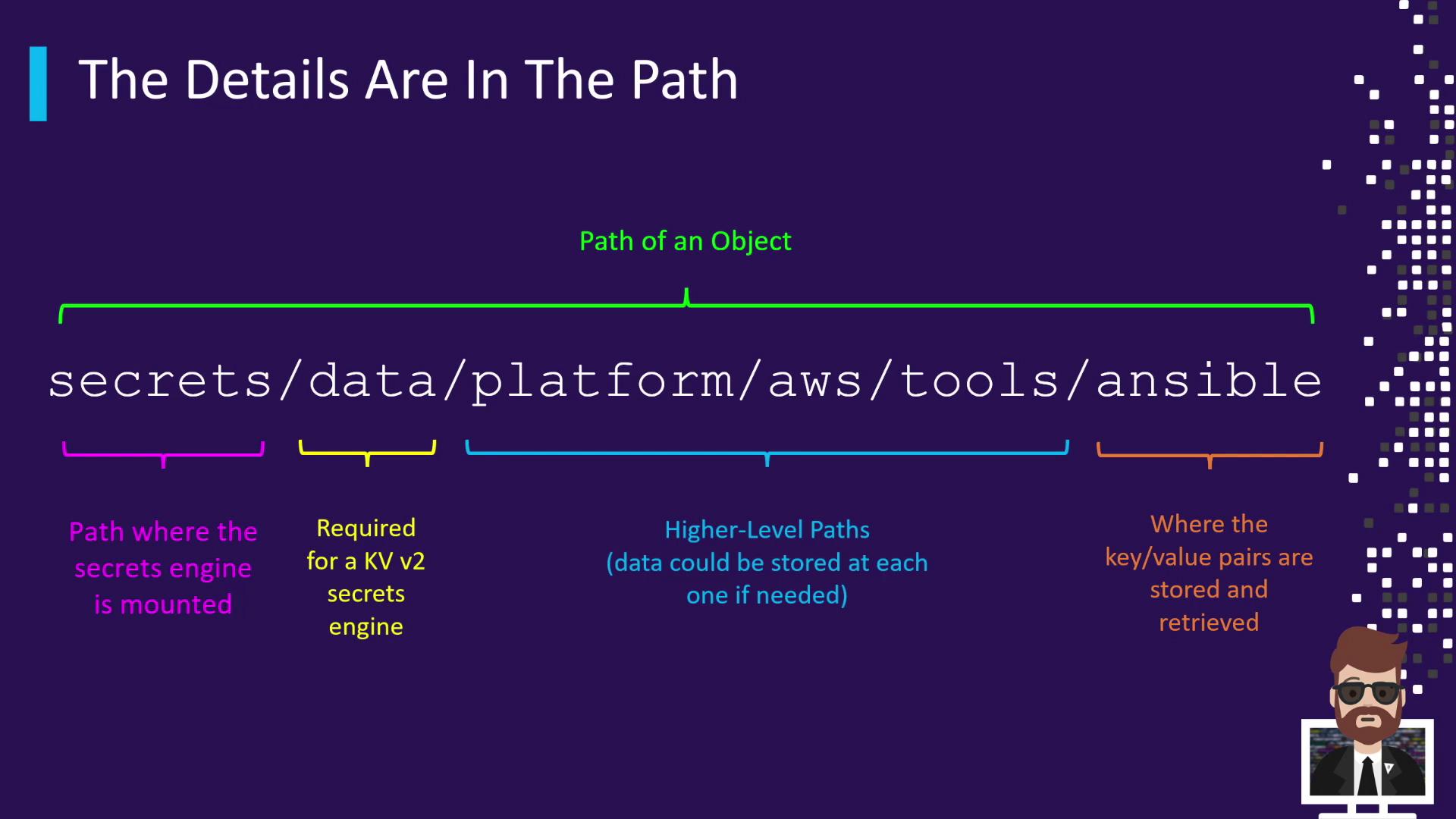
When you enable the KV (Key-Value) secrets engine v2 at the mount pointsecrets/, all data operations use the data/ prefix. For instance, storing Ansible credentials under a nested hierarchy might look like this:
Each segment after
data/ can contain key/value pairs. Always reference the complete path when reading, writing, or deleting secrets.
Root-Protected Paths
Certain Vault endpoints are root-protected and require either a root token orsudo capabilities to access. These paths control critical cluster operations.
Root-protected paths expose powerful operations. Grant
sudo only to trusted administrators.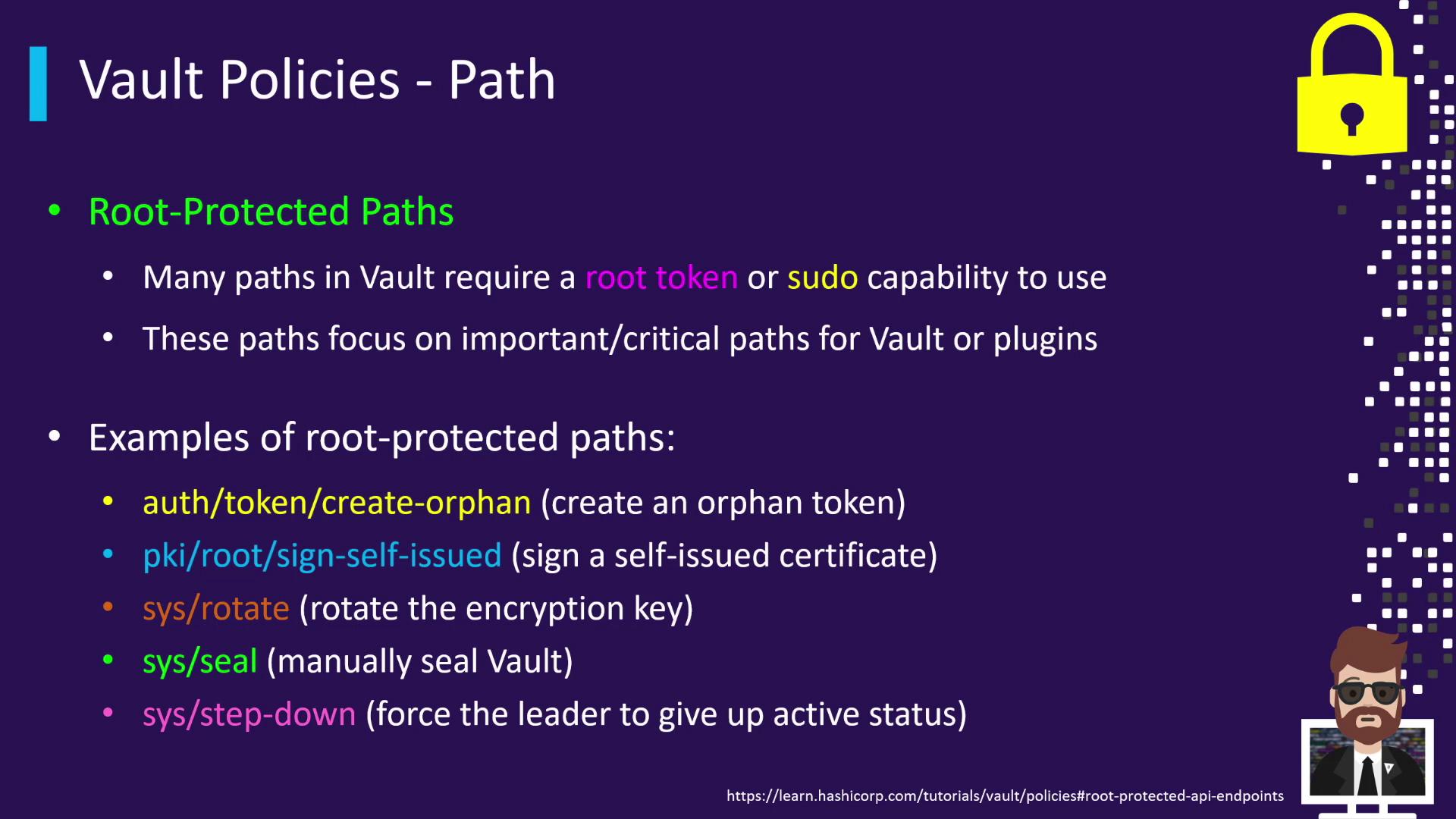
sudo capabilities on these critical paths, include the following in your HCL policy: