

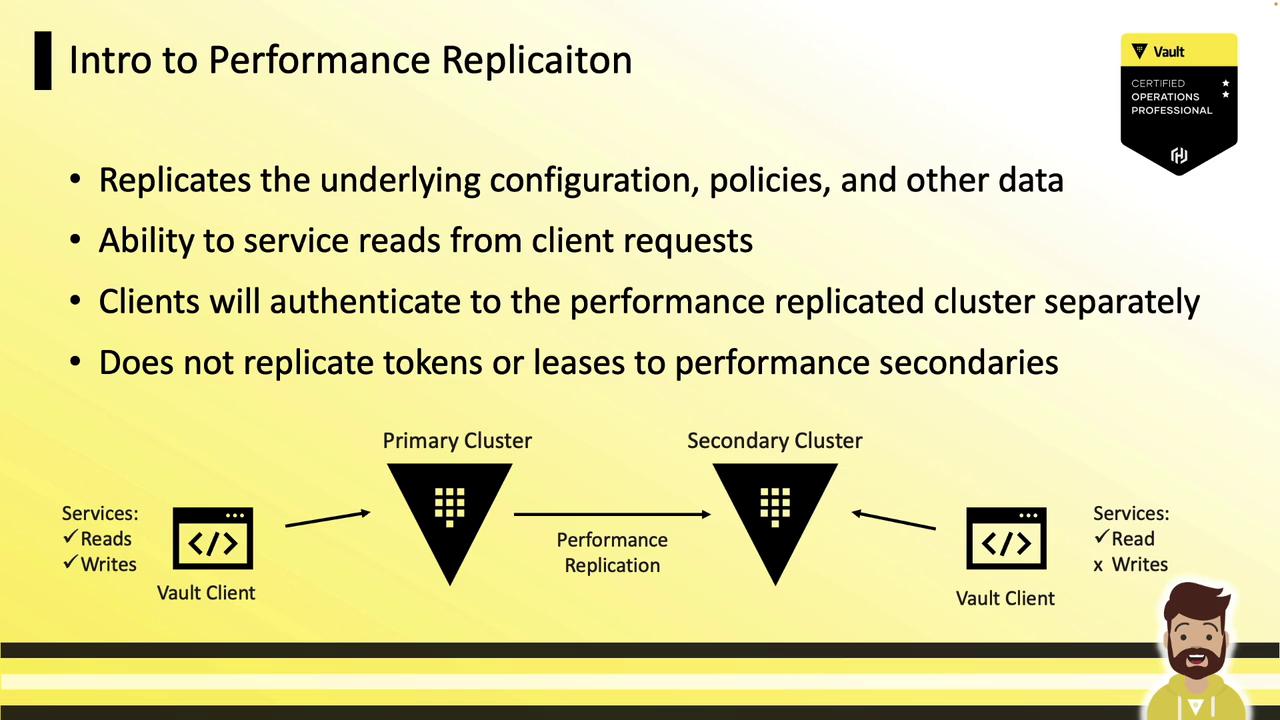
Key Concepts
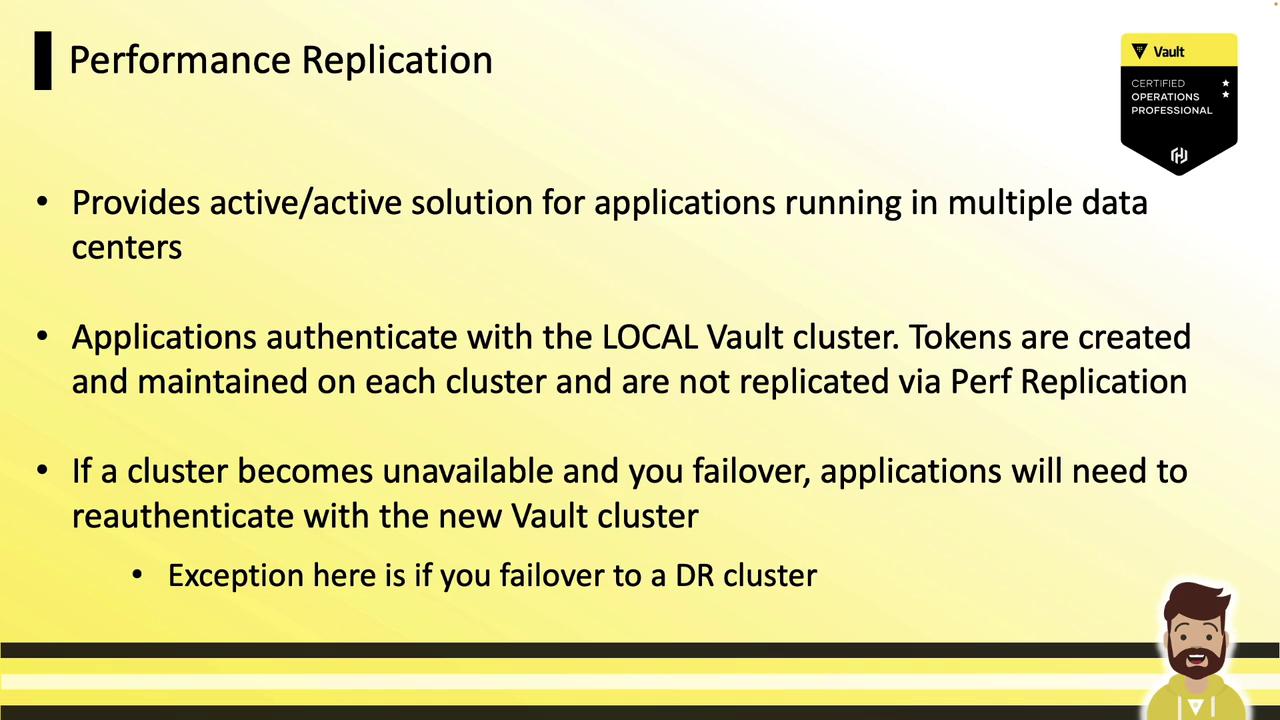
- Active-Active Workloads: Read operations (authentication, secret reads, dynamic secret generation) are served locally on each replica.
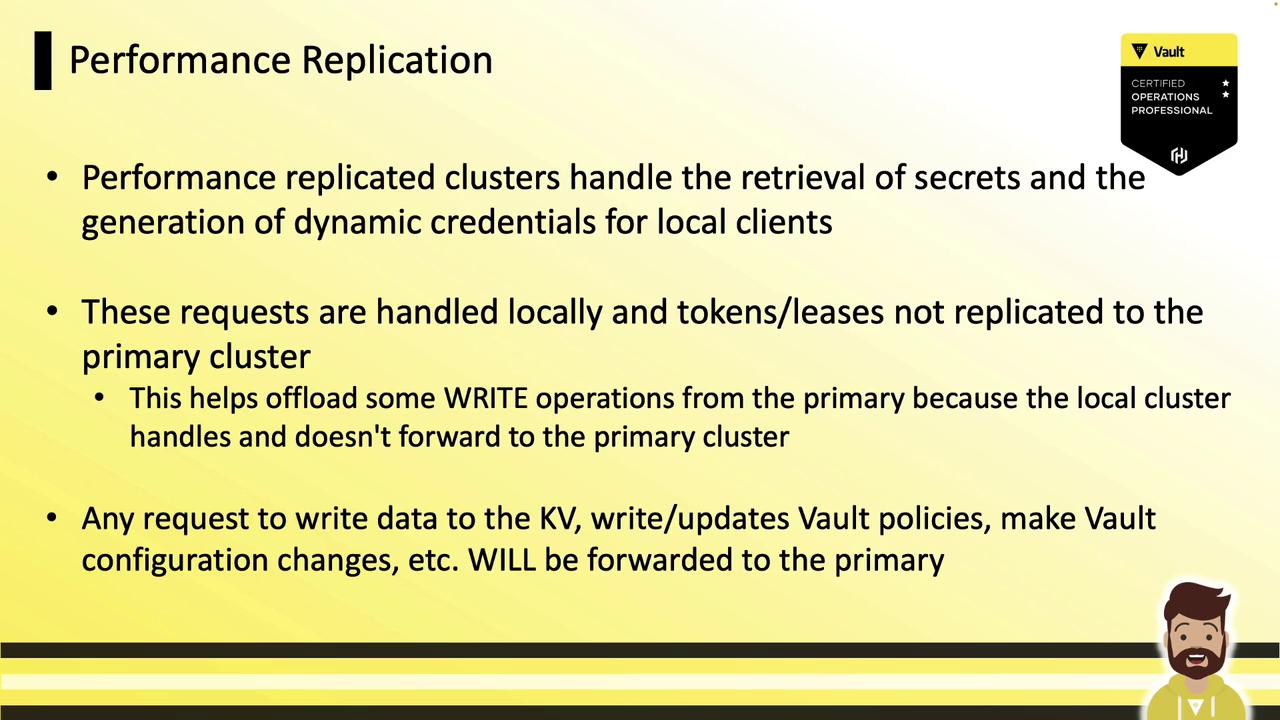
- Centralized Writes: All write requests (policy changes, configuration updates) are forwarded to the primary cluster.
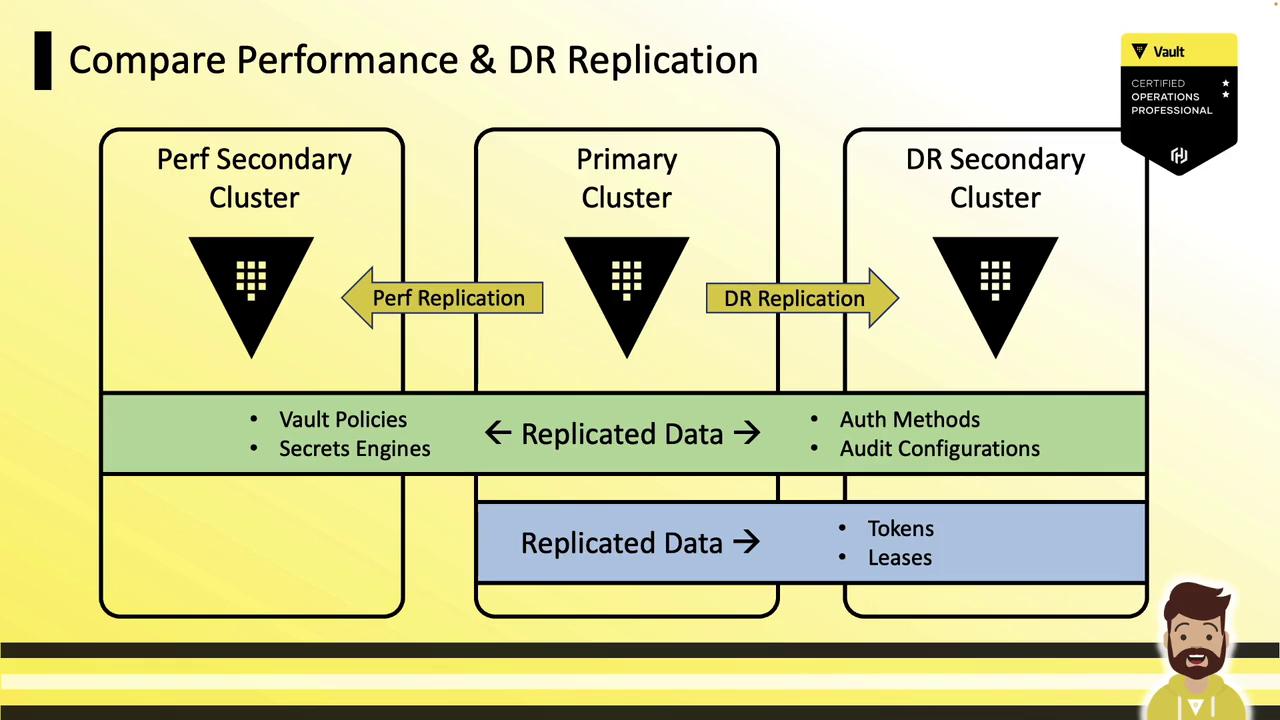
- Independent Authentication: Tokens and leases created on a performance secondary are local and are not replicated from the primary. Clients must re-authenticate on each cluster.
Performance vs. Disaster Recovery (DR) Replication
Example Architecture: Data Centers & Cloud Regions
Multi–Data Center Deployment
A primary cluster in Data Center A replicates to performance secondaries in Data Center B and a cloud region. Local applications read and authenticate against their nearest replica, while writes go to the primary.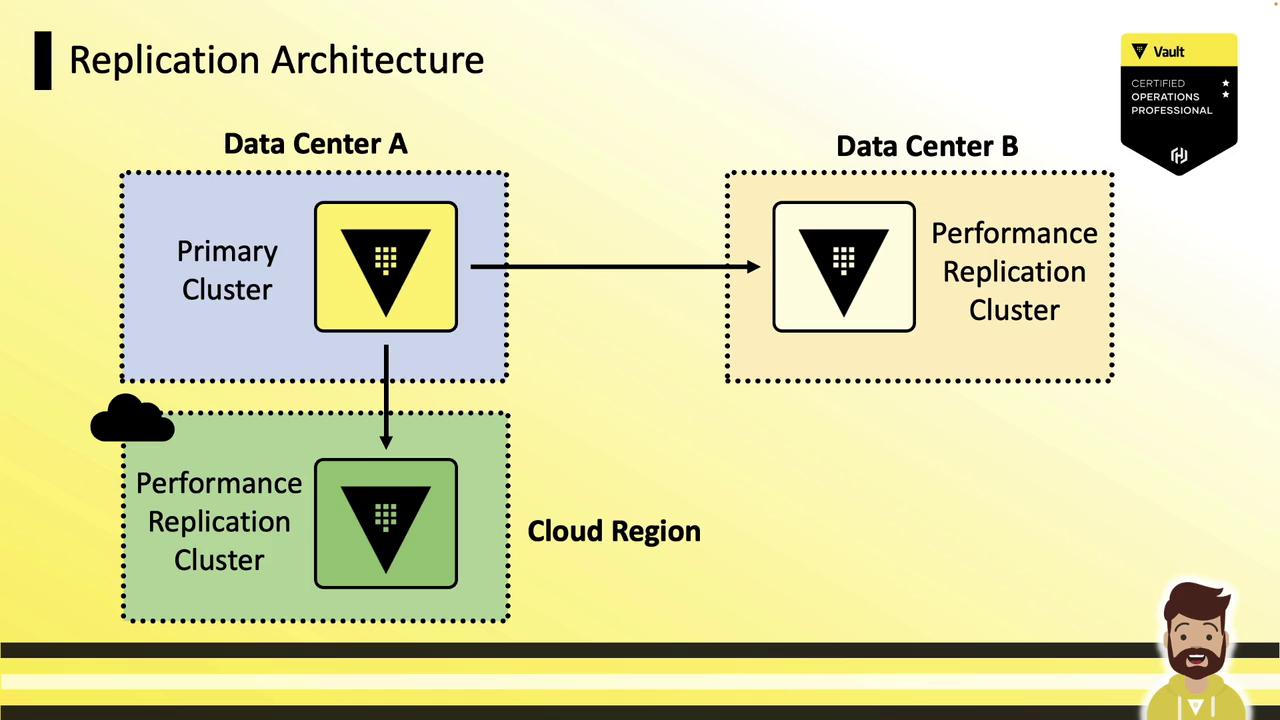
Global Cloud Deployment
In a cloud setup, the primary (US-East2) replicates to secondaries in US-East and EU-West. Applications in each region authenticate to their local replica for reads; writes are sent back to the primary and propagated.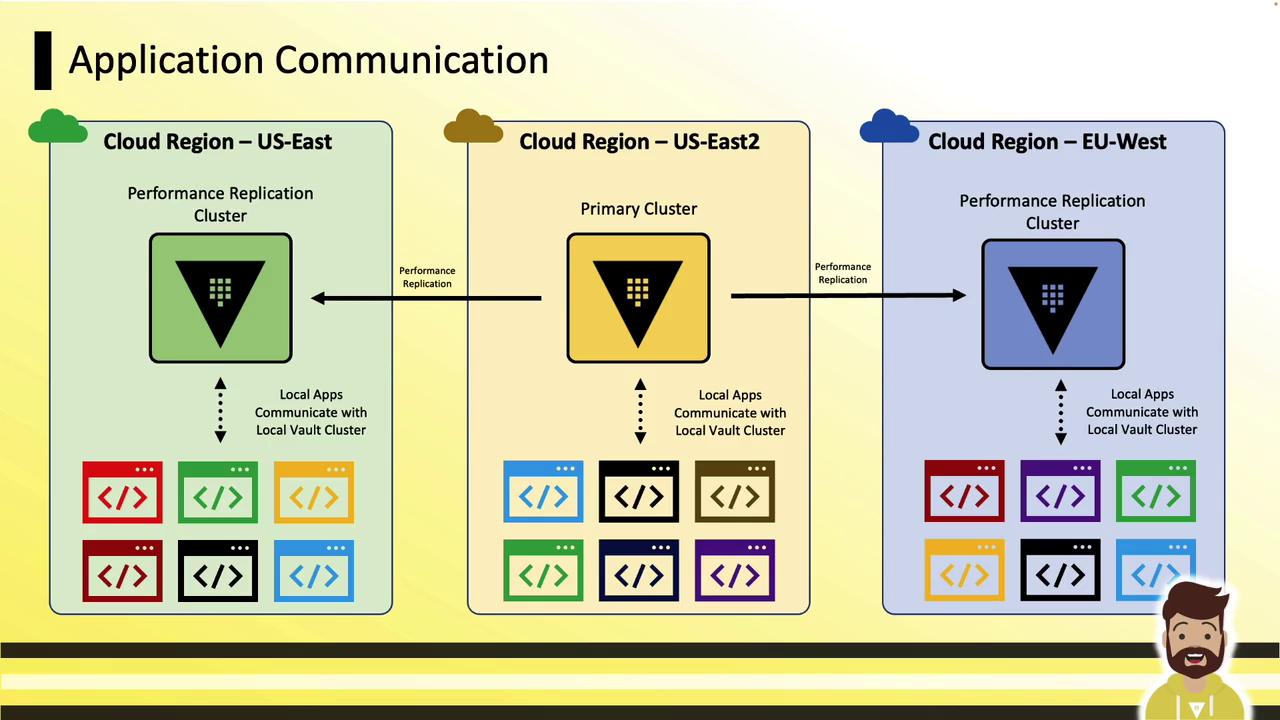
How Performance Replication Works
-
Active-Active Authentication
Each performance replica handles logins locally. Tokens and leases exist only on the cluster where they were issued. -
Local Dynamic Secrets
Replicas generate dynamic credentials (e.g., database passwords, AWS keys) without contacting the primary:
- External Service Interactions
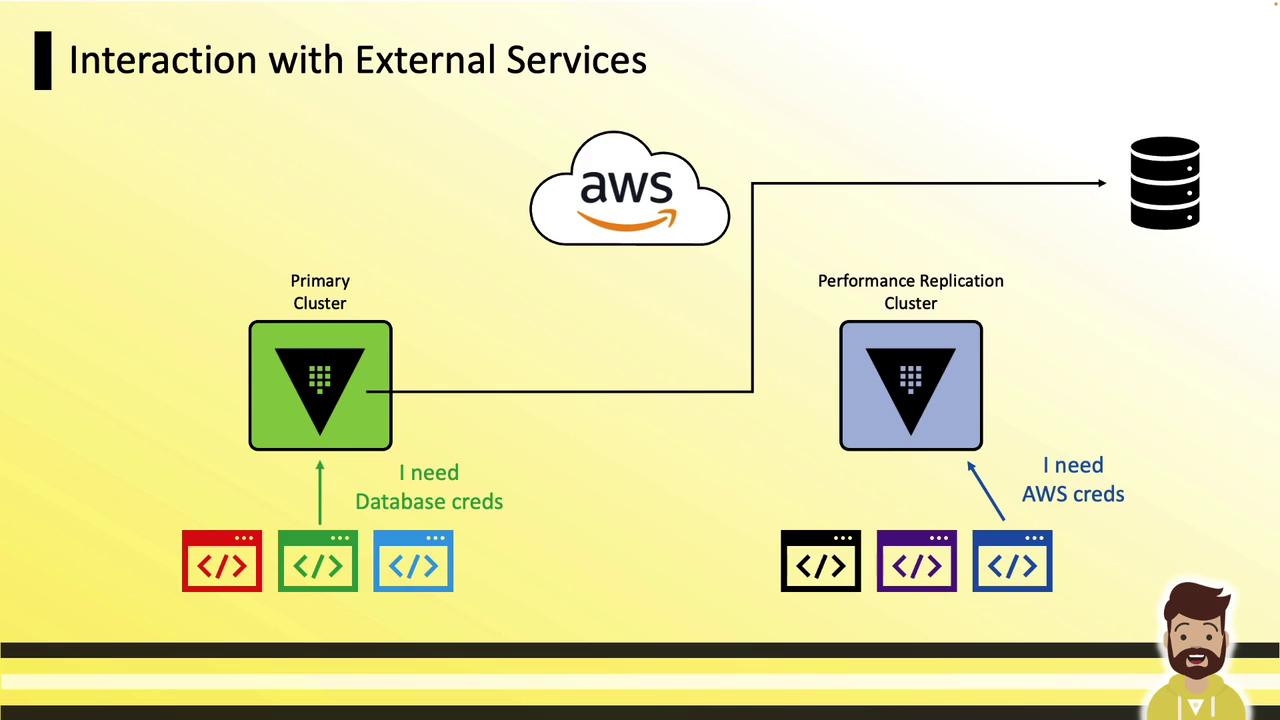
Connections to AWS, databases, and other external services occur directly from each replica:
Setup Process
Follow these four steps to configure performance replication: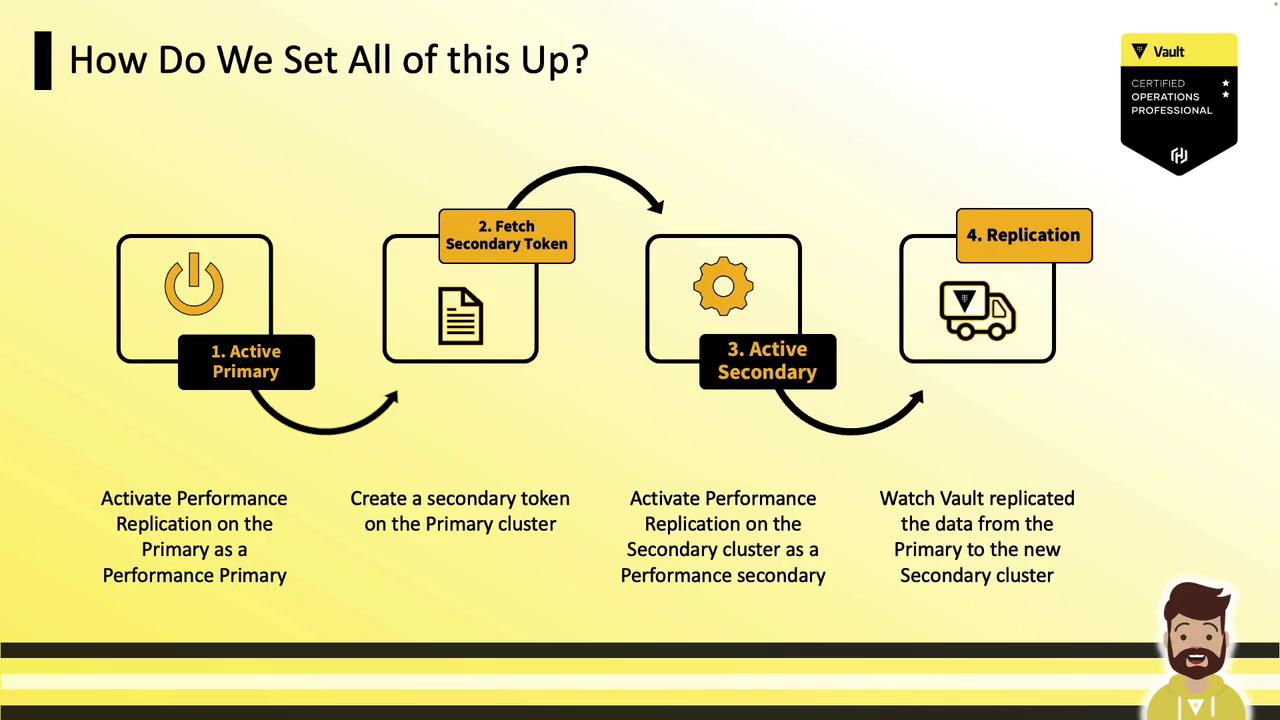
- Enable performance replication on the primary.
- Generate a secondary token.
- Enable the secondary using the token.
- Monitor the replication status.
CLI Commands
Enabling a secondary will purge its local data (including unseal and recovery keys) and sync entirely from the primary.