

Almost every Vault deployment uses at least one KV mount. You can enable multiple KV instances at different paths to isolate secrets by team, environment, or application.
Why Use KV for Static Secrets
- Centralized management of non-rotating secrets
- Integration with CI/CD and automation tools
- Granular access control through Vault policies
- 256-bit AES encryption at rest
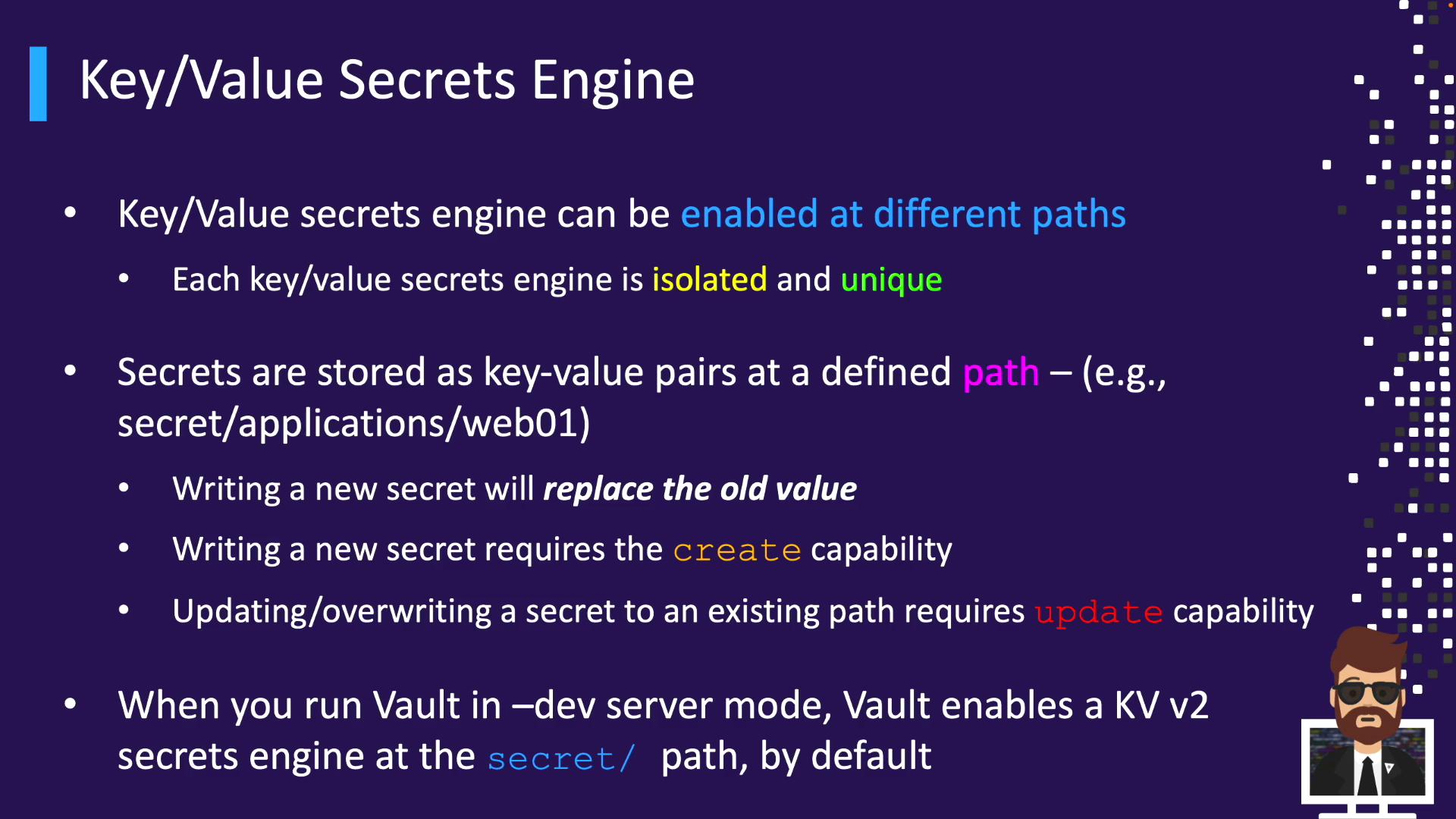
KV Engine Versions: v1 vs. v2
Reading from v2 returns the latest version unless you specify another version.
Enabling the KV Engine
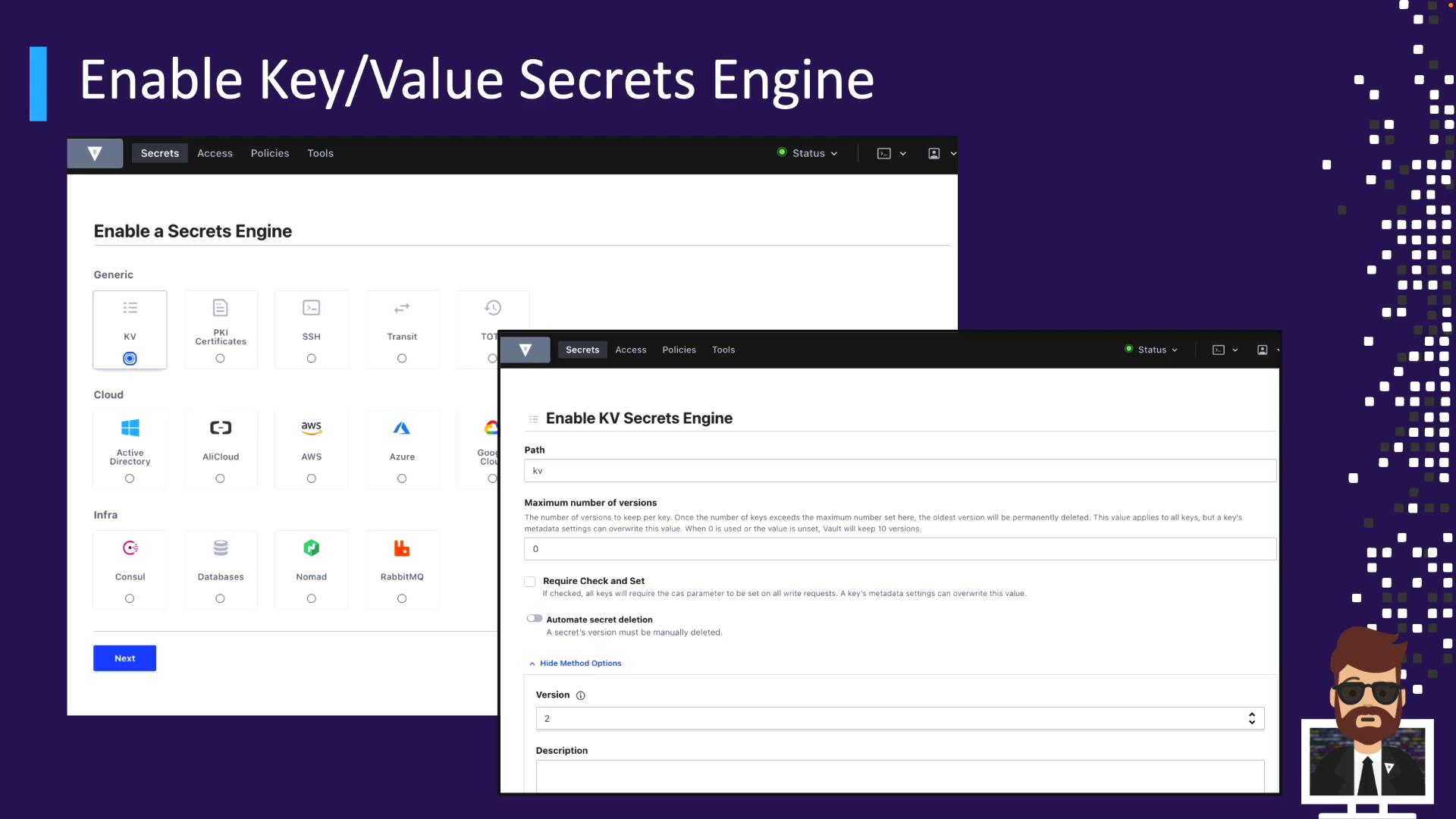
KV v2 is not enabled by default in production.Via UI
- Go to Secrets > Enable new engine
- Select Key/Value
- Set Mount path (default
kv) and choose version - (Optional) Add description, tune max versions or CAS, configure deletion
Via CLI
Enable KV v1 atkv/ (default):
Upgrading an existing KV v1 mount to v2 is irreversible. Plan carefully before enabling versioning.
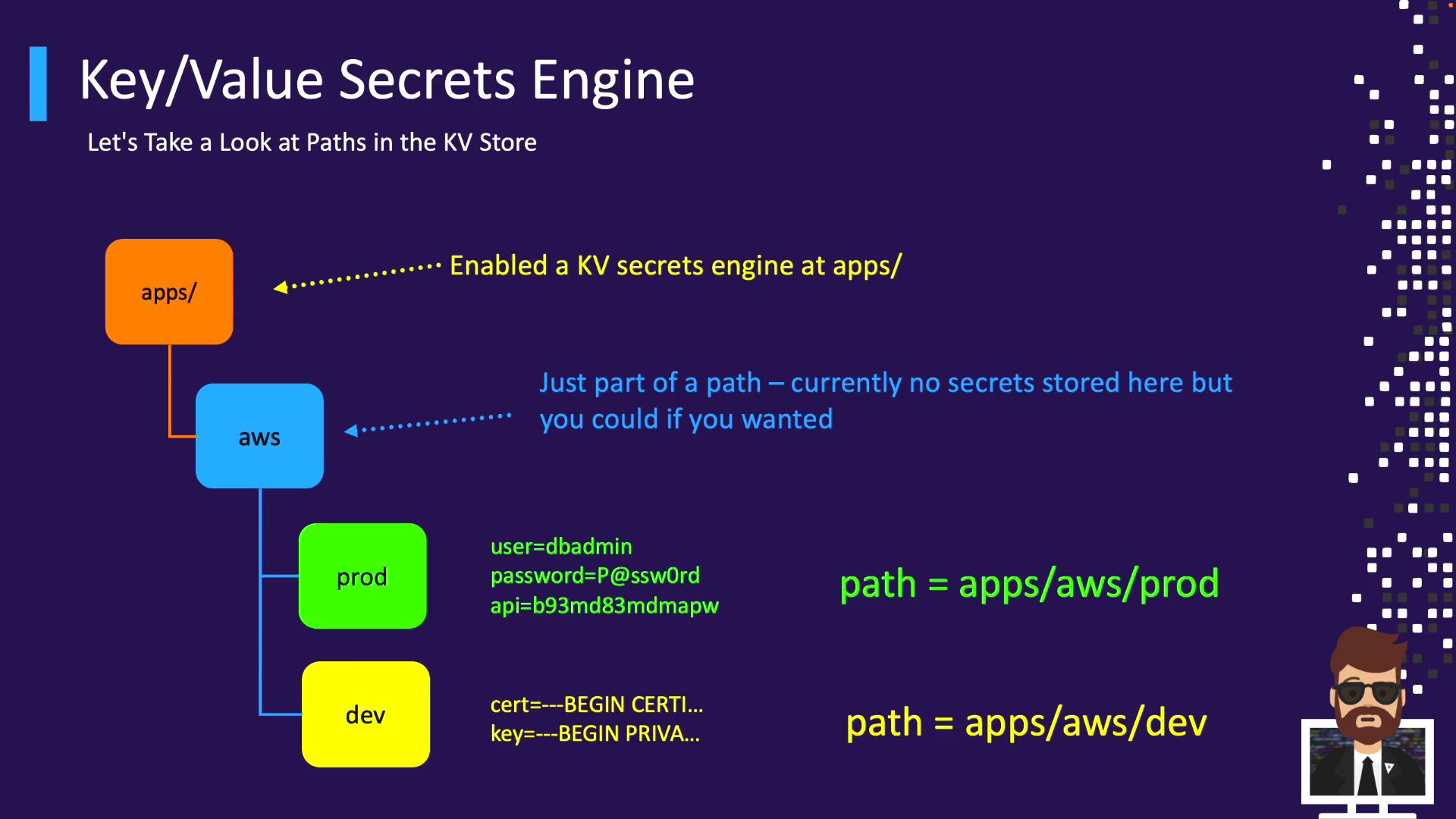
Organizing Secrets with KV Paths
Plan a path hierarchy to simplify policies and discovery. Option A: Single mount with folders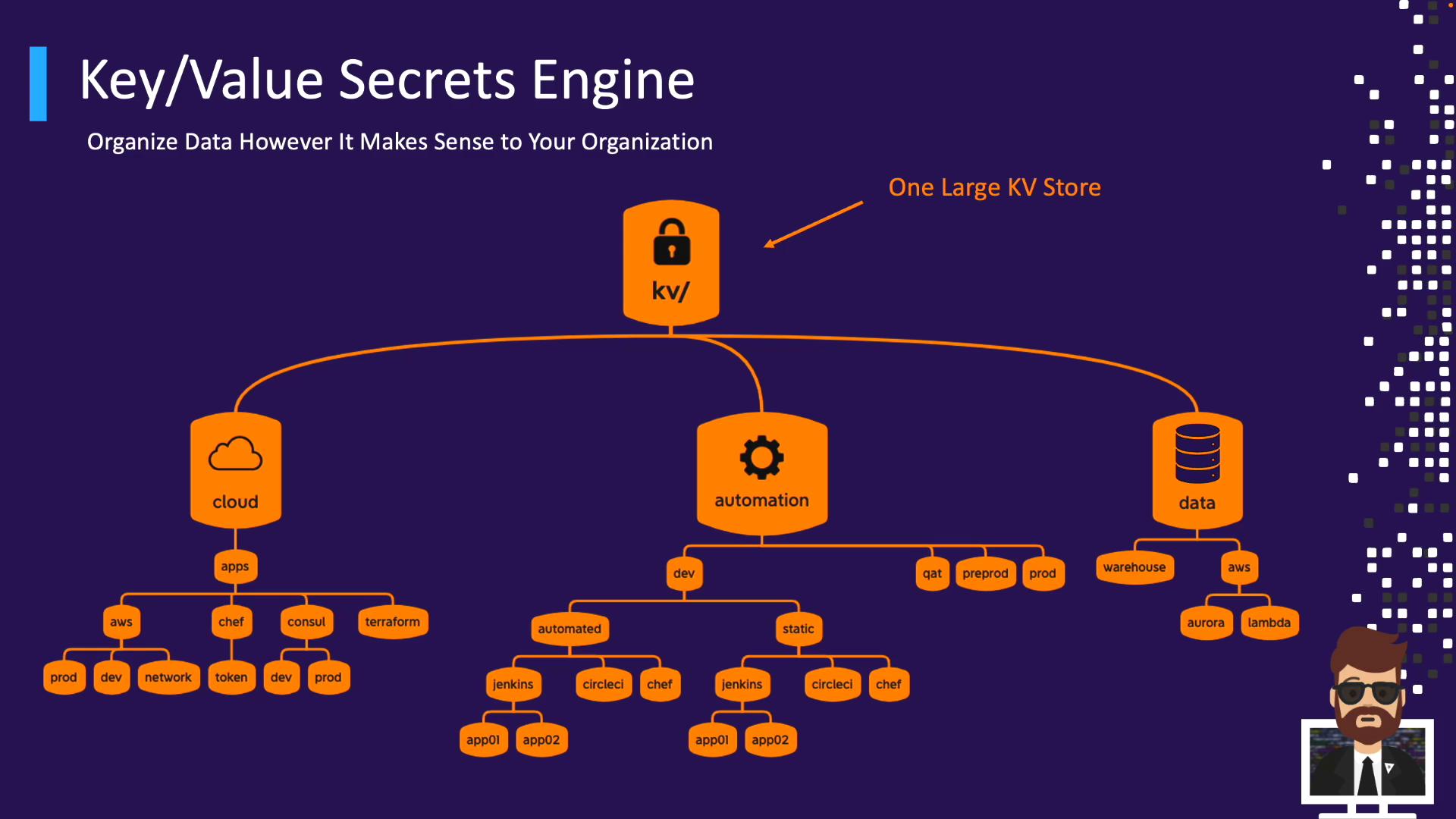
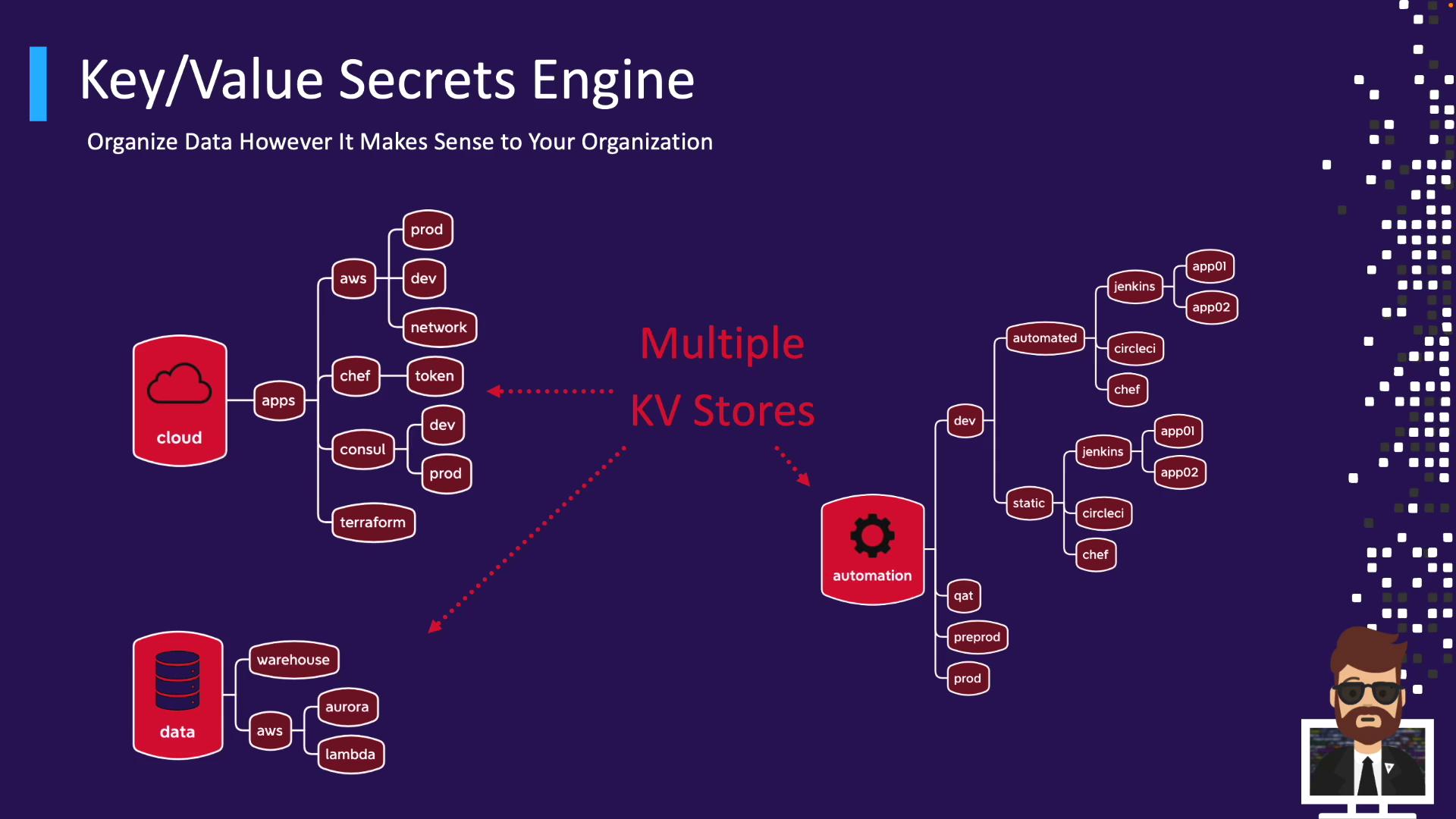
Path Example: apps/
- Mount:
apps/ - Secret path:
apps/aws/prod - Read:
vault kv get apps/aws/prod
KV v2 Metadata & API Prefixes
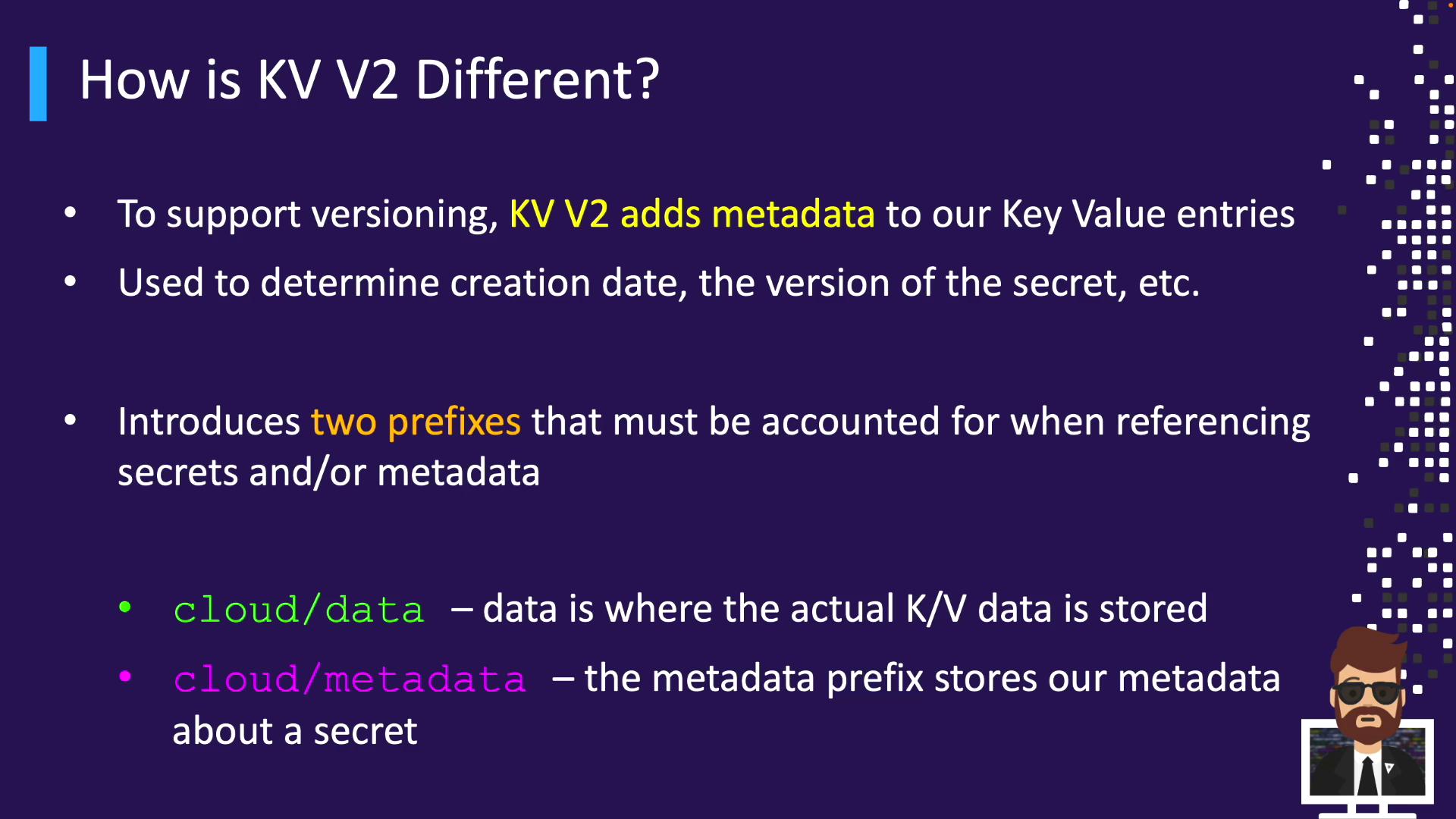
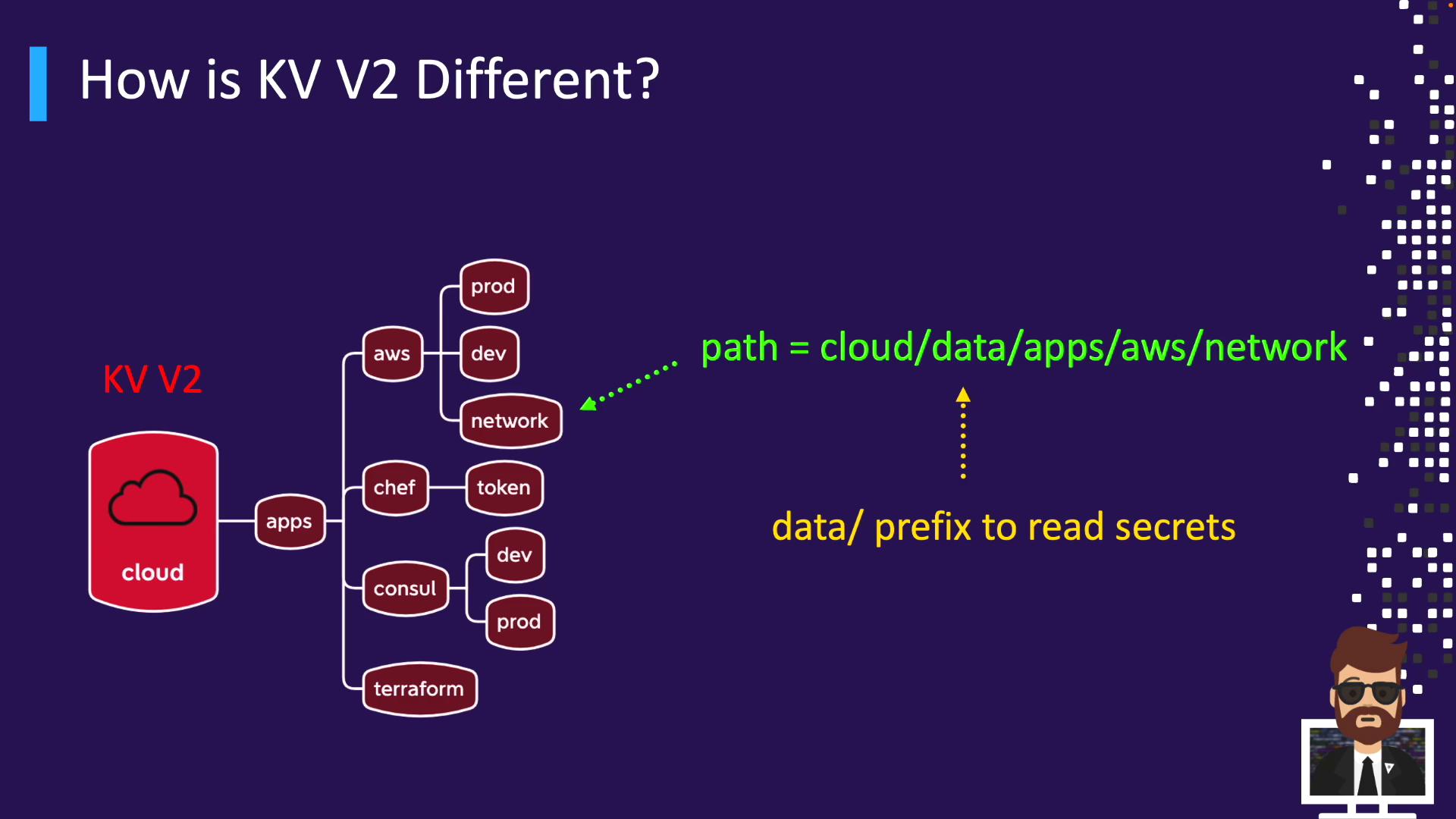
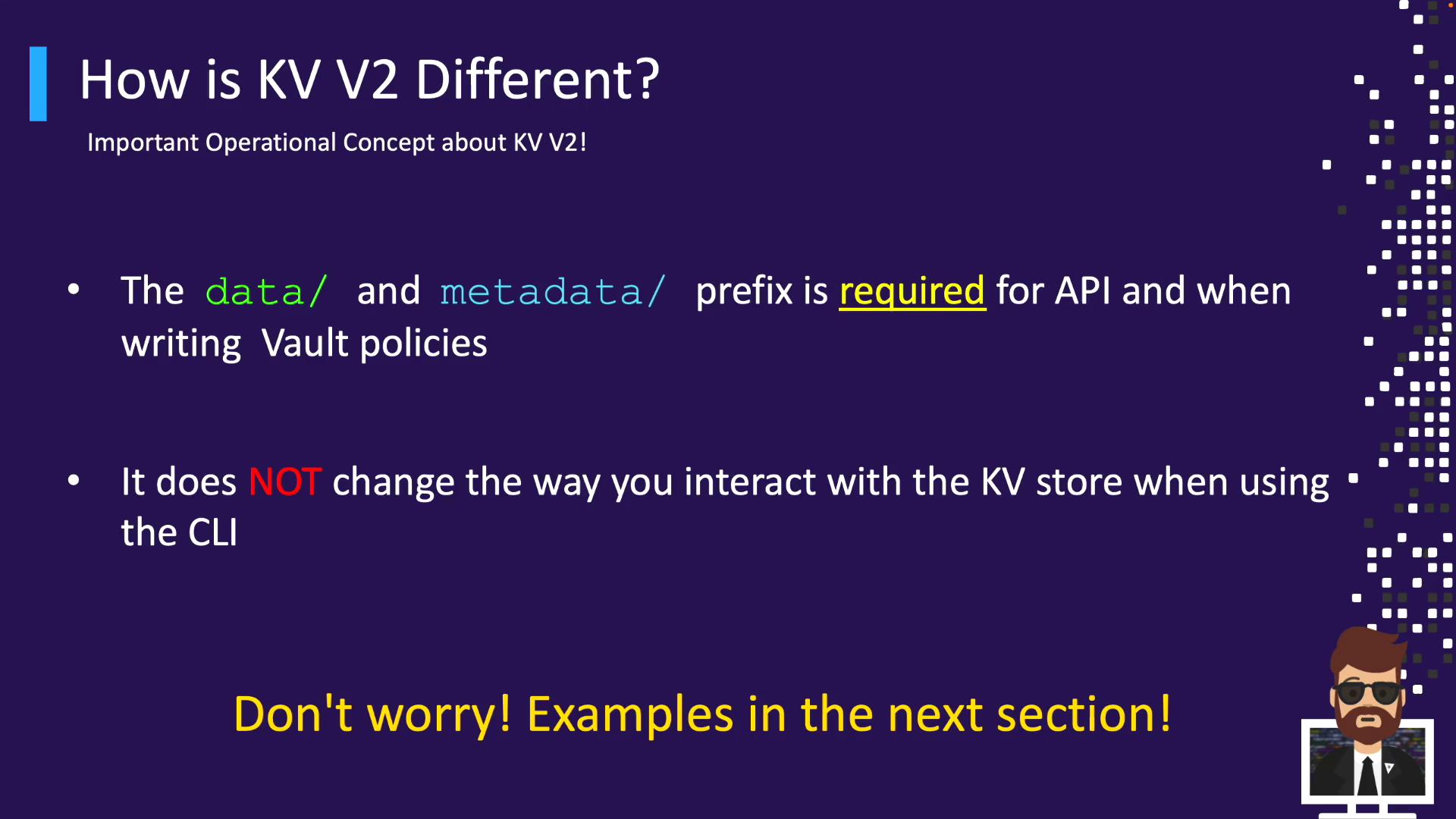
KV v2 adds metadata (versions, timestamps, deletion status). It introduces two API prefixes:data/– stores secret valuesmetadata/– tracks version history
cloud/ yields:
/v1/cloud/data/...for secret operations/v1/cloud/metadata/...for metadata
vault kv get cloud/apps/aws works without prefix.
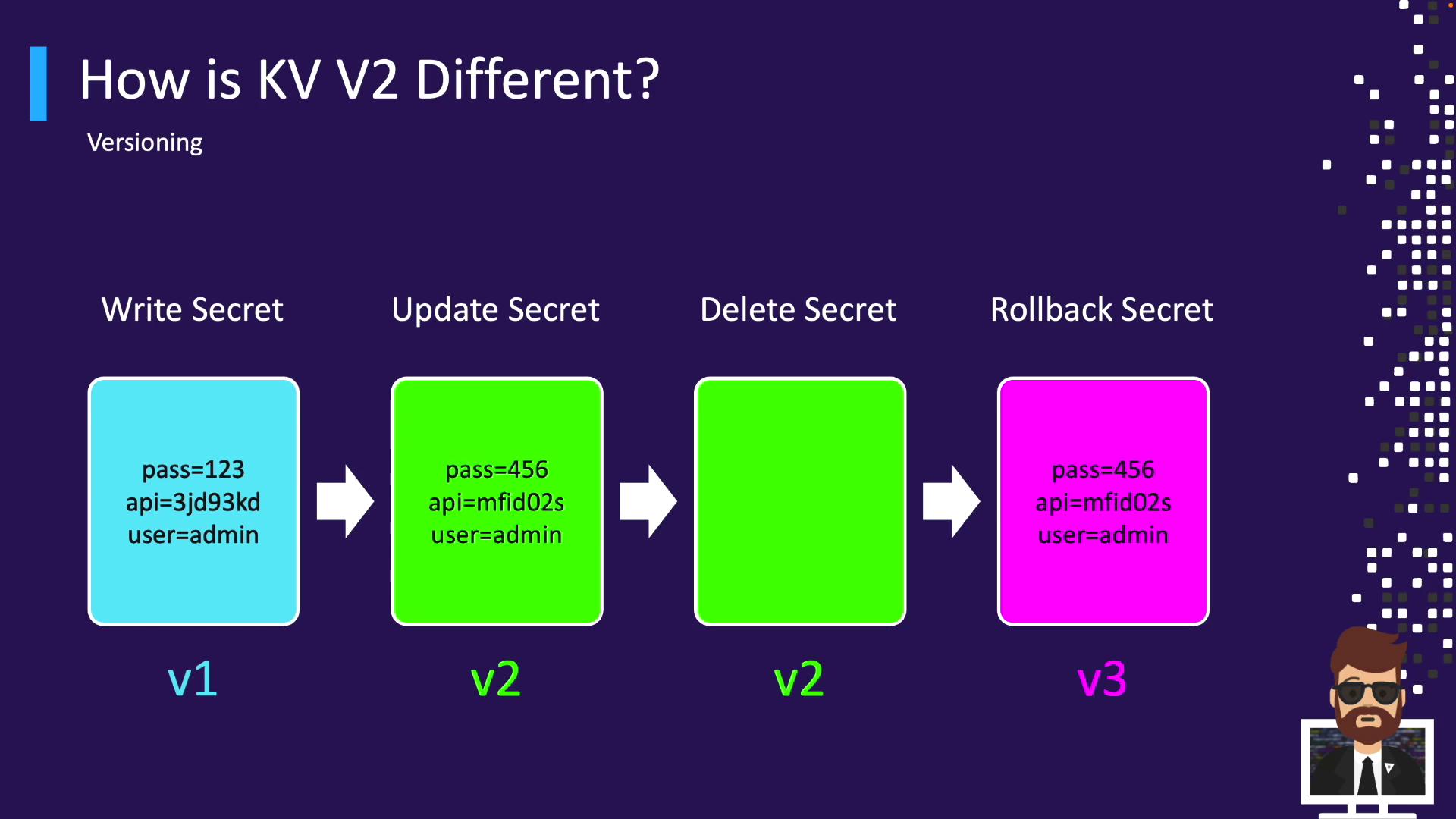
Versioning Workflow in KV v2
Leverage versioning for history, rollback, undelete, and destruction:- Write v1
- Update → v2
- Delete latest
- Undelete v2 → creates v3
- Destroy v3
- New write → v4
Next Steps
- Practice writing, reading, updating, and deleting KV secrets
- Explore versioning and metadata queries
- Define Vault policies to secure KV paths
Links and References
- Vault KV Secrets Engine Documentation
- HashiCorp Vault Overview
- Terraform Registry
- Jenkins Plugins
- GitLab CI/CD Docs