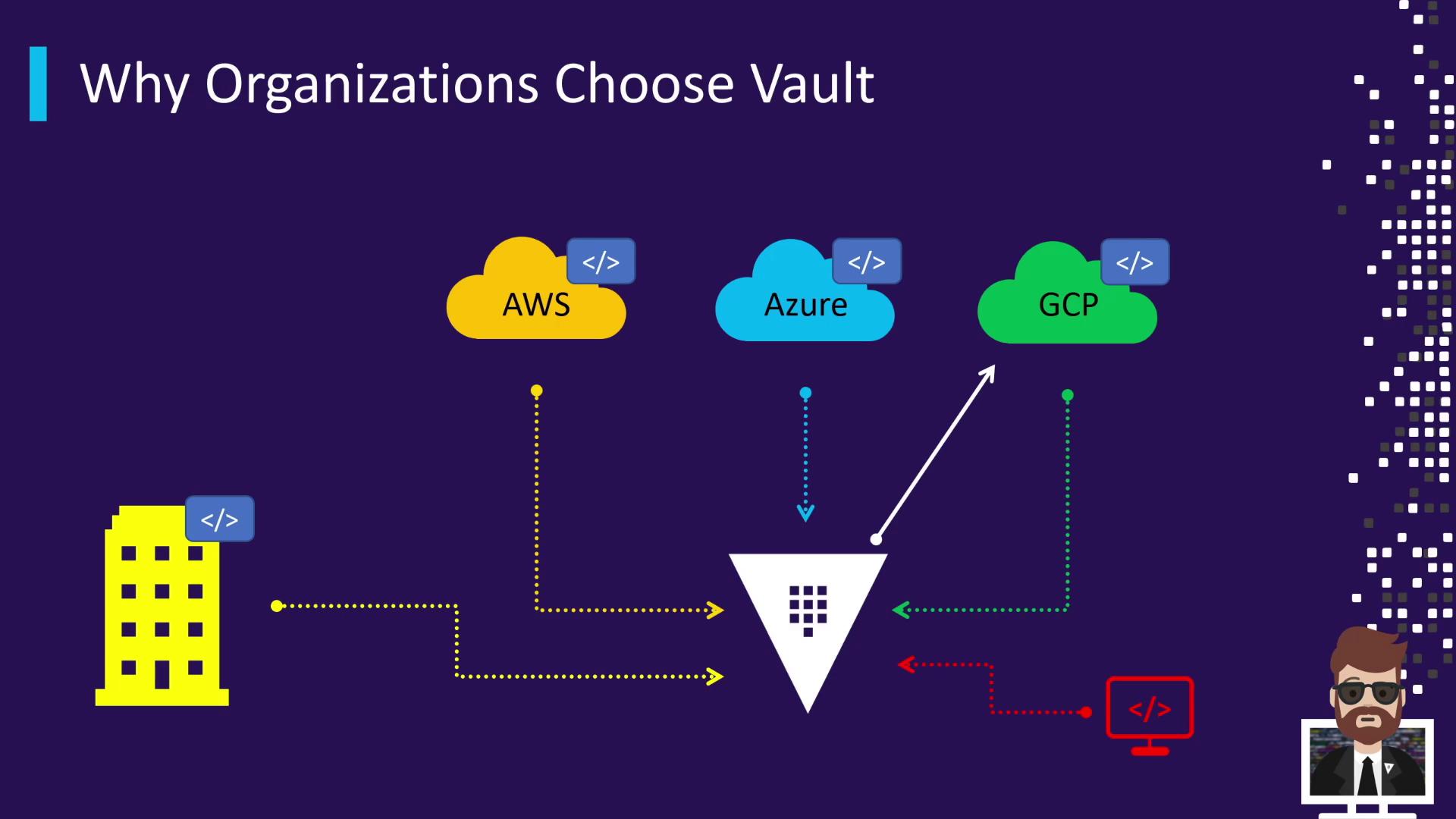
The Multi-Cloud Identity Challenge
In today’s hybrid and multi-cloud environments, applications often depend on separate identity providers (IDPs) across on-premises and public clouds. On-premises systems typically authenticate against Microsoft Active Directory or LDAP. Meanwhile, public cloud workloads each use their own IDP:- AWS workloads authenticate with AWS IAM
- Azure services rely on Azure Active Directory
- GCP applications leverage Google Cloud IAM
- Operational overhead from maintaining multiple integrations
- Security risks due to inconsistent credential lifecycles
- Developer confusion over which credentials to use
Vault: Your Unified Secrets Gateway
HashiCorp Vault centralizes identity and secret management, providing a single integration point for applications. Instead of coding against each cloud’s API, apps authenticate to Vault. Vault then dynamically issues or retrieves credentials from your existing IDPs: Active Directory, AWS IAM, Azure AD, or Google Cloud IAM.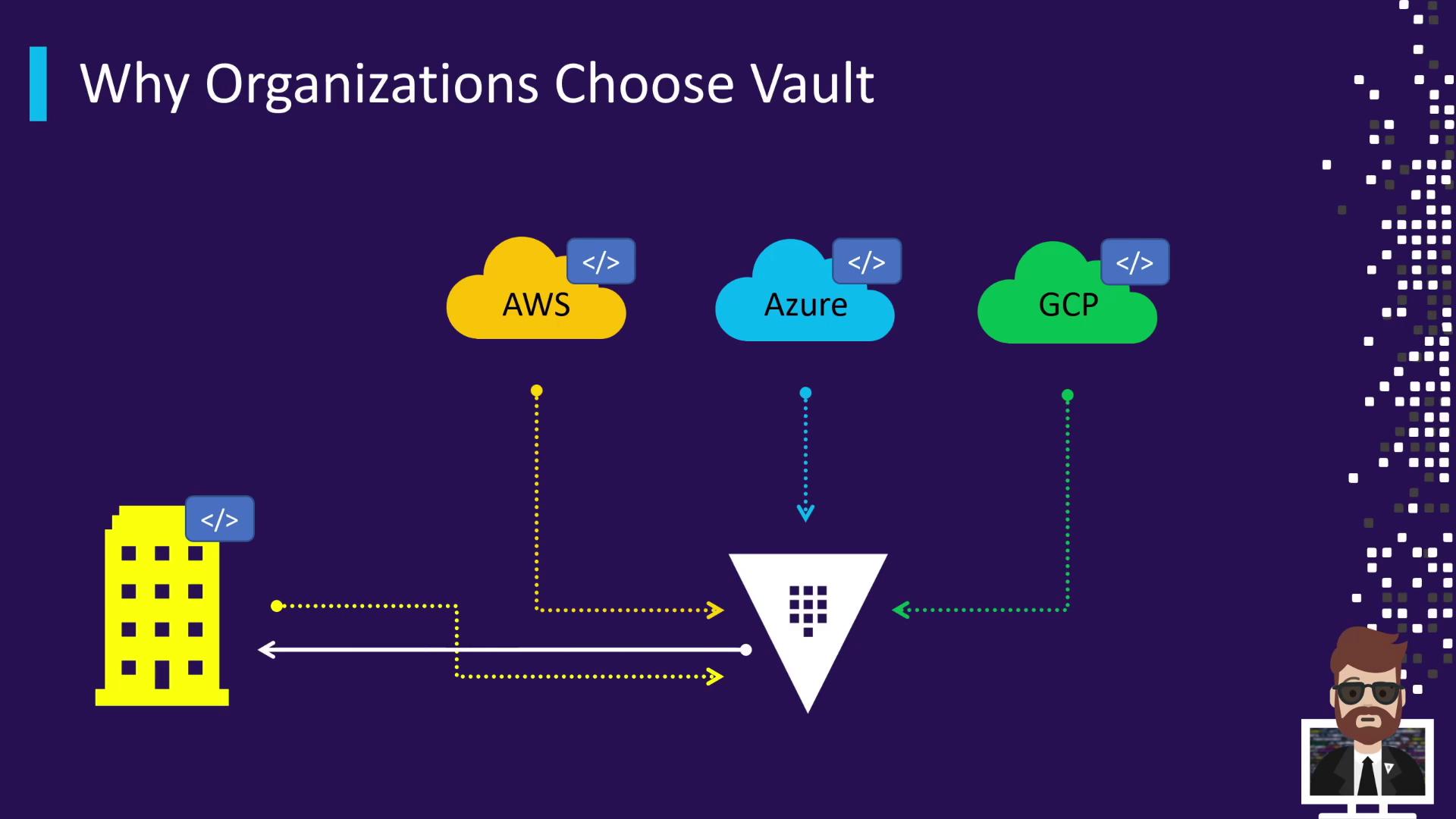
Core Benefits
- Dynamic secrets: On-demand credentials with configurable TTLs
- Consistent policy enforcement: Centralized, versioned access controls
- Simplified developer experience: One API endpoint for all secrets
- Enhanced security posture: Short-lived credentials reduce blast radius
Vault’s dynamic secrets engine issues credentials at runtime and automatically revokes them at expiration, eliminating manual key rotation.
Advanced Secret Management Features
- Transit Secrets Engine: Encryption-as-a-service for data-in-transit
- Static Secrets Storage: Secure key/value store for API keys, tokens, certificates
- Leasing & Renewal: Automatic credential renewal and revocation
- Audit Logging: Detailed, tamper-proof audit trails