

- Main guest entrance
- Pool or beach access
- Employee parking
- Conference wing entrance
Vault Interfaces: API, UI, and CLI
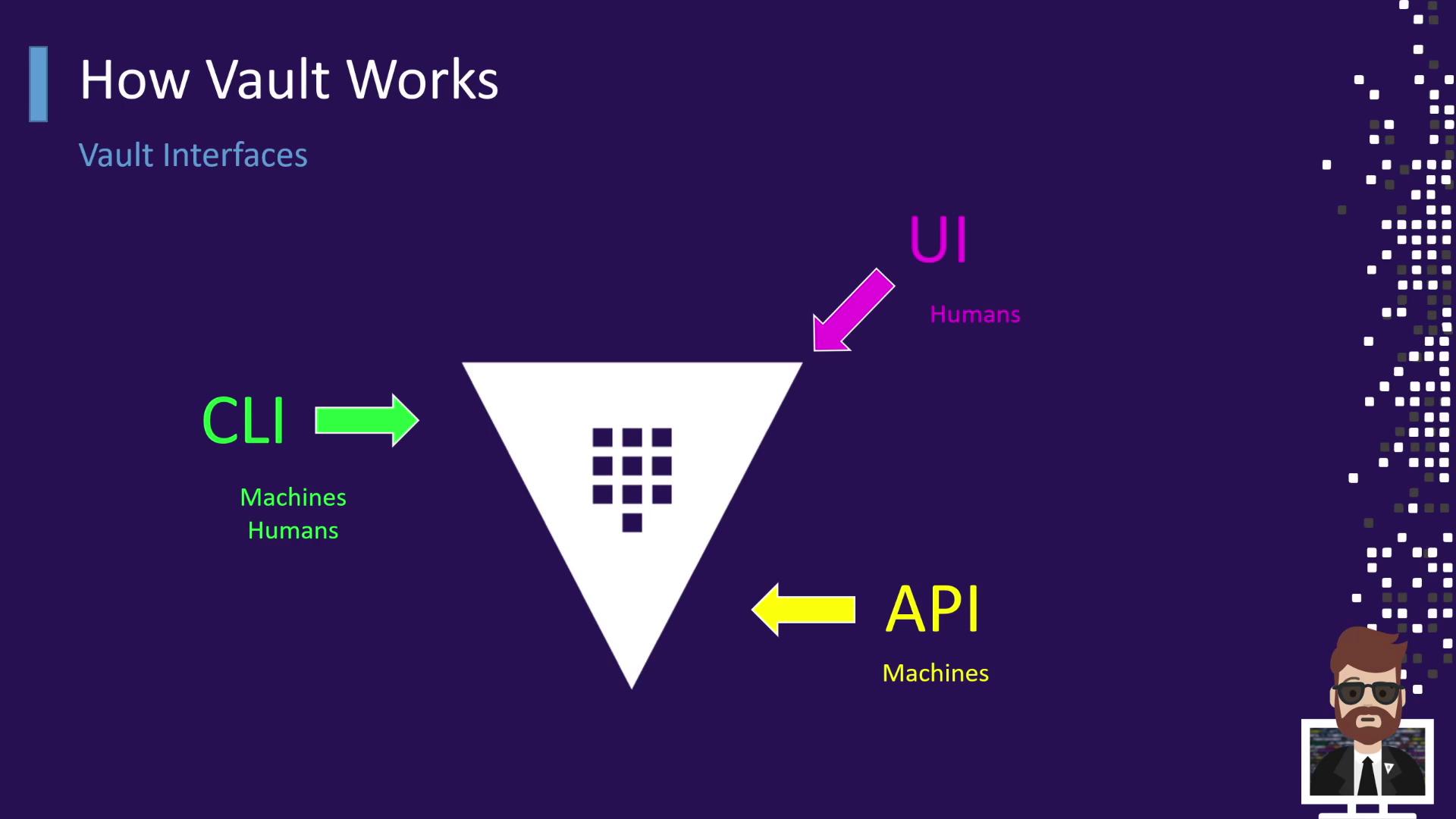
Vault offers three primary access methods—each like a different hotel door: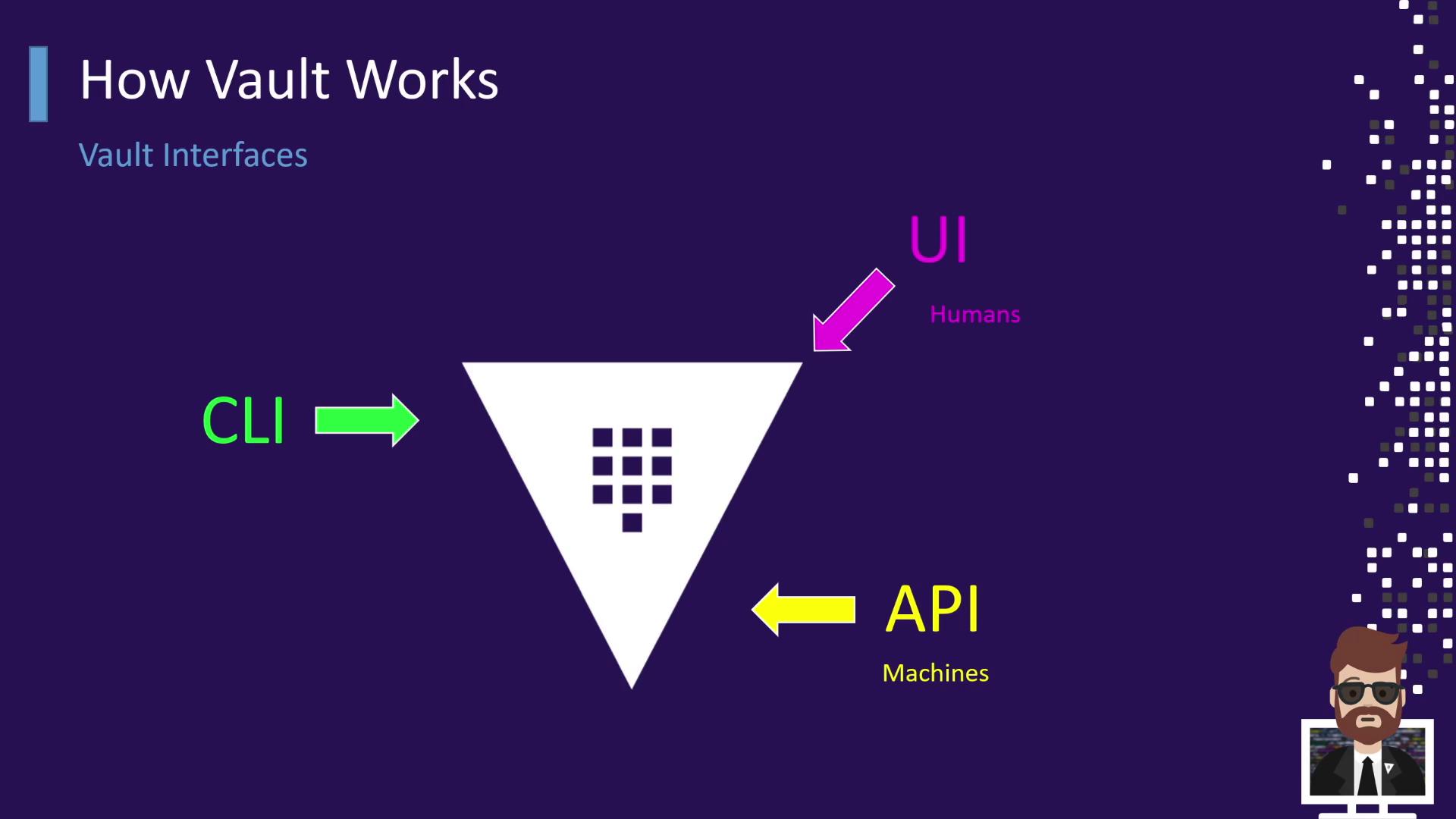
Authentication and Token Issuance
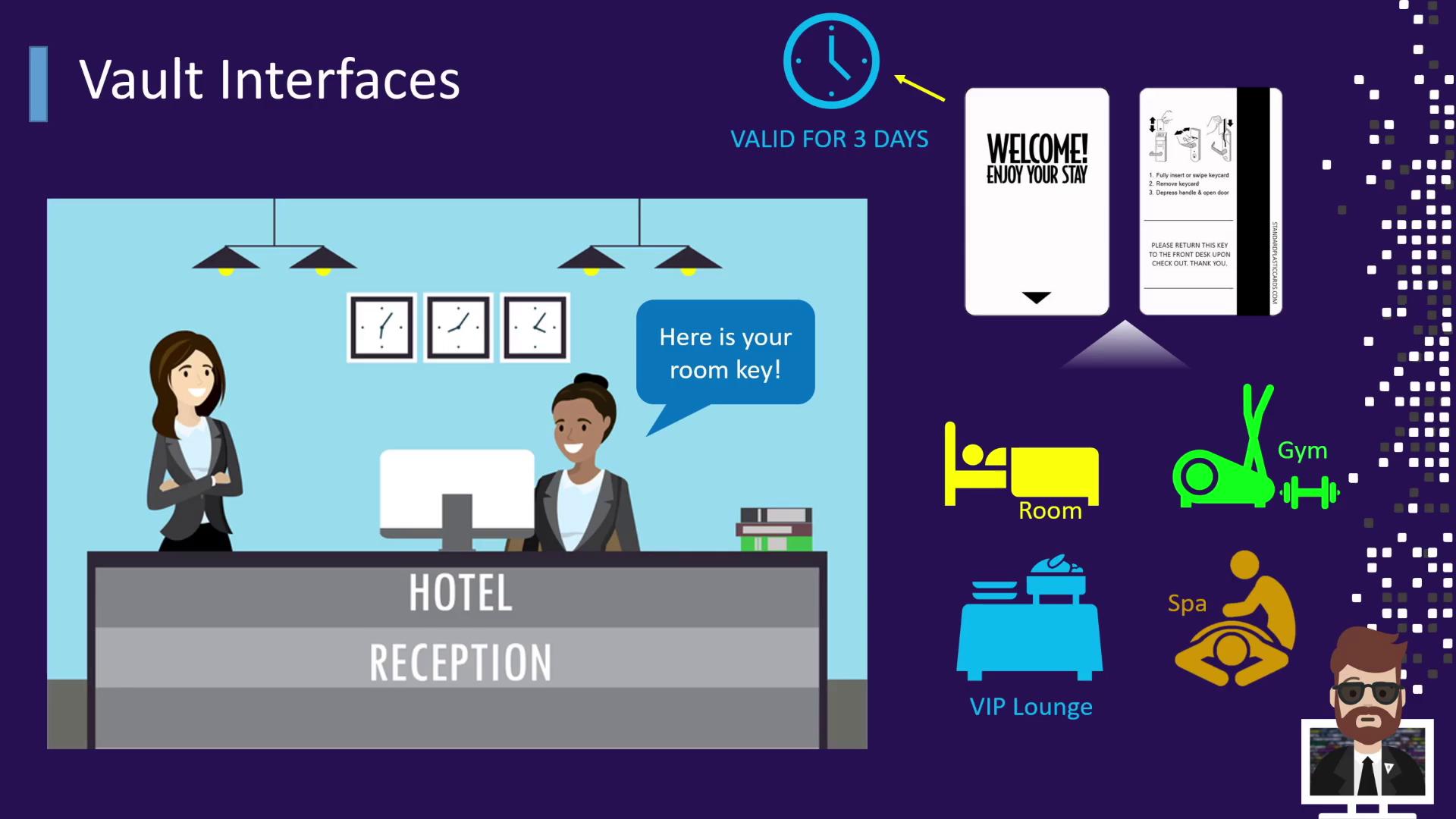
When you arrive at the hotel, you first stop at reception. The receptionist verifies your ID and issues a keycard. In Vault, this keycard is equivalent to a token:- Identification → Present an ID at reception
- Verification → Receptionist confirms your identity
- Key Issued → You receive a card granting access to your room and amenities
- TTL → The keycard is valid only for your stay (e.g., three days)
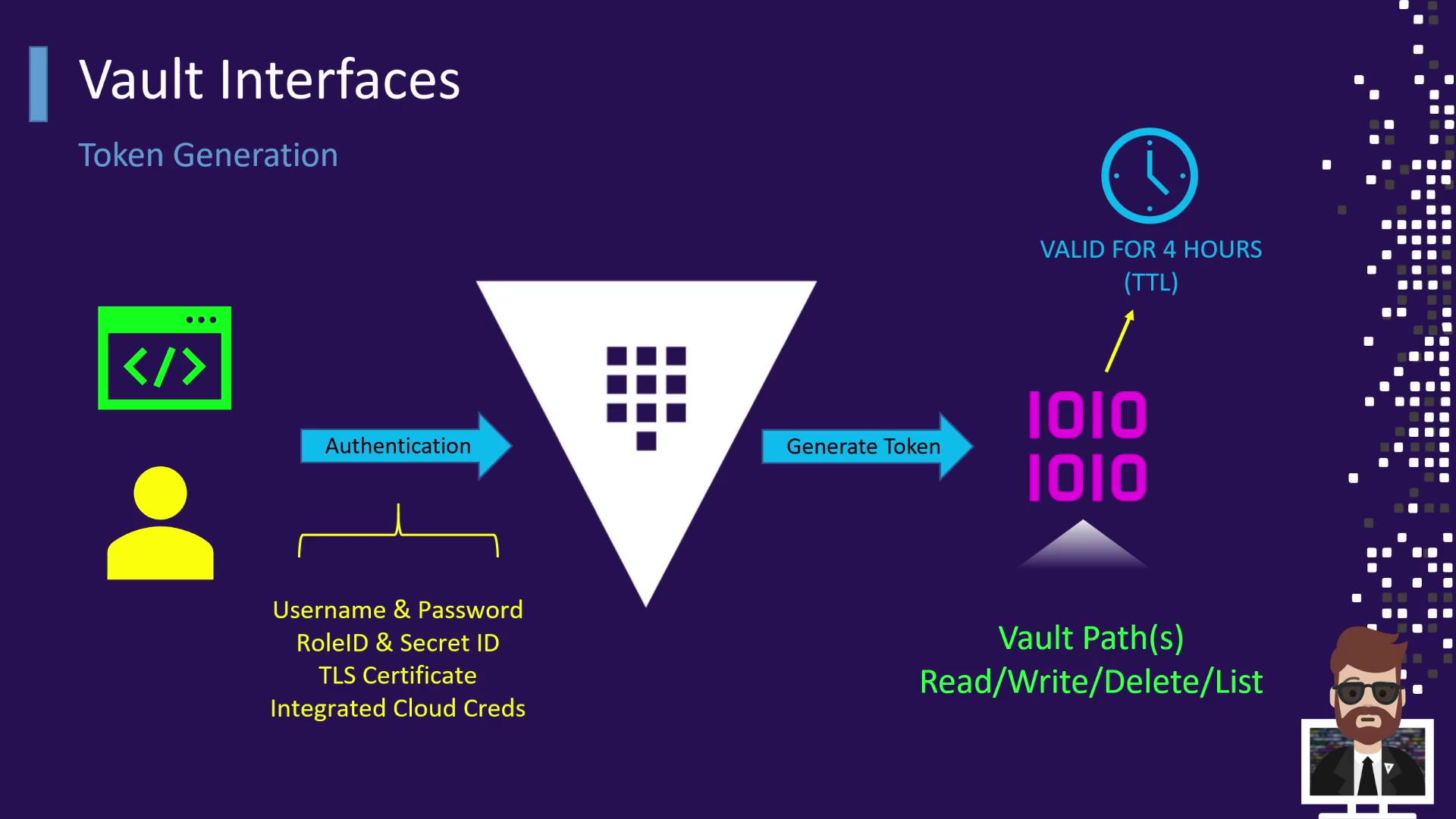
- You authenticate via one of the methods above.
- Vault validates your credentials.
- Vault issues a token with a configurable TTL (e.g., 4 hours, 12 hours).
- This token grants specific capabilities (read, write, delete, list) on designated Vault paths.
Tokens in Vault can be renewed before they expire, extending their TTL without re-authentication.
Retrieving Secrets with a Token
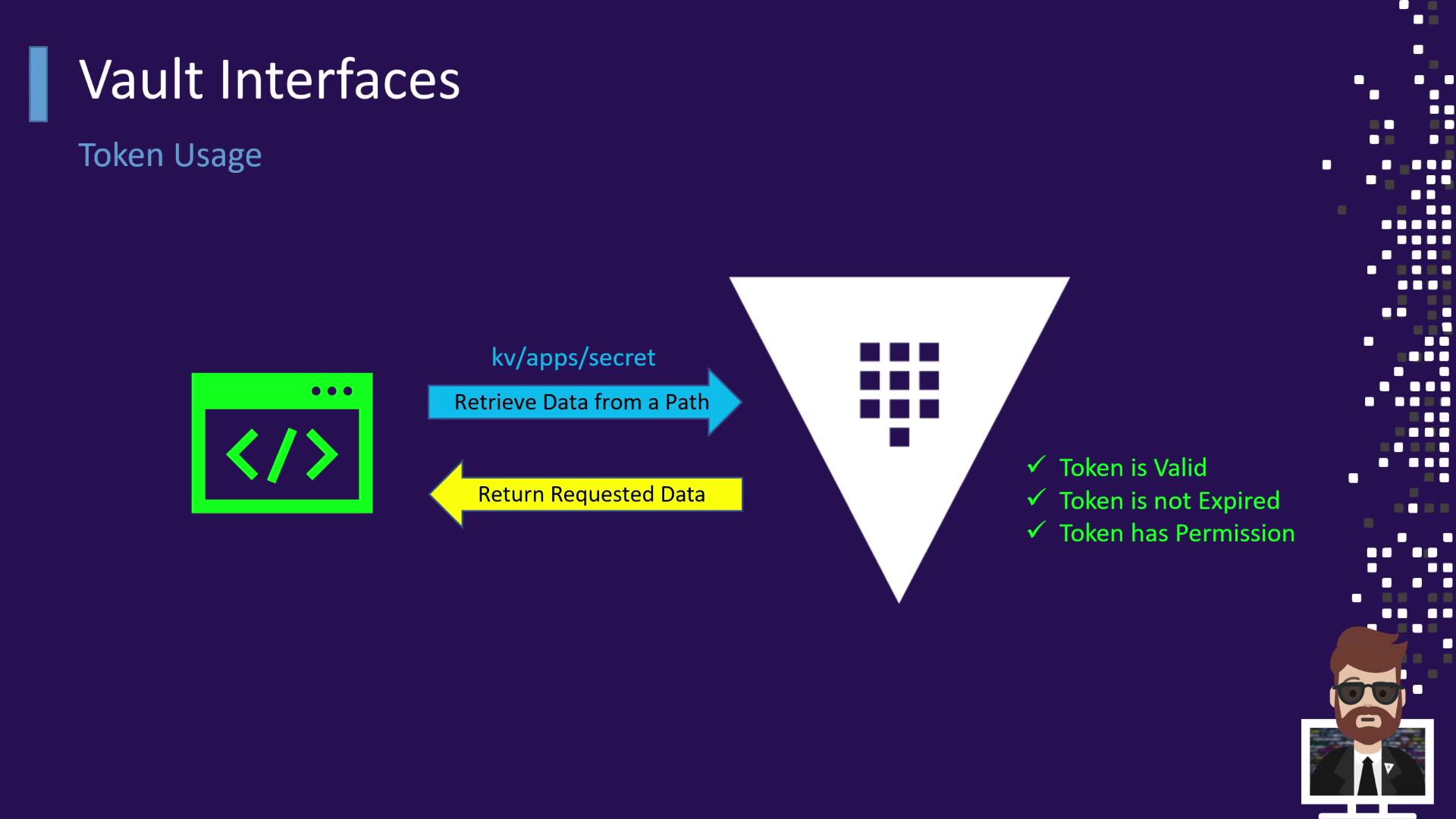
Once you have a valid token, you can reuse it—just like swiping your hotel keycard at the gym or spa without returning to reception:- An application or user presents the token to Vault.
- Vault checks that the token:
- Is not expired
- Has permission for the requested path (e.g.,
kv-apps-secret)
- If authorized, Vault returns the requested data.
Always monitor token expiration and rotate or revoke tokens promptly to maintain strong security posture.
Links and References
- HashiCorp Vault Documentation
- Running HashiCorp Vault in Production (O’Reilly)
- Vault Authentication Methods
- Vault Tokens