

Why Choose Consul for Vault Storage
Consul offers robust features that enhance Vault’s resilience and scalability:Running a dedicated Consul cluster adds maintenance overhead—setup, ACLs, upgrades, and monitoring. However, with proper automation, it operates with minimal intervention.
Cluster Topology
- One Vault cluster ↔ One Consul cluster (no cross–data-center mixing)
- Odd number of nodes (3 or 5) ensures reliable leader election
- Leader nodes accept commits and replicate logs to followers
Dedicated Consul Cluster for Vault
To prevent resource contention and maintain performance, host Vault storage on a dedicated Consul cluster. Do not co-locate service discovery or mesh workloads on the same cluster.AWS Deployment Example
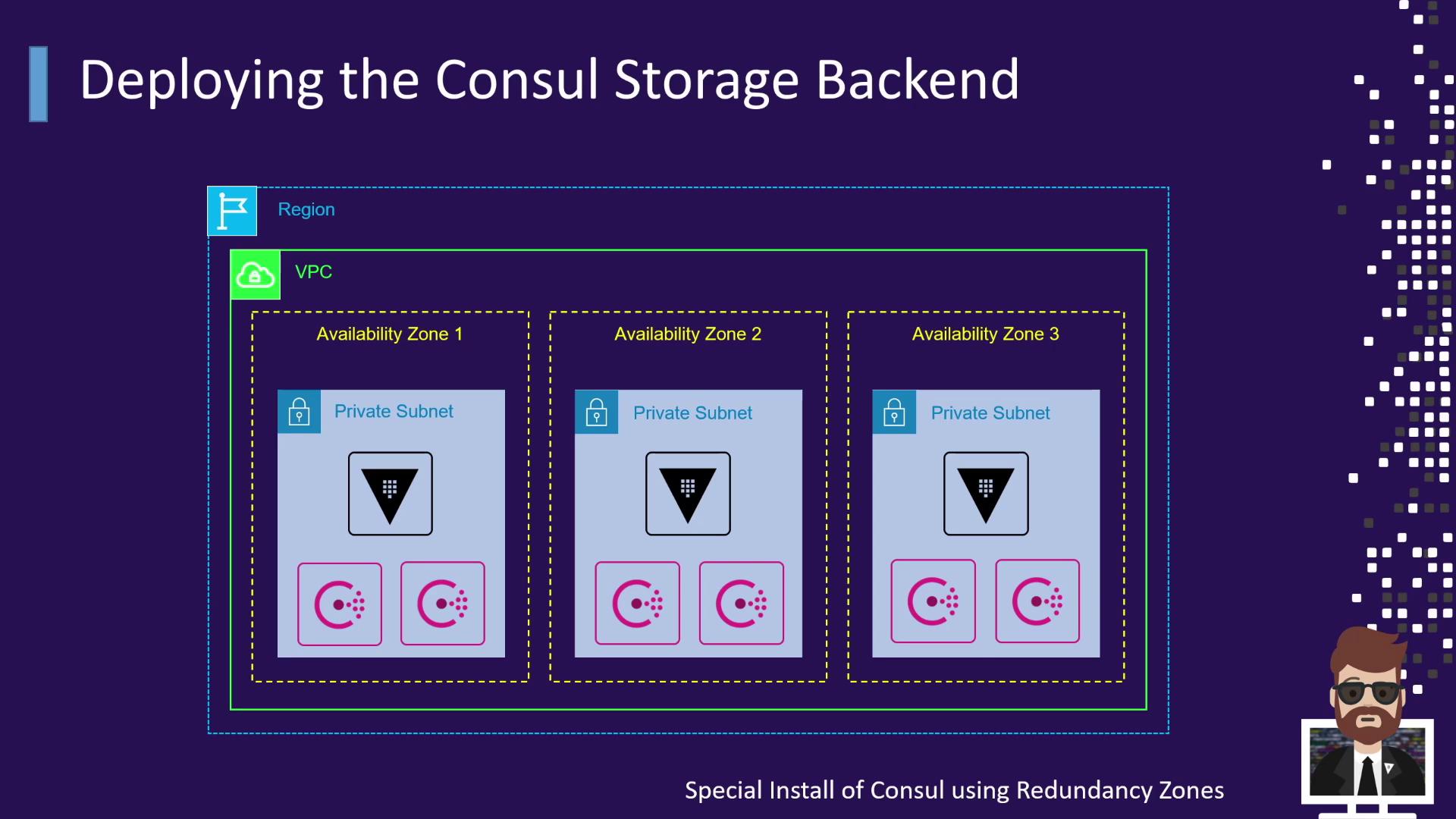
- Vault servers deployed in each AZ for redundancy
- Consul servers in each AZ, using enterprise Redundancy Zones
Vault Nodes & Local Consul Agents
Vault servers run a local Consul agent in client mode. Each agent joins the cluster and handles all API requests, so Vault always points to localhost: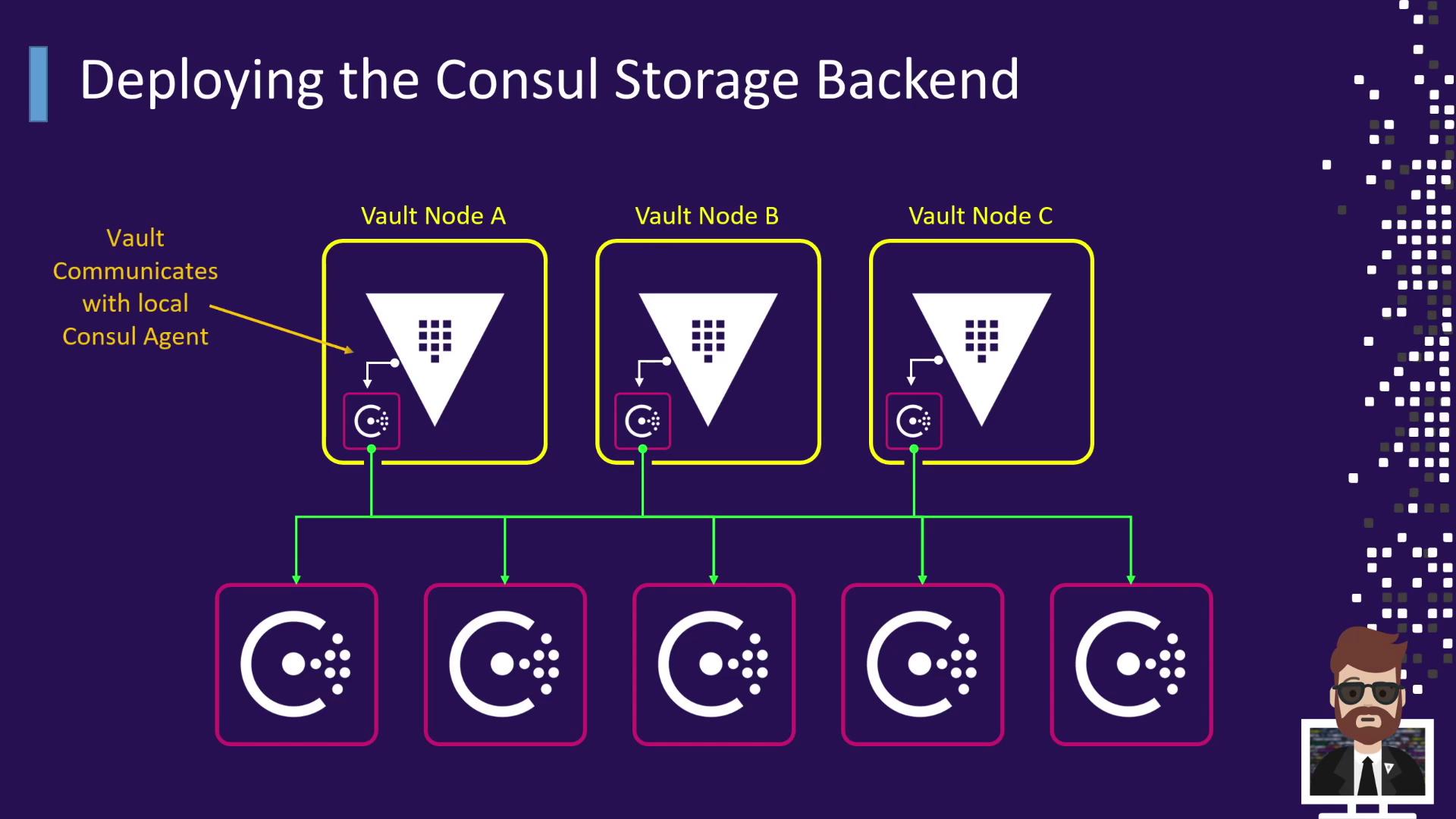
Vault Configuration Example
Below is a sample HCL configuration for Vault using Consul as the storage backend:Ensure the Consul ACL token has permissions scoped only to the
vault/ path. Rotate tokens periodically to maintain security.Consul Server Configuration Example
Place the following JSON in/etc/consul.d/server.json on each Consul server node: