

Layered view: infrastructure → Kubernetes → Kubeflow
- Physical infrastructure: your servers or cloud provider (AWS, Azure, GCP, on-prem) provide compute, networking, and storage.
- Kubernetes: runs on that infrastructure and supplies container orchestration, networking primitives, storage (PersistentVolumes), and RBAC.
- Kubeflow: installed on top of Kubernetes, Kubeflow extends Kubernetes by registering Custom Resource Definitions (CRDs) and controllers. Those controllers watch CRDs and map them to underlying Kubernetes resources (Pods, Services, Jobs, etc.), enabling ML-native concepts (notebooks, training jobs, pipelines).
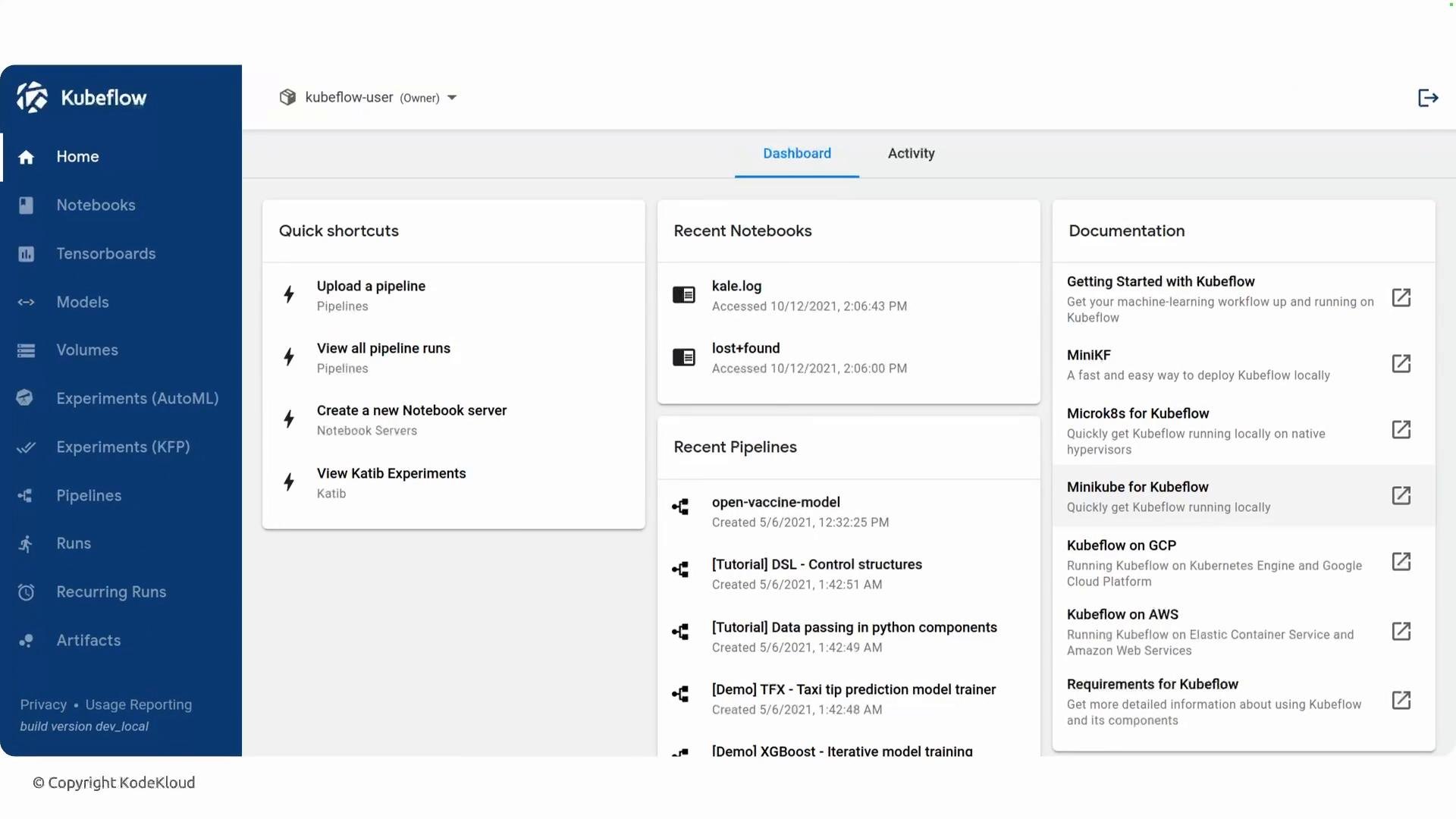
Orchestration: Pipelines and workflow engines
Kubeflow Pipelines (KFP) translates pipeline definitions into workflow manifests that run on Kubernetes. Historically KFP uses Argo Workflows as the default engine; each pipeline step becomes one or more Kubernetes pods orchestrated by the workflow engine. KFP v2 also supports alternate backends such as Tekton depending on installation choices. Example commands and checks:- List CRDs registered by Kubeflow:
- Inspect running pipeline workflows (if using Argo):
Networking and service mesh
Many Kubeflow deployments include a service mesh or ingress solution to manage cross-service traffic, mTLS, ingress/egress routing, and some auth flows. Istio has historically been a common choice, but many installations select lighter-weight or alternative ingress/service-mesh technologies (Emissary/Ambassador, NGINX, Linkerd) based on operational needs.Kubeflow is modular: many components are optional and can be installed independently. The set of installed components and how they are exposed (Istio, Emissary/Ambassador, ingress controllers, external auth) depends on your deployment choices.
Key Kubeflow components (what you’ll encounter)
Supporting infrastructure and services
- Artifact storage: S3 / MinIO, GCS, Azure Blob for datasets and model binaries.
- Metadata store: ML Metadata with a backing database (MySQL / PostgreSQL).
- PersistentVolumes and dynamic provisioners for notebook and training storage.
- Authentication/authorization: Dex, OIDC providers, or cluster-native solutions.
- Ingress/service mesh: Istio (historically), Emissary/Ambassador, NGINX, Linkerd, Knative for serverless serving.
How components interact (workflow summary)
- Developer requests a notebook or launches a pipeline via the Kubeflow dashboard (or CLI/API).
- The dashboard creates the corresponding CRD (e.g.,
Notebook,PipelineRun) in Kubernetes. - Kubeflow controllers reconcile the CRD and create the necessary Kubernetes objects (Pods, Services, PVCs).
- For pipelines, the workflow engine (Argo/Tekton) executes each step as pods; artifacts and metadata are stored in the configured artifact store and metadata DB.
- Training operators manage distributed training across nodes, coordinating replicas and GPUs.
- After training, models can be registered in a model store and served using KServe (exposed via ingress/service mesh for traffic management).
References and further reading
- Kubeflow documentation
- Kubeflow Pipelines
- Argo Workflows
- KServe (serving)
- Katib (hyperparameter tuning)
- Istio service mesh