Pipeline parameters let you change a pipeline’s behavior at runtime without modifying its code. This is useful for workflows such as a three-stage ML pipeline: Fetch Data → Process Data → Train Model, where you may want to run the same pipeline multiple times while tweaking hyperparameters (for example, epochs or learning rate) for each run.
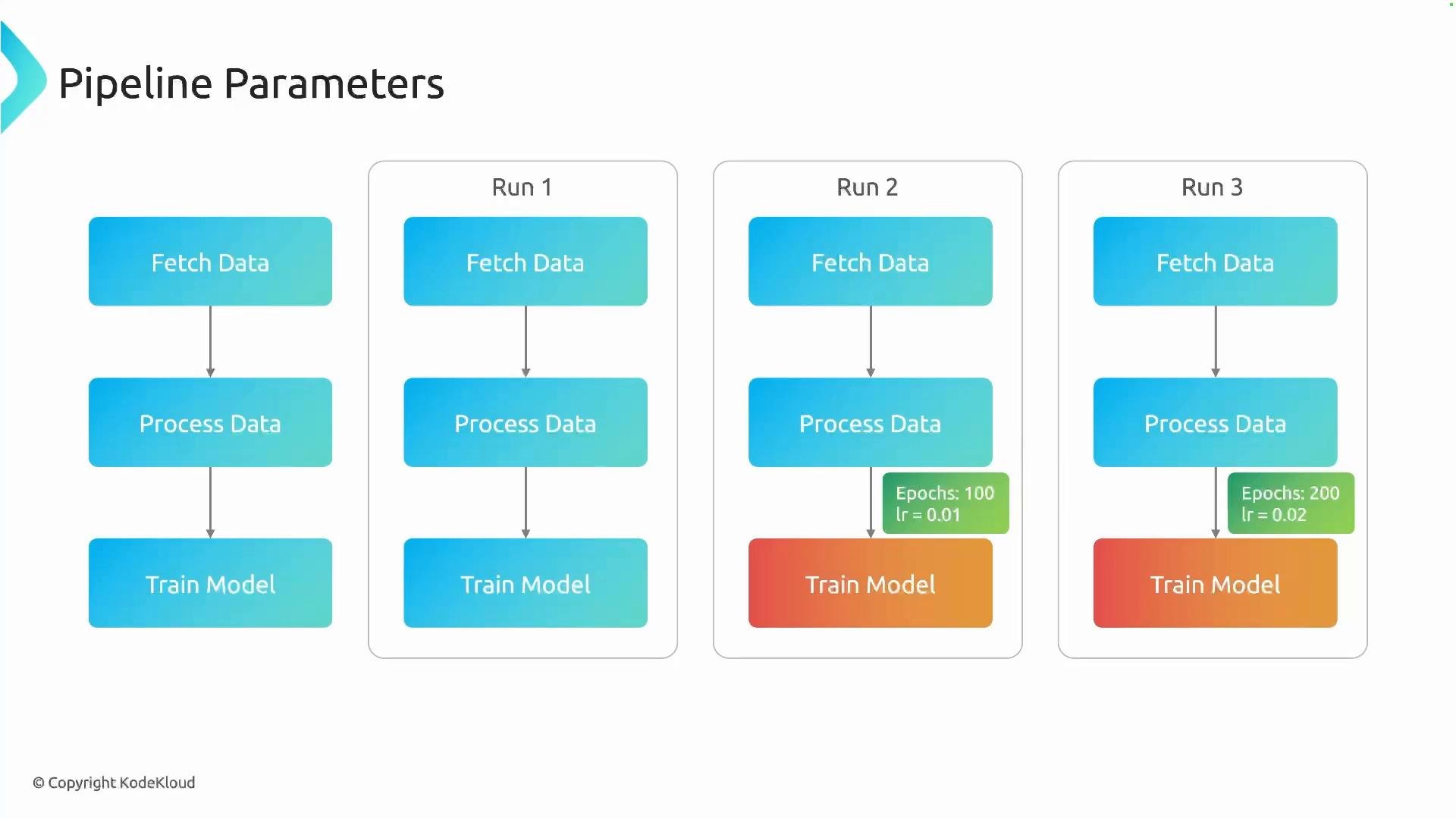
A slide titled "Pipeline Parameters" showing a three-stage ML pipeline (Fetch Data → Process Data → Train Model) laid out for three runs. Run 2 and Run 3 have green parameter labels indicating different hyperparameters (e.g., epochs 100 lr=0.01 and epochs 200 lr=0.02).
How it works at a high level:
  • Define parameters on the pipeline function signature (with optional default values).
  • Make components accept those parameters in their signatures.
  • Pass the pipeline parameters into component invocations so the component receives the runtime values.
This pattern enables you to run the same pipeline multiple times with different parameter sets (for tuning, experiments, A/B runs, etc.) without changing the pipeline source. Example: pipeline with epochs and lr
Explanation
  • ml_pipeline declares pipeline-level parameters epochs and lr with defaults 10 and 0.01.
  • train_model accepts epochs and lr, so it can use the values passed from the pipeline.
  • When launching a run you can override epochs and lr to customize that execution.
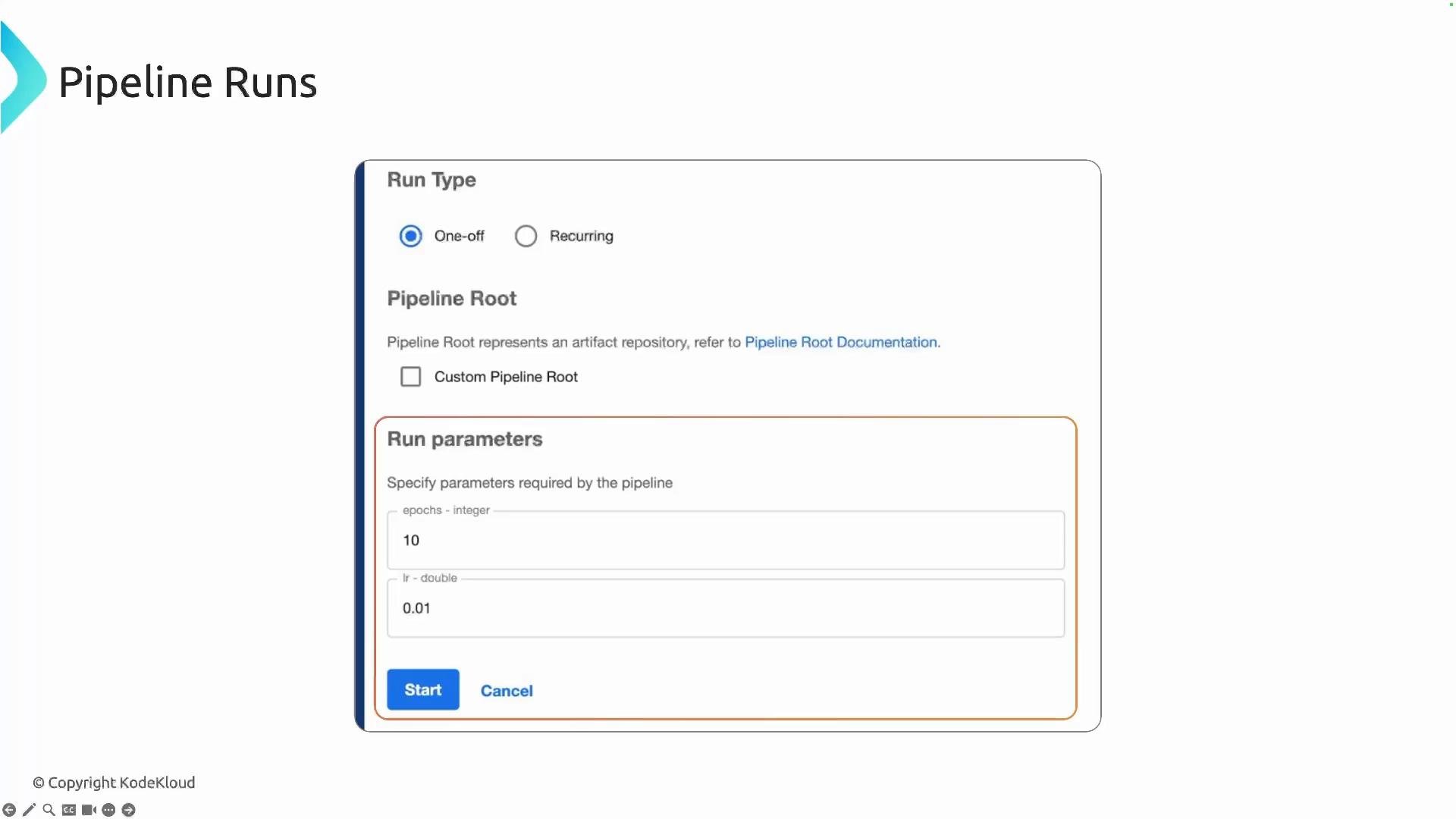
UI behavior When you start a run from the Kubeflow Pipelines UI (or via the SDK/CLI), the pipeline parameters appear as editable fields. The UI shows default values and lets you override them before submitting the run, which is convenient for quick experiments or scheduled runs.
A screenshot of a "Pipeline Runs" interface showing run type options (One-off or Recurring), pipeline root settings, and a "Run parameters" box with fields like epochs = 10 and lr = 0.01, plus Start and Cancel buttons.
Tip: If you do not override a pipeline parameter at runtime, the default value declared in the pipeline function is used. Ensure parameter types are compatible between the pipeline signature and the component signatures.
Best practices and common considerations Further reading This structure makes it straightforward to parameterize experiments, automate hyperparameter sweeps, or create reusable pipelines that can be adjusted at runtime without code changes.

Watch Video