

score. Katib will attempt to maximize this metric across trials.
Prerequisite: Katib must be installed so the Experiment CRD and controllers are available in your cluster. The controllers interpret kind: Experiment and create Trial resources according to the Experiment spec.
Ensure Katib (CRDs and controllers) is installed before applying Experiment resources. If you want Katib to collect metrics by injecting a metrics-collector into trial pods, label the target namespace for metrics-collector injection (see the namespace section below).
Experiment YAML (single-file example)
Below is the complete Experiment YAML used in this demo. It defines:- a single integer parameter
x(feasible space 1–10), - the
randomalgorithm, - up to 3 trials with 1 running at a time,
- a trial template implemented as a Kubernetes
Jobthat runs BusyBox and echoesscore, which Katib collects.
Key fields explained
Create or reuse the namespace
Create thekubeflow namespace if it doesn’t exist:
kubeflow namespace (so the collector can scrape stdout), label the namespace:
Apply the experiment
Save the YAML above toexperiment.yaml and apply it:
What a trial does
Each Trial uses the trial template with a sampled value forx. In this demo the trial container runs:
Trying x=<value>— informationalscore=<value>— metric output Katib collects
x=7, the trial prints score=7 and Katib interprets that trial’s objective metric as 7. Because the objective is maximize, trials returning higher score are preferred.
The trial command lines that emit the score:
args block of the trialSpec in the YAML above.)
Inspecting Katib components and UI
List Katib services in thekubeflow namespace to find the controller, DB manager, UI, and related components:
simple-katib-demo experiment listing objective, trials, parameters, and algorithm settings.
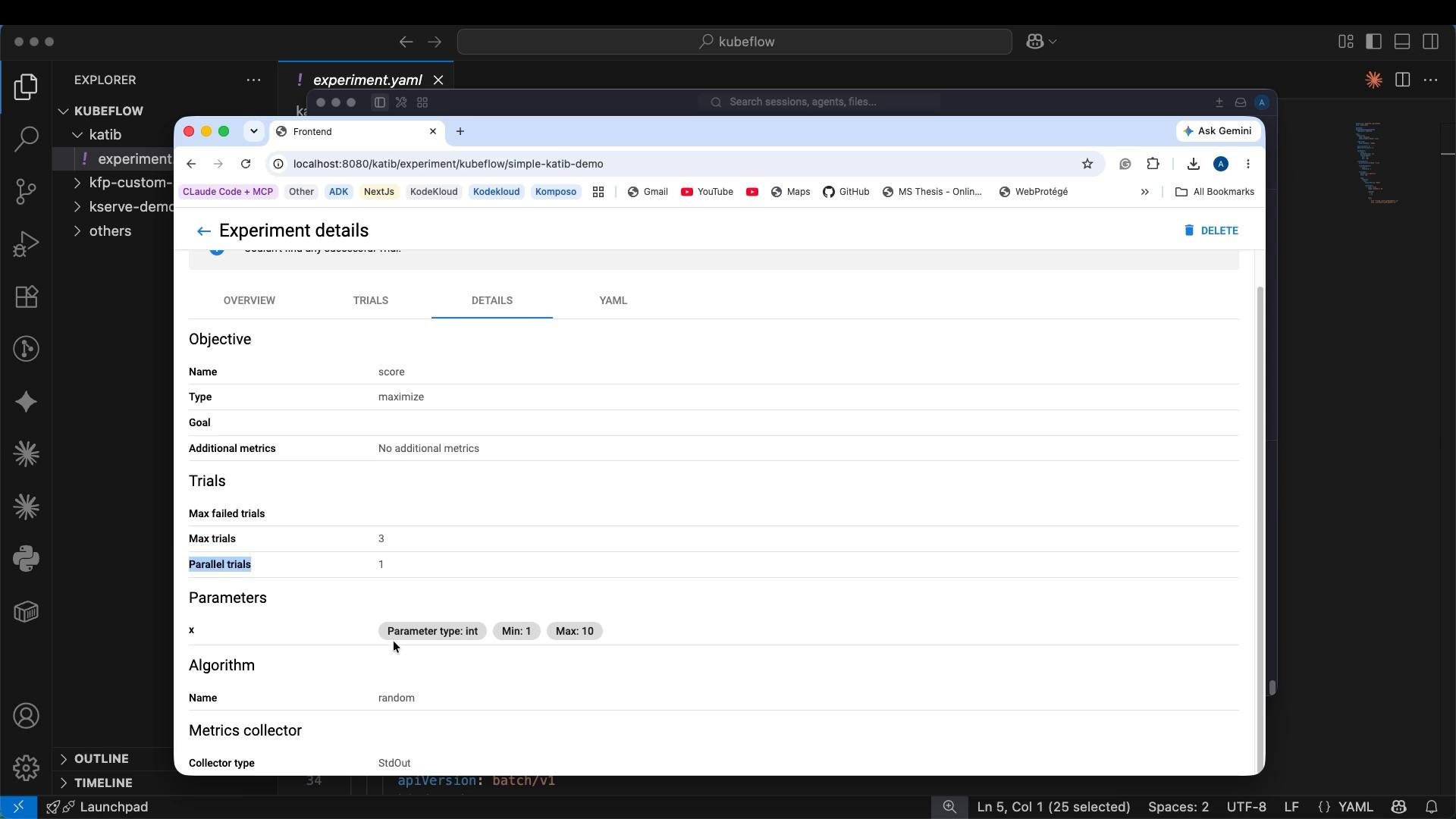
kubectl describe or kubectl get -o yaml on the Experiment resource.
Example metadata snippet:
Troubleshooting tips
- If Trials are not created, ensure the Katib controller is running and the Experiment CR was accepted (
kubectl get events -n kubeflow). - If metrics are not being collected, confirm the metrics-collector injection label is set on the namespace (or use an external collector) and check trial pod logs for the
score=output. - Use
kubectl logs <trial-pod> -n kubeflowto view the BusyBox output from a trial to confirm it printedscore=<value>.
Summary
- Katib experiments are defined by the Experiment CRD. Install Katib and its CRDs first.
- This demo uses a BusyBox trial that emits
score=<value>; Katib collects that output and optimizesscore. - Use
kubectlto create namespaces, apply the Experiment, and watch Trials. Port-forwardkatib-uito inspect experiments and metrics in the UI. - The trial template and the printed metric lines are the core pieces — whatever Katib can parse as the objective metric is what it will optimize.
Links and references
- Katib documentation: https://www.kubeflow.org/docs/components/katib/
- Kubeflow docs: https://www.kubeflow.org/docs/
- Kubernetes basics: https://kubernetes.io/docs/concepts/overview/what-is-kubernetes/