

InferenceService, and test the model via kubectl port-forward.
Prerequisites (local)
Install the following CLI tools on your workstation:
Quick checks:
If you run into permission errors with Docker on Linux, ensure your user is in the
docker group or use sudo for commands that need elevated privileges.Create a local Kind cluster
Create a cluster with a default configuration:Install KServe
KServe adds a CustomResourceDefinition (CRD)InferenceService and a controller that manages serving resources. Install the KServe release used in this demo:
A CRD extends Kubernetes with new resource types. Here,
InferenceService lets KServe translate a high-level serving spec into Deployments, Services, and other Kubernetes resources for you.Create a namespace for the demo
Use a dedicated namespace to keep demo resources isolated:Deploy the Iris InferenceService
Create aniris.yaml with this InferenceService spec:
kserve-test namespace:
InferenceService:
KServe runtime and resources
KServe controller watchesInferenceService CRs and creates the required resources (Deployments, Services, etc.). Check pods and services that KServe provisioned:
Test the model (port-forward + curl)
Because ClusterIP services are only accessible inside the cluster, usekubectl port-forward to expose the predictor service on localhost for local testing.
Start port-forwarding (run in one terminal):
iris-input.json with two instances:
1 typically corresponds to the Versicolor class (class mapping depends on the trained model; commonly 0 = Setosa, 1 = Versicolor, 2 = Virginica).
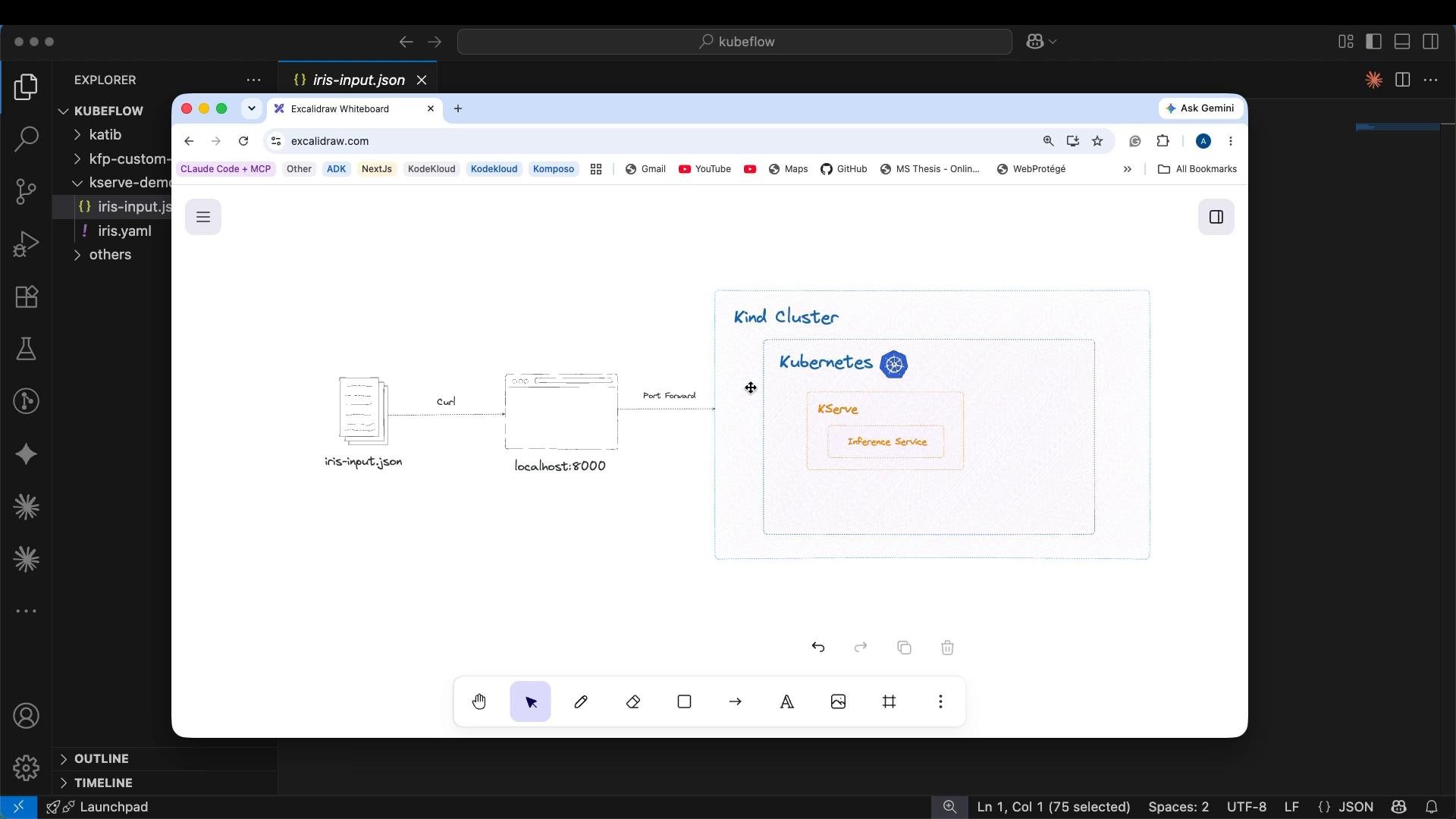
Summary of the request flow
- Your
curltargetslocalhost:8080, wherekubectl port-forwardexposes the predictor Service. - The ClusterIP Service routes the request to the predictor pod(s).
- The KServe controller created those pods and the Service from the
InferenceServicespec. - The predictor runtime (scikit-learn server) returns the JSON predictions.
Next steps & tips
- Expose an
InferenceServiceexternally for production using an Ingress, LoadBalancer, or NodePort depending on your cluster environment (this demo uses port-forward for local testing). - Inspect KServe controller logs if resources fail to come up:
kubectl logs -n kserve-system deploy/kserve-controller
- Customize the
InferenceServicespec to set resources, replicas, or advanced runtime settings for production workloads. - For more details, refer to the KServe docs: https://kserve.github.io
Avoid exposing models directly to the public without proper authentication, rate limiting, and monitoring. Use ingress authentication or API gateways in production.