

- Run a
train_and_evaluatecomponent for severallearning_ratevalues in parallel. - Aggregate accuracies and learning rates from each parallel iteration.
- Use a selector component (
pick_best_learning_rate) to choose the learning rate that produced the highest accuracy.
ParallelForto iterate and launch parallel runs.Collectedto gather outputs from parallel iterations into Python lists.NamedTuplereturn type so component outputs are named and accessible by downstream steps.
Below is a compact, corrected, and working pipeline example that demonstrates this pattern.
- Define
train_and_evaluateto return aNamedTuplewith("accuracy", float)and("learning_rate", float). - In the pipeline, prepare the list of learning rates to try:
[0.001, 0.01, 0.1]. - Use
with ParallelFor(learning_rates) as lr:to executetrain_and_evaluate(learning_rate=lr)for each value concurrently. - Use
Collected(run.outputs["accuracy"])andCollected(run.outputs["learning_rate"])to aggregate each output across all parallel iterations into lists. - Call
pick_best_learning_ratewith the collected lists; it zips them, finds the maximum accuracy, and returns the corresponding learning rate. - Compile the pipeline to a package (here
par.yaml) and upload it to Kubeflow Pipelines.
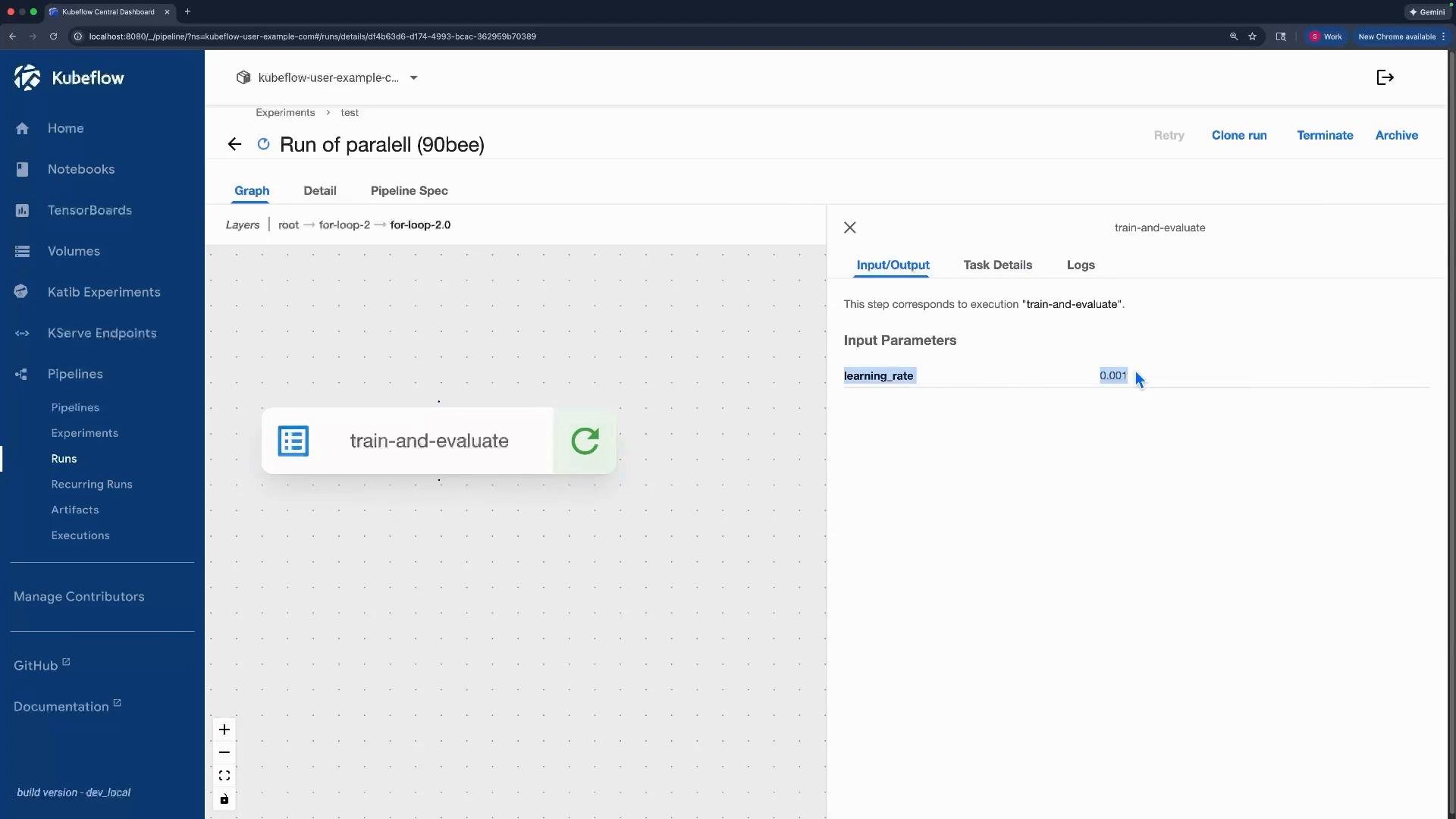
train-and-evaluate with the corresponding learning_rate. After all iterations finish, the pick-best-learning-rate step runs using the collected lists.
Use
Collected only on an output of a ParallelFor iteration (for example, run.outputs["accuracy"]). Collected aggregates that output over all iterations into a list that can be passed to downstream components.- Kubeflow Pipelines: https://www.kubeflow.org/docs/components/pipelines/
- KFP SDK: https://github.com/kubeflow/pipelines
- Example concepts:
ParallelFor,Collected, component outputs (NamedTuple)