

- Round-robin (default)
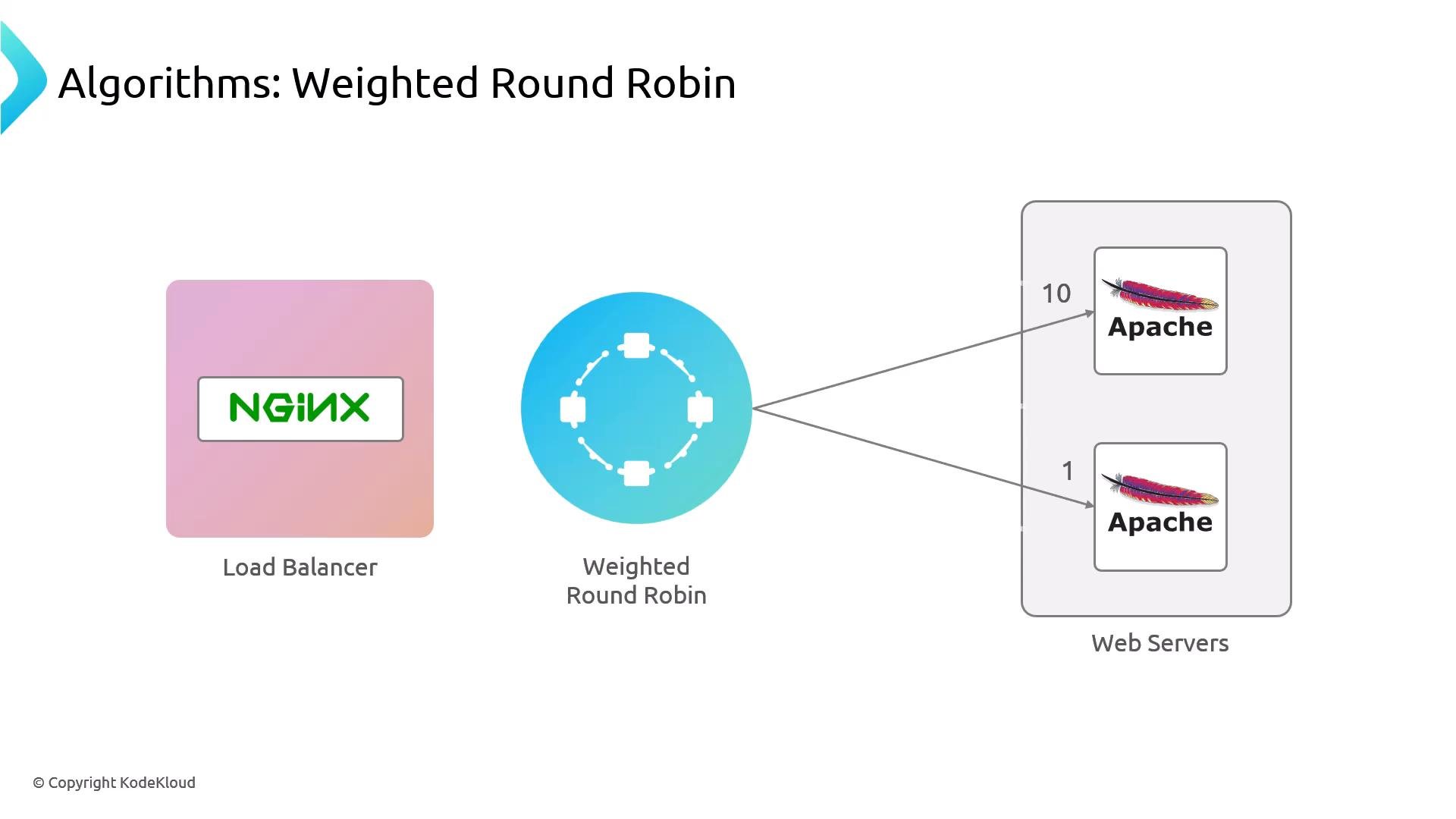
- Weighted round-robin
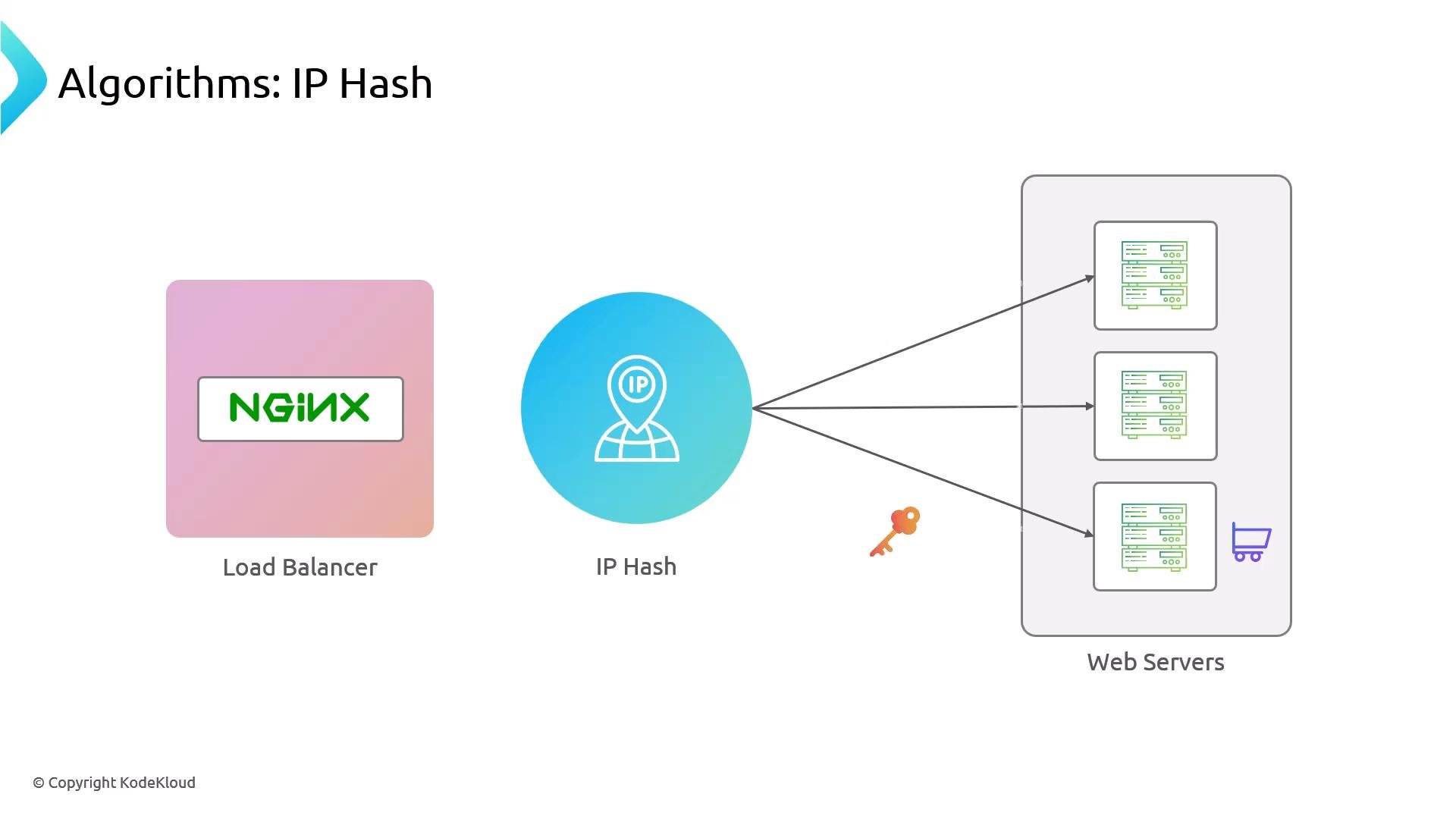
- ip_hash (simple session affinity / sticky)
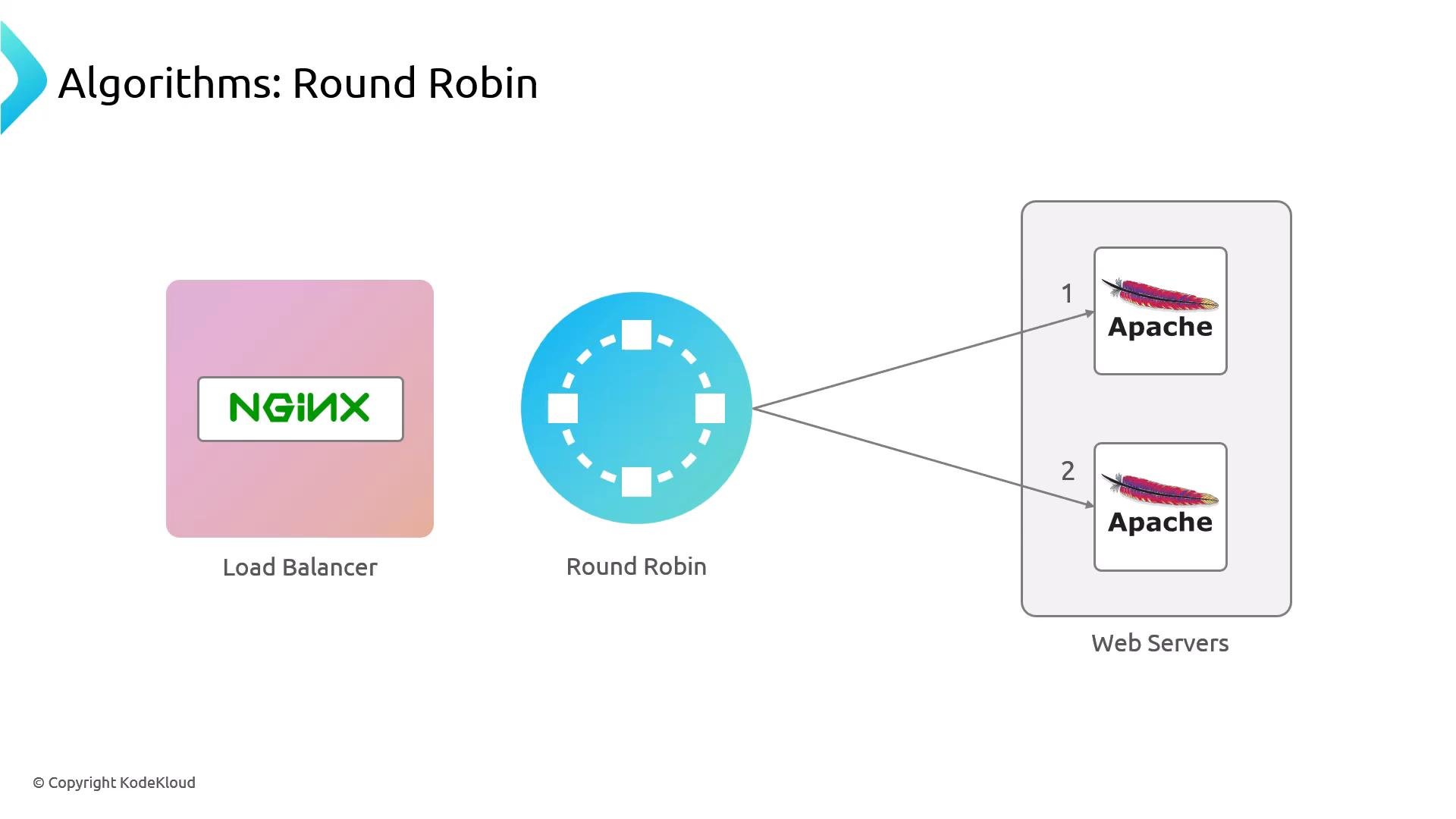
ip_hash, which preserves client affinity by routing a client (based on source IP) to the same backend it reached first — useful for simple session-affinity needs like basic shopping carts when you don’t use centralized session storage.
Environment summary
root@nginx: Nginx load balancerroot@node01: Apache backend 1root@node02: Apache backend 2
Verify backend and balancer services
Check Apache on each backend:Firewall: allow only the load balancer to reach backend port 80
By design we do not open backend HTTP port 80 to the public. Instead whitelist the load balancer IP on each backend so only the balancer can connect. Find the load balancer IP (example):- Load balancer eth0:
192.230.202.10
Only allowing the load balancer to connect to backend port 80 reduces exposure — do not open backend HTTP ports to the public when traffic is meant to be routed through a load balancer.
Nginx configuration: upstream and proxy_pass
On the load balancer, create or edit the site file/etc/nginx/sites-available/apache-app. The two key pieces are:
upstreamblock: defines the pool of backend serversproxy_pass: points the location to the upstream name
- The upstream name (
apache_example) is referenced inproxy_pass. - Upstream entries may be IP addresses or DNS names. Including
:80is explicit but optional for HTTP.
- Test Nginx configuration syntax.
- Ensure the site is enabled (create a symlink to
/etc/nginx/sites-enabled/if needed). - Reload Nginx.
ln -s uses a guard to avoid failing if the link already exists.
Test locally with curl:
Weighted round-robin
To bias traffic toward one backend, add aweight for each server in the upstream. For example, to send roughly 10/11 of requests to node01 and 1/11 to node02:
ip_hash (session affinity / sticky)
If you need simple session affinity so a client consistently hits the same backend, useip_hash in the upstream:
ip_hash enabled, routing is based on the client IP. This works for lightweight affinity needs but has important limitations.
ip_hash provides IP-based affinity and is not a substitute for shared session storage. Clients behind the same NAT will share a source IP and be routed to the same backend. If a backend is removed, affinity may be disrupted. For robust session persistence, use a centralized session store or a more advanced load-balancer solution.Quick reference — balancing methods
Checklist before going to production
- Validate configuration:
sudo nginx -t - Reload safely:
sudo nginx -s reload - Restrict backend access to only the load balancer via firewall rules
- Consider health checks and monitoring for backends (Nginx Plus or third-party solutions)
- For robust session persistence, use a centralized session store (Redis, database, etc.)
Useful links and references
- Nginx documentation — upstream module
- Nginx proxying and load balancing guide
- UFW — uncomplicated firewall
ip_hash session affinity.