What is a web server? A web server is a machine (or cluster of machines) running software that receives HTTP(S) requests and returns the web resources a browser needs to render a page: HTML, CSS, JavaScript, images, and any dynamically generated content. When you type a domain like KodeKloud.com in your browser, several steps happen behind the scenes before the page appears. How a browser requests a page
  • The browser resolves the domain name to an IP address using DNS (Domain Name System). Think of DNS as a phone book that maps human-friendly names to numeric IP addresses. See Demystifying DNS for more.
  • The browser opens a TCP connection to that IP address and requests resources using HTTP or HTTPS.
  • The web server at that IP receives the request, reads or generates the requested content, and sends the response back to the browser.
  • The browser receives the response and renders the page.
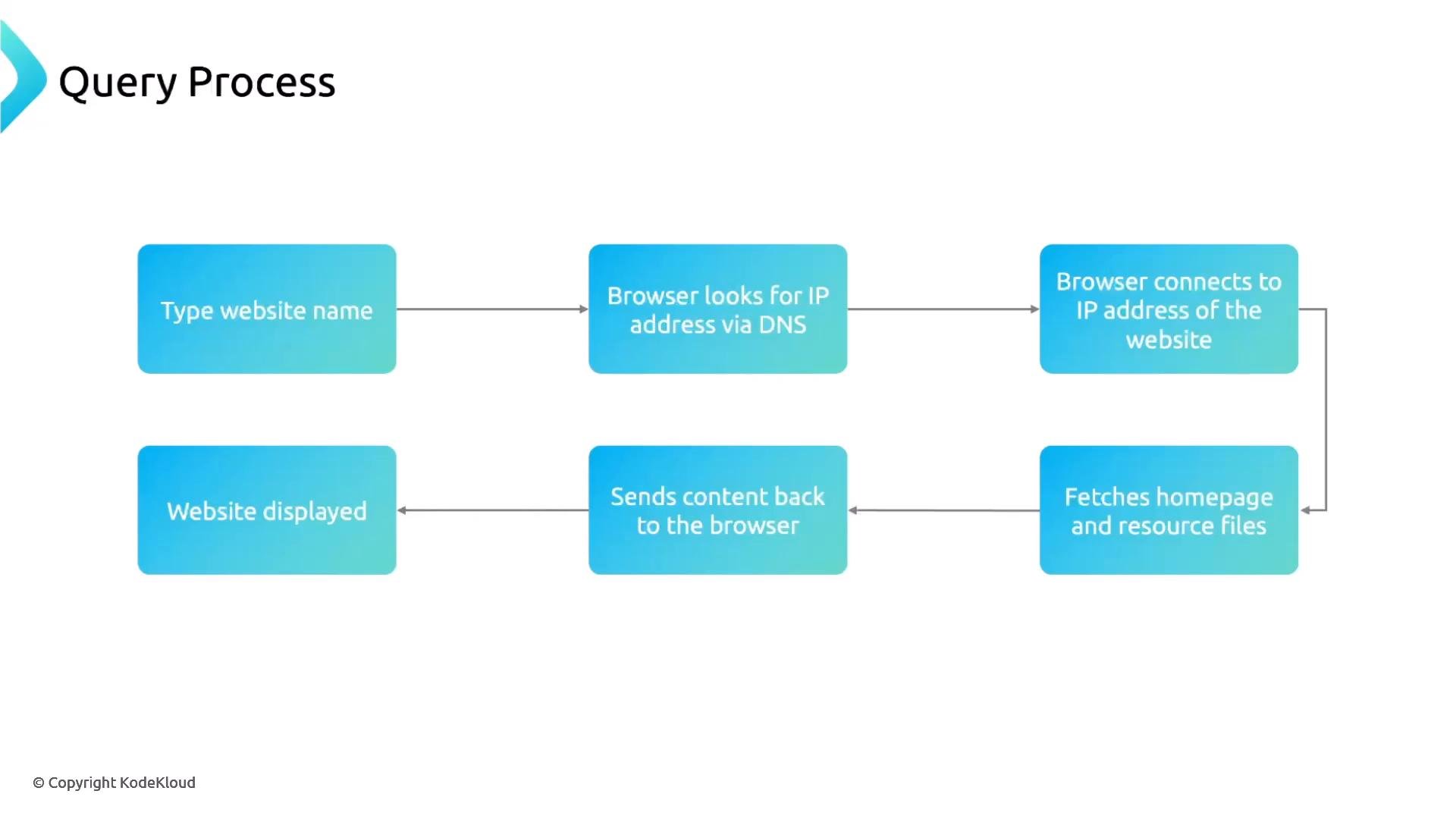
Think of the web server as a digital waiter: it takes your request and brings back what you asked for.
A flowchart titled "Query Process" that outlines the steps of a browser requesting a website. It shows: type website name → DNS lookup for IP → connect to IP → fetch homepage/resources → send content back → website displayed.
Quick commands you can run locally
  • Lookup DNS with dig or nslookup:
  • Fetch a page from a server (shows request/response headers):
Protocols and ports
  • HTTP: unencrypted, typically port 80.
  • HTTPS: HTTP over TLS/SSL (encrypted), typically port 443.
Modern browsers and sites default to HTTPS for privacy and integrity. Always prefer HTTPS for production sites and APIs—use valid TLS certificates and redirect HTTP to HTTPS when possible.
Common web server implementations There are many web server software implementations used in production. Two long-standing, widely adopted options are Apache HTTP Server and Microsoft Internet Information Services (IIS):
The image is titled "Traditional Web Servers" and displays the Apache logo (feather with "Apache" text) on the left. On the right is the Microsoft IIS logo with the caption "Microsoft Internet Information Services (IIS)."
Scaling: single server vs multiple servers Historically, simple architectures ran a single server that handled all client requests. In modern production, it’s common to place multiple web servers behind a load balancer to distribute traffic, improve availability, and scale horizontally. Process/thread-based vs event-driven architectures
  • Traditional servers (or configurations) often use a process-per-connection or thread-per-connection model. As concurrent connections grow, this model can consume more CPU and memory.
  • Modern servers favor event-driven, asynchronous designs that handle many connections without creating a thread or process for each connection—this reduces per-connection resource overhead and improves scalability.
Comparison table Modern examples and ecosystem
  • NGINX: a popular event-driven server widely used as a web server, reverse proxy, and load balancer.
  • OpenResty: an NGINX-based platform that embeds Lua for advanced scripting.
  • Caddy: focuses on simplicity and automatic HTTPS.
  • LiteSpeed: a high-performance commercial server with event-driven internals.
Why choose an event-driven server? Event-driven servers keep a small number of worker threads or processes, using non-blocking I/O and event loops to manage thousands of concurrent connections efficiently. This makes them well-suited for high-traffic sites, APIs, and reverse-proxy/load-balancing roles. Next steps We’ll dive deeper into NGINX architecture and configuration, including:
  • NGINX process model and event loops
  • Configuration blocks and directives
  • Using NGINX as a reverse proxy and load balancer
Thanks for your time.

Watch Video