

This article summarizes typical NGINX use cases and explains each with simple analogies and example configurations to make the concepts easier to grasp.
Load balancing
Think of a busy restaurant: if one waiter handled every table, wait times would grow. Adding waiters and distributing tables improves throughput and the customer experience. An NGINX load balancer acts like the restaurant manager — it receives incoming requests and distributes them across multiple backend web servers. Common benefits include higher throughput, improved availability, and easier maintenance because you can add or remove backends without downtime in most deployments (NGINX supports graceful reloads). Open-source NGINX uses passive health checks (marking backends down after failures); active health checks and additional monitoring are available with NGINX Plus or via third-party modules. Minimal load-balancer config example (open-source):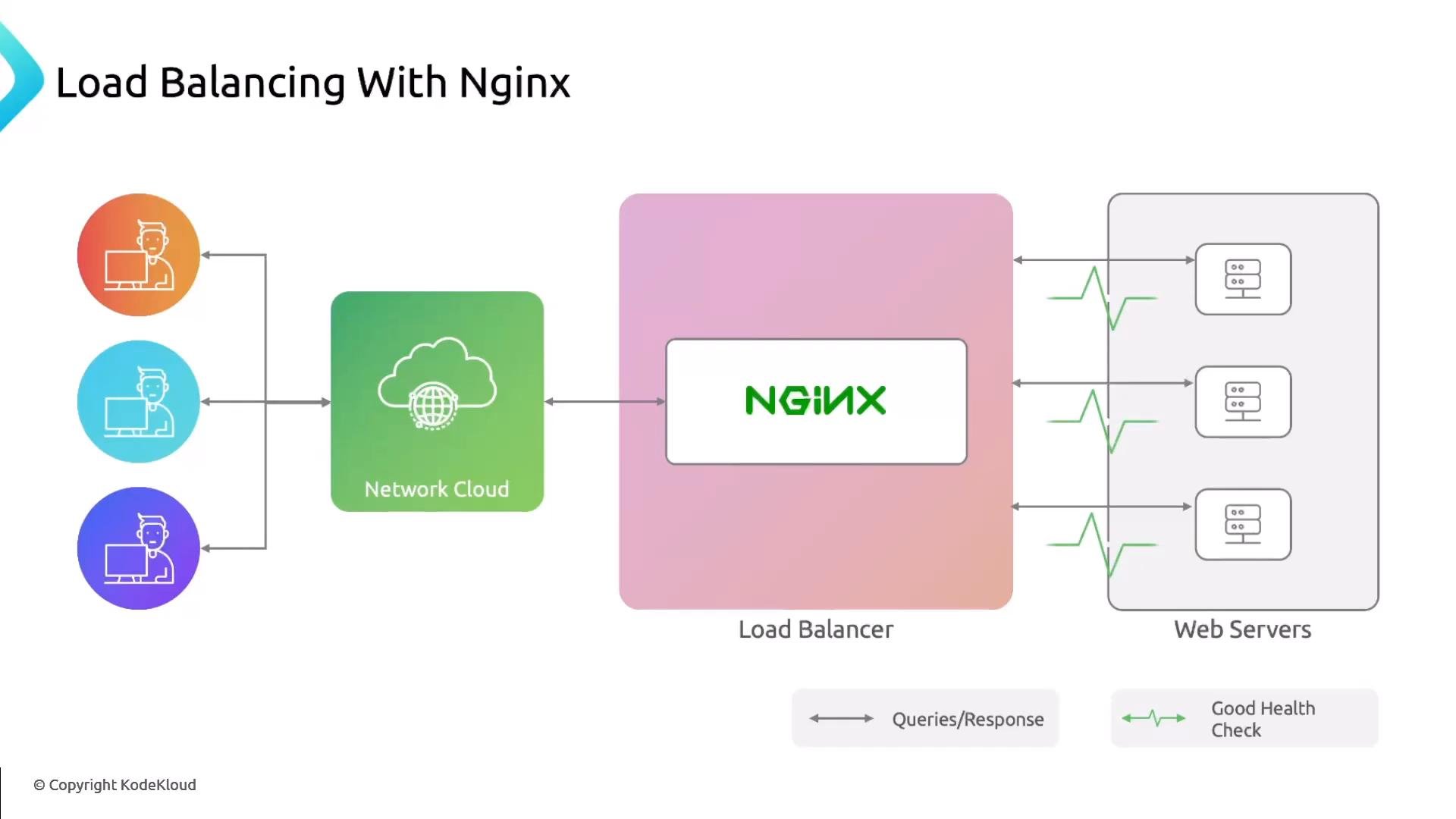
Reverse proxy
A reverse proxy is like handing a package to a post office clerk who forwards it to the appropriate courier on your behalf. The client talks to the clerk (reverse proxy), and the clerk forwards requests to one or more backend servers. Best practice is to keep backend servers on internal-only networks so all external access flows through the reverse proxy. Reverse proxies commonly provide:- SSL/TLS termination
- Request routing and path-based forwarding
- Caching and compression
- Authentication and access control
- Centralized logging and rate limiting
- Load balancer: primarily distributes traffic across multiple backends to improve scale and availability.
- Reverse proxy: primarily intermediates client requests, offering abstraction, security, and centralized controls. A reverse proxy can also perform load balancing, but proxying and centralized management are its main purposes.
Forward proxy
A forward proxy sits between internal clients and the internet. Using a public library analogy: library computers access the internet through a proxy that filters or blocks certain sites to protect users and can also mask client identities. A forward proxy controls outgoing requests from clients to external servers and is commonly used for caching, filtering, and privacy. NGINX can be configured as a forward proxy in some scenarios, but this is less common and may require additional modules (for example, handling the CONNECT method for HTTPS) or careful configuration.Configuring NGINX as a forward proxy can expose internal networks if misconfigured. Production forward-proxy setups typically require authentication, access controls, and careful handling of CONNECT/HTTPS traffic (often via third-party modules).
ngx_http_proxy_connect_module or dedicated proxy solutions.
Caching
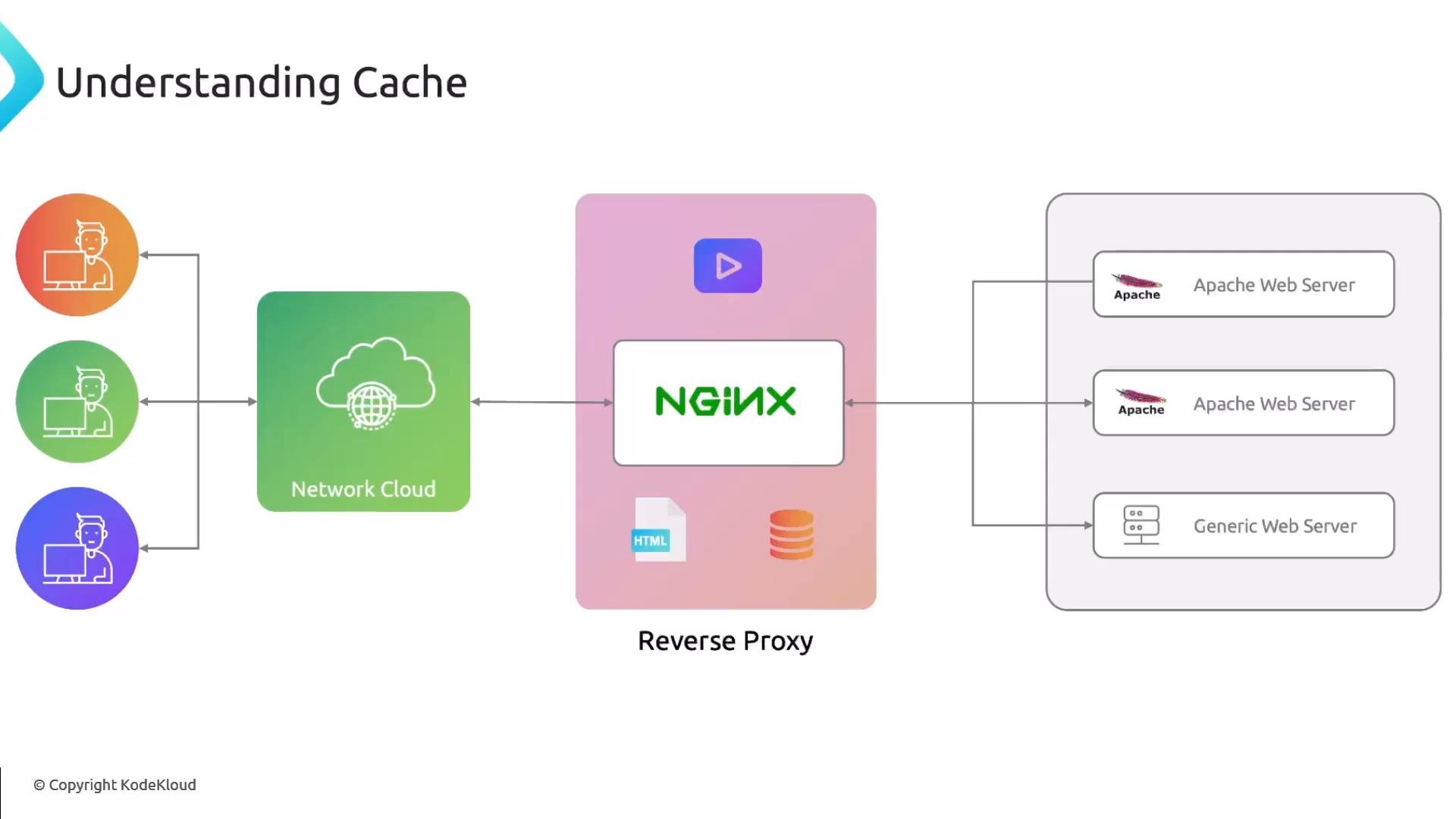
Caching is like brewing a large batch of coffee and keeping it ready: when the next customer orders the same drink, you serve it instantly instead of brewing again. A cache stores copies of responses so subsequent requests for the same resource are served immediately without contacting backend servers. This reduces backend load and lowers latency. NGINX can act as a cache server (for example usingproxy_cache) and is commonly deployed as a reverse proxy with caching enabled to speed up both dynamic and static content.
Basic caching configuration:
Summary
NGINX is a flexible tool that can serve multiple roles depending on your architecture and requirements:
You can combine these roles in one NGINX instance (for example, reverse proxy + cache + load balancer) to create a high-performance edge that protects and accelerates your origin servers.
Links and References
- NGINX official documentation
- NGINX Plus (commercial features)
- Kubernetes Basics
- Third-party forward proxy module (example):
ngx_http_proxy_connect_module