

stub_status endpoint, integrating with observability platforms, collecting and querying logs, and safe configuration reloads. These are the core practices for maintaining uptime, diagnosing issues, and feeding monitoring dashboards (Prometheus, Grafana, Datadog, etc.).
Logging (Access logs)
NGINX writes request details to access logs via its HTTP logging module. Access logs are essential for troubleshooting traffic patterns, identifying client errors (4xx), server errors (5xx), and measuring performance. Define a custom log format withlog_format inside the http block. For example:
access_log directive (default locations are typically /var/log/nginx/access.log).
Common built-in variables used in log formats:
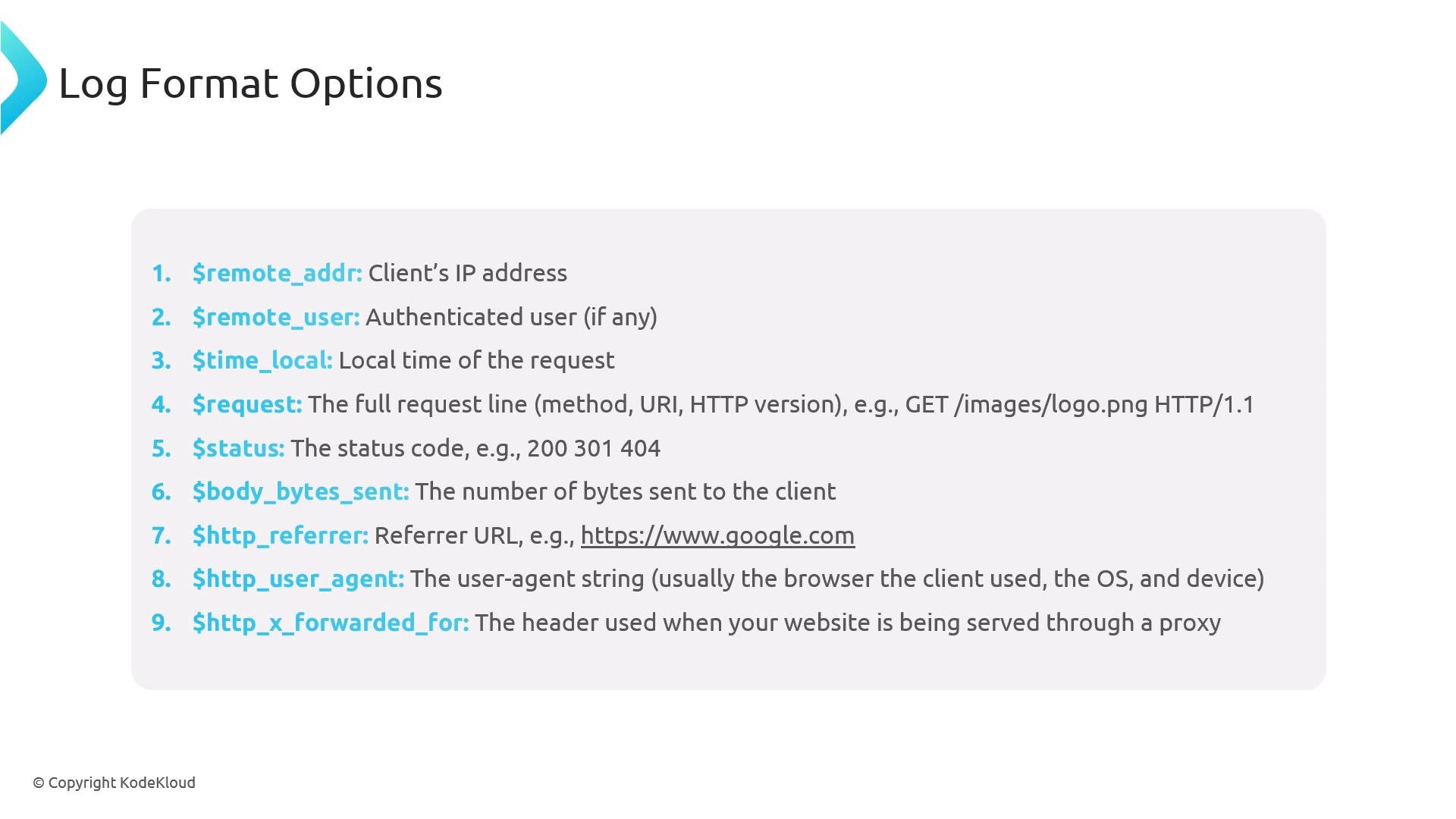
custom format above:
- Reproduce the issue while tailing logs (
tail -f) to ensure requests reach this host. - If no entry appears, verify DNS, load balancer, or upstream/proxy routing.
- Add fields (for example
\$host,\$request_time,\$upstream_addr) to your log format to capture additional context for later analysis.
- First token: remote IP (e.g.,
192.168.1.1). - Next token: remote user (
-when unauthenticated). - Timestamp: in square brackets.
- Request line: double-quoted (method, URI, HTTP version).
- Status code: e.g.,
200,404. - Bytes sent: numeric value.
- Referer and User-Agent follow, possibly
-if not present.
Error logs
NGINX error logs record problems NGINX encounters (configuration errors, file access errors, upstream timeouts). High volumes or repeated patterns indicate configuration or runtime issues. Look in/var/log/nginx/error.log (path may vary by distribution).
NGINX stub_status (basic runtime metrics)
Thestub_status module exposes lightweight runtime metrics: active connections, accepts, handled, total requests, and the number of connections in reading/writing/waiting states. Keep this endpoint restricted and avoid logging access requests to it.
Do not expose
stub_status publicly. Restrict access (e.g., allow 127.0.0.1; deny all;) and disable access logging for the endpoint to avoid polluting logs.stub_status configuration:
- Using a nonstandard port like
81reduces accidental exposure. access_log off;prevents internal monitoring calls from generating log noise.allow/denyrestricts who can query the endpoint.
Monitoring platforms
Observability platforms can collect metrics and logs for richer dashboards and alerting. Common solutions:- Prometheus + Grafana (popular open-source stack)
- Datadog (SaaS monitoring + logs)
- New Relic, Dynatrace (APM + infrastructure)
- ELK/EFK stacks for centralized logs
- Prometheus uses an exporter (e.g., nginx-vts-exporter or the official Prometheus nginx exporter) to scrape metrics, and Grafana visualizes them.
- Datadog installs an agent that collects system metrics (CPU, memory, disk, network) and NGINX-specific metrics (connections, requests, upstream stats).
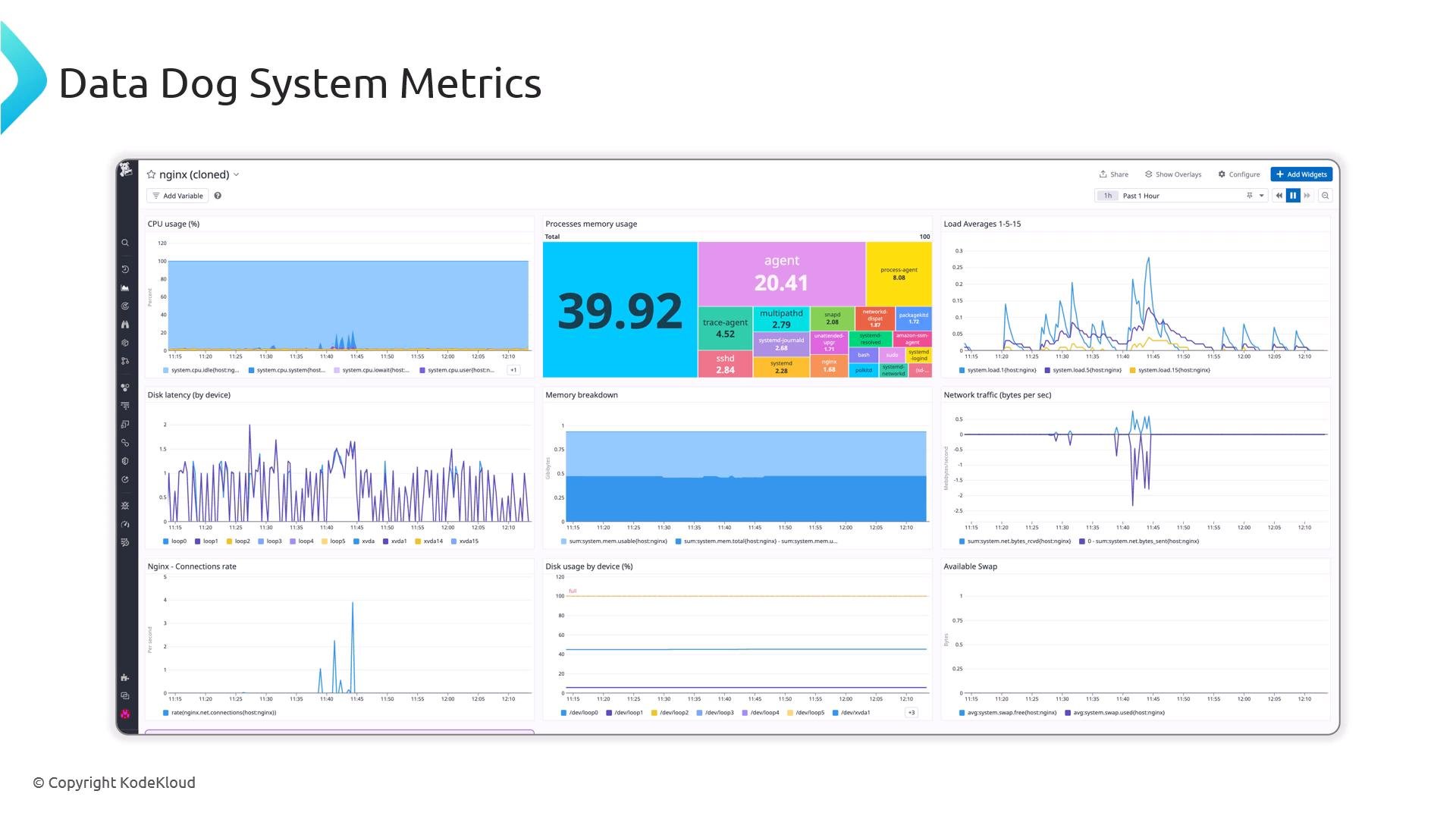
Collecting and searching logs
Centralized logging (ELK/EFK, Splunk, Datadog Logs) makes it easy to query and correlate large volumes of logs with metrics and traces. Example application-level errors you might aggregate:Configuration syntax validation and safe reloads
Validate configuration changes before applying them:nginx -t shows the file and line number with an error message:
Always run
nginx -t before reloading. Use nginx -s reload to apply changes without dropping active connections — restarting can cause a brief interruption.Quick troubleshooting commands
Checking service status
Check the systemd service to verify NGINX is running:inactive (dead), try starting it:
Verifying NGINX is serving requests
Quick local check:200 OK from localhost indicates NGINX serves requests; if remote clients cannot connect, check firewall rules, load balancer, DNS, or network routing.
Firewall and network considerations
Ensure ports 80 (HTTP) and 443 (HTTPS) are open at both the cloud/provider level and the host firewall. Ubuntu (ufw):Closing
This article covered NGINX access and error logging, thestub_status endpoint for lightweight runtime metrics, integrating with observability platforms (Prometheus/Grafana, Datadog, etc.), centralized log collection, and safe procedures for validating and reloading configuration. For production systems, centralize logs, export NGINX metrics to a monitoring system, and alert on key signals (status code spikes, latency increases, resource exhaustion) to respond proactively.
Further reading and references: