

- Add common HTTP security headers so browsers handle your site more safely.
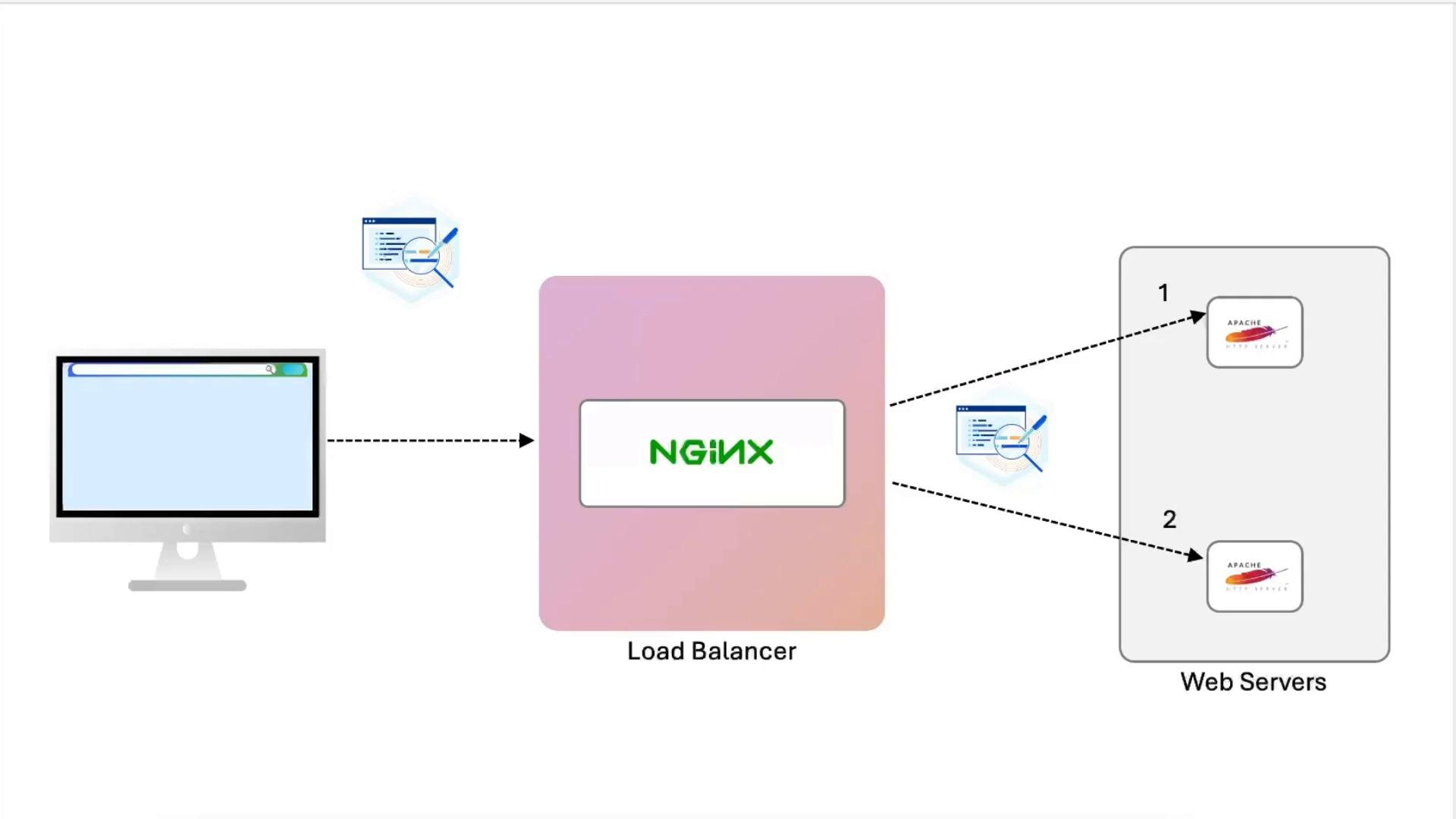
- Extend NGINX to act as a TLS-terminating load balancer that forwards requests to two Apache backends.
- Preserve original client metadata for backend logging by sending proxy headers (client IP, forwarded chain, and original protocol).
Add security headers to the NGINX site config
- Edit your site config (for example
/etc/nginx/sites-available/example-https). - Place the headers inside the
server { listen 443 ssl; ... }block to apply them globally for that TLS server (you may also set them perlocationif needed).
By default
add_header applies only to certain response codes (200, 204, 301, 302, 303, 304, 307, 308). To include headers on error responses as well, append the always parameter, for example: add_header Strict-Transport-Security "..." always;. Remember to include semicolons at the end of each directive.Add upstream and proxy headers for backend logging
To make backend Apache servers see the original client IP, forwarded chain, and protocol, create anupstream block and configure proxy_set_header in the location that proxies requests.
Example NGINX config with upstream and proxy headers:
If you proxy to upstreams over HTTPS (for example
node01:443), enable SNI and configure TLS verification appropriately. Use proxy_ssl_server_name on; and set proxy_ssl_trusted_certificate with proxy_ssl_verify on; for production. Disabling verification (proxy_ssl_verify off;) may be acceptable in isolated labs but is unsafe for production.proxy_pass to a named upstream that uses HTTPS, NGINX will not automatically set the backend server name for SNI unless proxy_ssl_server_name on; is present and the upstream server name is resolvable.
Test and reload NGINX after changes:
Inspect backend Apache logs
Default Apache logs are usually under/var/log/apache2/. Tail the access.log to watch requests as the load balancer forwards them.
Example of following the Apache access log before proxy headers were added:
LogFormat to reference them. Example LogFormat that includes the incoming proxy headers:
X-Forwarded-Foris typically a comma-separated chain of IPs representing each proxy hop; the original client IP is usually the left-most entry in a well-formed chain.X-Real-IPcommonly contains the immediate client’s IP as seen by the last proxy (useful if you only have a single proxy).X-Forwarded-Protoindicates whether the original request usedhttporhttps.
Recap
- Verified the site before adding headers and inspected response headers.
- Added common security headers in the NGINX TLS server block:
Strict-Transport-Security,X-Frame-Options,Content-Security-Policy,Referrer-Policy. - Configured an
upstreamwith two backend Apache servers and addedproxy_set_headerdirectives so backends receive original client IP, forwarded chain, and protocol. - Updated Apache
LogFormatto log these incoming proxy headers, so logs reflect accurate request origin and protocol.
- NGINX: Adding Response Headers
- NGINX: Proxying and Load Balancing
- Apache Logging: LogFormat Directive