

Worker processes and max connections
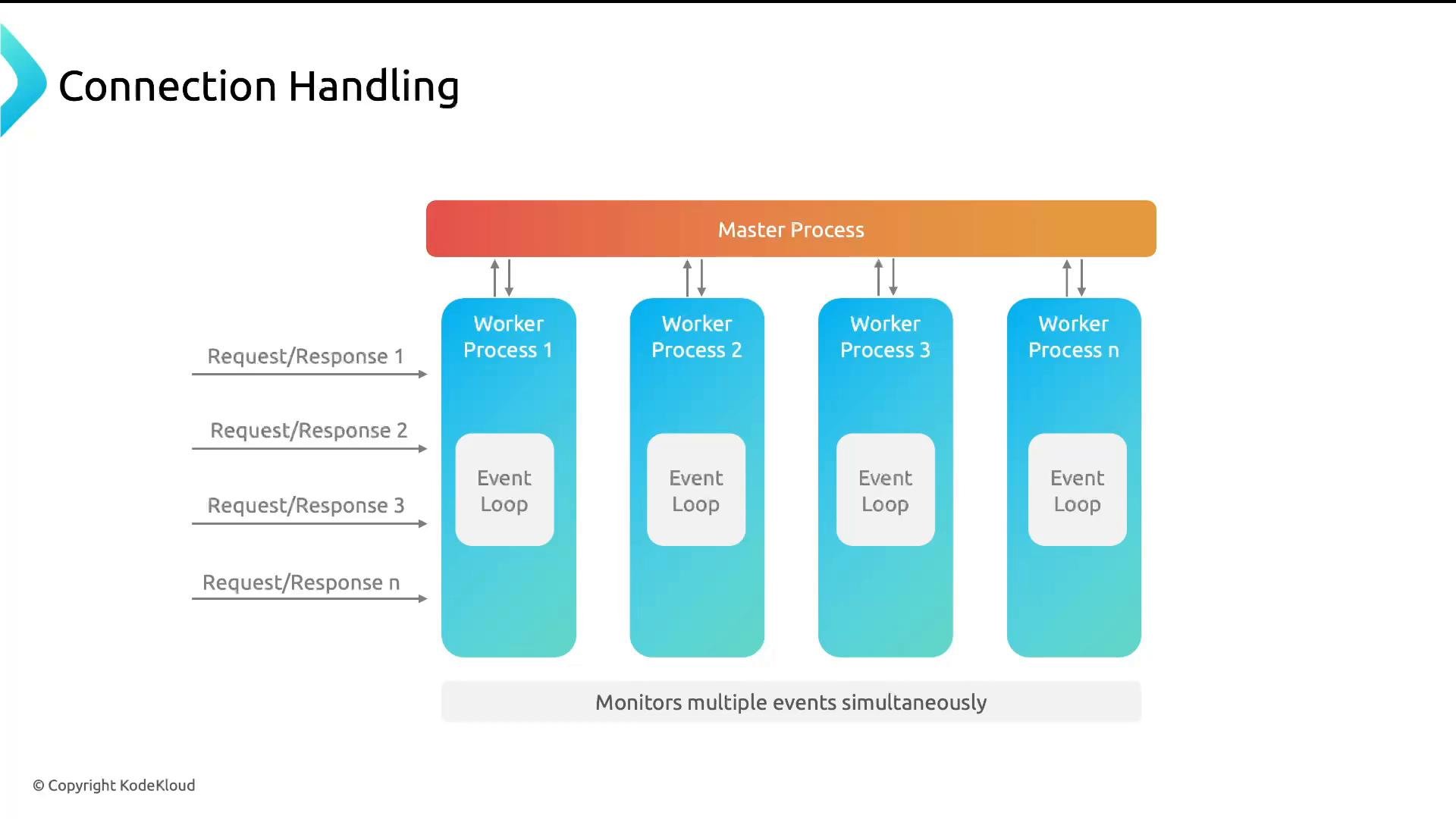
By default, NGINX chooses one worker process per CPU core (worker_processes auto;), which is generally the recommended configuration. Two directives control concurrency at the worker level:
worker_processes— number of NGINX worker processes (recommended:auto).worker_connections— maximum number of connections each worker may open concurrently.
worker_connections 512, you can expect roughly 4 * 512 = 2048 concurrent connections. Note: worker_connections counts all connections handled by a worker (client connections plus upstream/backend connections and any other socket). Always plan for backend connection usage and file descriptor limits.
Persistent connections (keepalive)
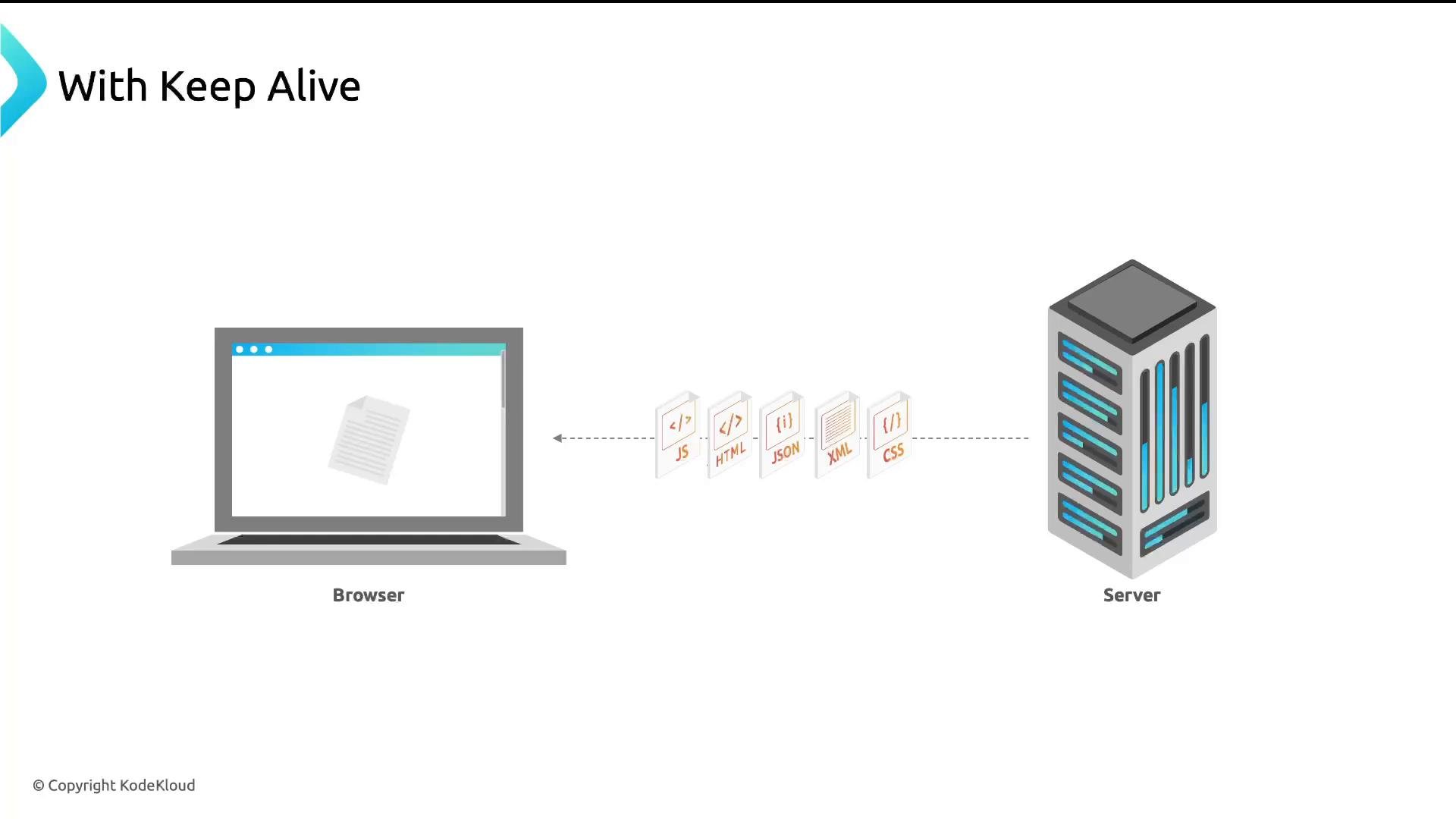
Persistent connections (keepalive) allow clients to reuse the same TCP connection for multiple HTTP requests, avoiding repeated TCP handshakes and reducing CPU and network overhead. Analogy: Opening a new TCP connection for each resource fetch is like queuing for a separate cup of coffee each time. Keepalive lets you stay at the counter and order multiple cups without re-queuing. Without keepalive each resource fetch opens a new connection: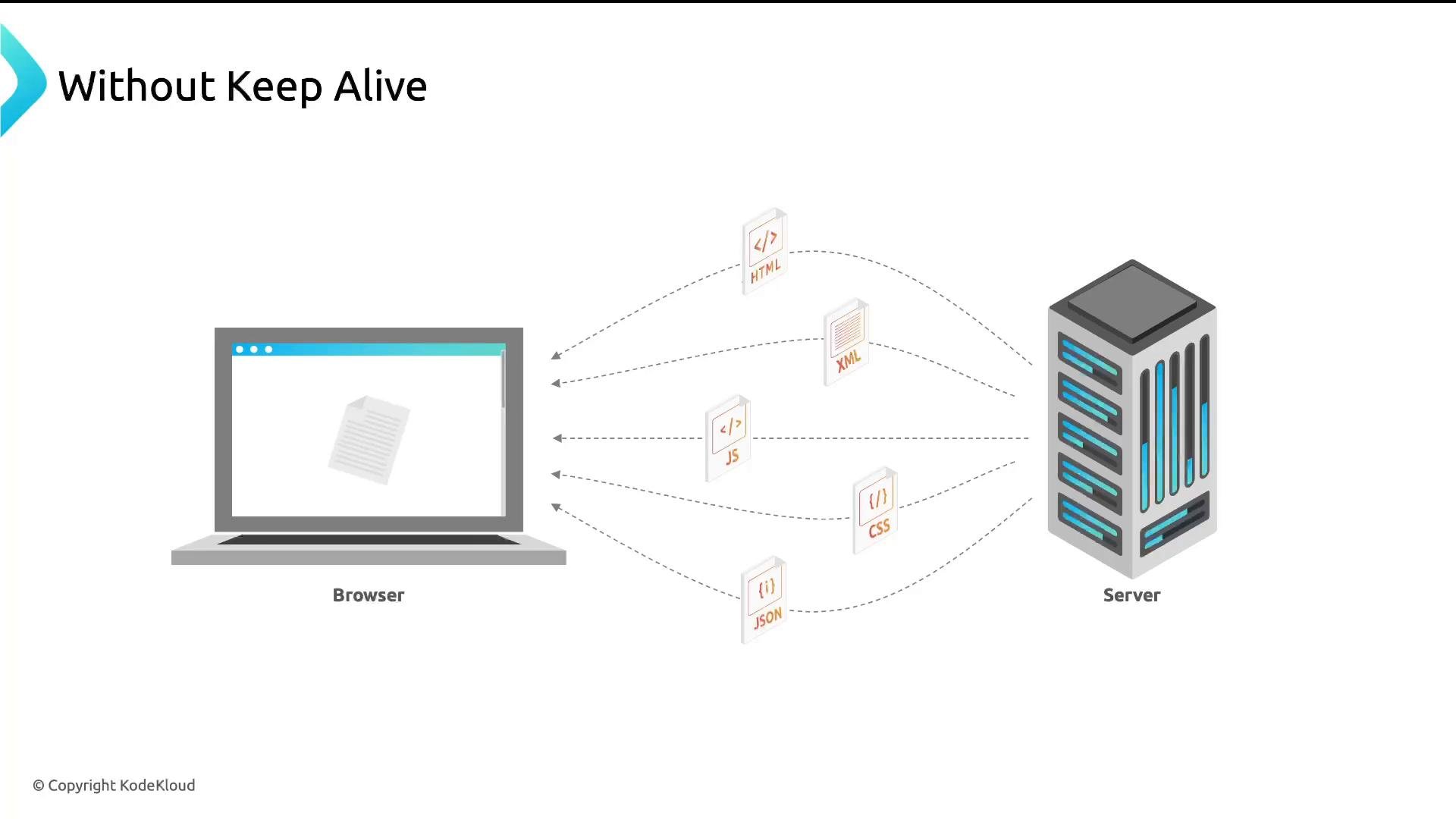
http block):
keepalive_requests— maximum number of requests allowed on a single keepalive connection (default usually 100).keepalive_timeout— number of seconds to keep an idle keepalive connection open.
keepalive inside an upstream block:
server/location block, enable HTTP/1.1 proxying and allow NGINX to manage the connection header:
proxy_http_version 1.1;— ensures proxy requests use HTTP/1.1 (persistent connections require HTTP/1.1+).proxy_set_header Connection "";— clears theConnectionheader so proxying does not inadvertently disable keepalive.
HTTP protocol evolution and impact
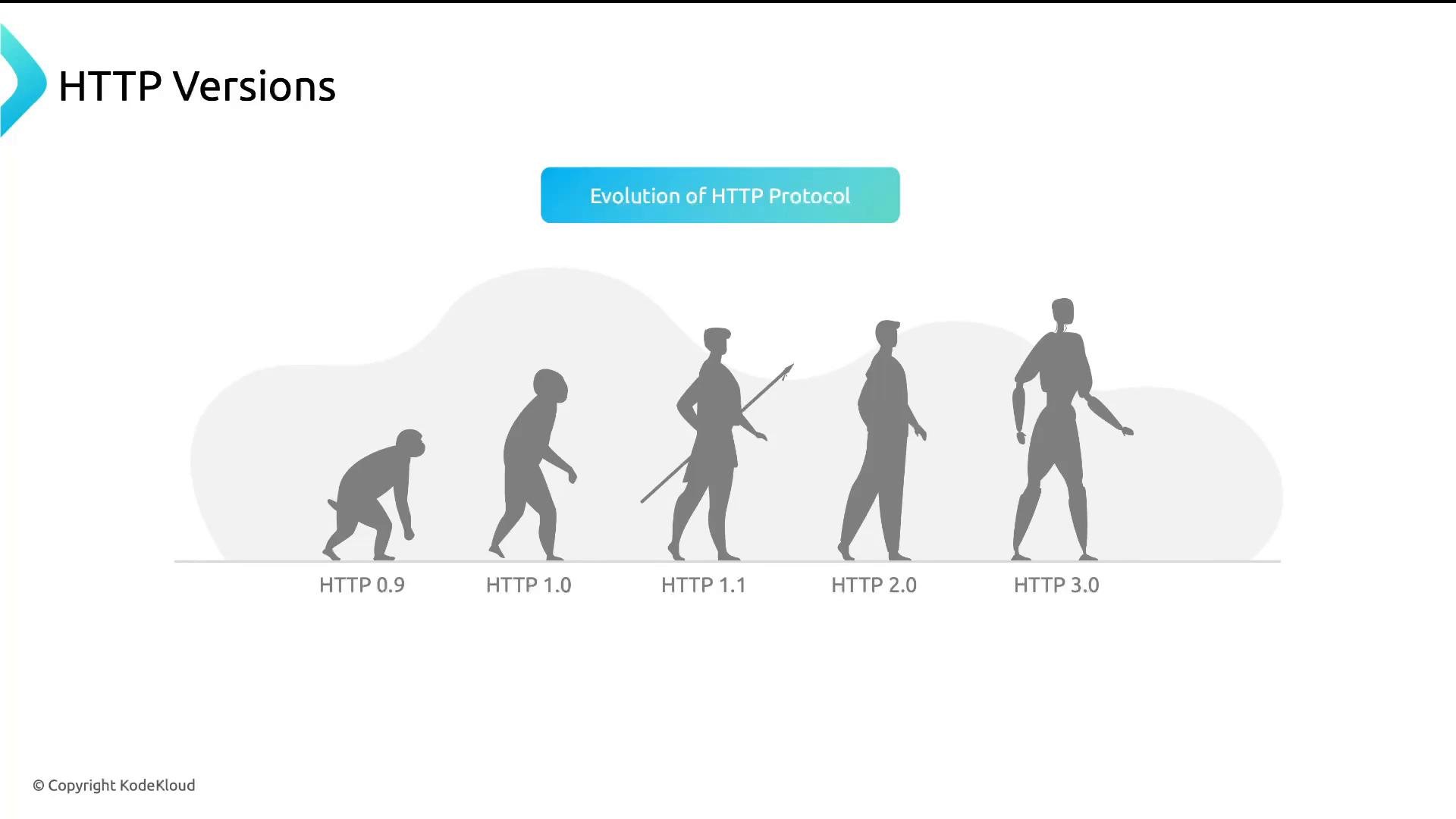
A short history of HTTP and how it affects connection handling:- HTTP/0.9 — minimal protocol, no headers.
- HTTP/1.0 — added status codes and headers.
- HTTP/1.1 — persistent connections, chunked encoding, improved caching.
- HTTP/2 — multiplexing multiple requests/responses over a single connection, header compression, better utilization of a single TCP connection.
- HTTP/3 — runs over QUIC/UDP, improves latency and loss recovery and requires TLS 1.3.
- TCP — connection-oriented, reliable, used by HTTP/1.1 and HTTP/2 (though HTTP/2 improvements are at the protocol layer).
- UDP/QUIC — used by HTTP/3 for lower-latency recovery and faster connection establishment.
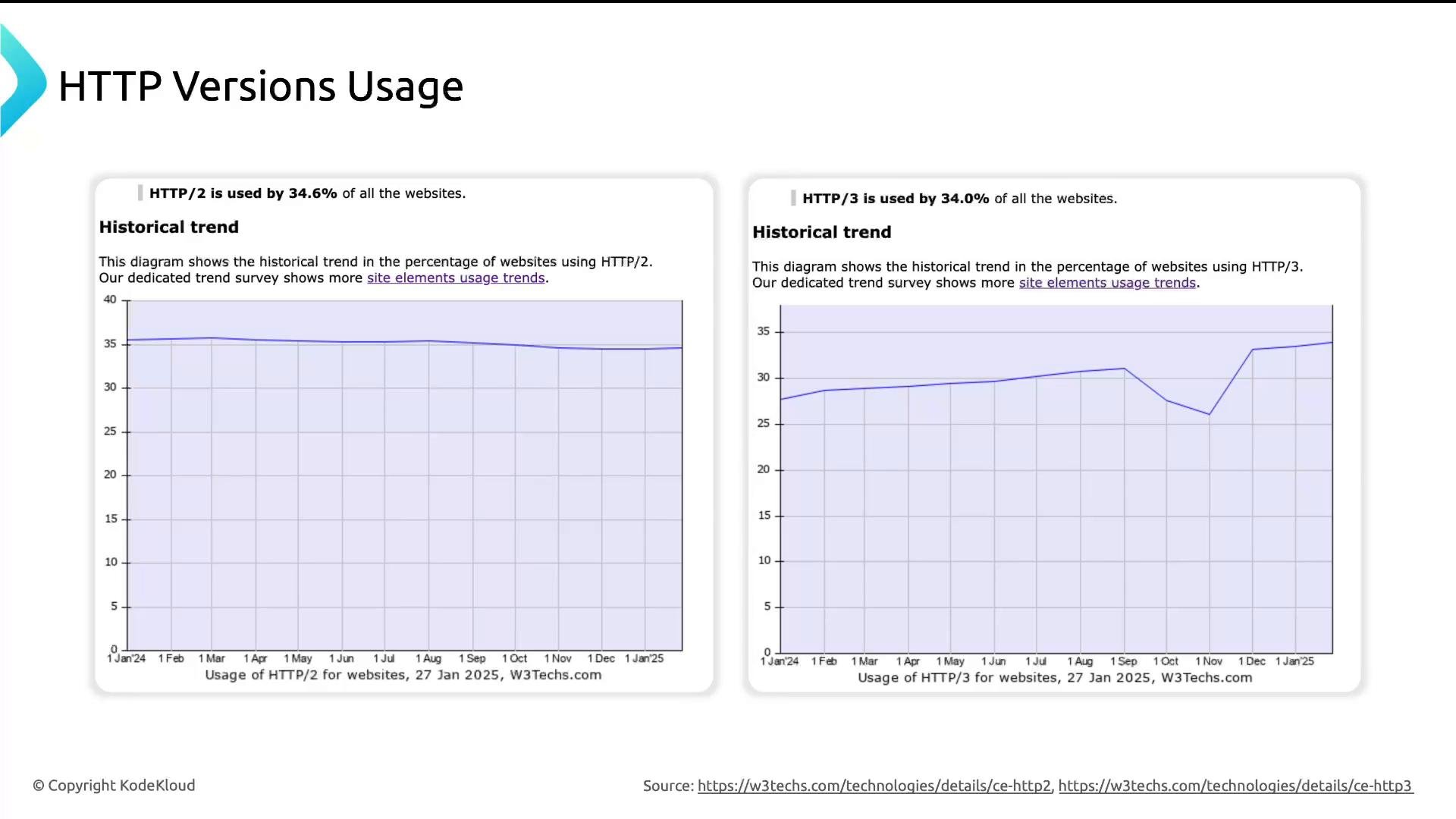
Zero-copy file transfer: sendfile
Serving static files benefits from kernel-level zero-copy usingsendfile(). Instead of copying file data into user-space buffers and then sending to the socket, NGINX can ask the kernel to transfer data directly from disk to the network socket.
Enable sendfile in the http block:
TCP socket options: tcp_nopush and tcp_nodelay
NGINX exposes socket-level options to control small-packet behavior:tcp_nopush on;— when usingsendfile, delays sending response headers until the first body chunk is ready so headers and the first body chunk can be sent in fewer packets. Useful for reducing packet count with large static responses.tcp_nodelay on;— disables Nagle’s algorithm so that small packets are sent immediately (reduces latency for small writes).
Quick reference table
Practical tuning checklist
- Start with
worker_processes autoand measure. - Calculate expected max connections and ensure the OS file descriptor limits are high enough.
- Use
keepalivefor upstream pools to reduce backend connection churn. - Enable
sendfilewhen serving static assets. - Use
tcp_nopushwithsendfileandtcp_nodelayfor appropriate latency/throughput tradeoffs. - Test with realistic traffic patterns, monitoring CPU, memory, and file descriptor usage.
Be careful when increasing keepalive and worker connection limits: keeping many idle connections consumes file descriptors and memory. Monitor file descriptor limits (
ulimit -n), CPU, and memory, and tune values according to your workload and testing results.Clearing or setting the
Connection header incorrectly in proxying can disable keepalive. Use proxy_set_header Connection ""; to let NGINX manage connection persistence, and confirm behavior in staging before production.References and further reading
- NGINX documentation — https://nginx.org/en/docs/
- HTTP/2 overview — https://developer.mozilla.org/en-US/docs/Web/HTTP/Overview
- HTTP/3 and QUIC — https://datatracker.ietf.org/wg/quic/about/
- curl manual/examples — https://curl.se/docs/manpage.html