

- Test a simple HTTPS site with no limits (baseline).
- Add and test request rate limiting with
limit_req. - Tune request limits.
- Add and test connection limiting with
limit_conn. - Inspect logs and tune limits based on observed traffic.
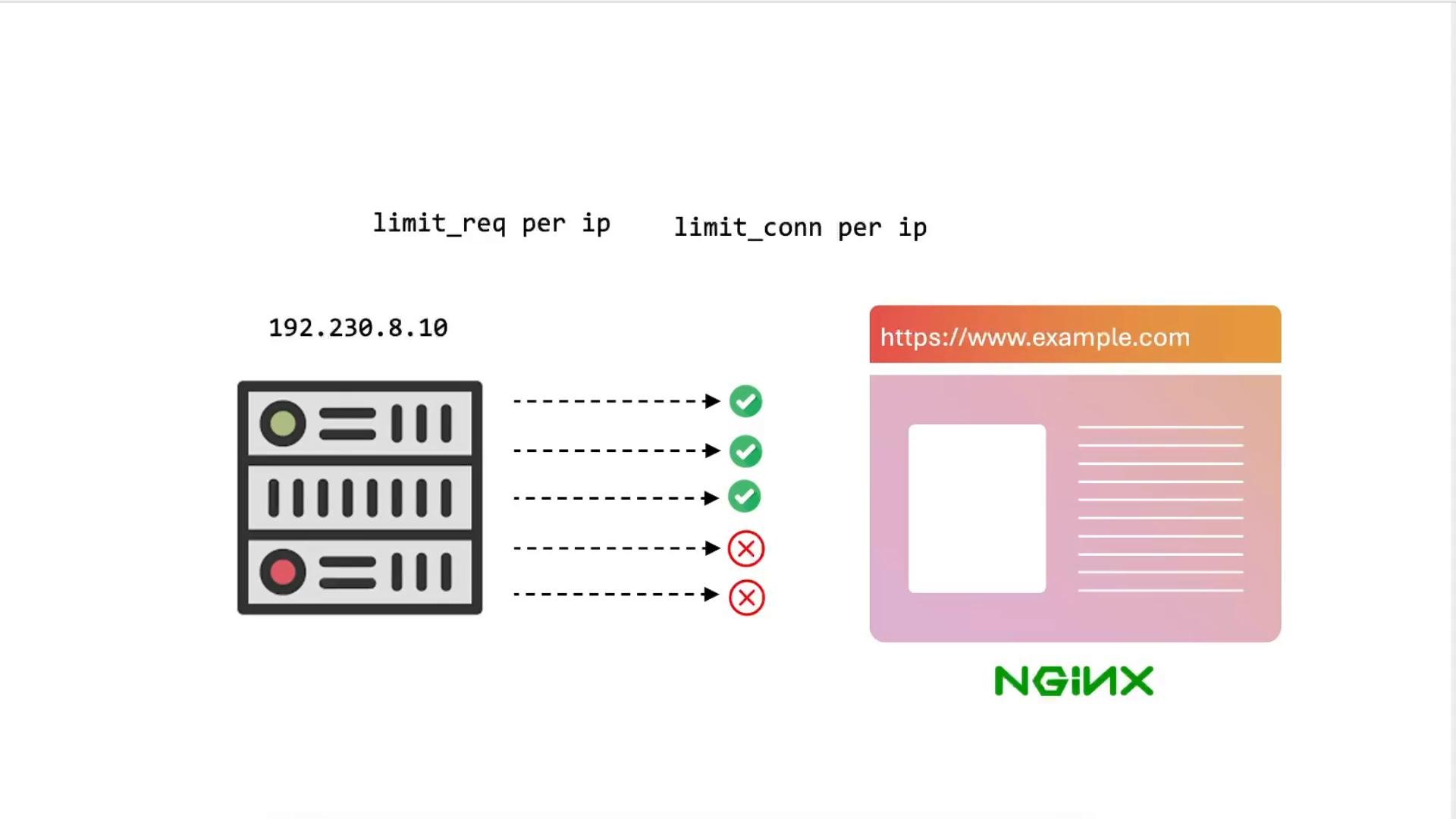
curl for quick checks and ab (ApacheBench) to generate load and measure failed requests. Relevant NGINX directives covered: limit_req_zone, limit_req, limit_conn_zone, limit_conn.
Environment notes / prerequisites
- NGINX is serving
example.com(HTTPS) onnode01. Client resolvesexample.comvia/etc/hosts. - You have
curl,ab(ApacheBench) and shell access to the client machine. - You can reload NGINX configuration:
nginx -tandnginx -s reload. - Read more about NGINX rate limiting in the official docs: NGINX Rate Limiting and limit_conn.
1) Initial smoke test (no rate limiting)
Verify the site responds normally before any limits are applied. Show headers only:ab output (summary):
HTTP/1.1 200 OK and Failed requests: 0, you have a good baseline before enabling rate limiting.
2) Enable request rate limiting (limit_req)
Request rate limiting controls how many requests per time unit a key (commonly an IP) can perform. Add alimit_req_zone in the http context to track requests and configure the status code to return when the limit is exceeded.
Add to /etc/nginx/nginx.conf inside the http block:
server or location block (e.g. /etc/nginx/sites-available/example-https):
2.1 Test request rate limiting with ApacheBench
Generate many requests from the same client IP:10r/m, many requests will be rejected and ab will report failed requests:
limit_req is actively rejecting requests with 429.
3) Tune the request rate
Adjust therate in limit_req_zone to match realistic traffic. Example options:
- 100 requests per minute:
- Per-second rate:
ab or real client tests. As the rate increases, the number of Failed requests should drop.
Tip: ab sends bursts and may exaggerate failures. Use realistic clients and concurrency to determine practical limits.
4) Enable connection rate limiting (limit_conn)
Connection limiting restricts concurrent TCP connections per key (e.g., per IP). Uselimit_conn_zone in http and limit_conn in server/location.
Add zones in the http block:
server/location block:
4.1 Test connection limiting with ab
Use -c to specify concurrent connections:
limit_conn (for example to 100) and rerun the test, failed requests should decrease depending on how the test generates concurrent connections.
5) Inspect NGINX logs for limiting events
Limiting events are logged to the error log. Useful commands:error.log lines for request limiting:
- Error log messages include zone name, client IP and request info.
- Use access logs to analyze normal traffic and set sensible limits by endpoint (APIs vs static assets).
Quick reference: directives and usage
Practical advice
There is no universal “magic number” for rate limits. Monitor real traffic, review logs, and tune
limit_req and limit_conn gradually. Consider different limits per path (e.g., stricter limits for API write endpoints than for static assets) and exempt trusted IPs when appropriate.Caveats when benchmarking
Load tools like ApacheBench (
ab) send rapid bursts and may not perfectly emulate real clients. Benchmarks can vary between runs—combine synthetic load tests with production traffic analysis before finalizing limits.Combined configuration example
A concise example combining both request- and connection-limiting zone declarations in thehttp context:
rate and limit_conn values to suit your traffic profile and testing results.
Conclusion
This demo covered practical steps to protect your NGINX server from abusive request bursts and excessive concurrent connections:- Baseline testing with
curlandab. - Adding
limit_req_zone+limit_reqto limit request rates. - Adding
limit_conn_zone+limit_connto limit concurrent connections. - Observing limiting events in NGINX logs and tuning limits iteratively.
- NGINX docs: https://nginx.org/en/docs/
- NGINX
limit_reqmodule: https://nginx.org/en/docs/http/ngx_http_limit_req_module.html - NGINX
limit_connmodule: https://nginx.org/en/docs/http/ngx_http_limit_conn_module.html - ApacheBench (
ab) manual: https://httpd.apache.org/docs/2.4/programs/ab.html