

- Observe backend access logs while the proxy is uncached.
- Create larger test assets so caching effects are obvious.
- Add global NGINX cache configuration and enable the cache in the site/server block.
- Verify cache hits/misses in logs and confirm files under the cache directory.
- NGINX proxy_cache docs: https://nginx.org/en/docs/http/ngx_http_proxy_module.html#proxy_cache
- Apache LogFormat / mod_log_config: https://httpd.apache.org/docs/current/mod/mod_log_config.html
- Chrome DevTools network panel: https://developer.chrome.com/docs/devtools/network/
Observing backend traffic (no cache)
Tail the Apache access log on node01 (and node02) and browse the site to see each request hitting a backend:Step 1 — Increase asset sizes for a clearer demo
To make caching benefits (transfer time and load reduction) obvious, enlarge image files on both backends. On each Apache node:.jpg should now be ~20M. Repeatedly serving these large files from Apache will show a clear performance difference once NGINX starts serving them from cache.
NGINX global cache configuration
Add cache-related directives to the main NGINX configuration (for example in/etc/nginx/nginx.conf or an included file). Key directives:
Notes:
levels=1:2splits the cache into nested subdirectories (improves filesystem performance with many files).keys_zone=app_cache:10mcreates a 10MB shared memory zone for cache keys — adjust size for your workload.proxy_cache_validlines define TTLs for cached responses.
Site (server) configuration: enable proxy caching
Edit your site server block (for example/etc/nginx/sites-available/example-https) and enable the cache for locations that proxy to the upstream. Add a request header so the backend can log whether NGINX forwarded the request. Optionally, add a response header to expose cache status to clients.
Example server configuration:
- The
proxy_set_header X-Proxy-Cache $upstream_cache_status;request header allows backends to logHIT/MISS/EXPIRED. To expose cache status to clients, useadd_header X-Proxy-Cache $upstream_cache_status;(response header). - Avoid caching sensitive locations (e.g.,
/admin).
Update Apache log formats (optional, recommended)
To surface theX-Proxy-Cache request header in Apache access logs, add or update a LogFormat line to include %{X-Proxy-Cache}i, for example:
Validating caching behavior
- Tail logs on both NGINX and Apache:
- From your browser, open the site in an Incognito/Private window to avoid browser caching artifacts. On the first requests NGINX should MISS and forward to the backend; Apache logs will include the
X-Proxy-Cachevalue (example):
- On subsequent requests NGINX should serve cached responses. You will typically observe:
- No repeated entries in Apache logs for cached assets.
- NGINX access log showing cached responses (sometimes
206Partial Content if clients request byte ranges). - Files and subdirectories populated under
/var/lib/nginx/cache.
206 responses indicate partial content (byte-range requests). The key observation is that cached assets do not produce repeated backend log entries.
Browser DevTools confirmation
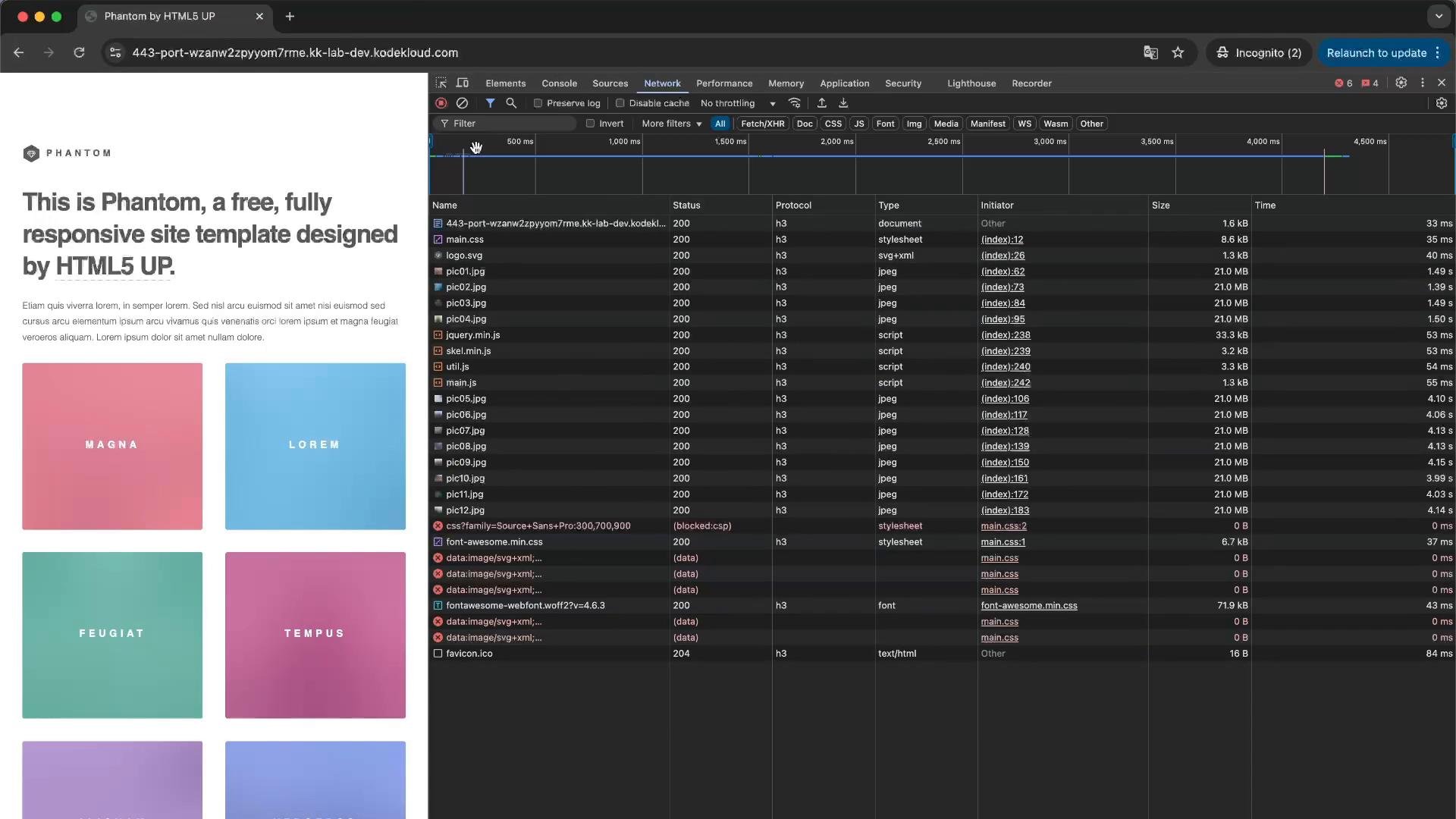
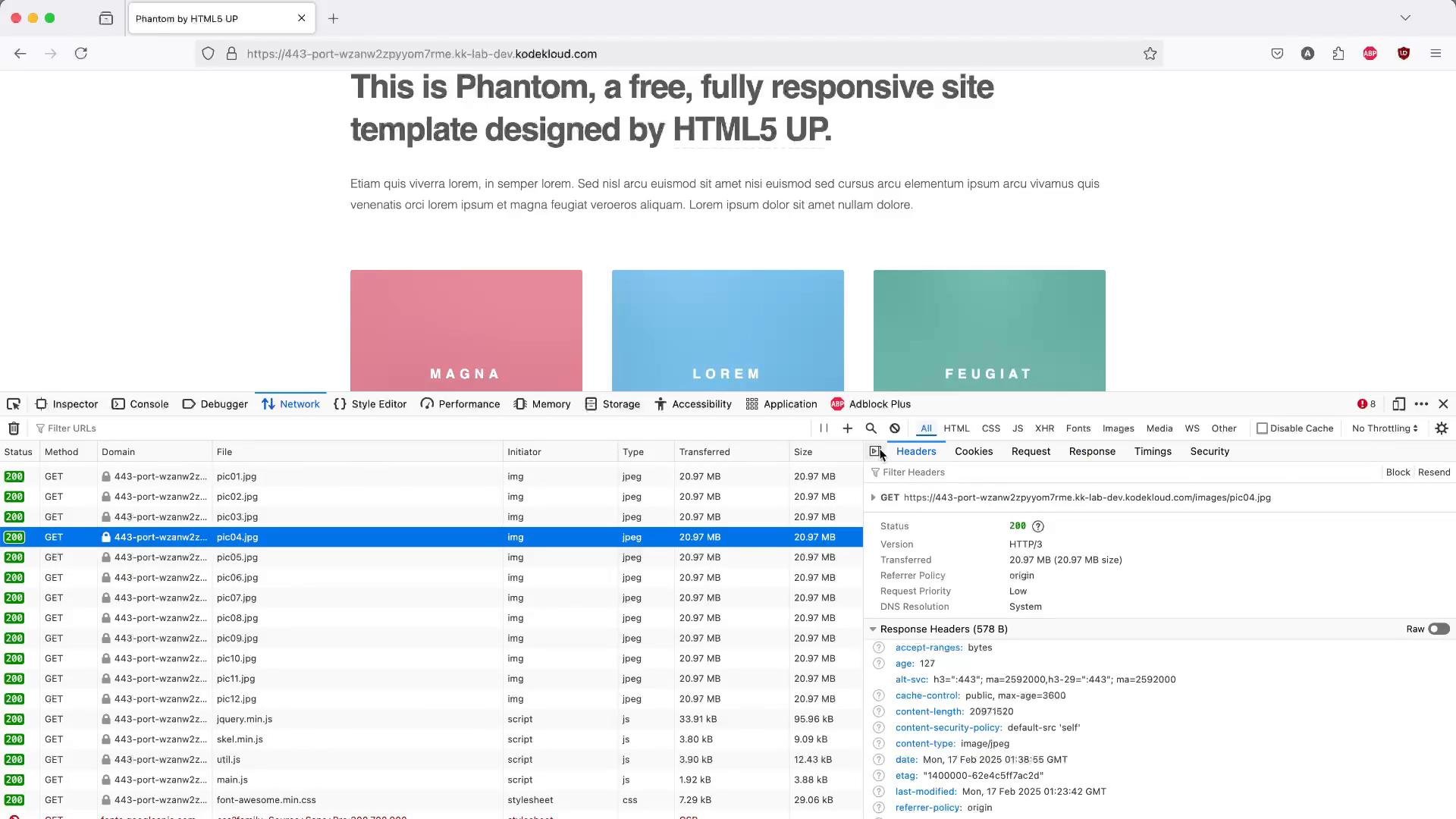
Open Developer Tools (Network tab) and refresh. You should see the large image sizes (e.g., ~21 MB) for the cached resources in the panel. NGINX will add the response headers (e.g.,Cache-Control) you configured. Apache logs should only show MISS on the initial requests that populated the cache.
Second DevTools screenshot (page + network)
Summary and next steps
- You configured a disk-backed NGINX proxy cache with a memory keys zone and enabled it in your site config.
- Adding
proxy_set_header X-Proxy-Cache $upstream_cache_status;lets backend logs show whether requests were forwarded (MISS) or not (HIT). - Enlarging assets made the benefits of caching (reduced backend load and faster subsequent responses) obvious.
- Enable compression (gzip, brotli) for appropriate content types before caching to reduce bandwidth and storage.
- Tune
keys_zoneand cache TTLs to match traffic patterns and content volatility. - Use
proxy_cache_bypass,proxy_cache_valid, andproxy_cache_lockto handle dynamic content, error handling, and thundering herd protection.
- NGINX proxy_cache documentation: https://nginx.org/en/docs/http/ngx_http_proxy_module.html#proxy_cache
- Apache LogFormat: https://httpd.apache.org/docs/current/mod/mod_log_config.html
- Chrome DevTools Network panel: https://developer.chrome.com/docs/devtools/network/
- fallocate(1) man page: https://man7.org/linux/man-pages/man1/fallocate.1.html
Remember: browser caching (via Cache-Control) is different from NGINX proxy caching. Configure both appropriately — Cache-Control controls client/browser caching; proxy_cache controls what NGINX stores and serves to subsequent clients.