

A reverse proxy accepts client requests and forwards them to one or more backend servers. Unlike a separate load balancer appliance, the reverse proxy can run on the same Nginx host as other services, providing centralized routing and access control.
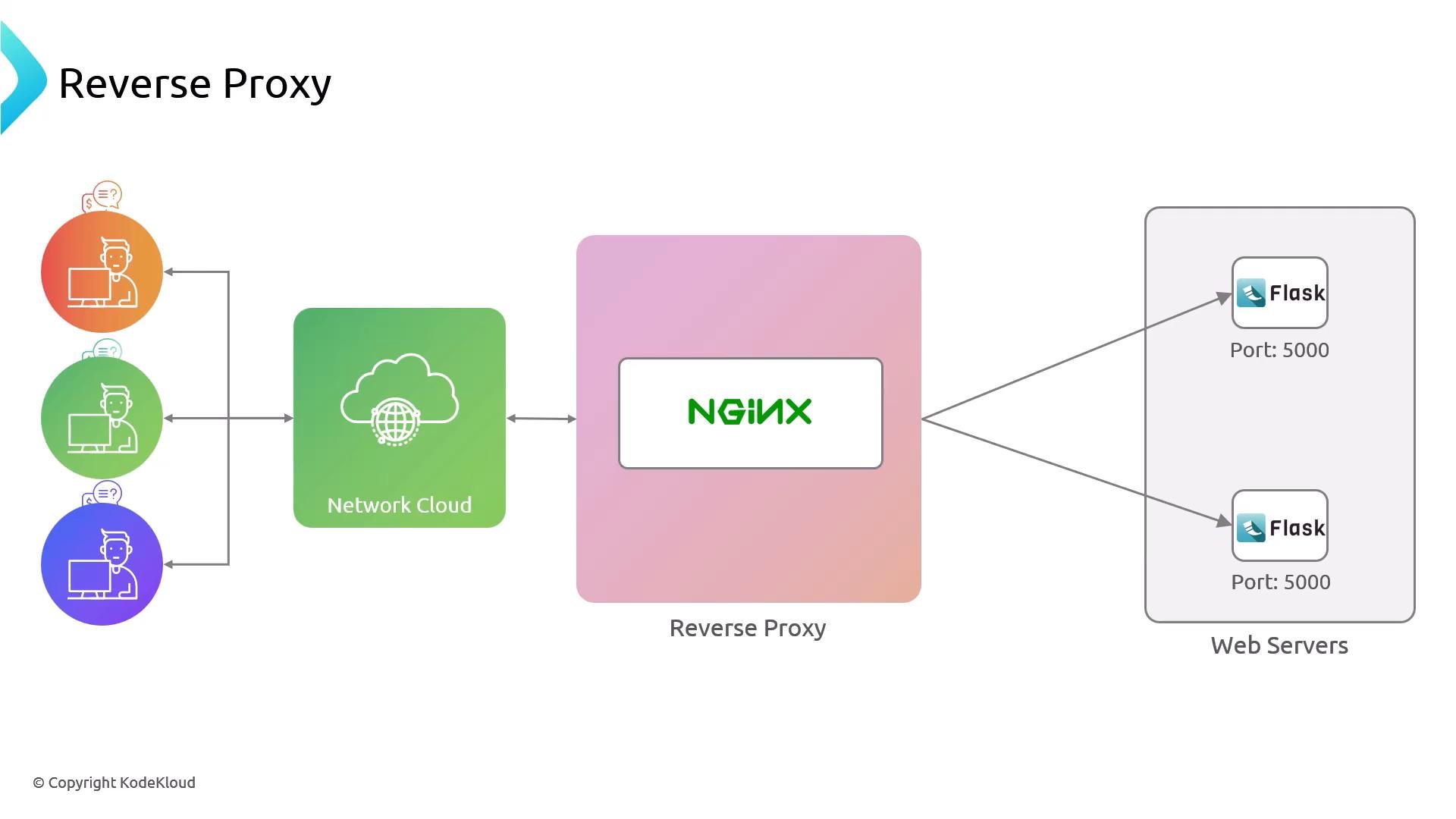
What you’ll set up
- Nginx (reverse-proxy) receiving client traffic on port 80.
- Two Flask backend servers (node01, node02) listening on port 5000.
- Firewall rules so only the reverse proxy can reach the Flask ports.
Prerequisites
By default, Flask’s development server binds to
127.0.0.1 and is only accessible locally. To allow a remote reverse proxy to connect, run Flask bound to 0.0.0.0, for example: app.run(host='0.0.0.0'). For production, use a production WSGI server such as gunicorn or uWSGI instead of Flask’s built-in server.Inspect the environment
From the reverse-proxy host (nginx) you should be able to SSH into each backend and confirm the Flask app on port 5000 responds. Example sessions (condensed):
Restrict backend access with UFW
Limit access to port 5000 so only the reverse proxy IP can connect. Replace192.230.206.12 with your reverse proxy IP.
ufw allow command on each backend (node02) as needed.
Configure Nginx on the reverse-proxy host
- Remove the default site symlink from
/etc/nginx/sites-enabled. - Create a new site configuration file
/etc/nginx/sites-available/helloworld. - Enable it with a symlink in
/etc/nginx/sites-enabled/.
Nginx configuration: upstream + server
Create the upstream block listing both Flask backends (port 5000) and a server block that proxies requests to that upstream. Save the following as/etc/nginx/sites-available/helloworld:
- The upstream name is
hello_worldandproxy_passreferences it ashttp://hello_world. - Backend servers are specified with their IPs and port
5000because Flask listens there. - Nginx listens on port
80and forwards traffic to the upstream backends.
Test and reload Nginx
Always test Nginx configuration syntax before reloading, then simulate client requests using aHost header for helloworld.com.
Simulate a backend failure
To simulate a node being down, comment out or remove one backend from theupstream block and reload Nginx. Nginx will stop sending requests to the removed/commented backend and continue routing to the remaining server(s).
Example (one backend commented out):
Conclusion
You now have a working Nginx reverse proxy that forwards HTTP requests to multiple backend Flask apps on port 5000. Key takeaways:- Use an
upstreamblock to list backend servers andproxy_passto route to that upstream. - Restrict backend access with
ufwso only the reverse proxy can reach application ports. - For production deployments, run Flask behind a production WSGI server such as
gunicornoruWSGI.