

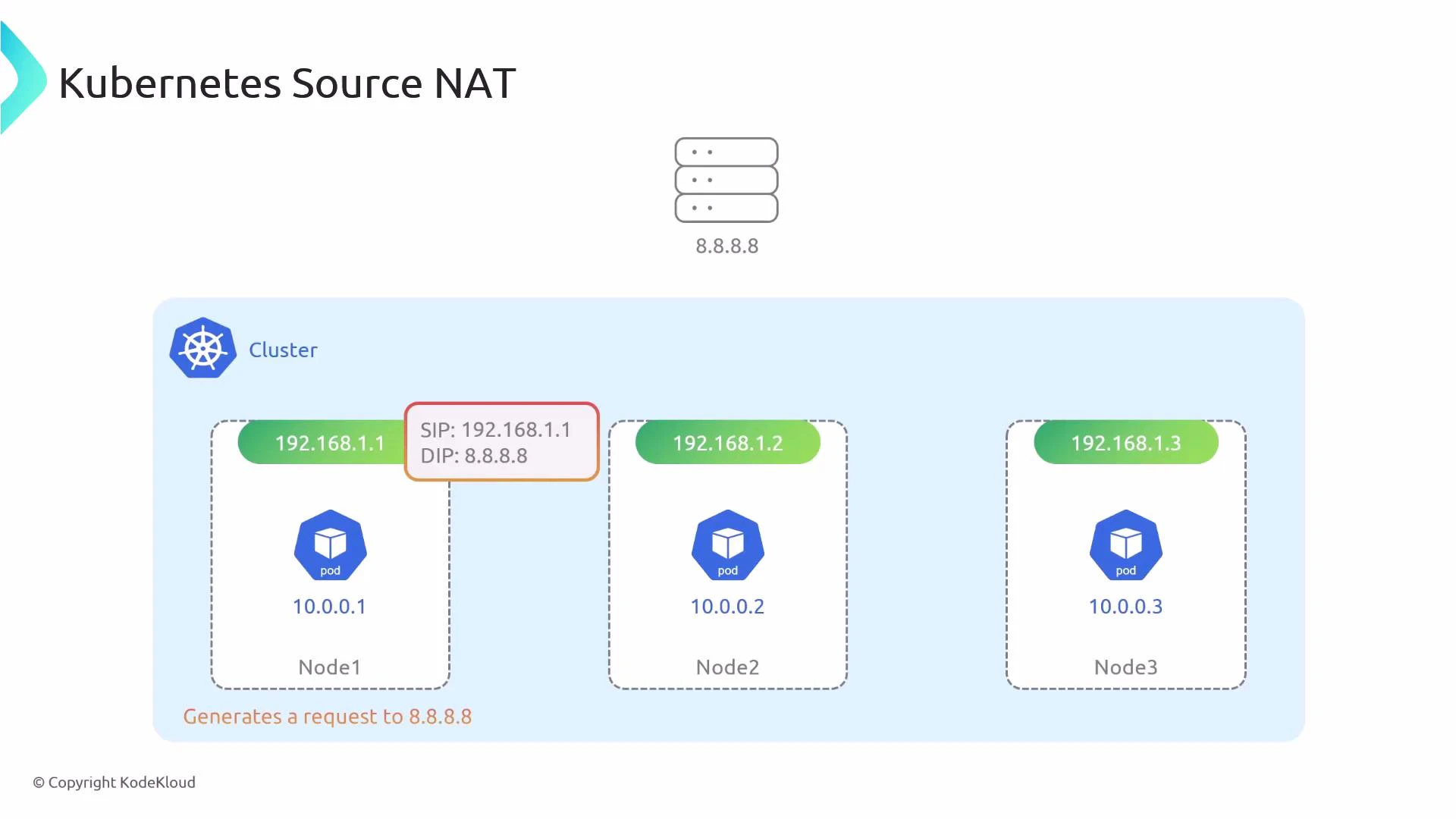
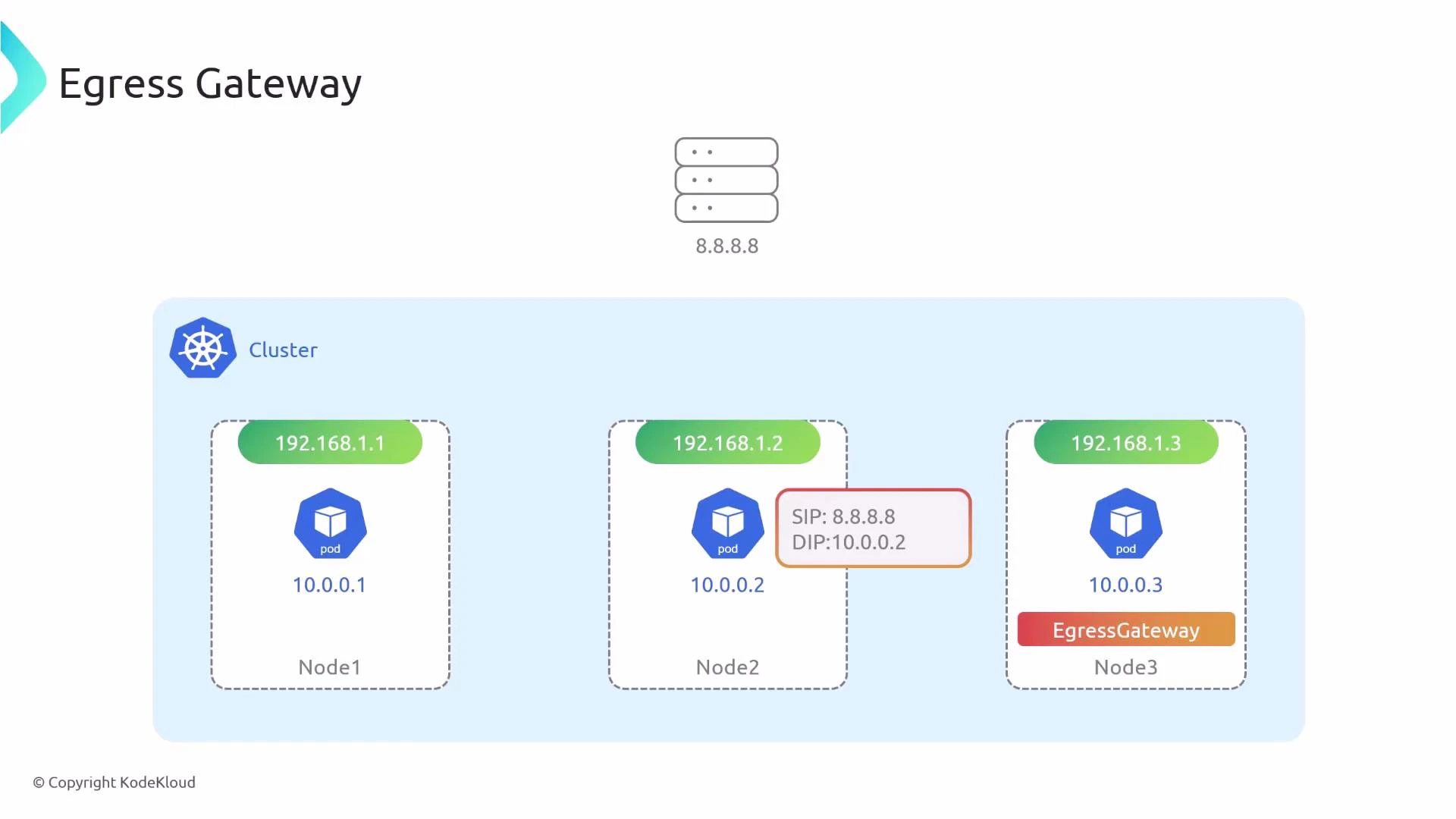
- Enforce outbound traffic routing through a fixed public IP for compliance or firewall whitelisting.
- Centralize audit or logging for outbound connections.
- Apply consistent network policy or inspection at a single egress point.
Enabling Egress Gateway (Cilium)
To use egress gateway with Cilium, enable the required features in your Cilium configuration (Helm values or cilium-config) and then restart the operator and agents. Required settings:- bpf.masquerade: true — enables SNAT support.
- kubeProxyReplacement: true — egress gateway requires Cilium’s kube-proxy replacement.
- egressGateway.enabled: true — turns on the egress gateway feature.
After changing Cilium configuration, restart the Cilium operator and agents so the new settings are applied cluster-wide.
The egressIP you configure in a CiliumEgressGatewayPolicy must exist on an interface of the egress node. If the IP is not present, SNAT will fail and outbound traffic will not be translated correctly.
Creating a Cilium Egress Gateway Policy
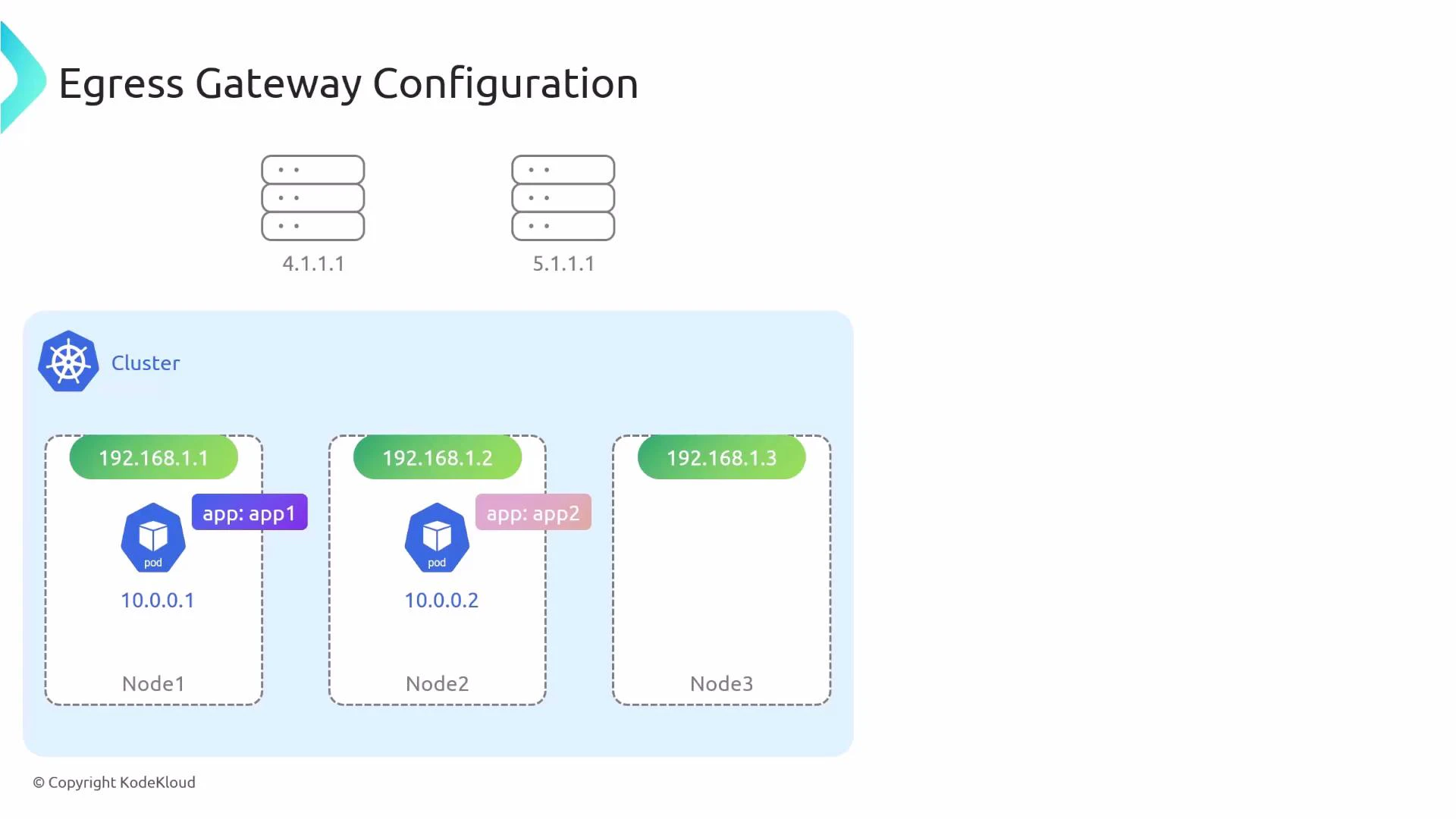
A CiliumEgressGatewayPolicy specifies:- Which pods are affected (selectors).
- Which destination CIDRs should be routed via the egress gateway.
- Which node(s) will act as gateways.
- The egress IP used for SNAT on the gateway node.
- destinationCIDRs: the outbound destination ranges for which traffic will be forced through the egress node.
- selectors: which source pods (by label) will have their egress affected.
- egressIP: address to SNAT to; must be present on the node.
Verifying Egress Gateway Configuration
You can inspect the active egress routing and SNAT mapping using the Cilium debug tool from a Cilium pod (or from a node with cilium-dbg installed):
Note: Egress IP and Gateway IP can be the same or different. The Egress IP is what external services see as the source; Gateway IP identifies the egress node inside the cluster.
When to use an egress gateway
- You need fixed public IPs for outbound traffic for firewall whitelisting or cloud NAT compatibility.
- You require centralized egress inspection, logging, or compliance controls.
- You want predictable network paths for auditability or troubleshooting.
Links and References
- Cilium Egress Gateway Documentation
- Cilium kube-proxy replacement
- Kubernetes Networking Concepts
- Understanding SNAT and DNAT