

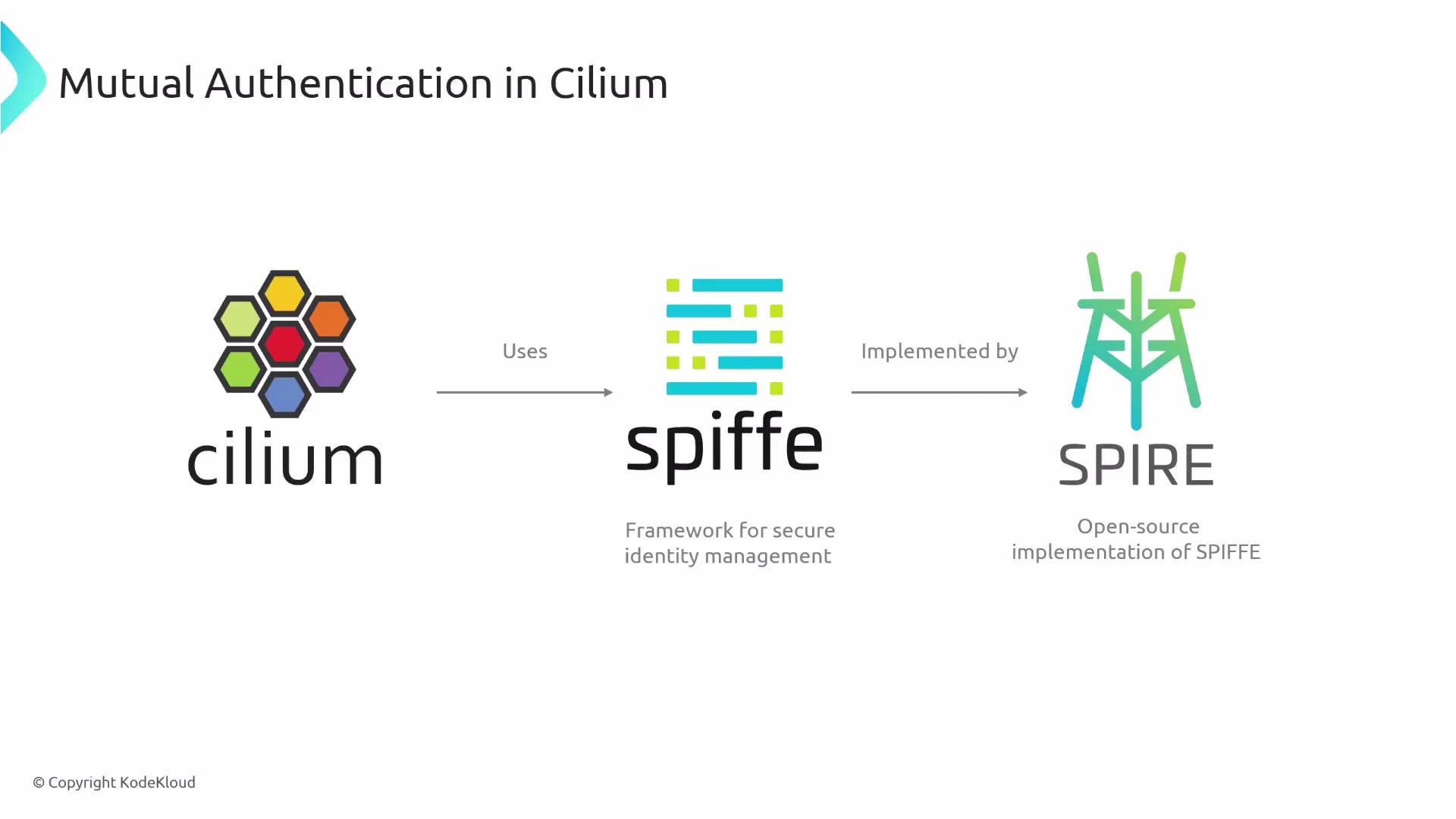
Quick overview: Cilium performs mTLS at the node-agent level. The Cilium agent uses SPIRE-issued SPIFFE identities (SVIDs) to establish TLS sessions with other node agents. Pods are not directly involved in the certificate exchange; the node agents handle authentication on their behalf.
How mTLS works in a cluster
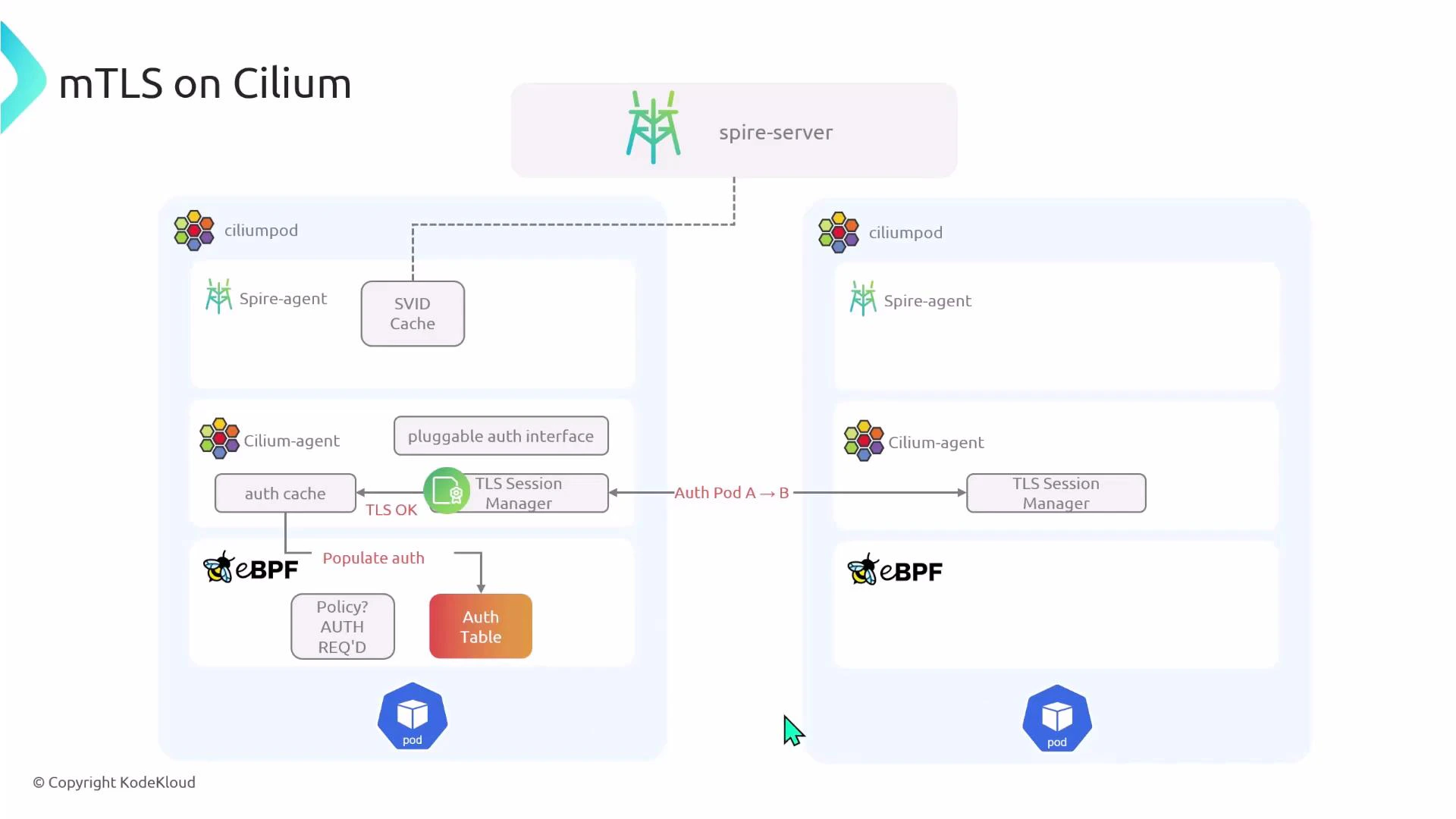
High-level components:- Spire server (control plane) — issues SVIDs.
- Spire agent — runs on each node and obtains SVIDs from the Spire server.
- Cilium agent — performs TLS session management on behalf of pods.
- eBPF programs — enforce policies and maintain an auth table used to decide whether traffic is authenticated.
- eBPF looks up the auth table and policy to decide if authentication is required.
- If authentication is required but not yet established, the initial packet is dropped by eBPF.
- eBPF notifies the local Cilium agent that authentication is needed.
- The Cilium agent requests SVIDs from its local Spire agent. The agent may contact the Spire server to obtain certificates.
- Cilium TLS session managers on the two nodes establish a mutual TLS session using those certificates. (Cilium agents perform the TLS handshake; pods do not.)
- After successful authentication, the auth table is updated and subsequent packets matching the same policy are allowed and forwarded.
Key components and their roles
Useful links:
Enabling mTLS in Cilium
At a minimum you must:- Enable encryption for node-to-node traffic (IPsec or WireGuard).
- Enable Cilium authentication and the SPIRE integration.
- Optionally allow Cilium to install SPIRE for you (convenience install).
Enforcing mTLS for specific traffic
To require mTLS, create a CiliumNetworkPolicy that matches the traffic and sets authentication mode to required. You only need one matching policy in one direction: either an ingress policy on the destination or an egress policy on the source. Example: require authentication for ingress on port 80 to pods labeled app=pod2Cilium agents perform the mTLS authentication on behalf of pods. Pods themselves do not exchange certificates — Cilium’s TLS session managers handle authentication between node agents.
Observability — checking logs and debugging
Enable debug logging in Cilium (via Helm values or CiliumConfig) to see the authentication flow in agent logs. Useful commands:Troubleshooting checklist
- Confirm encryption (IPsec/WireGuard) is enabled.
- Verify Spire server and agents are running in the cluster.
- Ensure Cilium has authentication.mutual.spire.enabled set to true.
- Check Cilium agent logs for auth/table misses and TLS session events.
- Inspect spire-server and spire-agent logs for SVID issuance problems.
- Confirm your CiliumNetworkPolicy matches the correct endpoints and ports.
Summary
- Cilium implements mTLS using SPIFFE identities and SPIRE as a common SPIFFE implementation.
- Mutual authentication happens at the Cilium agent level; pods do not perform certificate exchange.
- Enable encryption and authentication in your Cilium configuration and deploy SPIRE (or let Cilium install it).
- Protect traffic by creating a CiliumNetworkPolicy with authentication.mode: required.
- Use Cilium and SPIRE logs to observe and debug the authentication flow.