In this lesson we cover Cluster Mesh fundamentals: what Cluster Mesh enables, required cluster prerequisites, how to configure and enable it in Cilium, how to connect clusters into a full mesh, and why KVStoreMesh improves Cluster Mesh scalability. Cluster Mesh lets multiple Kubernetes clusters behave as a single multi-cluster network fabric by providing:
  • Cross-cluster network connectivity (pods can talk across clusters).
  • Cross-cluster load balancing (services can balance across backends in other clusters).
  • Shared security controls (apply Kubernetes NetworkPolicies across clusters).
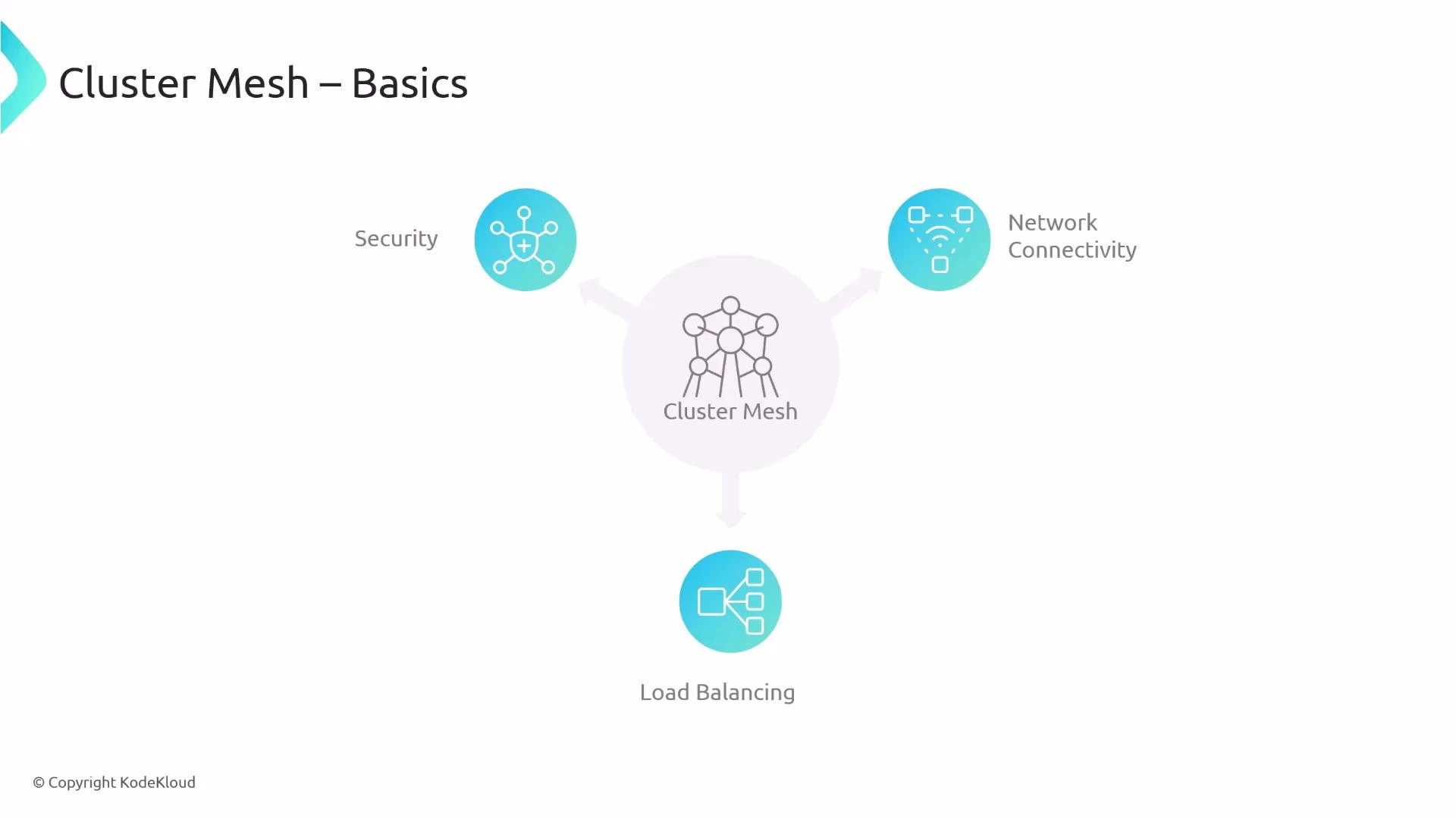
A slide titled "Cluster Mesh – Basics" showing a central "Cluster Mesh" node with arrows pointing to three features: Security, Network Connectivity, and Load Balancing. Each feature is represented by a blue circular icon connected to the central cluster.
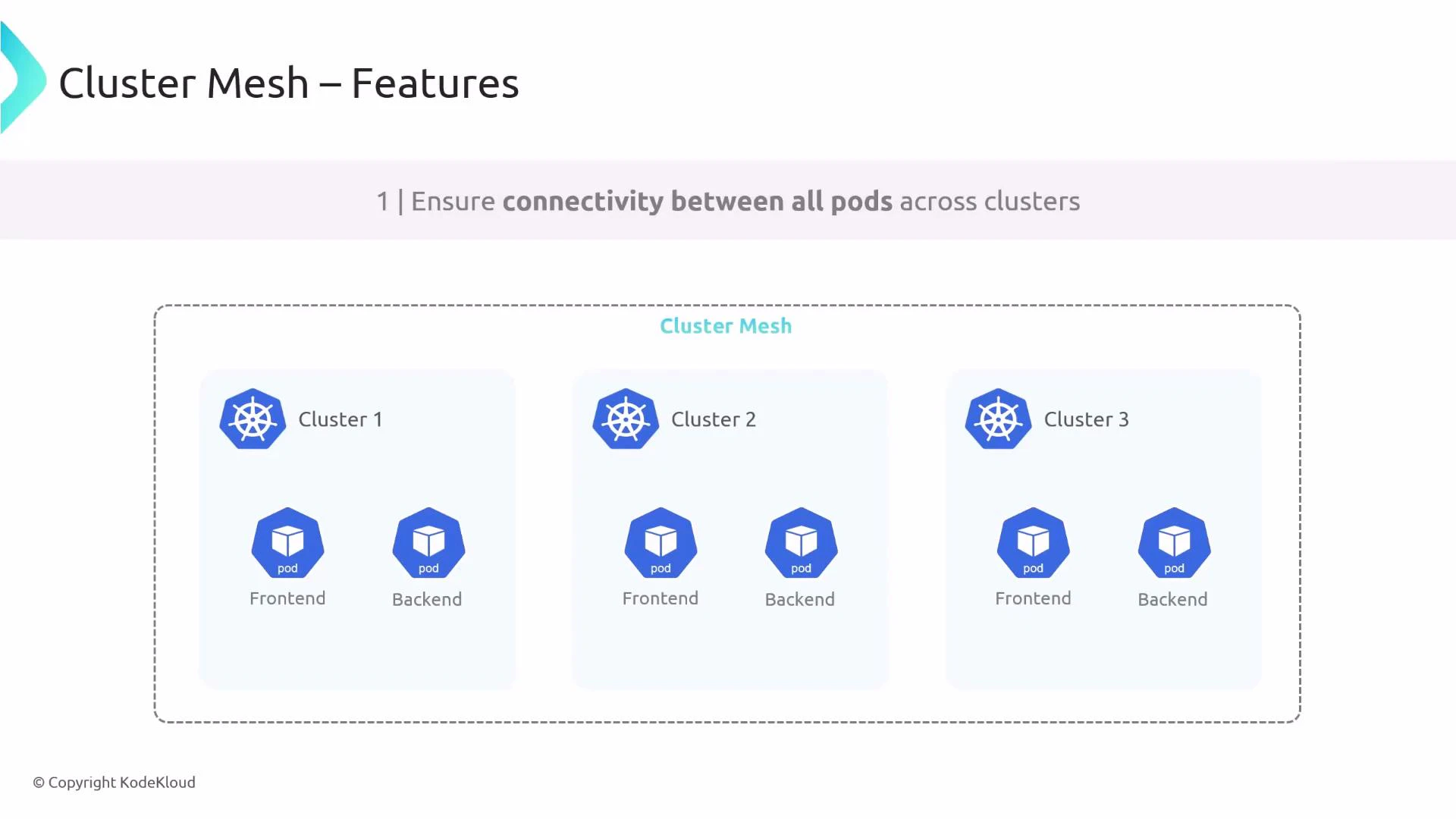
Example: with cluster1, cluster2, and cluster3 joined into a Cluster Mesh, pods in different clusters can communicate by default according to mesh-wide connectivity and network policies.
A slide titled "Cluster Mesh – Features" illustrating three Kubernetes clusters (Cluster 1, 2, 3) inside a dashed "Cluster Mesh" boundary, each containing frontend and backend pods to show connectivity across clusters.
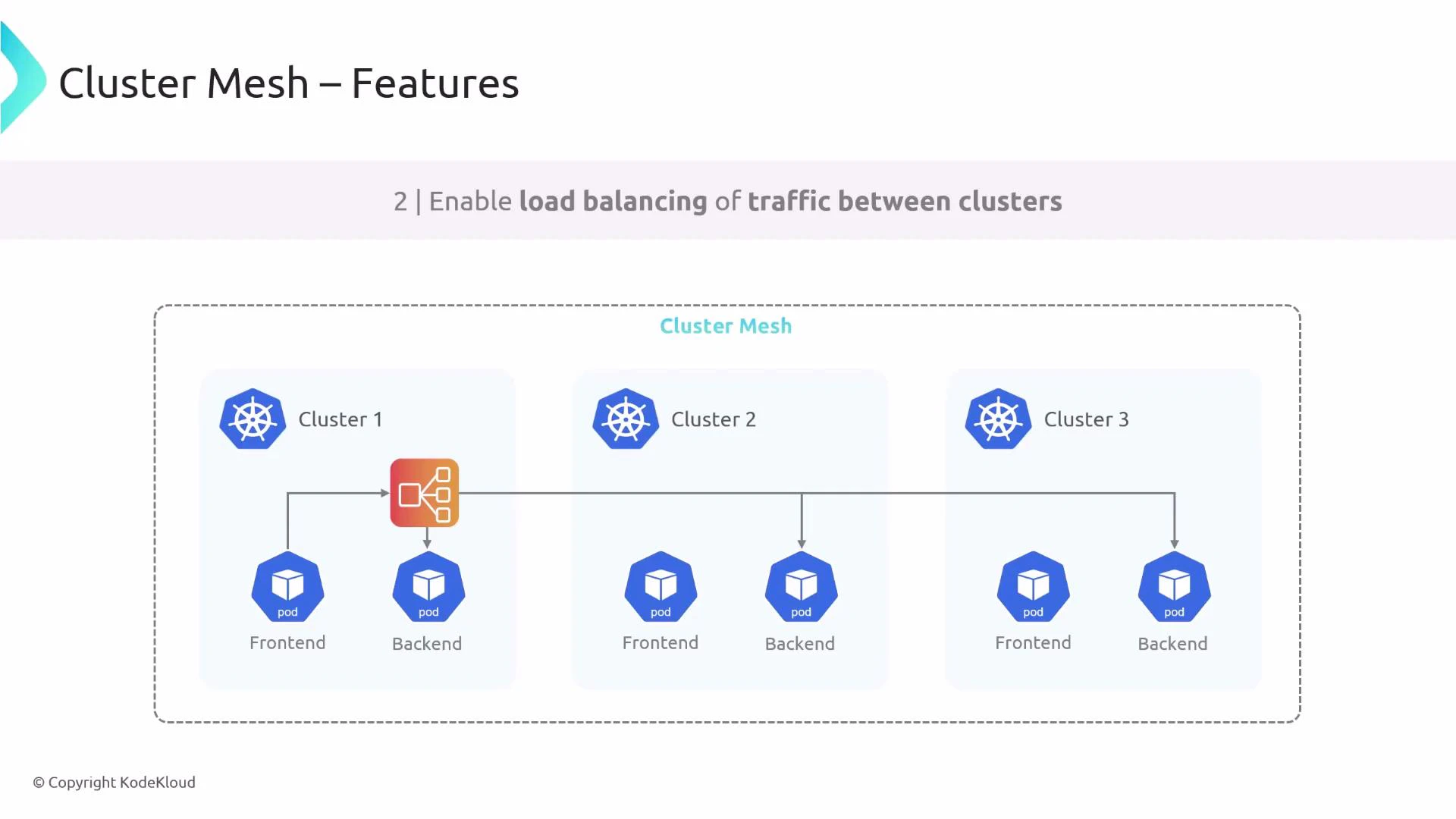
Cross-cluster load balancing lets a frontend pod in one cluster send requests that are distributed among backends across multiple clusters — useful for global-scale services and failover.
A slide titled "Cluster Mesh — Features" showing load balancing of traffic between three Kubernetes clusters. Each cluster contains frontend and backend pods and a central load balancer routes requests across the clusters.
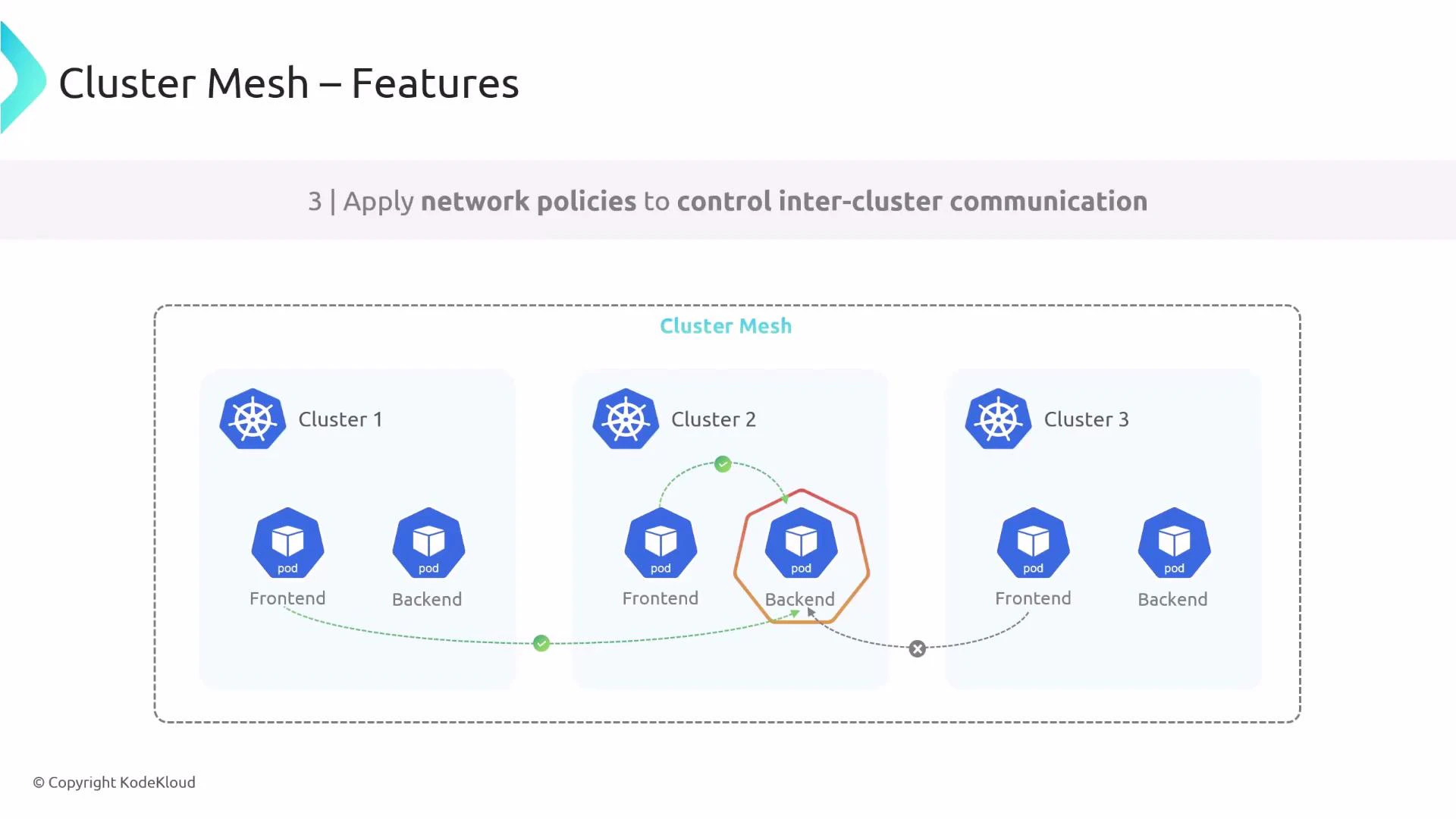
You can also enforce fine-grained cross-cluster access using Kubernetes NetworkPolicies. For example, allow frontend pods from cluster1 and cluster2 to reach a backend in cluster2 while blocking requests originating from cluster3.
A diagram titled "Cluster Mesh – Features" showing three Kubernetes clusters, each with frontend and backend pods. It illustrates network policies controlling inter-cluster communication, with some pod connections allowed (green) and others blocked (grey with an X).
These are the main features covered below: prerequisites, per-cluster configuration, enablement, cluster connections, and KVStoreMesh design.

Prerequisites and requirements

Before joining clusters into a Cluster Mesh, verify the following requirements across all clusters:
RequirementWhy it matters
Matching datapath modeAll clusters should use the same datapath (e.g., encapsulation/tunnel or native routing) to avoid connectivity and routing mismatches.
Non-overlapping Pod CIDRsPods in different clusters must use unique IP ranges to prevent address conflicts.
Full node-to-node IP connectivityNodes across clusters must be able to reach each other (or through a suitable networking fabric) for cross-cluster traffic and service access.
Unique cluster identifiersEach cluster needs a unique cluster name and integer ID in Cilium configuration to avoid collisions.
When configuring Cilium per-cluster, ensure the Cilium config includes unique Pod CIDR pool entries and a unique cluster name and ID. A representative YAML fragment for two clusters:
# cluster1 cilium configuration (example)
ipam:
  clusterPoolIPv4PodCIDRList: ["11.0.0.0/8"]
  clusterPoolIPv6PodCIDRList: ["fd00::/104"]

cluster:
  name: cluster1
  id: 1

---
# cluster2 cilium configuration (example)
ipam:
  clusterPoolIPv4PodCIDRList: ["12.0.0.0/8"]
  clusterPoolIPv6PodCIDRList: ["fd01::/104"]

cluster:
  name: cluster2
  id: 2
Notes:
  • Provide unique IPv4/IPv6 ranges per cluster if IPv6 is enabled.
  • Give each cluster a unique name and integer ID.

Enabling Cluster Mesh (Cilium)

After deploying Cilium on each cluster, enable Cluster Mesh with the cilium clustermesh enable command. If your environment cannot automatically provision an appropriate LoadBalancer or service type, you can supply a service type explicitly. Example: enable Cluster Mesh on two clusters using LoadBalancer service type:
cilium clustermesh enable --context $CLUSTER1 --service-type=LoadBalancer
cilium clustermesh enable --context $CLUSTER2 --service-type=LoadBalancer
When enabled, Cilium creates a Cluster Mesh API server service in the kube-system namespace. To verify, list services in that namespace:
kubectl get svc -n kube-system
Example output (abridged):
NAME                                TYPE           CLUSTER-IP     EXTERNAL-IP      PORT(S)                             AGE
cilium-envoy                        ClusterIP      None           <none>           9964/TCP                            15h
clustermesh-apiserver               LoadBalancer   10.96.97.89    172.19.255.46    2379:32200/TCP                      15h
clustermesh-apiserver-metrics       ClusterIP      None           <none>           9962/TCP,9964/TCP,9963/TCP          15h
The LoadBalancer EXTERNAL-IP (when provisioned) is used by remote clusters to reach the Cluster Mesh API server.

Connecting clusters into a mesh

After enabling Cluster Mesh on each cluster, establish mesh connections using cilium clustermesh connect. Provide the source and destination kubeconfig contexts:
cilium clustermesh connect --context $CLUSTER1 --destination-context $CLUSTER2
You only need to run the connect command in one direction per pair. For a mesh of three clusters, ensure all pairwise connections exist (for full mesh topology: cluster1→cluster2, cluster1→cluster3, cluster2→cluster3), or use scripts/automation to configure full-mesh connectivity. Check the Cluster Mesh status with:
cilium clustermesh status
Example status output:
✅ Service "clustermesh-apiserver" of type "LoadBalancer" found
✅ Cluster access information is available:
 - 172.19.255.46:2379
✅ Deployment clustermesh-apiserver is ready
ℹ️ KVStoreMesh is enabled

✅ All 3 nodes are connected to all clusters [min:1 / avg:1.0 / max:1]
✅ All 1 KVStoreMesh replicas are connected to all clusters [min:1 / avg:1.0 / max:1]

🪄 Cluster Connections:
 - cluster1: 3 configured, 3/3 connected
   KVStoreMesh: 1/1 configured, 1/1 connected

🔁 Global services: [ min:1 / avg:1.0 / max:1 ]
Once connections are established, pods across clusters can communicate according to configured services and network policies.
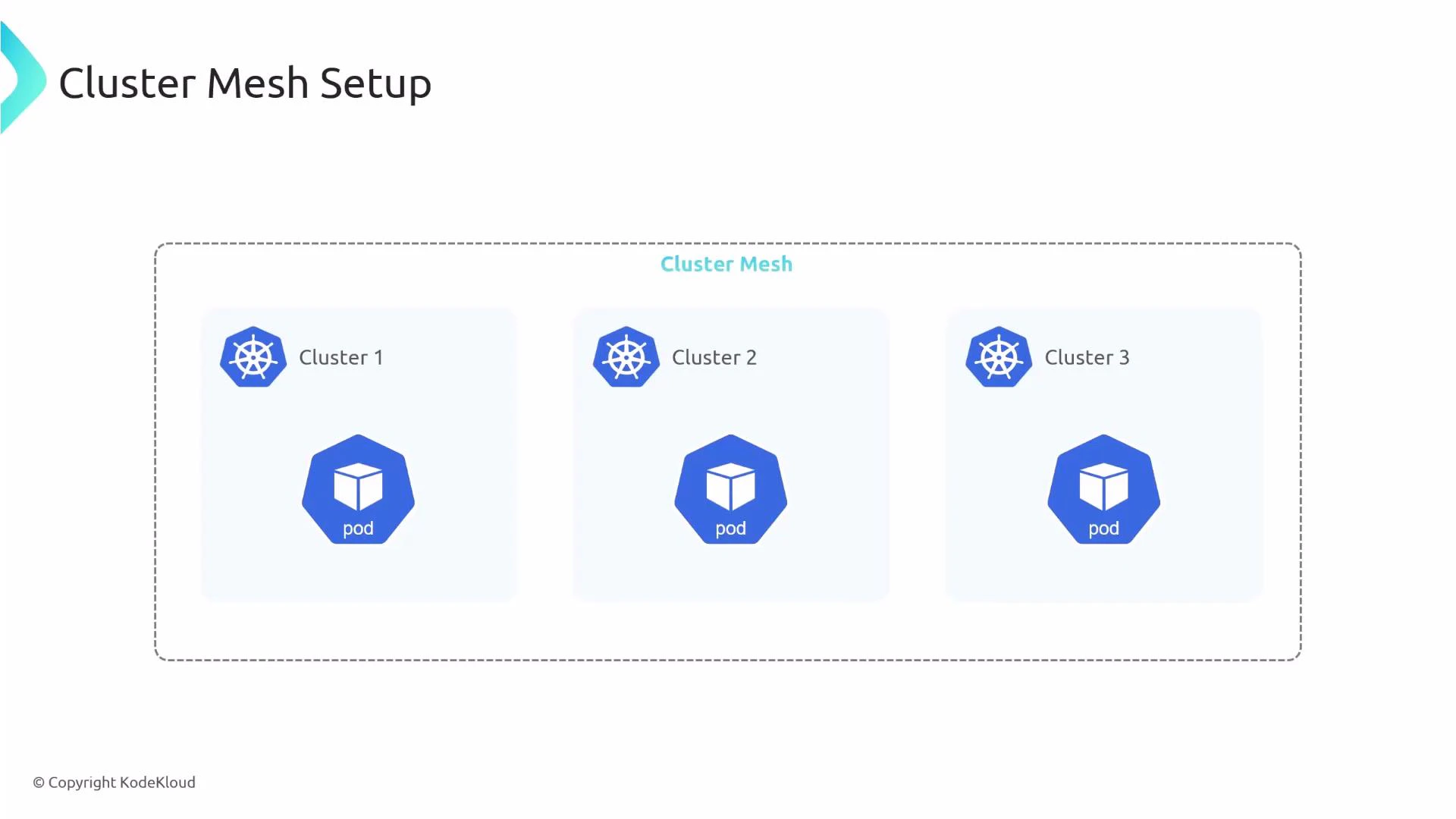
A diagram titled "Cluster Mesh Setup" showing three Kubernetes clusters (Cluster 1, Cluster 2, Cluster 3) inside a dashed "Cluster Mesh" boundary, each cluster containing a pod icon. It illustrates a multi-cluster pod configuration.

KVStoreMesh — purpose and design

KVStoreMesh is a design improvement introduced to scale Cluster Mesh. Understanding its role helps when planning and troubleshooting multi-cluster environments. Original design challenges:
  • Each Cilium agent/operator wrote resources (Services, CiliumNodes, identities, endpoints) into the cluster Kubernetes API.
  • The Cluster Mesh API server would watch the Kubernetes API and sync that data into a central etcd.
  • Remote agents had to watch many remote etcd instances; at scale this caused high synchronization load, increased latency, and heavy etcd pressure.
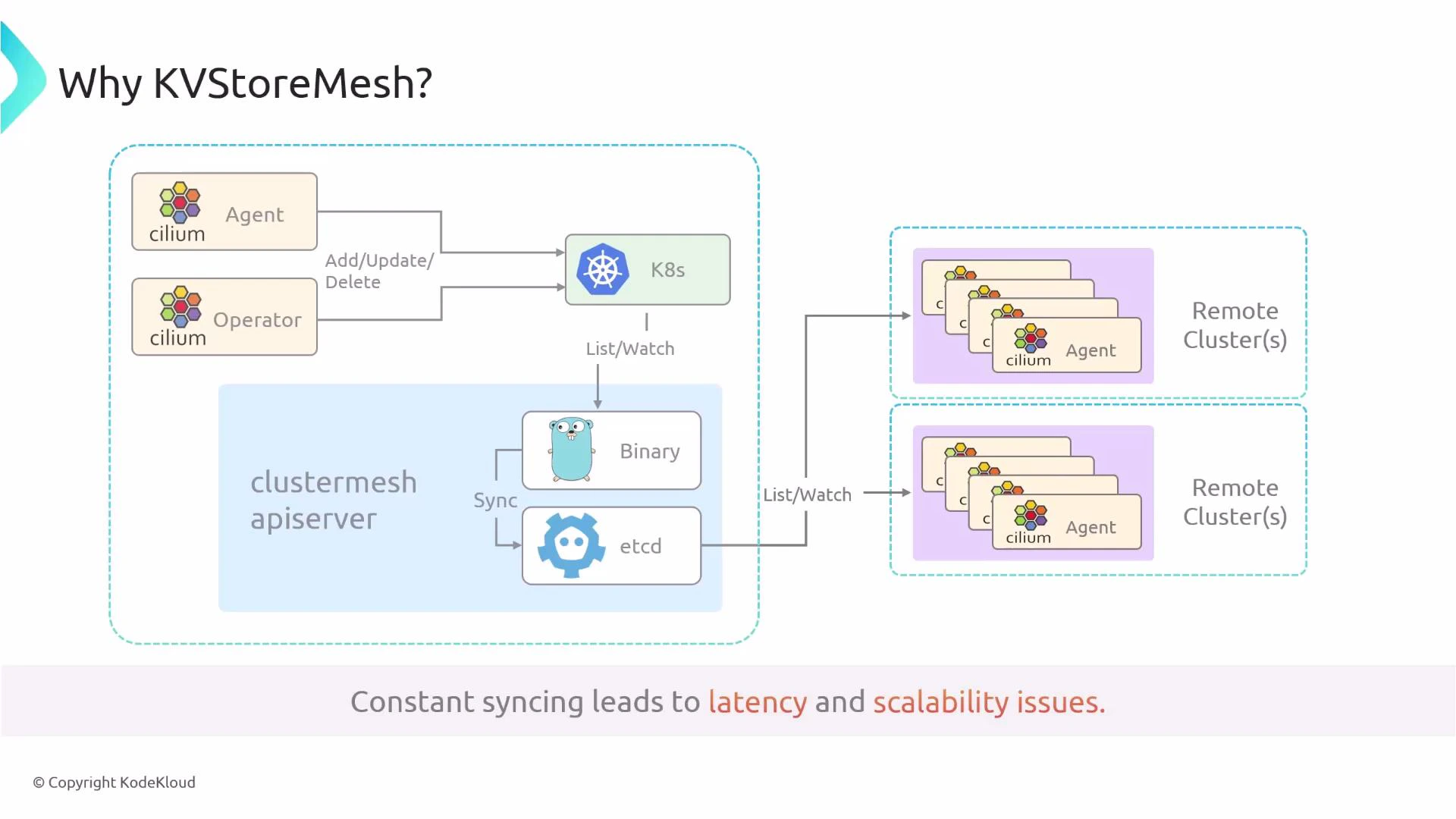
An architecture diagram showing Cilium agents and an operator interacting with Kubernetes and a clustermesh apiserver (a Go binary and etcd) that list/watches and syncs with multiple remote clusters. A caption at the bottom warns that constant syncing leads to latency and scalability issues.
KVStoreMesh design:
  • Each cluster runs a local KVStoreMesh binary and a local etcd instance containing mesh-wide state.
  • Cilium agents sync only with the local KV store.
  • KVStoreMesh instances synchronize state between clusters, reducing the number of remote endpoints that each agent must watch.
Benefits:
  • Reduced overall etcd usage and pressure.
  • More balanced load across cluster KV stores.
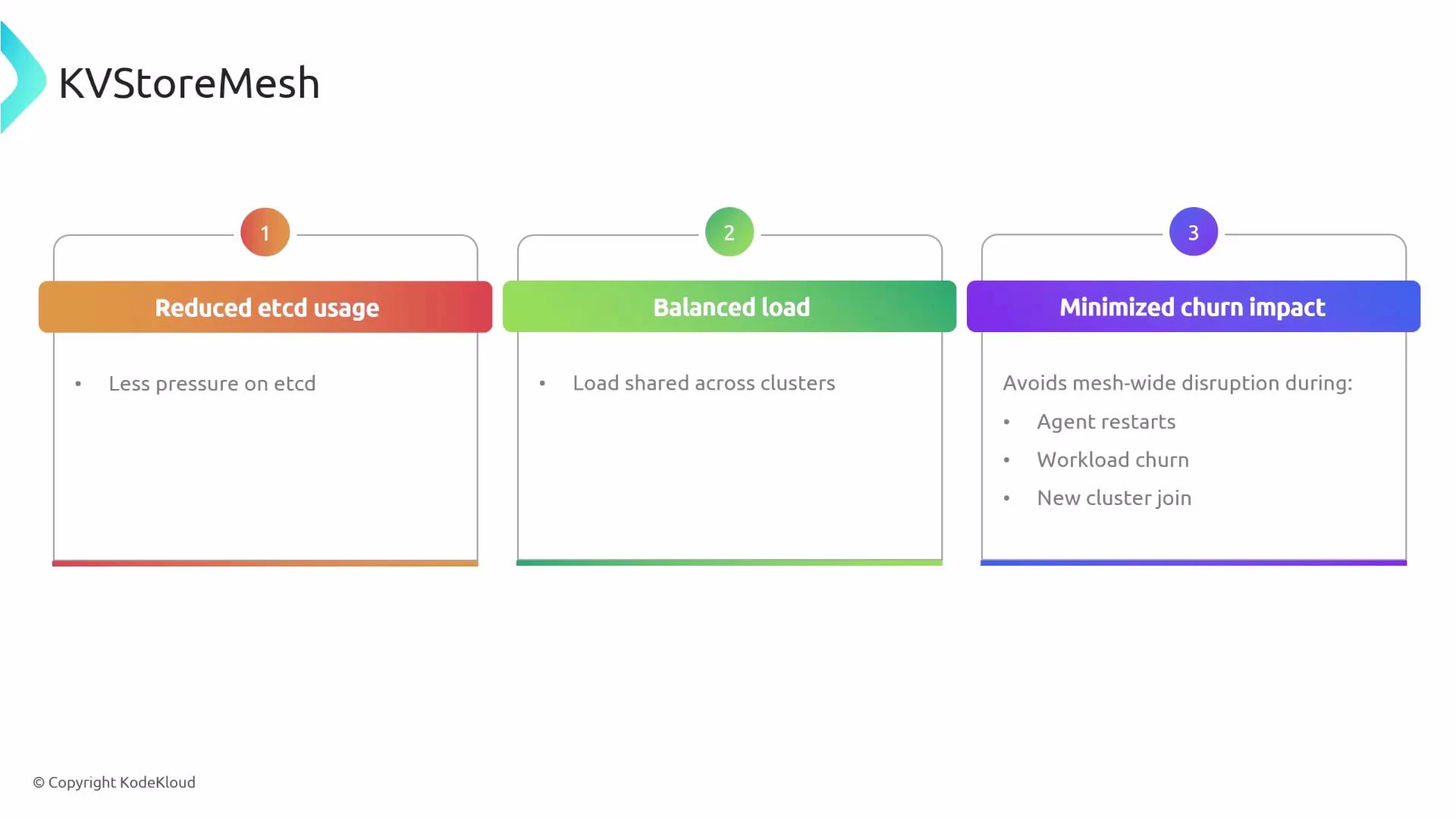
  • Lower impact from agent restarts, workload churn, or new clusters joining the mesh.
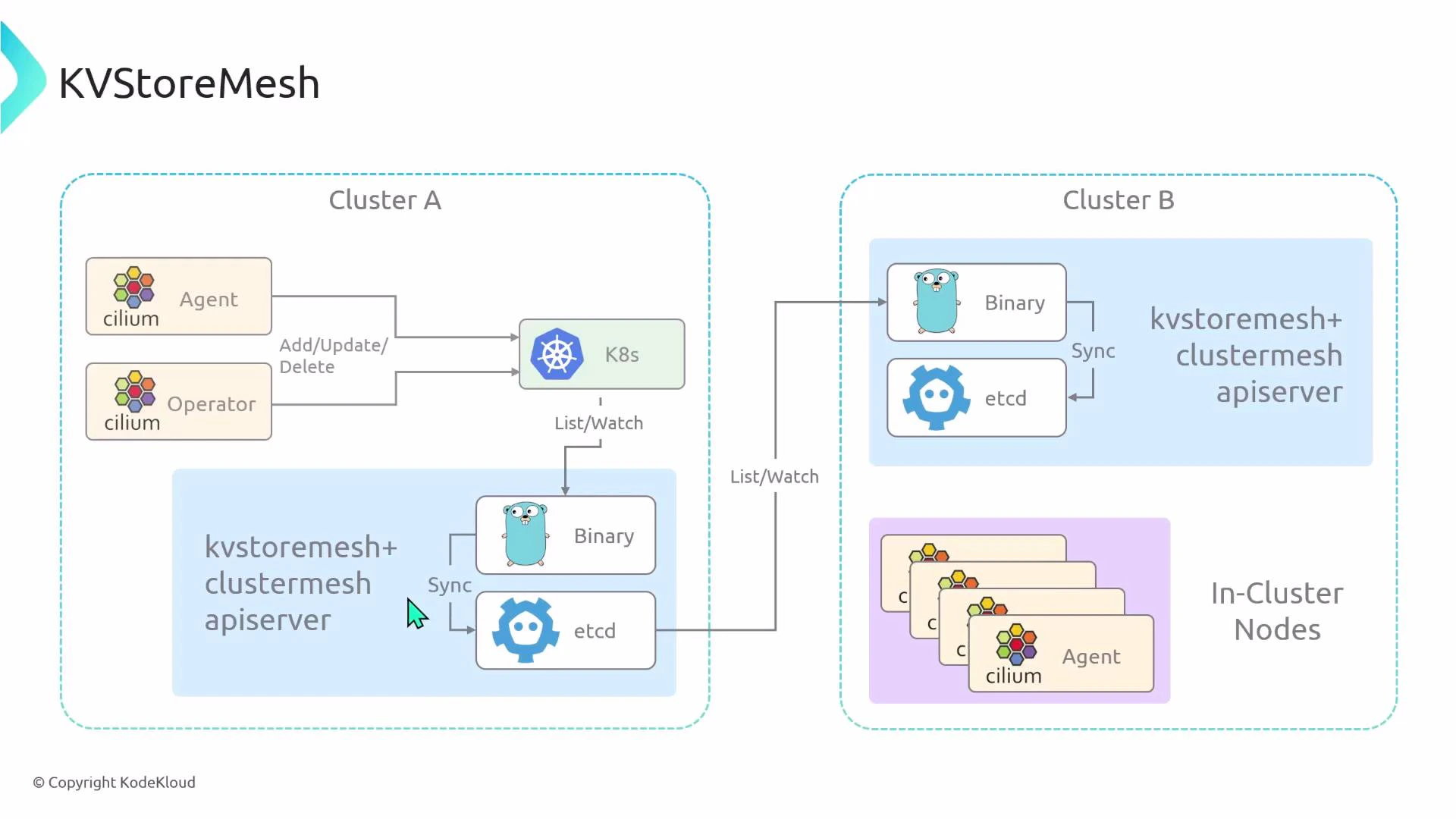
An architecture diagram labeled "KVStoreMesh" showing two clusters (Cluster A and Cluster B). It depicts Cilium agent/operator, the K8s API, and per-cluster kvstore components (binary and etcd) with arrows for List/Watch and Sync interactions between the clusters.
A presentation slide titled "KVStoreMesh" with three numbered panels: "Reduced etcd usage," "Balanced load," and "Minimized churn impact." Each panel has brief bullets explaining less pressure on etcd, load shared across clusters, and avoiding mesh-wide disruption during agent restarts, workload churn, and new cluster joins.
KVStoreMesh is enabled by default in modern Cilium Cluster Mesh deployments.
KVStoreMesh is enabled by default. If you must disable it for compatibility reasons, pass —kvstore-mesh=false when enabling Cluster Mesh.
Examples:
# Enable Cluster Mesh (KVStoreMesh enabled by default)
cilium clustermesh enable --context $CLUSTER1 --service-type=LoadBalancer
# Enable Cluster Mesh but disable KVStoreMesh explicitly (compatibility mode)
cilium clustermesh enable --context $CLUSTER1 --service-type=LoadBalancer --kvstore-mesh=false
Adjust the command and the context for each cluster you add to the mesh.

Summary

This article covered:
  • What Cluster Mesh provides: cross-cluster connectivity, cross-cluster load balancing, and shared network policies.
  • Key prerequisites: matching datapath, unique Pod CIDRs, full node connectivity, and unique cluster IDs.
  • Example Cilium per-cluster configuration snippets.
  • How to enable Cluster Mesh and verify the Cluster Mesh API service.
  • How to connect clusters and validate mesh status.
  • Why KVStoreMesh improves scalability and how to enable/disable it.
Links and references:

Watch Video