

- Coexist with kube-proxy: Cilium provides CNI, ingress (e.g., Gateway API) and observability, while kube-proxy continues to perform service routing/load balancing using iptables or ipvs.
- Replace kube-proxy: Cilium implements service routing and load balancing directly with eBPF, removing the need for kube-proxy.
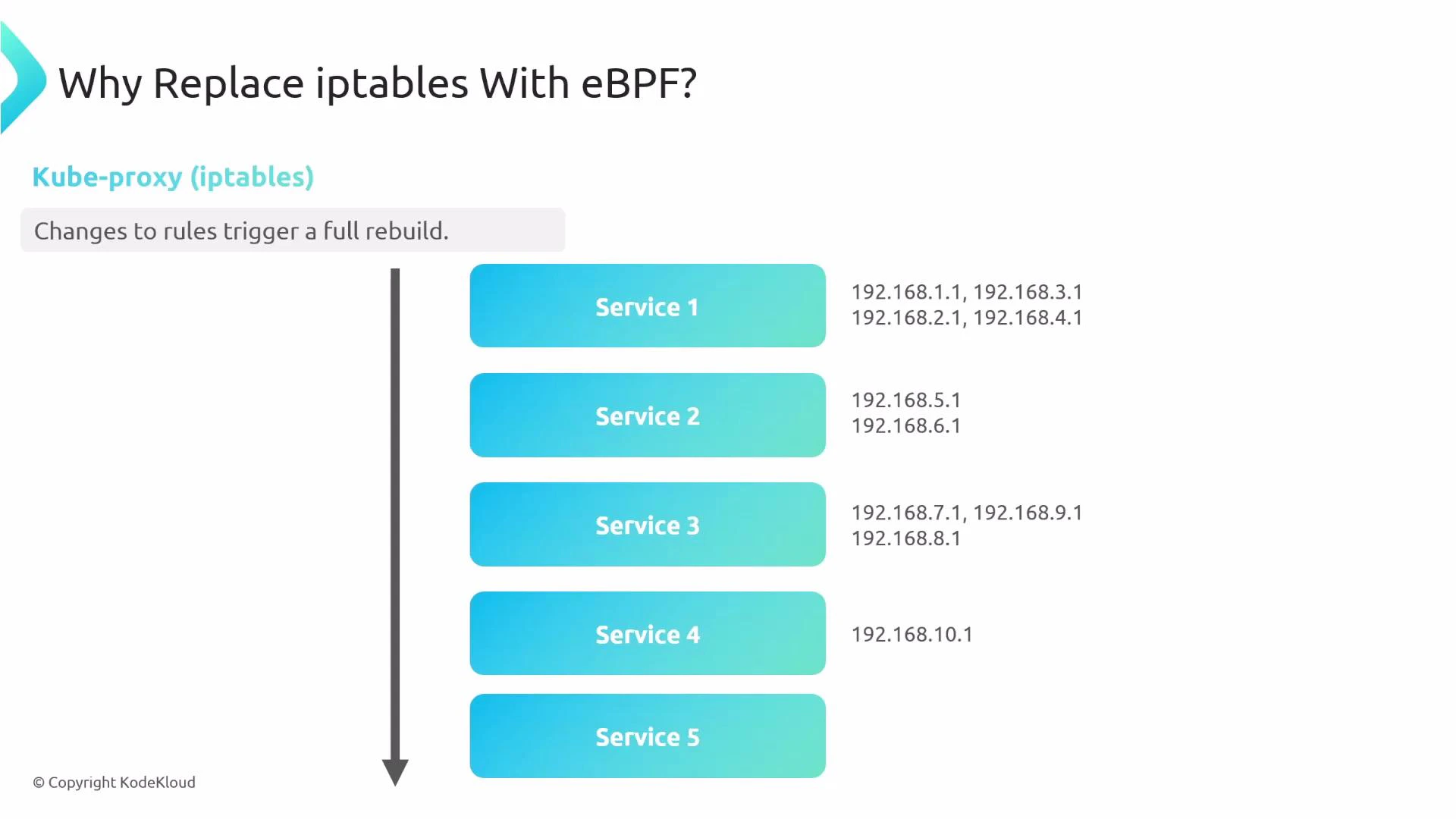
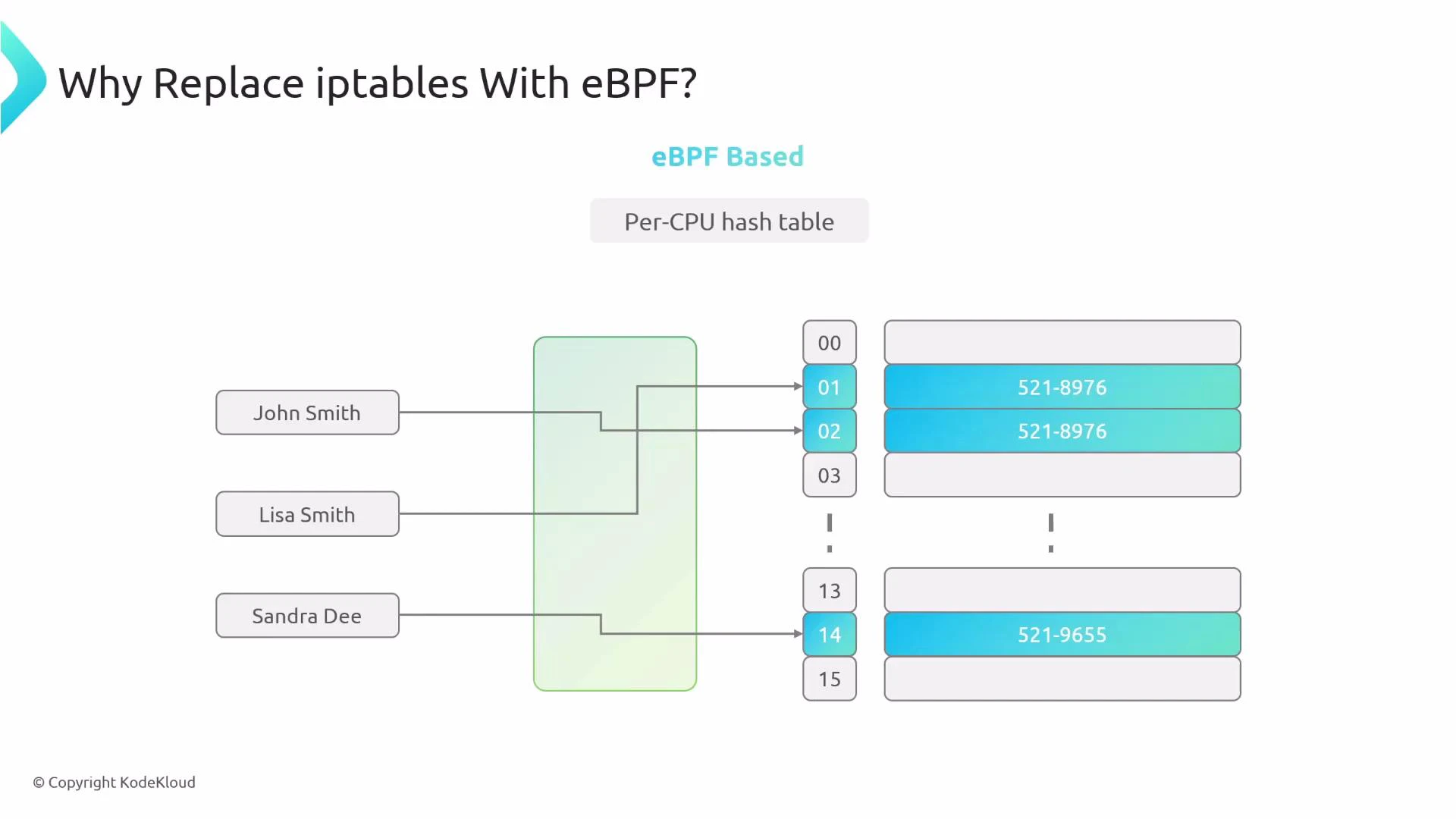
- Lower packet-processing latency
- Better scalability for clusters with many services and endpoints
- More efficient and flexible load balancing (including session affinity and L4/L7 options)
- Enhanced observability, tracing, and debugging via Cilium tooling
Default Cilium behavior
By default Cilium does not replace kube-proxy; it coexists and delegates service routing to kube-proxy:
KubeProxyReplacement: false, kube-proxy remains active and continues handling service routing.
When to replace kube-proxy
Consider replacing kube-proxy with Cilium when you need:
- Lower L4 packet latency for high-throughput workloads
- A more scalable service datapath for large clusters
- Integrated observability and easier troubleshooting
- Reduced operational complexity from iptables/ipvs rule churn
- Remove kube-proxy artifacts First, delete the kube-proxy DaemonSet and the associated ConfigMap. Removing the ConfigMap prevents kubeadm from automatically re-installing kube-proxy during control-plane upgrades on supported versions:
Before removing kube-proxy, ensure you understand how control-plane and API-server access will be handled. Removing kube-proxy without configuring Cilium to communicate with the API server can lead to control-plane connectivity issues.
- Configure Cilium to replace kube-proxy When Cilium replaces kube-proxy, it must be able to contact the Kubernetes API server directly (since the kube-proxy Service IP may no longer exist). Provide explicit API server host and port in Cilium’s configuration and enable kubeProxyReplacement:
Setting k8sServiceHost and k8sServicePort avoids a bootstrap problem: with kube-proxy removed, Cilium needs explicit connectivity information to the API server to initialize service discovery and control-plane interactions.
- Verify kube-proxy replacement is active After deploying Cilium with kubeProxyReplacement enabled, validate the agent status:
KubeProxyReplacement: true, indicating Cilium is handling service routing/load balancing via eBPF.
Operational notes and caveats
- Remove all kube-proxy artifacts (DaemonSet, ConfigMap) and clear iptables/ipvs rules to avoid conflicts.
- Ensure k8sServiceHost and k8sServicePort are correct so Cilium can reach the API server.
- Test pod-to-pod, pod-to-service, and control-plane connectivity after enabling replacement.
- Monitor Cilium logs and use Cilium diagnostics (cilium-dbg, Hubble) to validate traffic flows and troubleshoot.
- Cilium Documentation: https://cilium.io/
- Kubernetes Service Networking: https://kubernetes.io/docs/concepts/services-networking/
- eBPF Overview: https://ebpf.io/