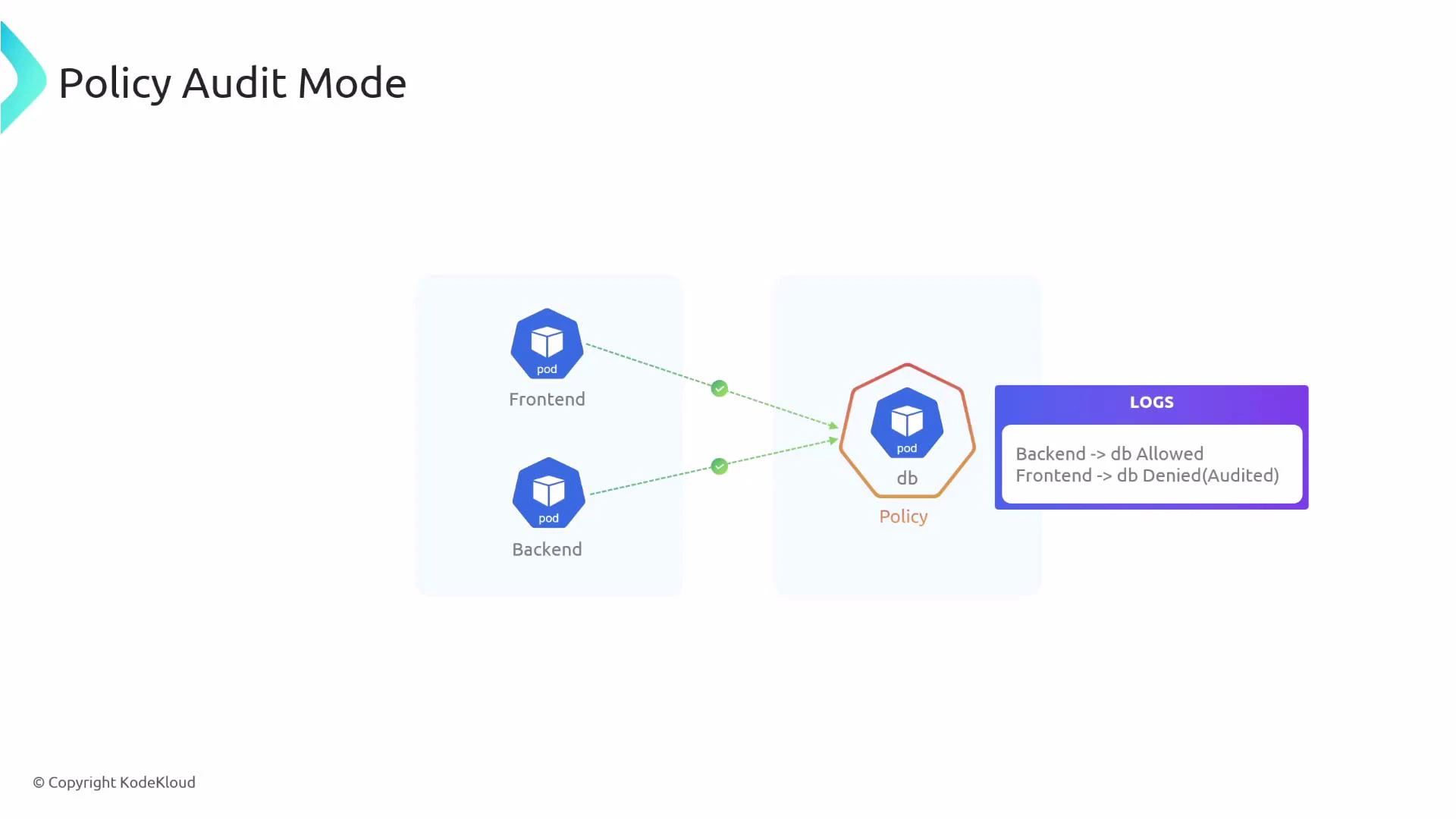
In this lesson you’ll learn how Cilium’s policy audit mode works and how to enable it. Policy audit mode lets you observe what a CiliumNetworkPolicy would do (allow or deny) without actually dropping traffic. This is useful for validating policies safely before enforcing them in production. What does audit mode look like in practice? Consider three pods: frontend, backend, and db. You apply a policy that selects the db pod and allows ingress only from backend:
apiVersion: "cilium.io/v2"
kind: CiliumNetworkPolicy
metadata:
  name: "audit-example"
spec:
  endpointSelector:
    matchLabels:
      app: db
  ingress:
  - fromEndpoints:
    - matchLabels:
        app: backend
With audit mode enabled, traffic that would normally be denied (for example, frontend -> db) is still allowed, but Cilium logs that the flow would have been denied. This enables safe, observable policy rollouts without blackholing traffic.
A diagram titled "Policy Audit Mode" showing Frontend and Backend pods trying to access a DB pod through a policy. The logs indicate Backend -> db allowed and Frontend -> db denied (audited).
Why use policy audit mode?
  • Validate policies by observing “would-be” denies without impacting live traffic.
  • Identify false positives or unintended blocks before switching to enforcement.
  • Roll out complex network policies gradually and safely.
Verdicts and their meanings (quick reference):
Policy VerdictMeaning
none (INGRESS AUDITED)Traffic would be denied by policy, but audit mode allowed the flow and recorded the audited verdict.
L3-Only (INGRESS ALLOWED)Traffic is allowed by the policy (L3 match) and is permitted.
other verdictsMay indicate more specific L4/L7 evaluation — inspect Hubble logs for details.
How to enable audit mode There are two ways to enable policy audit mode:
  1. Globally (all endpoints) via Helm — requires restarting Cilium components.
  2. Per-endpoint (specific endpoints) using cilium-dbg — no cluster-wide restart required.
Enable audit mode globally
  • Edit your Cilium Helm chart values to turn on audit mode:
policyAuditMode: true
  • After updating Helm values, restart the Cilium operator and agent so the change takes effect:
kubectl -n kube-system rollout restart deployment/cilium-operator
kubectl -n kube-system rollout restart daemonset/cilium
Enable audit mode for a specific endpoint
  • Use cilium-dbg inside a cilium-agent pod to change a single endpoint’s configuration. Replace variables with your values:
# Set these variables appropriately
CILIUM_NAMESPACE=kube-system
CILIUM_POD=<cilium-agent-pod-name>
ENDPOINT=<endpoint-id>

kubectl -n "$CILIUM_NAMESPACE" exec "$CILIUM_POD" -c cilium-agent -- \
  cilium-dbg endpoint config "$ENDPOINT" PolicyAuditMode=Enabled
Inspecting audited flows with Hubble After enabling audit mode (globally or per-endpoint), use Hubble to observe flows and policy verdicts. Audited (would-be denied) traffic is labeled with a policy verdict of “none” and the text “INGRESS AUDITED”. Allowed traffic will show the appropriate allowed verdict and “INGRESS ALLOWED”. Example: frontend -> db (audited, would be denied)
kubectl -n kube-system exec cilium-pvq7s -- hubble observe flows -t policy-verdict --last 1
# Jun  3 06:57:16.456: default/frontend-5f44ddcfd6-lbvlz:35256 (ID:6443) -> default/db-584f4c666-wjfkq:80 (ID:6942) policy-verdict:none INGRESS AUDITED (TCP Flags: SYN)
Example: backend -> db (allowed by policy)
kubectl -n kube-system exec cilium-pvq7s -- hubble observe flows -t policy-verdict --last 1
# Jun  3 07:00:52.959: default/backend-7d965dd744-gvpmt:53198 (ID:7661) -> default/db-584f4c666-wjfkq:80 (ID:6942) policy-verdict:L3-Only INGRESS ALLOWED (TCP Flags: SYN)
Policy audit mode is ideal for testing and validating network policies safely. Use it to identify unexpected denies and tune your rules before switching to enforcement.
Audit mode does not provide network isolation or enforce security controls. Do not rely on audit mode for protection — enable policy enforcement only after you have validated the behavior.
Links and references

Watch Video