

Morning — Launchpad and Rapid Triage (Real‑time cost monitoring)
Start your day by treating cloud spend dashboards as your financial weather report. Morning tasks tend to be high‑velocity and priority‑driven: contain cost leaks, identify rogue resources, and stabilize spend.- Check real‑time cloud spend dashboards and alerts to spot anomalies.
- Identify rogue or orphaned resources: untagged VMs, unattached block storage (for example, orphaned EBS volumes), and other assets that slipped through governance.
- Contain issues quickly: add tags, stop or shut down non‑critical instances, or open tickets to resource owners for remediation.
- Log triage actions and update incident playbooks so future responses are faster.
- Terraform Basics Training Course: https://learn.kodekloud.com/user/courses/terraform-basics-training-course
- AWS CloudFormation course: https://learn.kodekloud.com/user/courses/aws-cloud-formation
Afternoon — Alignment, Rightsizing, and Optimization (Finance ↔ Engineering)
The afternoon is typically collaboration time: align budgets with technical requirements, perform deeper analysis, and recommend cost‑effective architecture changes.- Act as the translator between finance and engineering: clarify tradeoffs between cost, performance, and risk.
- Right‑size instances and services based on utilization metrics; recommend instance family or size changes where appropriate.
- Consider shifting workloads to lower‑cost offerings (reserved/committed options, spot/interruptible instances, or serverless where suitable).
- Forecast next month’s spend using current trends and upcoming events; incorporate capacity planning, seasonality, and contract renewals.
Evening — Automation, Reporting, and Continuous Improvement
Close the day by automating repetitive tasks, reporting outcomes to stakeholders, and updating playbooks.- Automate routine cost‑saving actions: schedules for idle resources, enforcement of tagging policies, and rightsizing recommendations.
- Generate stakeholder reports: monthly savings, dashboards, and post‑mortems of incidents that affected spend.
- Review the day’s incidents and update playbooks and automation rules based on new learnings.
Stay proactive: subscribe to provider pricing announcements and product release notes. Small changes in pricing or new features can create large savings opportunities if acted on quickly.
Quick Reference — Tasks by Time of Day
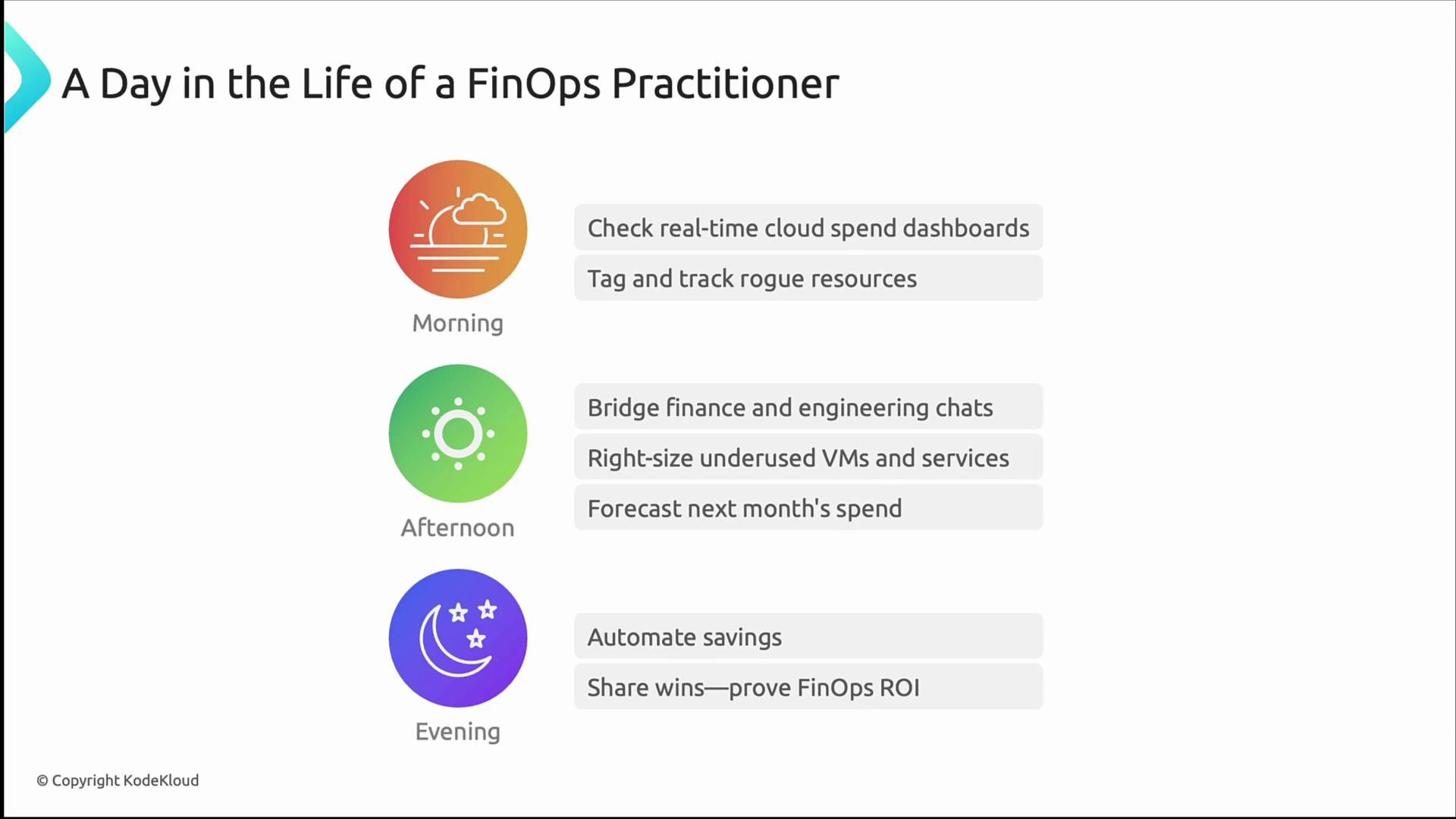
Additional responsibilities you may encounter
Depending on your role and organization, you might also:- Directly update tagging or fix IaC modules in Terraform or CloudFormation.
- Investigate provider pricing changes and incorporate them into budget revisions and contract negotiation strategies.
- Build or maintain cost‑allocation schemes and chargeback/showback models for teams.
Pricing and product changes — why they matter
Provider price changes (for example, past BigQuery price updates: https://cloud.google.com/bigquery/pricing) and contract renewals materially affect forecasts. New managed features can reduce the need for separate third‑party tools, lowering total cost of ownership. Example: recent vector‑storage/indexing features from cloud providers can reduce reliance on separate vector DB stacks (for example, Postgres +pgvector, ChromaDB, or DynamoDB‑backed approaches). See: Vector Database for GenAI course — https://learn.kodekloud.com/user/courses/vector-database-for-genai
Who benefits — role mapping
Understanding FinOps practices is useful across multiple roles. Below is a quick mapping.Next steps: certifications and further learning
To deepen your skills, consider FinOps certifications and related cloud cost optimization courses. Suggested starting points:- FinOps Foundation certification paths
- Terraform and CloudFormation training (links above)
- Courses on cloud provider billing, pricing, and cost‑optimization best practices