

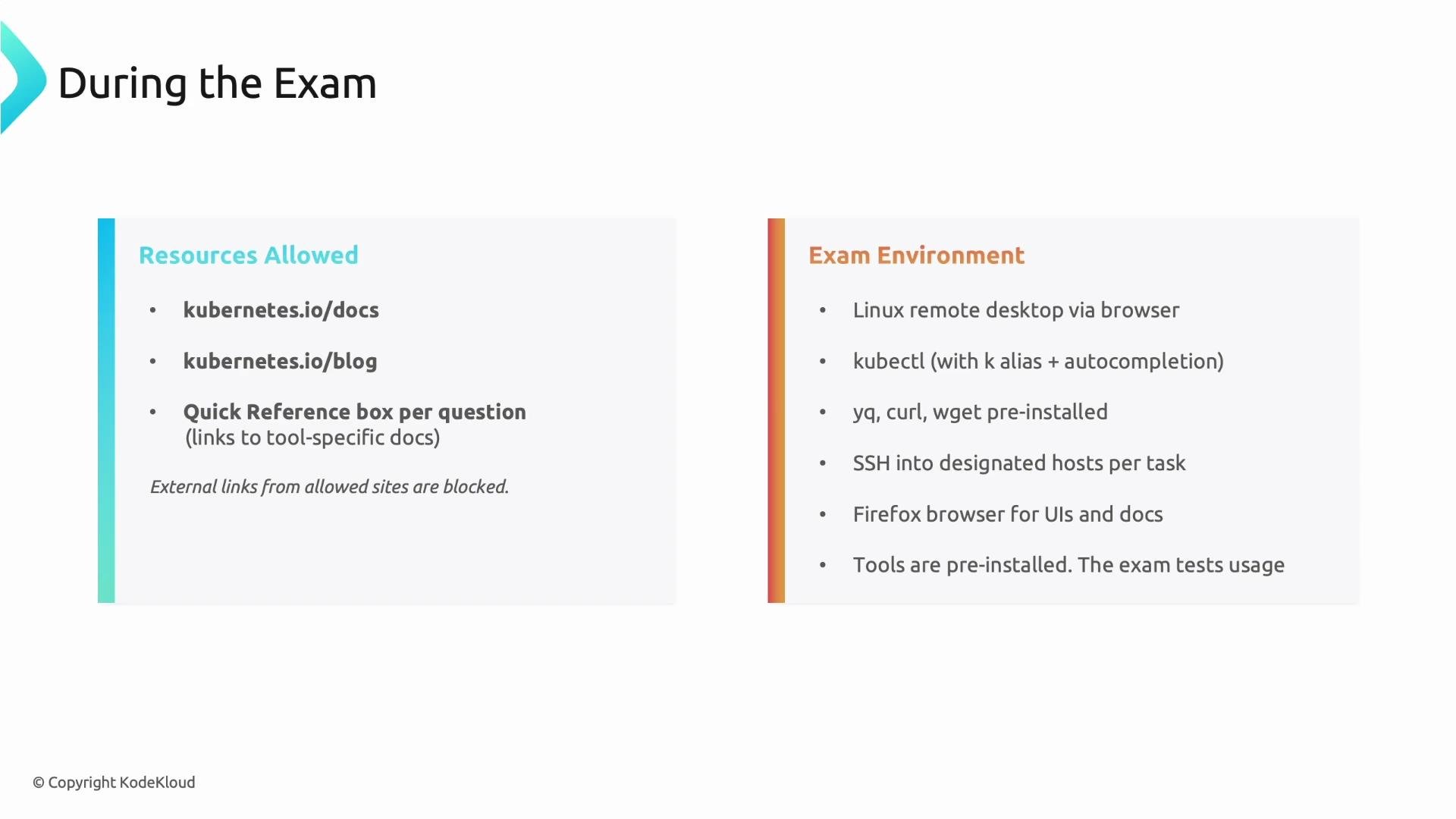
Quick facts — exam format and logistics
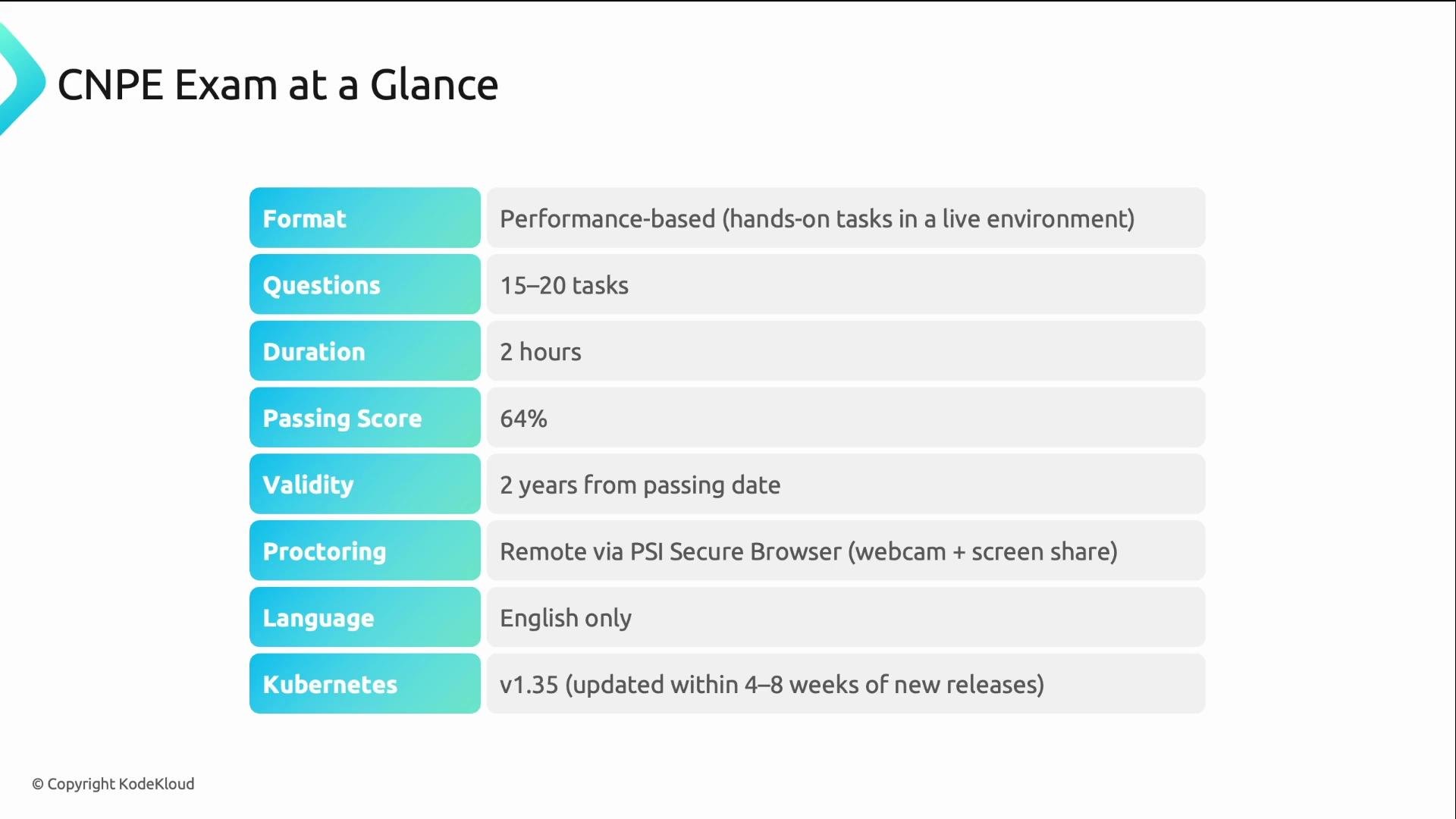
Exam domains and weights
The CNPE exam covers five domains. Use the domain weights below to focus your study time and hands‑on practice:
GitOps and Platform APIs together account for 50% of the exam, so allocate proportionally more time to these domains while studying.
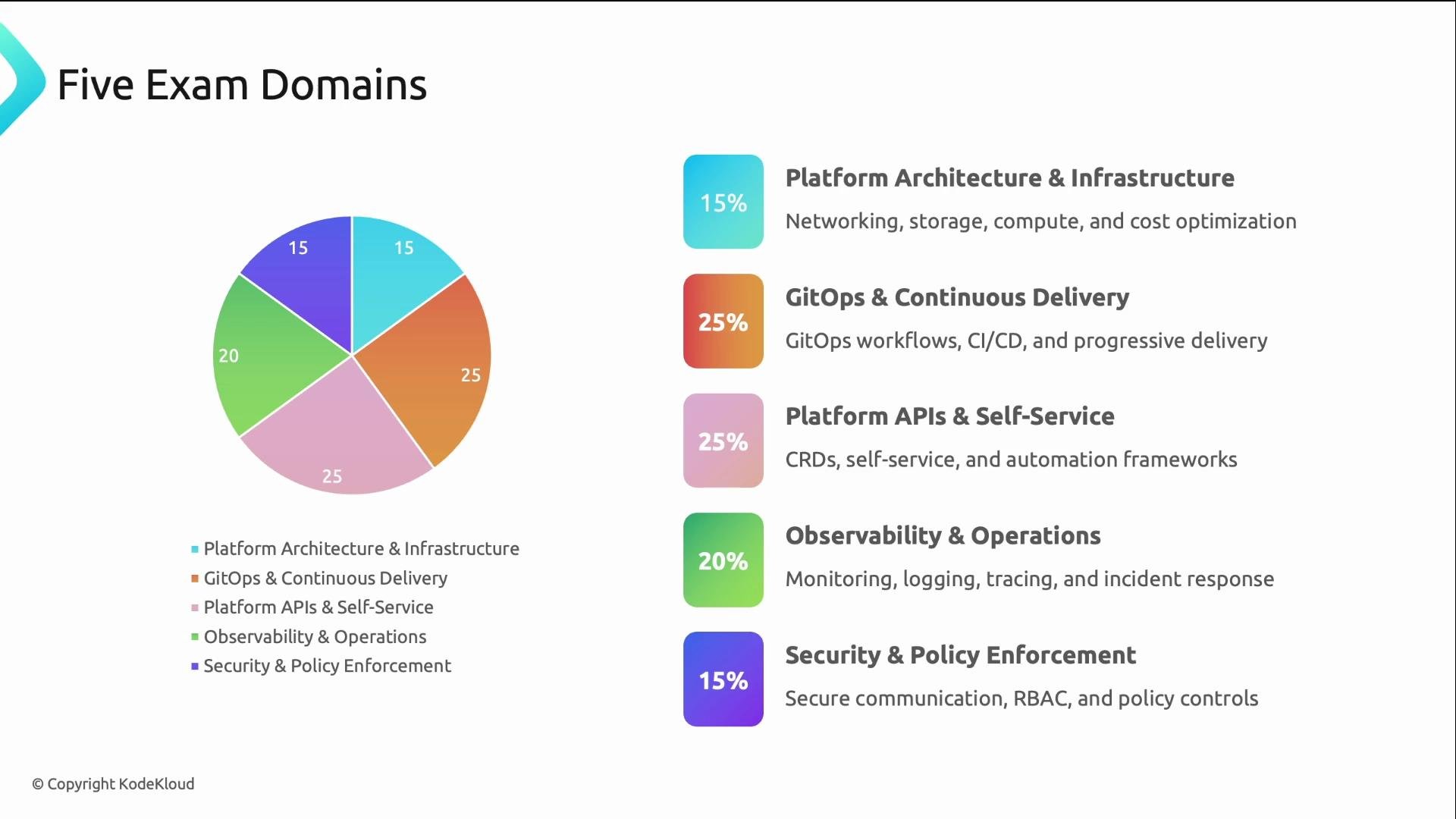
Tooling you may encounter
CNCF publishes example tooling that commonly appears in tasks. Typical tools include:- Observability: Prometheus, Grafana, Jaeger, OpenTelemetry, OpenCost
- Policy & security: Gatekeeper, OPA, Kyverno
- Service mesh: Istio, Linkerd
- The exam does not test memorization of tool internals or every CLI flag.
- Each task provides a quick reference box with links to relevant tool documentation.
- You should be comfortable reading documentation quickly and applying concepts.
- Hands‑on familiarity with these tools speeds you through tasks.
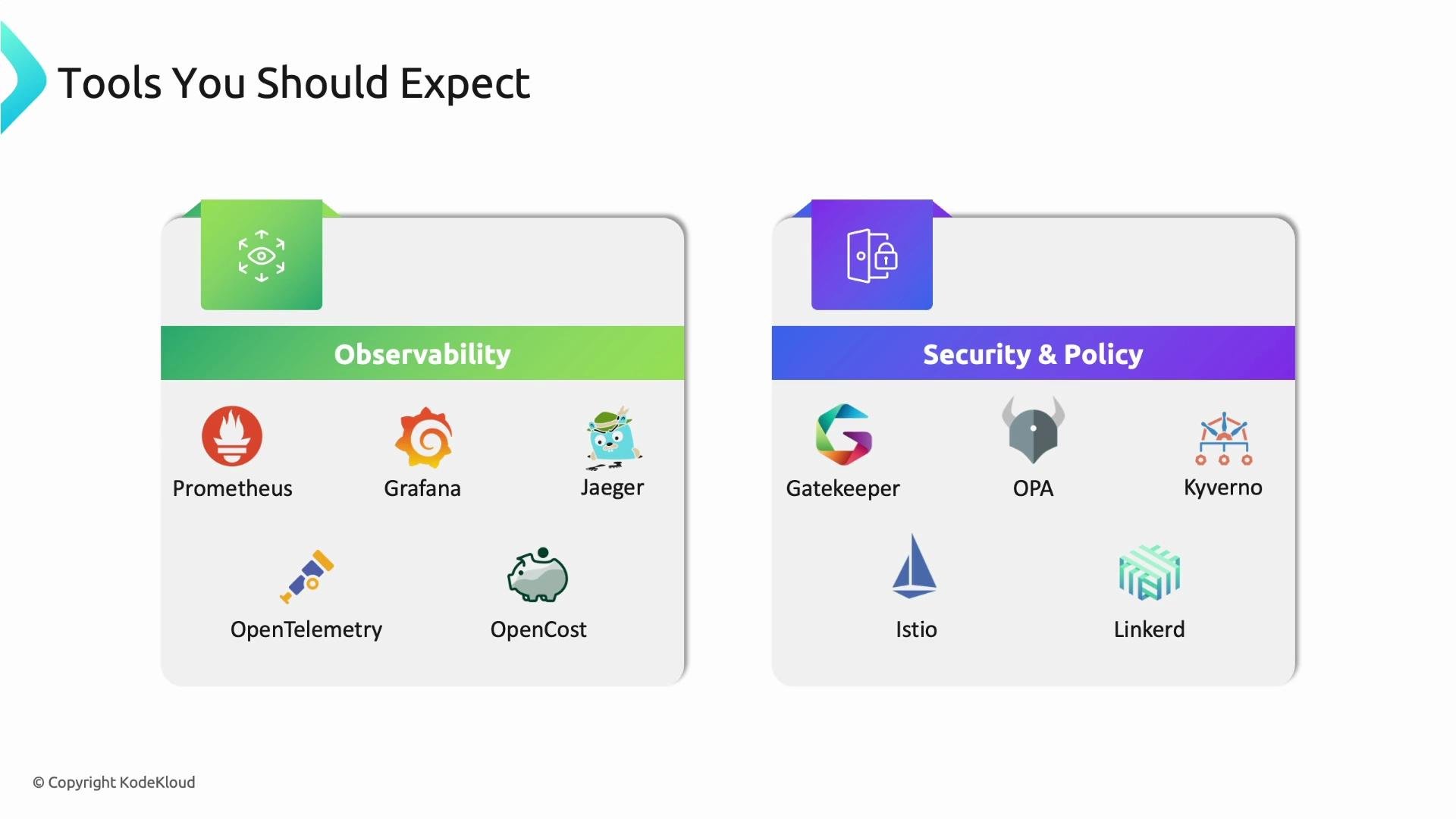
Resources allowed during the exam
You may access the documentation linked in each question and the official Kubernetes docs:https://kubernetes.io/docs(Kubernetes docs)https://kubernetes.io/blog(Kubernetes blog)- Tool-specific documentation linked in each task’s quick reference box
Exam environment and tooling
The CNPE exam runs in a browser‑based Linux remote desktop. Typical aspects of the environment:- Each task will specify a host to
sshinto; those hosts havekubectlpreconfigured. - Common conveniences are set up:
kalias forkubectland Bash auto-completion. - Standard CLI tools and required tool-specific CLIs are preinstalled — you will not be asked to install software.
- Firefox is available for accessing web UIs and documentation links.
- The exam evaluates operational competence and usage, not software installation or environment setup.
Preparation strategy
- Complete all available labs and mock exams to build speed and confidence.
- Practice real tasks in Kubernetes clusters, focusing on the domains and tooling listed above.
- Practice reading documentation quickly and applying examples — each task gives quick reference links, so speed and comprehension matter more than memorization.
- During practice, time yourself on representative tasks to get comfortable with the 6–8 minute cadence per task.
Focus study time proportionally to the domain weights, practice hands‑on labs and mock exams, and build the habit of quickly reading and applying documentation. This combination gives the best chance of success on the CNPE exam.
Links and references
- CNCF CNPE certification: https://www.cncf.io/certification/cnpe/
- Kubernetes documentation: https://kubernetes.io/docs/