

Prerequisites
- A Kubernetes cluster with Argo CD installed in the
argocdnamespace. - Network access to the Argo CD server UI.
- For this demo we used the
adminuser with passwordadmin123(replace with your secure password in real environments).
Use a secure admin password in production. You can create dedicated Argo CD users or integrate SSO instead of reusing the
admin account.1. Verify Argo CD pods
Confirm Argo CD components are running: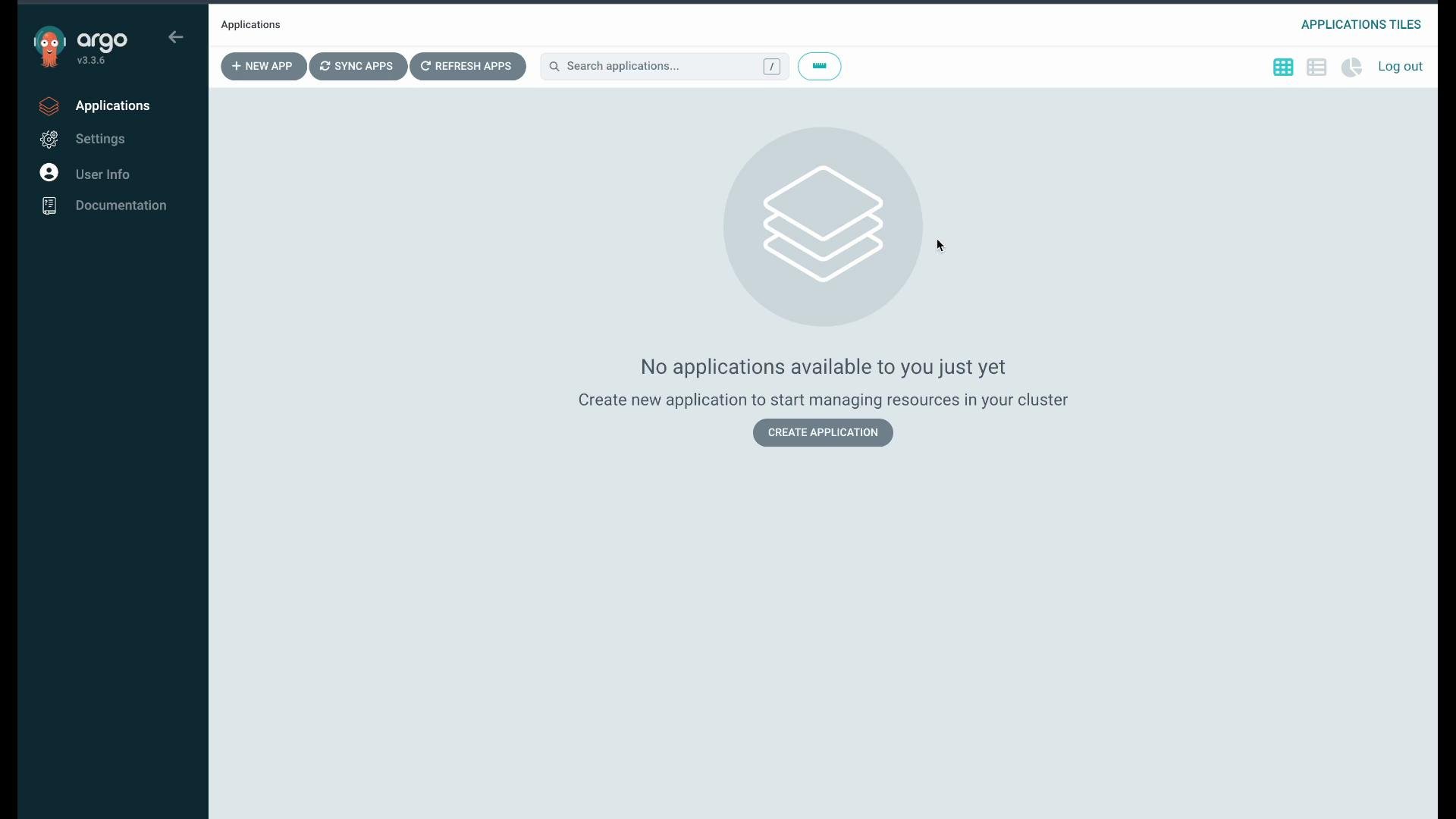
2. Create an application from manifests (guestbook example)
Steps to create a new application via the UI:- Click New App.
- Name:
web-frontend - Project:
default - Sync policy: start with Manual (so you can observe actions before enabling auto-sync).
- Source: point to the Argo CD example repository:
https://github.com/argoproj/argocd-example-apps, pathguestbook. - Destination: your in-cluster API server and choose to use the application namespace.
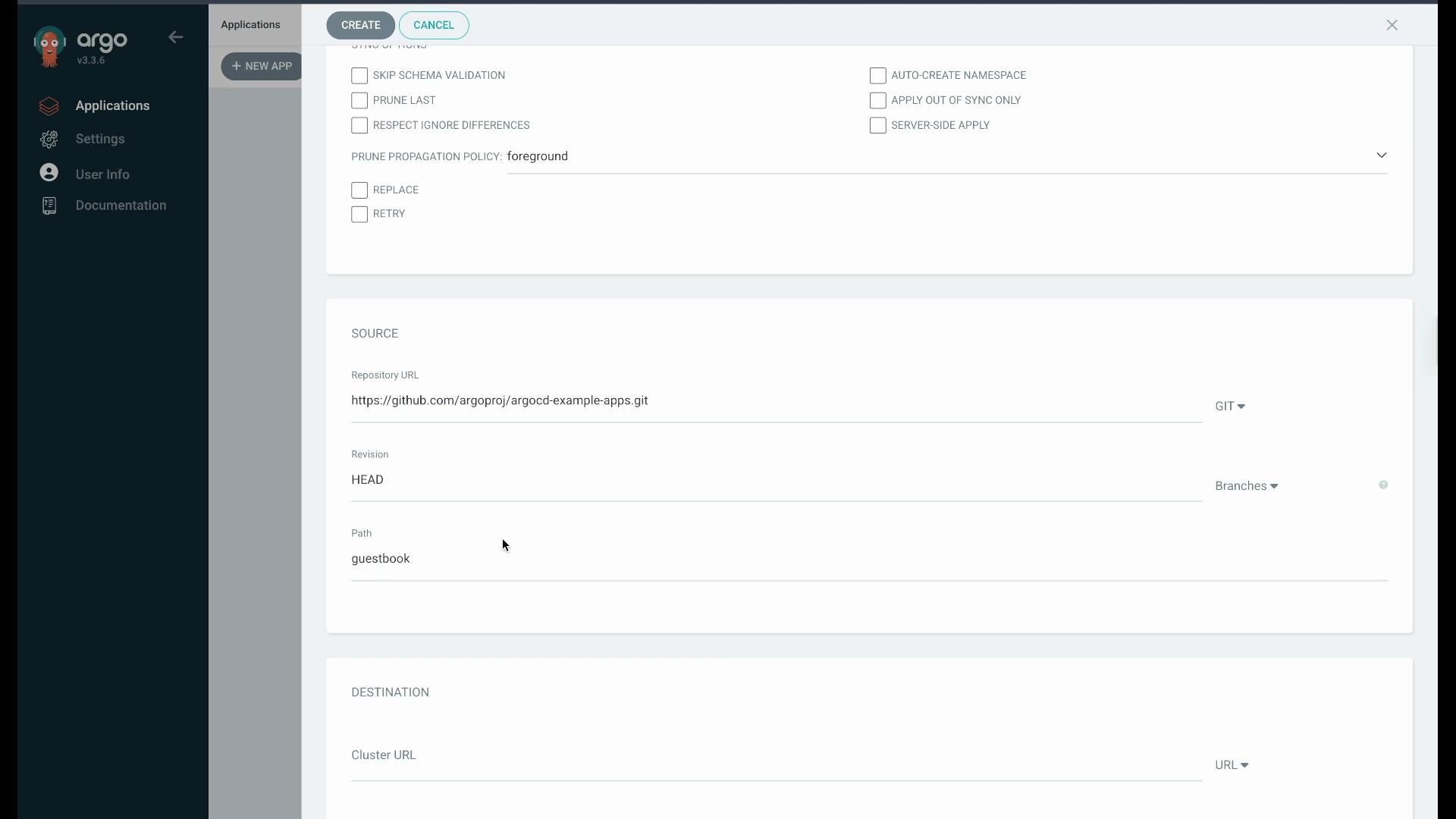
applications):
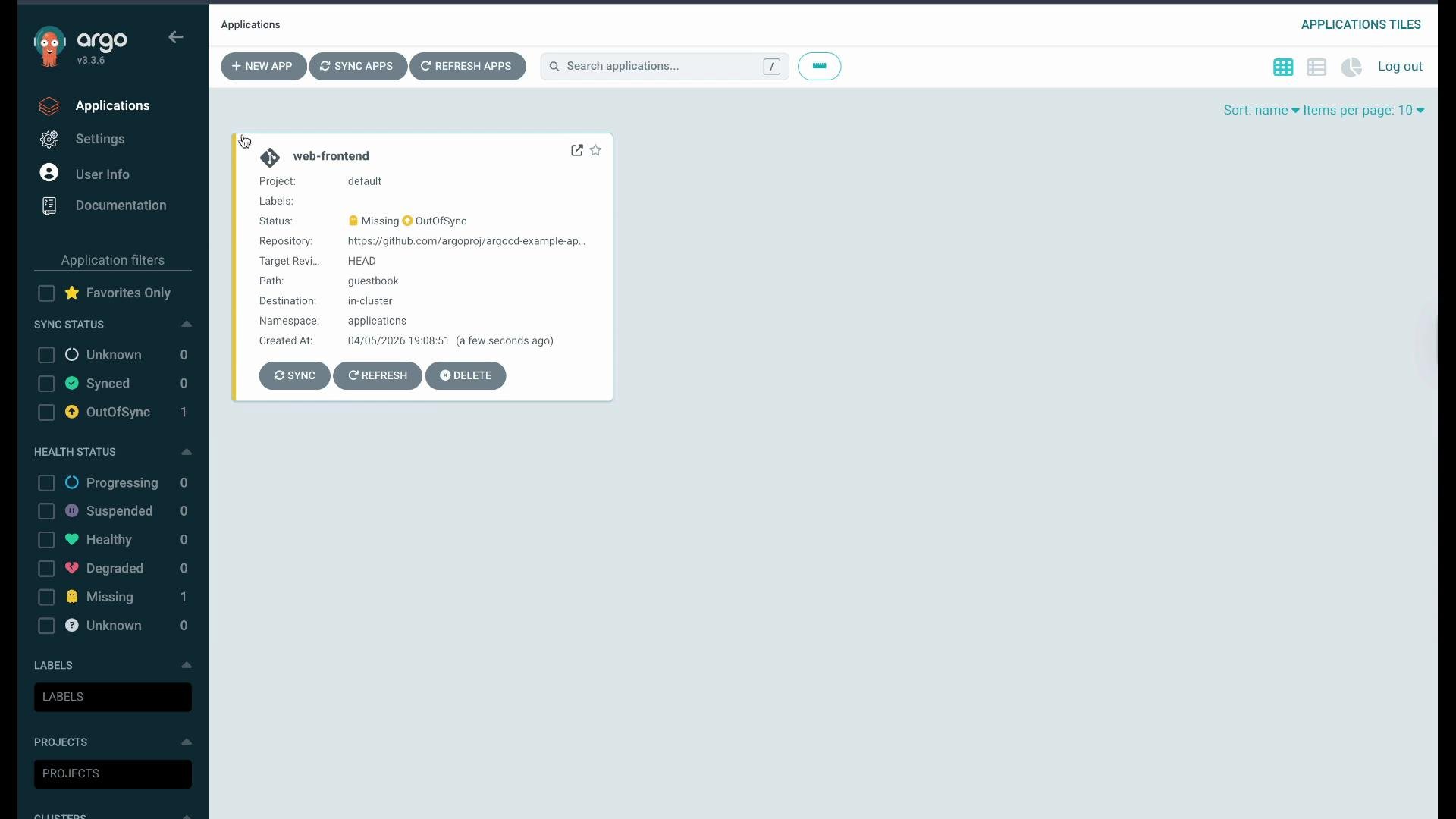
Synced as the cluster state matches the declared state.
You can inspect the deployed resources in the target namespace:
Healthy and Synced.
3. Observe drift detection and reconciliation
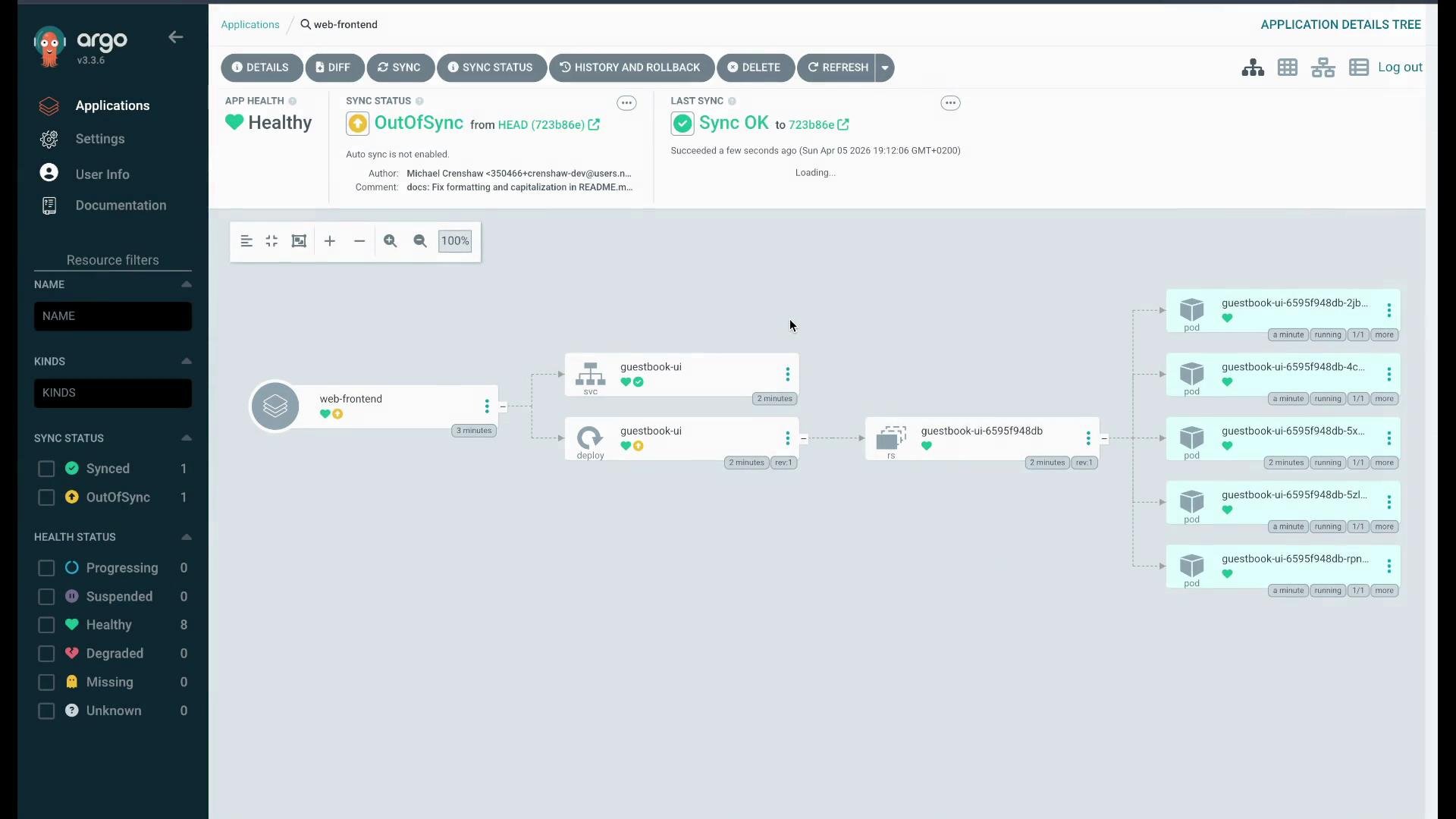
Make a manual change on the cluster to simulate drift. For example, scale the deployment to 5 replicas:OutOfSync. Use the Diff view to inspect differences (cluster on the left, Git desired state on the right). For the replicas field you’ll see:
Cluster (actual):
Synced and Healthy.
4. Deploying Helm charts from Git
Argo CD can render and deploy Helm charts directly from a Git repo. The same example repository includes a Helm guestbook chart and values file: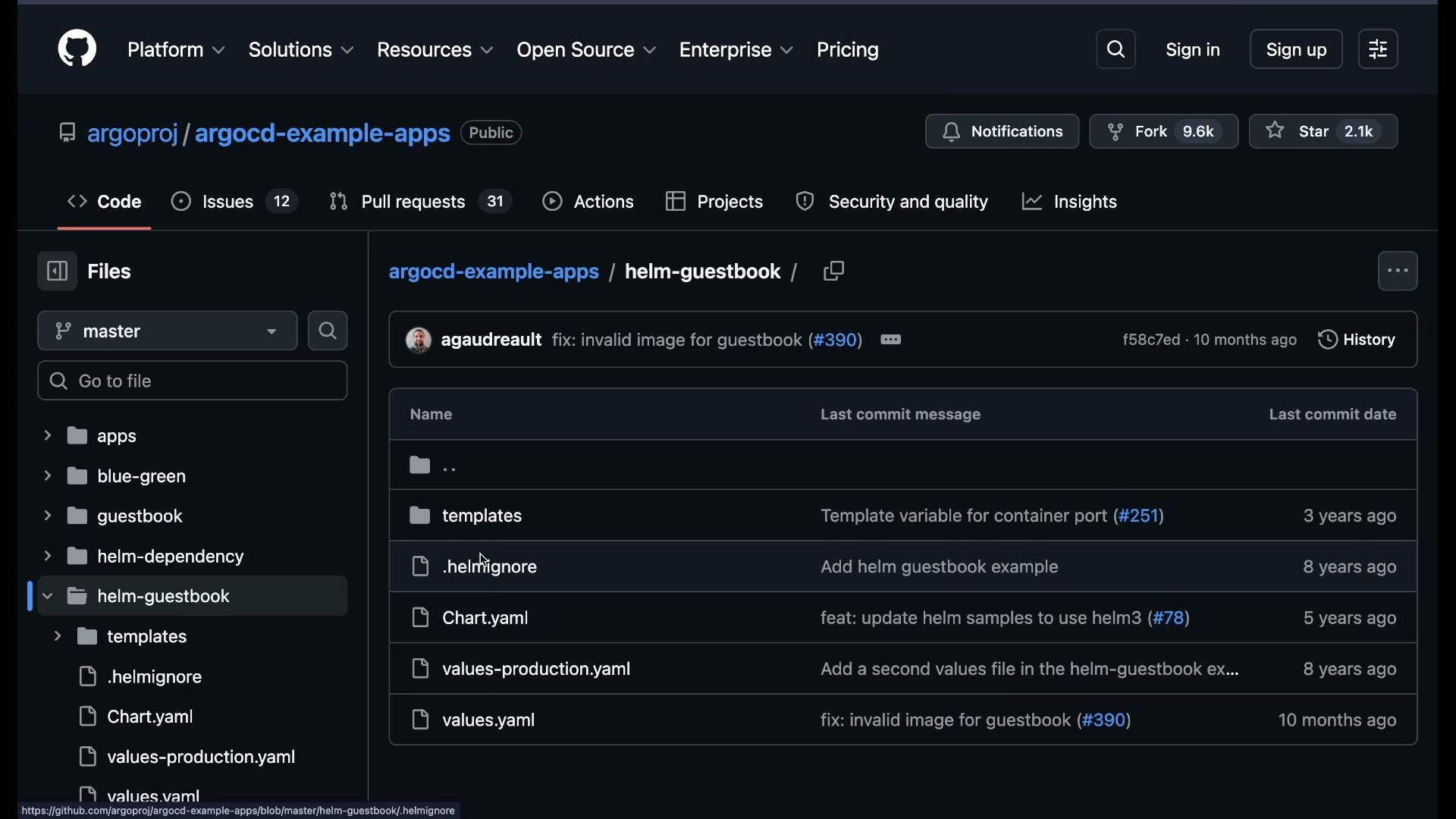
- Repository:
https://github.com/argoproj/argocd-example-apps - Path:
applications-helm/guestbook(path to the Helm chart) - Sync policy: set to Automatic if you want Argo CD to auto-reconcile (self-heal).
- Destination namespace:
applications-helm(optionally enable Auto Create Namespace).
values.yaml in the UI so you can override values before creating the application. For example, change replicaCount from 1 to 2 in the UI:
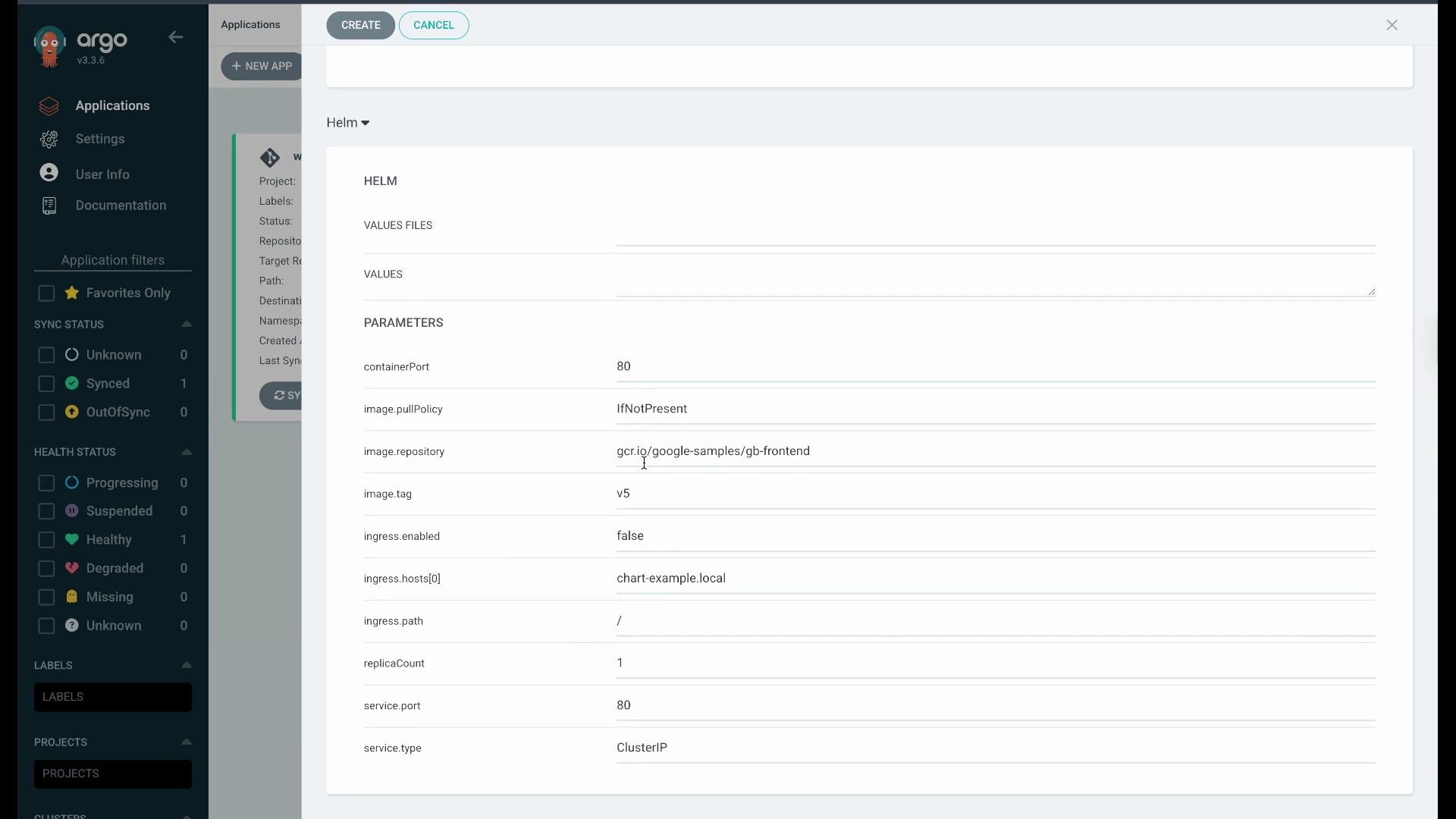
replicaCount was set to 2).
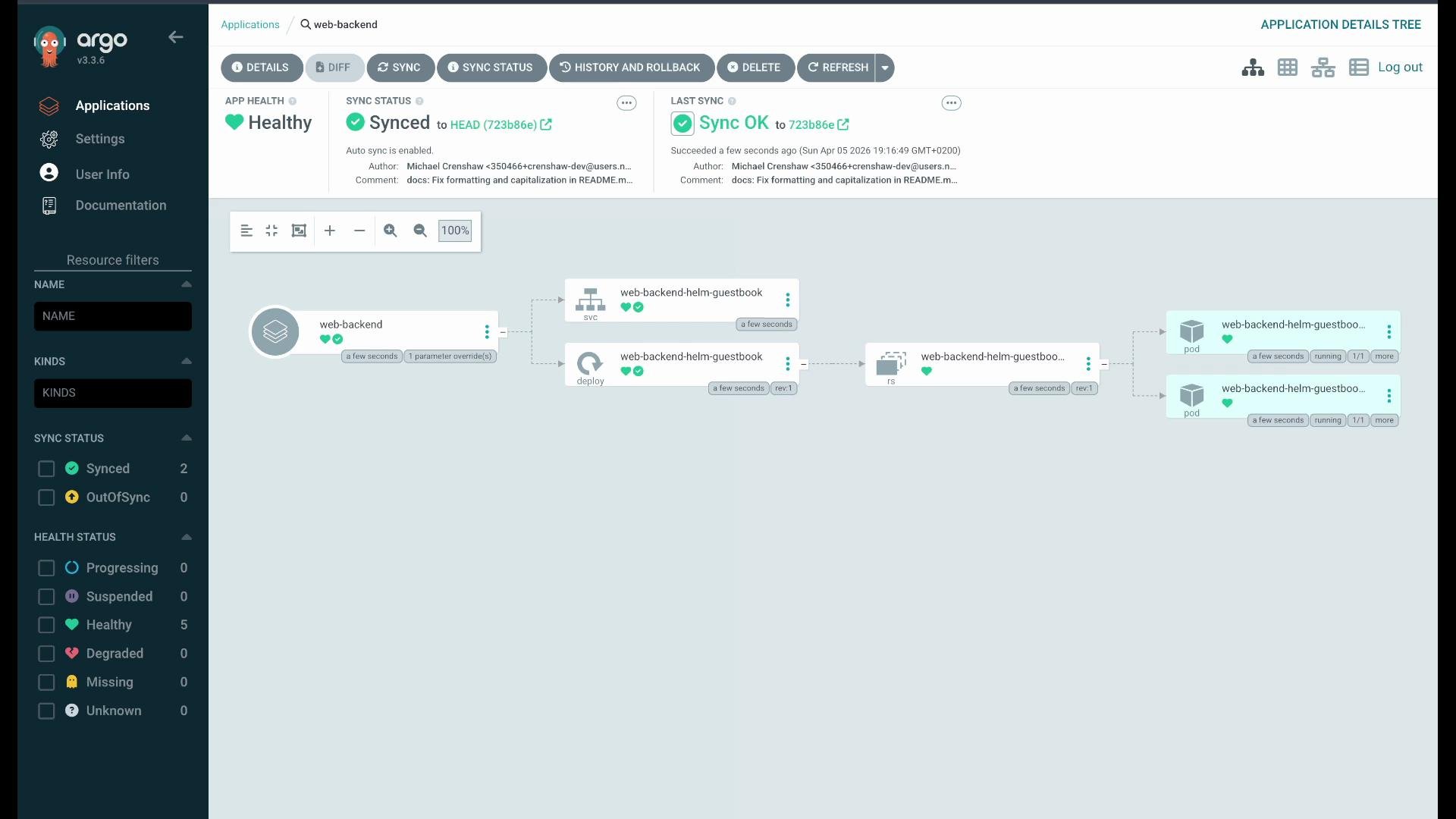
When enabling Automatic sync, Argo CD will immediately reconcile any divergence. Use automatic sync for production only if you’ve validated the repo and policies; otherwise keep Manual sync while testing.
Quick reference: Commands & concepts
Where to go next
- Argo CD docs: https://argo-cd.readthedocs.io/
- Example repo used in this demo: https://github.com/argoproj/argocd-example-apps
argocd commands and ApplicationSets.