

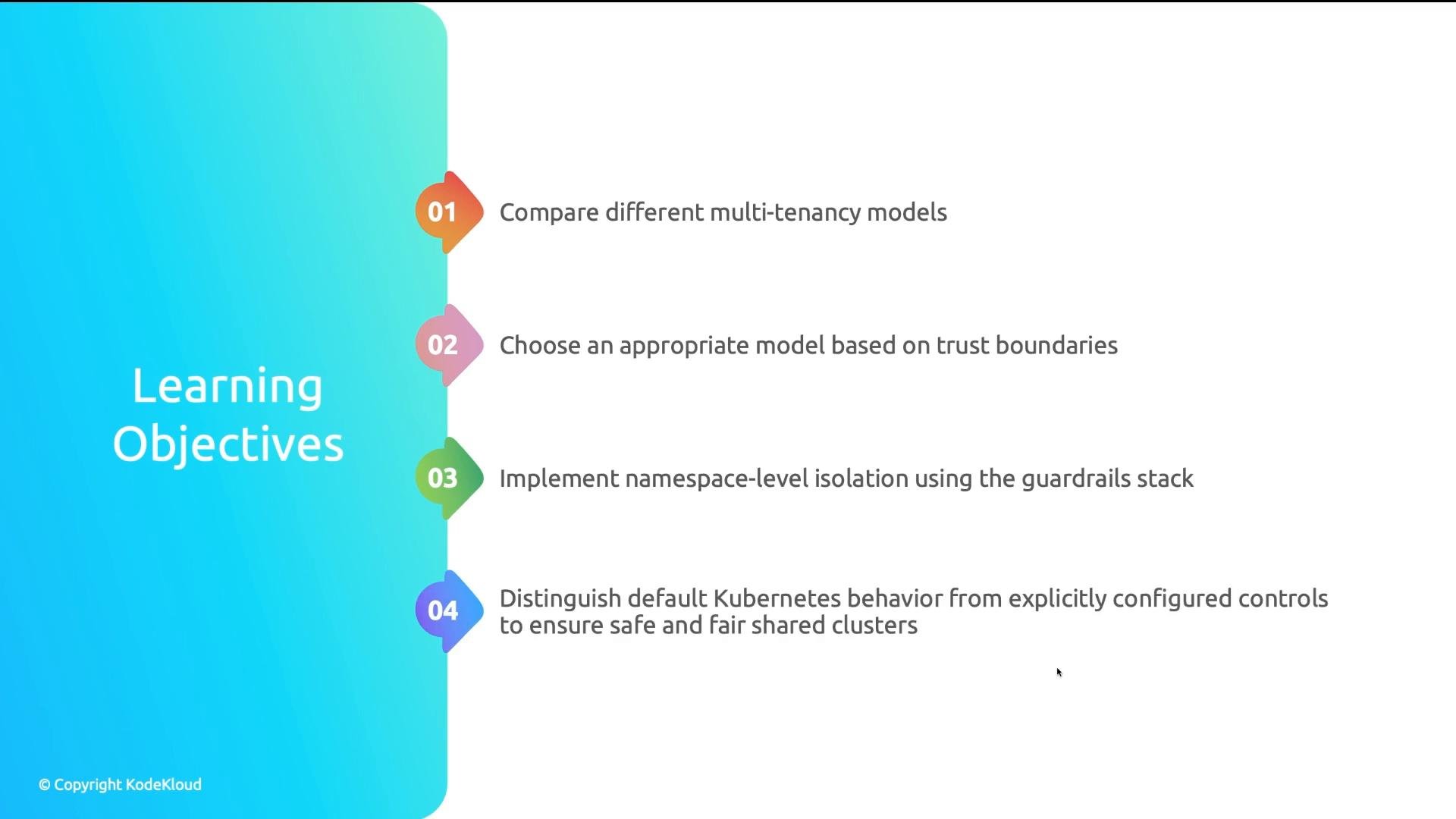
Why namespaces alone are not isolation
A common scenario: four teams share a single cluster and each team gets its own namespace. Many developers assume namespaces are isolation boundaries. In practice, namespaces are a logical scoping mechanism—name separation and resource grouping—but they do not enforce security, networking, or resource fairness unless you configure those controls explicitly. Below are four common failure modes that demonstrate the risks of assuming namespace isolation.- Secret exposure
- Resource exhaustion
- Accidental deletion
- Lack of network segmentation
If a user has overly broad kubectl permissions, they could run:
Without ResourceQuota objects scoped per namespace, a single team can scale an application aggressively and consume cluster CPU or memory. The scheduler then leaves other teams’ pods Pending because there is no remaining capacity.
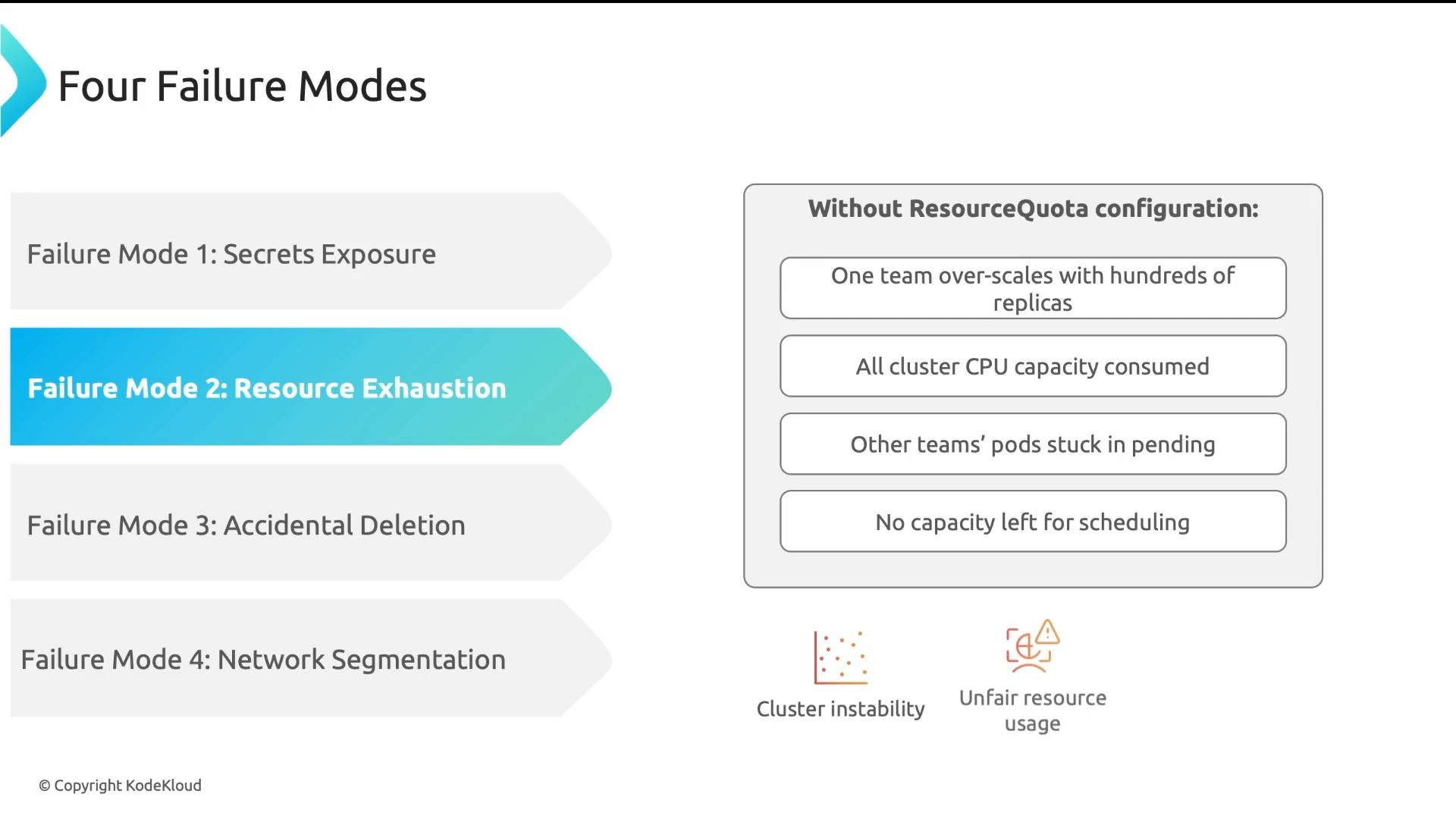
A developer trying to delete a deployment in Team A might accidentally delete Team B’s deployment by targeting the wrong namespace:
By default, most Container Network Interface (CNI) plugins allow pods to reach any other pod using pod IPs or ClusterIP services; Kubernetes does not provide a namespace firewall out of the box. A compromised pod in Team B can attempt lateral movement to databases, admin endpoints, or other teams’ workloads. Prevent lateral movement by implementing NetworkPolicies or equivalent CNI controls, typically including default‑deny policies to require explicit allow rules. Summary: namespaces are not security boundaries. Kubernetes does not protect teams from each other by default—security, stability, and fairness require explicit guardrails. Consider a regulated example: a healthcare company that fails to define explicit namespace boundaries can face month-long SOC 2 delays, expensive audits, and longer compliance investigations. Kubernetes is powerful, but relying on namespace semantics alone will not satisfy compliance or security requirements.
What Kubernetes provides (and does not) by default
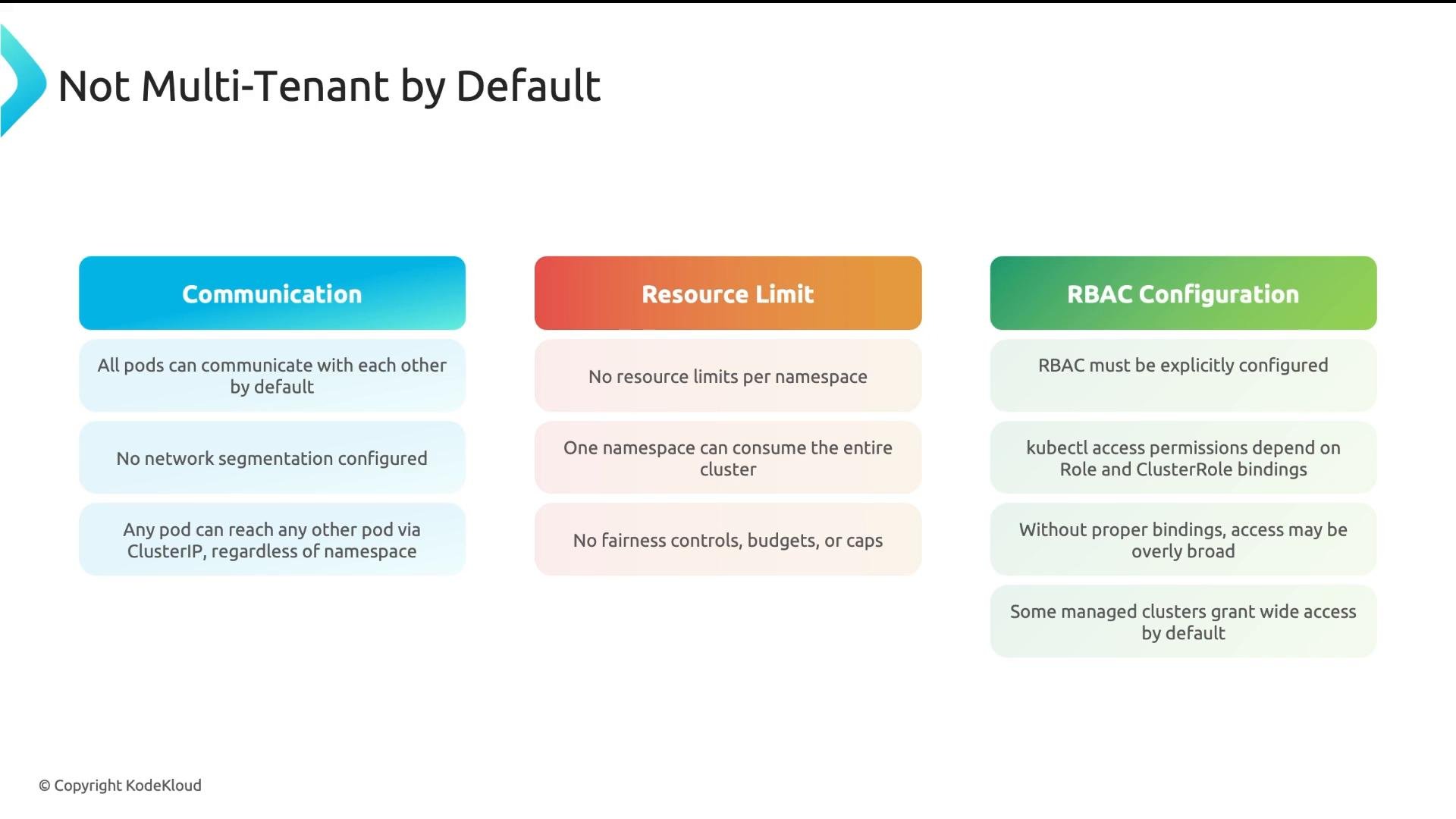
- Pods can communicate with other pods across the cluster unless you configure NetworkPolicies or CNI network controls.
- There are no per-namespace resource limits by default—no fairness or quotas.
- RBAC is permissive only if you grant broad Roles/ClusterRoles; fine-grained access requires explicit Role and RoleBinding definitions.
- Managed Kubernetes offerings sometimes grant broader defaults (for convenience) — always review your provider’s default roles and bindings.
Why organizations still share clusters
Isolation costs money. A cluster-per-team model provides strong boundaries but multiplies control planes, monitoring stacks, and upgrade cycles—raising operational cost and complexity. A shared-cluster model is cost-efficient: one control plane, one monitoring stack, one upgrade cadence. The trade-off is that sharing requires guardrails and discipline to maintain security and fairness.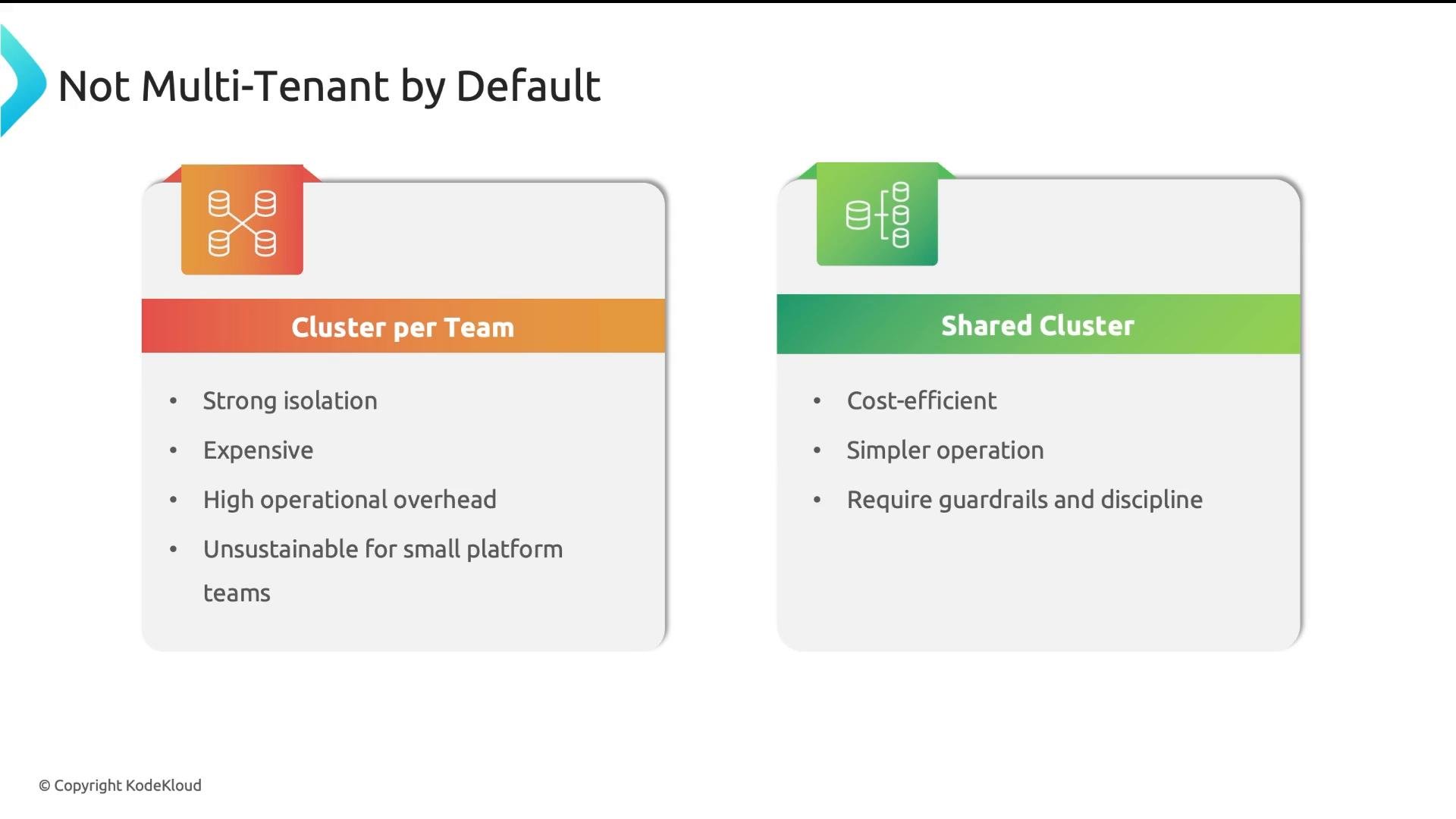
Multi-tenancy models: soft vs hard (decision rule)
Two primary models are common. The right choice depends on trust boundaries and compliance requirements. Soft multi-tenancy (recommended for internal teams)- Best when tenants are internal teams within the same organization (semi-trusted).
- Goal: protect against accidents and resource hogging, not necessarily adversarial tenants.
- Typical controls: namespaces, RBAC, NetworkPolicies, ResourceQuota, LimitRange.
- Advantages: simple, efficient, Kubernetes-native, manageable via YAML and GitOps.
- Drawbacks: teams still share the same node OS kernel and control plane—kernel bugs or control-plane compromise can affect everyone.
- Best when tenants are external customers, or when regulation demands strong isolation (finance, healthcare, government).
- Typical approaches: separate clusters or virtual clusters (e.g., vcluster) that present separate API servers but share worker nodes.
- Advantages: stronger isolation and reduced blast radius.
- Drawbacks: higher operational cost and control-plane complexity.
Layered isolation within soft multi-tenancy
Apply the simplest set of controls that meet your security and operational needs. Below is a concise summary of common approaches and where they fit.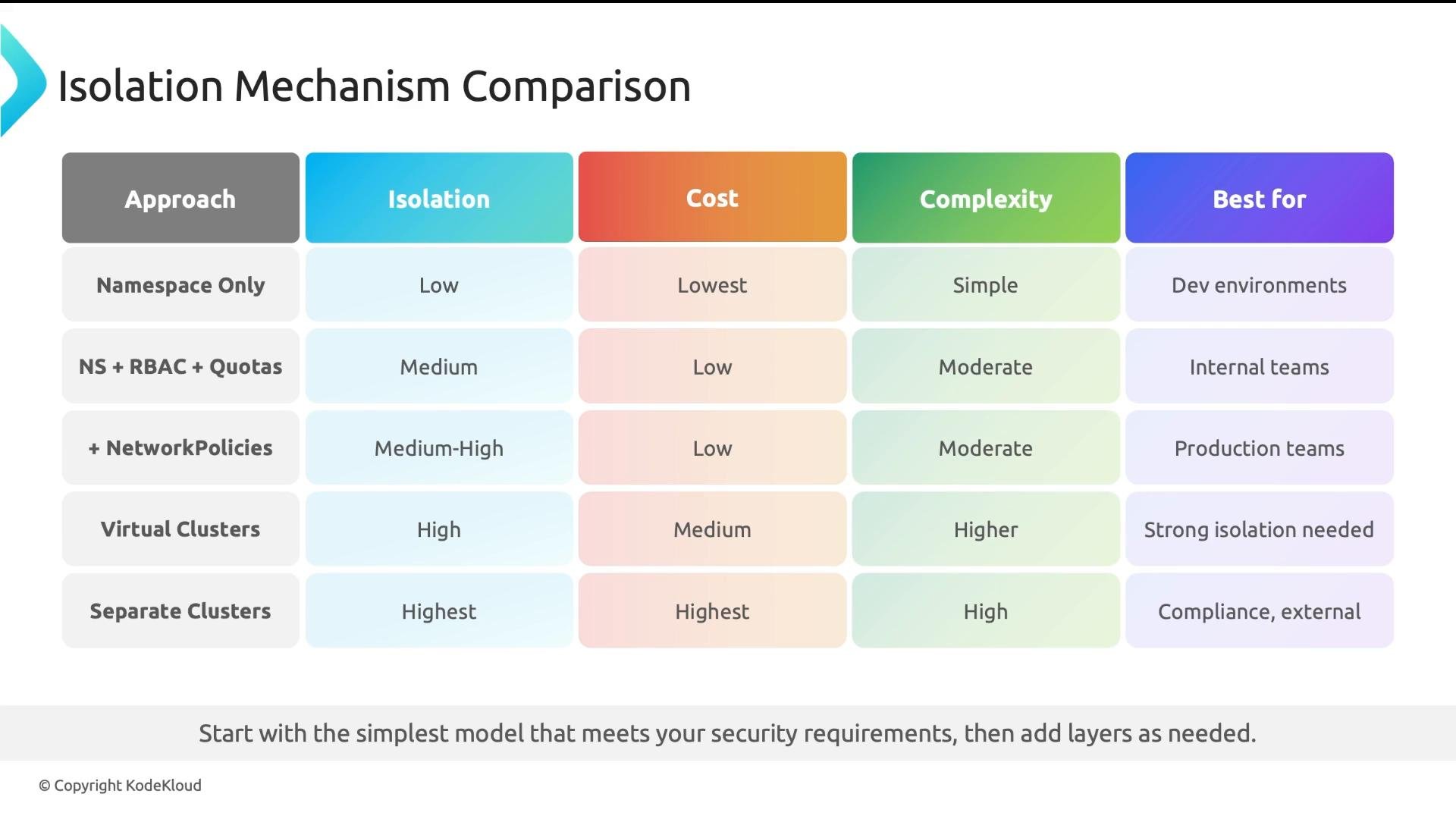
Minimum practical recommendation for shared clusters: configure RBAC to restrict API access, apply ResourceQuotas and LimitRanges per namespace, and enforce NetworkPolicies for pod-to-pod communication. These controls give you a robust baseline for soft multi-tenancy without large cost overhead.
Links and references
- Kubernetes NetworkPolicy: https://kubernetes.io/docs/concepts/services-networking/network-policies/
- CNI: https://www.cni.dev/
- vcluster: https://www.vcluster.com/
- Kubernetes RBAC: https://kubernetes.io/docs/reference/access-authn-authz/rbac/
- ResourceQuota: https://kubernetes.io/docs/concepts/policy/resource-quotas/