

In this guide you’ll:
- Verify Tekton is running in your cluster.
- Create a minimal Task and run it.
- Make the Task reusable with parameters.
- Build a multi-step Task (clone → build → test).
- Add a deploy Task and wire everything into a Pipeline.
- Run the Pipeline and view logs.
You need
kubectl access to the cluster and the tkn CLI installed/configured to follow the examples that use tkn commands and --showlog. See the Tekton docs and Kubernetes docs linked in the References section below.Examples assume resources are created in the
ci-pipelines namespace. Create it beforehand if it doesn’t exist: kubectl create namespace ci-pipelines. Ensure your user has the necessary RBAC permissions to create Tekton resources and view logs.Verify Tekton Pipelines is running
Check the Tekton pods in thetekton-pipelines namespace:
Create a minimal Task
Createhello-task.yaml with a single step that prints a message:
tkn:
Make the Task reusable with a parameter
Replace the hard-coded message with amessage parameter so the Task can be reused:
-p:
-p parameter format is -p name="value".
Create a multi-step build Task
A realistic CI Task runs multiple sequential steps (clone → build → test). Define abuild-task that accepts an app-name parameter and runs three steps that print indicative messages:
build-task.yaml:
app-name:
Create a deploy Task
Create a Task that deploys a named app to an environment. It acceptsapp-name and environment (default staging).
deploy-task.yaml:
Wire Tasks into a Pipeline
Create a Pipeline that runsbuild-task first, then deploy-task. The Pipeline accepts app-name and target-env, and passes them into the Tasks.
pipeline.yaml:
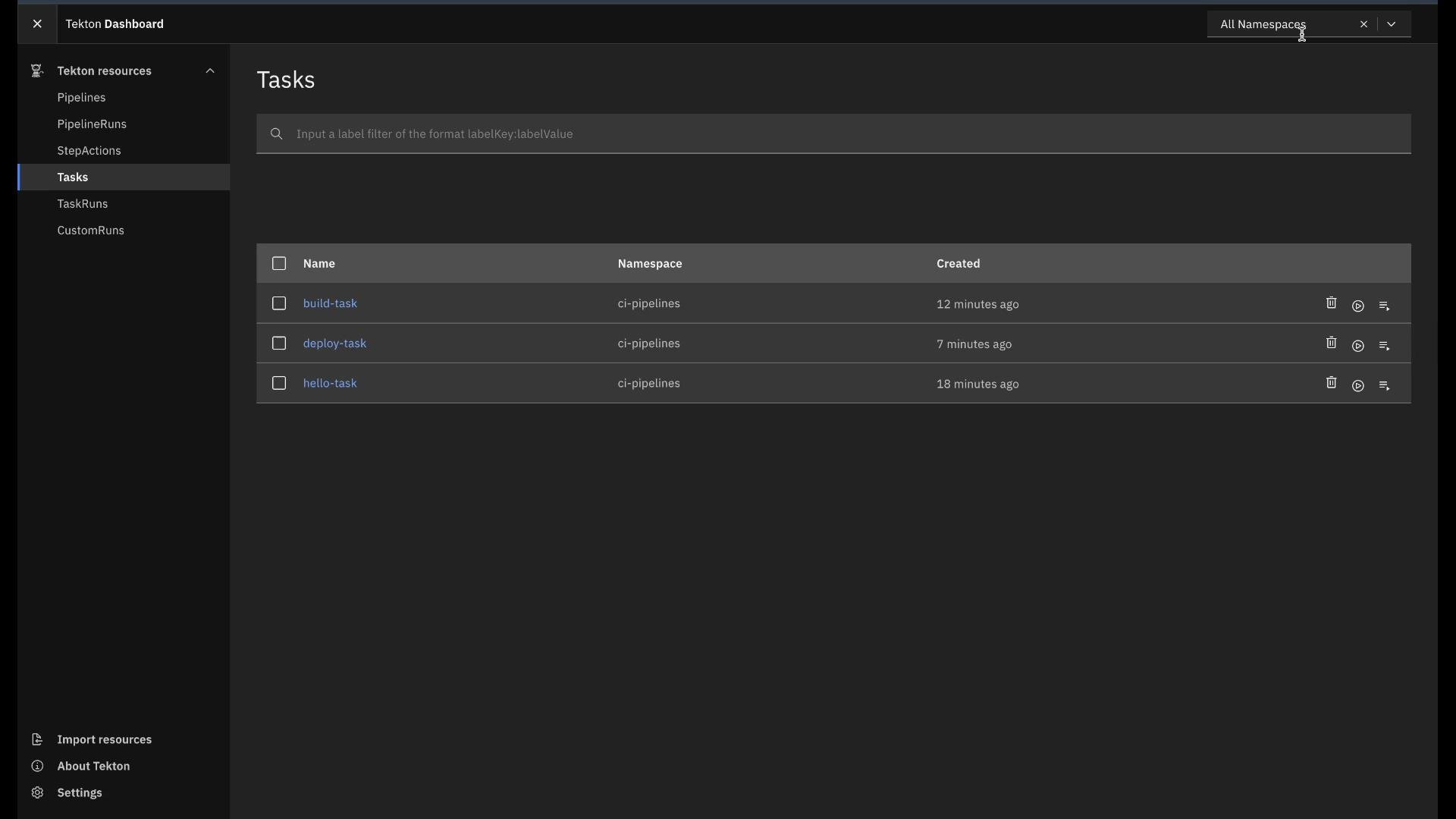
build Task (three sequential steps) followed by the deploy Task. You can inspect TaskRun logs and statuses from the CLI or Dashboard.
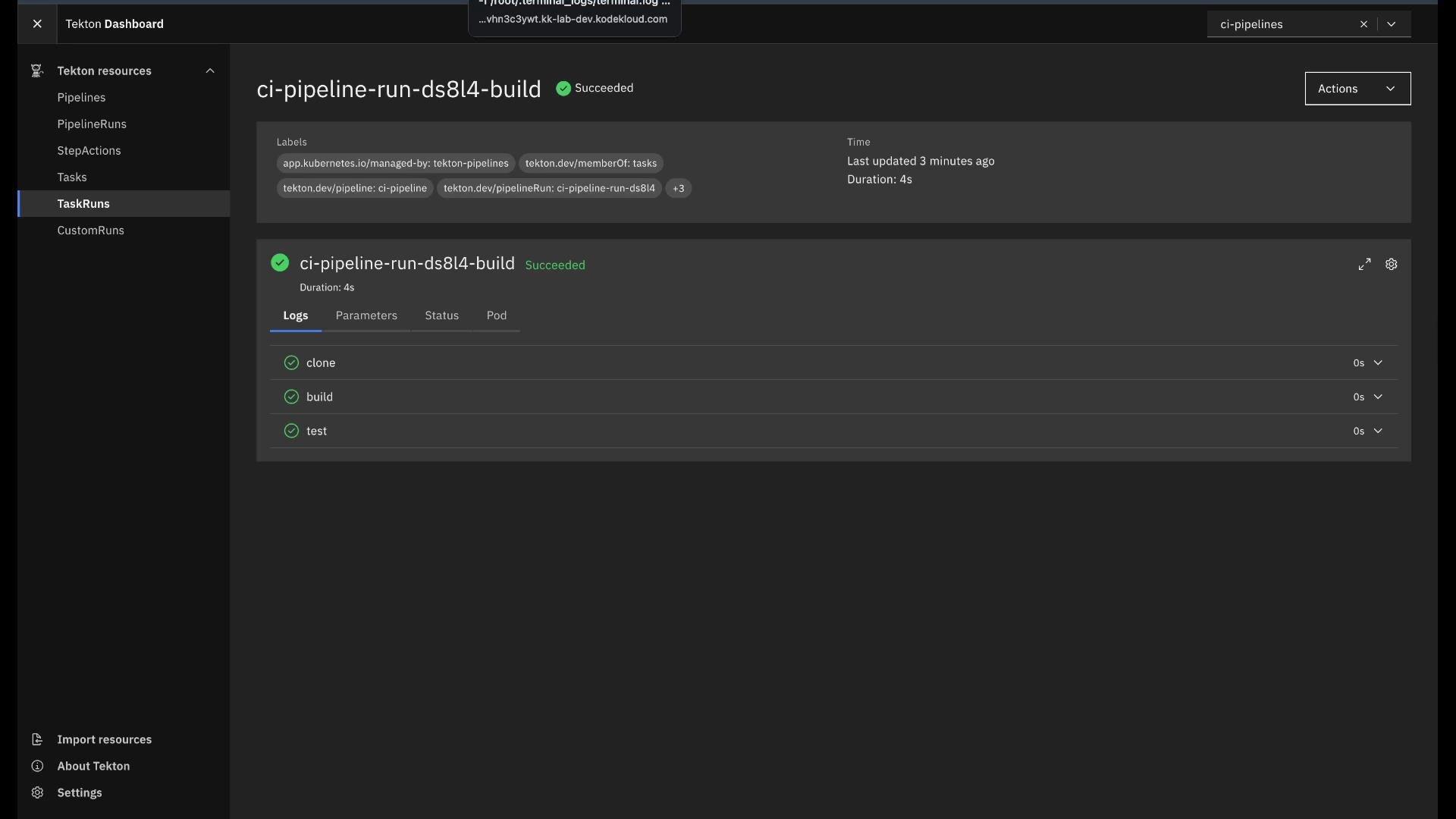
Tekton Dashboard
Tekton provides a Dashboard UI for visualizing pipelines and runs. From the Dashboard you can:- View Pipelines, PipelineRuns, Tasks, and TaskRuns.
- Inspect logs, parameters, statuses, and related Pods.
- Instantiate TaskRuns and PipelineRuns (subject to cluster RBAC).
Next steps and extensions
Once you master Tasks and Pipelines:- Replace demo
echoscripts with real clone/build/test/deploy steps. - Add Workspaces to share files/artifacts between steps.
- Integrate image registries, results, conditions, or custom cluster resources.
- Secure access via RBAC and configure Tekton Triggers for event-driven runs.