

- Verify what Crossplane components are running in the cluster.
- Inspect the Composite Resource Definition (XRD) that defines the user-facing API.
- Inspect the Composition that implements the XRD and applies patches/transforms.
- Create two composite resources with different inputs and observe the composed Kubernetes resources.
- The XRD defines the API users consume (which fields they can set).
- The Composition describes how to build concrete resources from that API.
What is running in the cluster
First, verify the Crossplane controllers, the RBAC manager, the function used for patch/transform, and the Kubernetes provider:Inspect the XRD (Database)
An XRD looks like a Kubernetes CRD: it contains group, names, scope, versions, and an OpenAPI schema describing thespec users can provide. Below is a representative excerpt of the XRD YAML for databases.platform.example.com:
The XRD defines the user-facing API surface (the fields users can set). The Composition maps those fields into concrete resources, using patches and transforms to translate user-friendly values into provider-specific details.
scope: Namespaced— composite resource instances must be created in a namespace and the composed resources will be created according to composition logic.scope: Cluster— composite resources would be cluster-scoped. This impacts where users create resources and which RBAC permissions are required.
Inspect the Composition
The Composition nameddatabase-kubernetes implements the Database composite type. It runs in pipeline mode and calls a function (patch-and-transform) to apply patches and transforms to the composed resources.
A simplified excerpt of the Composition:
- The composition creates a Kubernetes ConfigMap (
kubernetes.m.crossplane.io/v1alpha1Object) via the Kubernetes provider. patchesmap fields from the composite resource spec (spec.engine,spec.size, etc.) into the ConfigMap manifest.- The
maptransform converts user-friendlysizevalues (small/medium/large) into concrete instance classes (db.t3.micro,db.t3.medium,db.r5.large).
Example: create a Database composite resource
Create a composite resourceorders-db.yaml that a platform user might apply:
ConfigMap in the target namespace team-frontend. Inspect the created ConfigMap:
size: large from the composite resource was transformed into instanceClass: db.r5.large via the composition’s map transform — the user provided a meaningful size value and the platform supplied the concrete instance class.
Create a second composite resource with different inputs
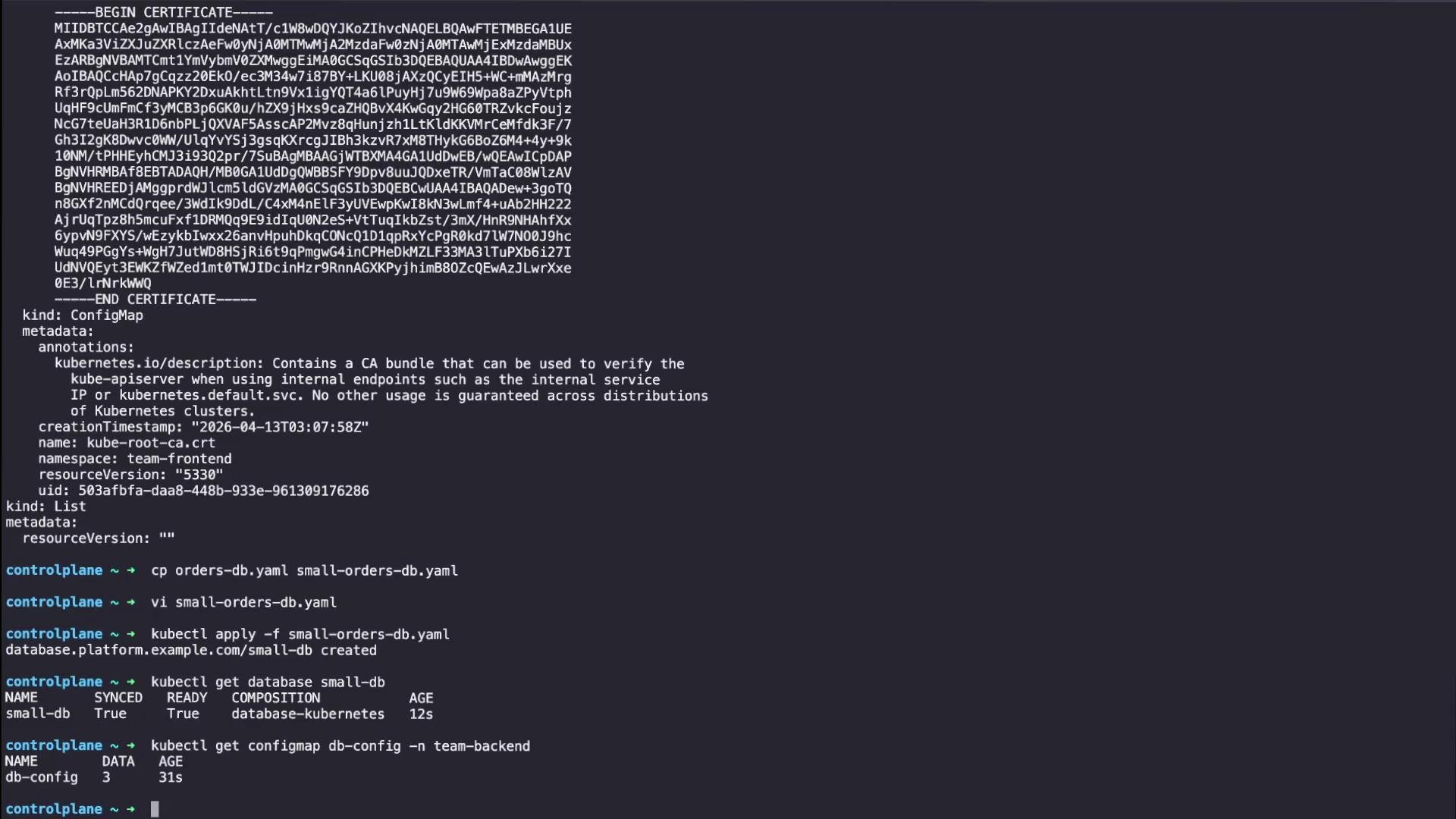
Createsmall-db (copy orders-db.yaml and update fields):
instanceClass (db.t3.micro) via the map transform.
Inspect the composite resource status
To inspect status and conditions (same pattern as many Kubernetes operators):- Conditions —
Synced,Ready,Responsive: indicate reconcile success and resource availability. - Events — useful to debug composition selection, composition revision, or composed resource readiness.
Readywill beFalse.- Review
EventsandConditions— they often include explanatory error messages. Start troubleshooting by checking the composite resource’s conditions and related events.
If your composition creates resources in target namespaces, ensure the Crossplane provider and RBAC permissions allow the provider to create resources in those namespaces. Incorrect RBAC or namespace permissions are a common cause of provisioning failures.
Quick summary
Next steps and references
Recommended deeper topics:- Composition patch and transform types (map, string, merge, etc.).
- Writing and testing inline functions for patch-and-transform pipelines.
- Managing Composition revisions and making changes in a safe, versioned way.