

This guide assumes Argo Workflows is already installed in your Kubernetes cluster. If you need installation instructions, refer to the official docs: Argo Workflows installation.
- A simple container task
- Steps (sequential and parallel), with parameters
- DAG-based dependencies
- Running
kubectlfrom inside a workflow (with RBAC considerations)
1) Simple “hello” workflow
Createhello-workflow.yaml. Notice generateName gives each submission a unique suffix:
Succeeded status, and the steps that ran.
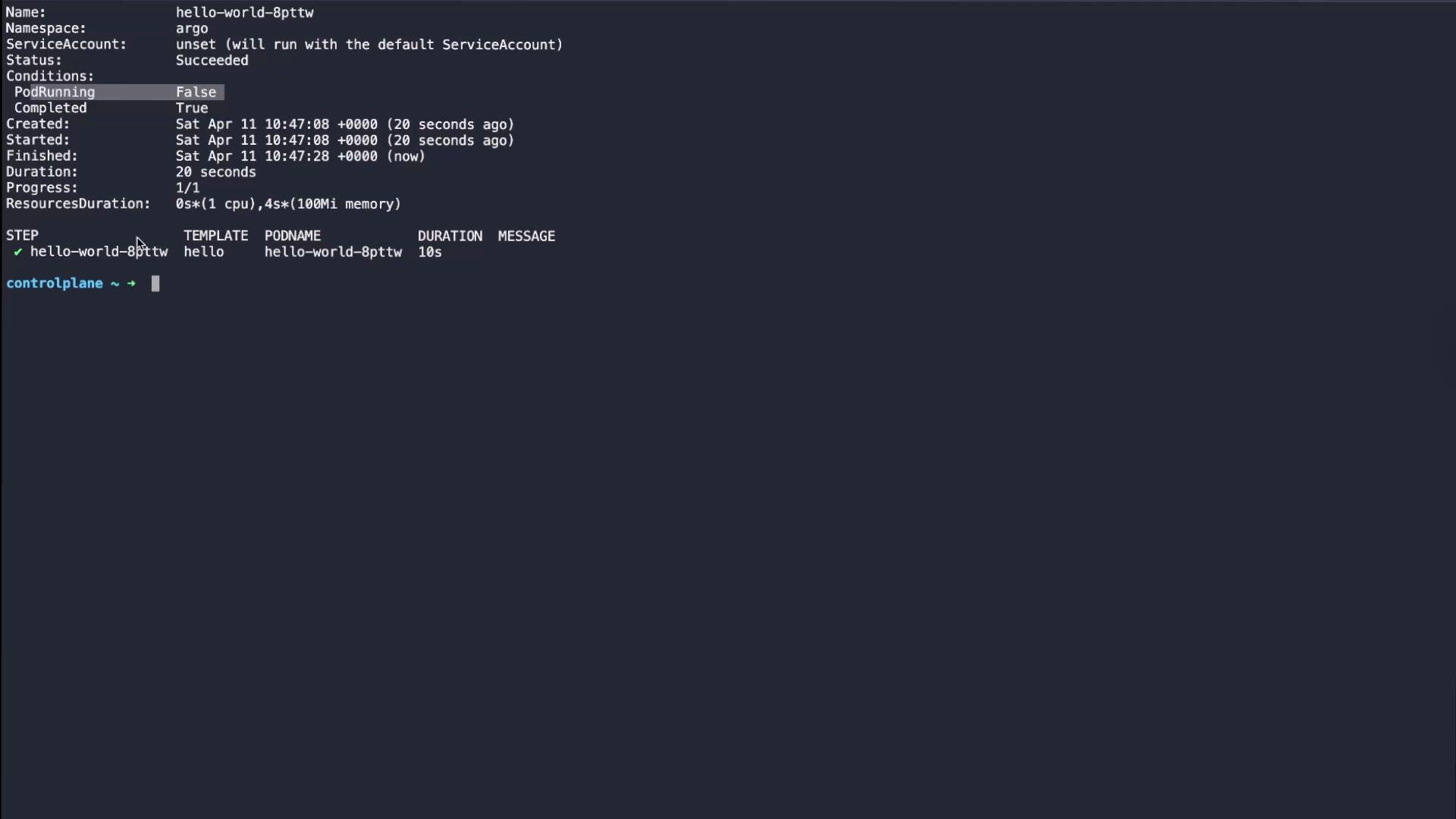
argo get output (abridged):
2) Steps: sequential and parallel steps, with parameters
Usesteps when you want ordered or grouped tasks. Steps are an array of arrays:
- Each inner array represents tasks that run in parallel.
- Outer array elements run sequentially.
steps-workflow.yaml. This example defines a reusable print-message template that accepts a message parameter, and a pipeline entrypoint that runs two sequential steps:
- With the YAML above,
step-oneruns first, thenstep-two. - To run
step-oneandstep-twoin parallel, place them in the same inner array (see the parallel example below).
pipeline.steps portion shown):
3) DAG (Directed Acyclic Graph) workflows
DAGs express explicit dependencies between tasks. Tasks with no dependencies start immediately; dependent tasks wait for their dependencies to succeed. Use DAGs for complex pipelines where dependency relationships matter (e.g., build → tests → deploy). Exampledag-workflow.yaml models a build → tests → deploy pipeline. test-unit and test-integration both depend on build and run in parallel; deploy depends on both tests:
buildruns first.test-unitandtest-integrationstart oncebuildcompletes (they run concurrently).deployruns after both tests succeed.
argo get summary when finished:
4) Running kubectl from a workflow (RBAC considerations)
Workflows can run images that includekubectl to query or modify cluster resources. To interact with the cluster, the workflow’s ServiceAccount must have the proper RBAC permissions.
Example kubectl-workflow.yaml uses bitnami/kubectl to check a deployment rollout and then list pods in the argo namespace:
argo logs output (abridged):
Do not run workflows with overly permissive credentials. Avoid using the cluster-admin
default ServiceAccount in production. Create a dedicated ServiceAccount with only the RBAC rules it needs (Role/ClusterRole and RoleBinding/ClusterRoleBinding).Key concepts and quick reference
Summary
- Argo Workflows runs containerized tasks as Kubernetes pods to orchestrate automation, pipelines, and arbitrary job sequences.
- Use
templatesto create reusable task definitions with parameters. stepsprovide ordered and parallel grouping via arrays of arrays.dagdefines explicit dependency-based execution withdependencies.- For workflows that interact with the cluster, set
serviceAccountNameand grant only necessary RBAC permissions.
- Argo Workflows docs: https://argoproj.github.io/argo-workflows/
- Argo CLI reference: https://argoproj.github.io/argo-workflows/cli/
- Kubernetes RBAC: https://kubernetes.io/docs/reference/access-authn-authz/rbac/