

- Exposing an application to end users (external access).
- Allowing front-end and back-end Pods to discover and reach each other (internal access).
- Providing a consistent way to connect to external resources.
Why a Service is needed
Imagine you have a Pod running a web server with IP10.244.0.2. Your laptop on the same local network has IP 192.168.1.10 and a Kubernetes node has IP 192.168.1.2. Pod IPs live on an internal overlay network (for example 10.244.0.0/16) and are not directly reachable from your laptop. While you could SSH into the node and curl the Pod IP from the node:
Common Service types
Kubernetes exposes three common Service types: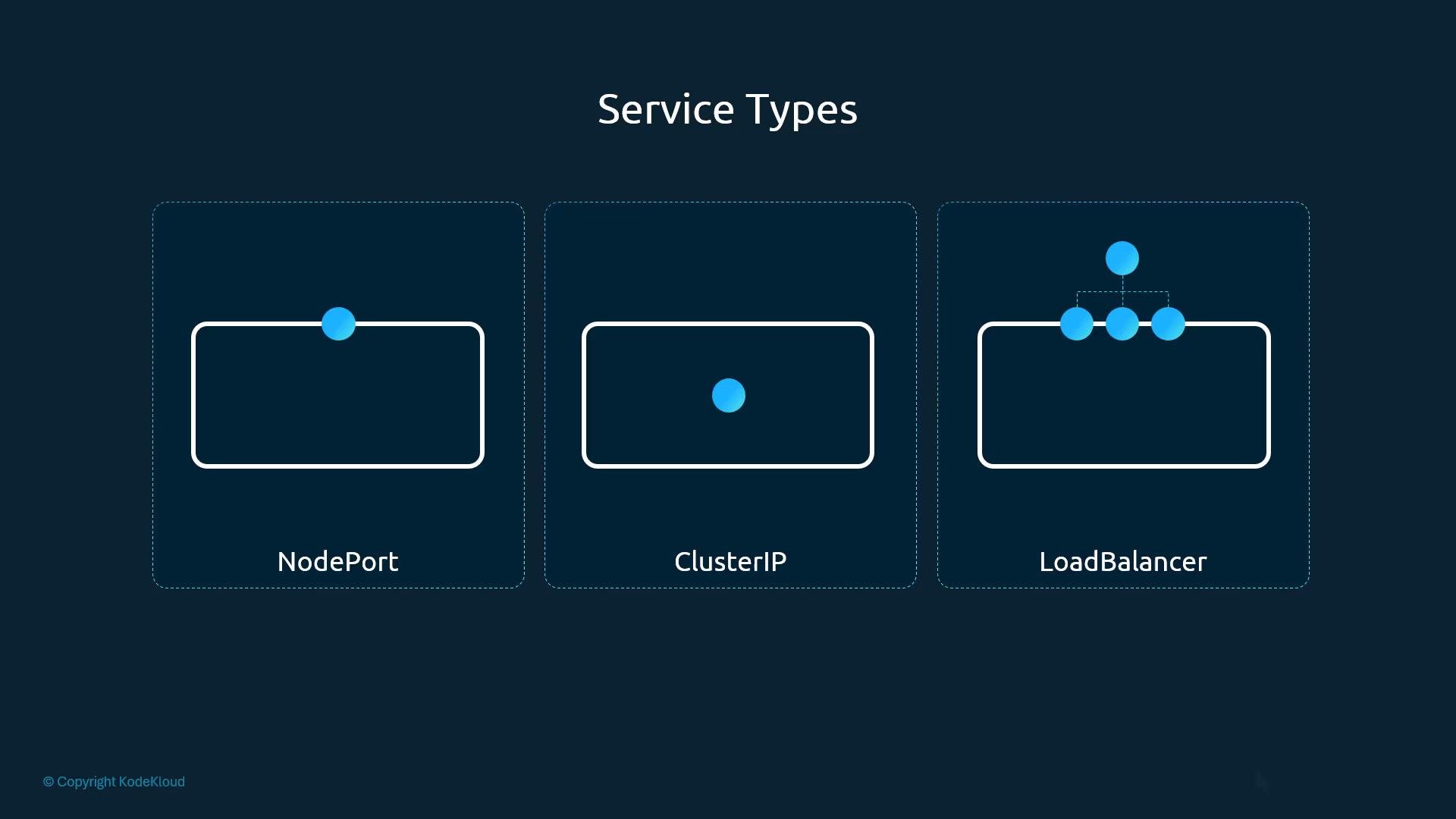
NodePort — deeper look
A NodePort Service maps three port concepts:- targetPort — the port on the Pod where the application is listening (e.g.,
80). - port — the port on the Service (the cluster-internal port used by other cluster clients).
- nodePort — the port on every Node that forwards traffic to the Service (e.g.,
30008). Default NodePort range:30000–32767.
port; from outside you use the node IP and nodePort.
Quick port mapping reference:
Minimal NodePort Service example:
Only
port is mandatory in the ports entry. If targetPort is omitted it defaults to the same value as port. If nodePort is omitted, Kubernetes will allocate a port in the 30000–32767 range.Linking a Service to Pods
A Service routes traffic to backend Pods using aselector. The selector must match labels on the target Pods. Example Pod manifest:
app: myapp and type: front-end. When labels match, traffic sent to the Service is forwarded to these Pods.
Create the Service:
Services and multiple Pods (load balancing)
In production you’ll usually run multiple replicas of your application for availability and load distribution. Each Pod replica should carry the same label set (for exampleapp: myapp) so the Service selector matches all replicas.
When multiple Pods match a Service selector, the Service load-balances traffic across them. The actual packet forwarding behavior depends on kube-proxy mode:
- iptables mode: probabilistic selection across endpoints.
- IPVS mode: supports multiple scheduling algorithms (round-robin, least connections, etc.).
NodePort across multiple nodes
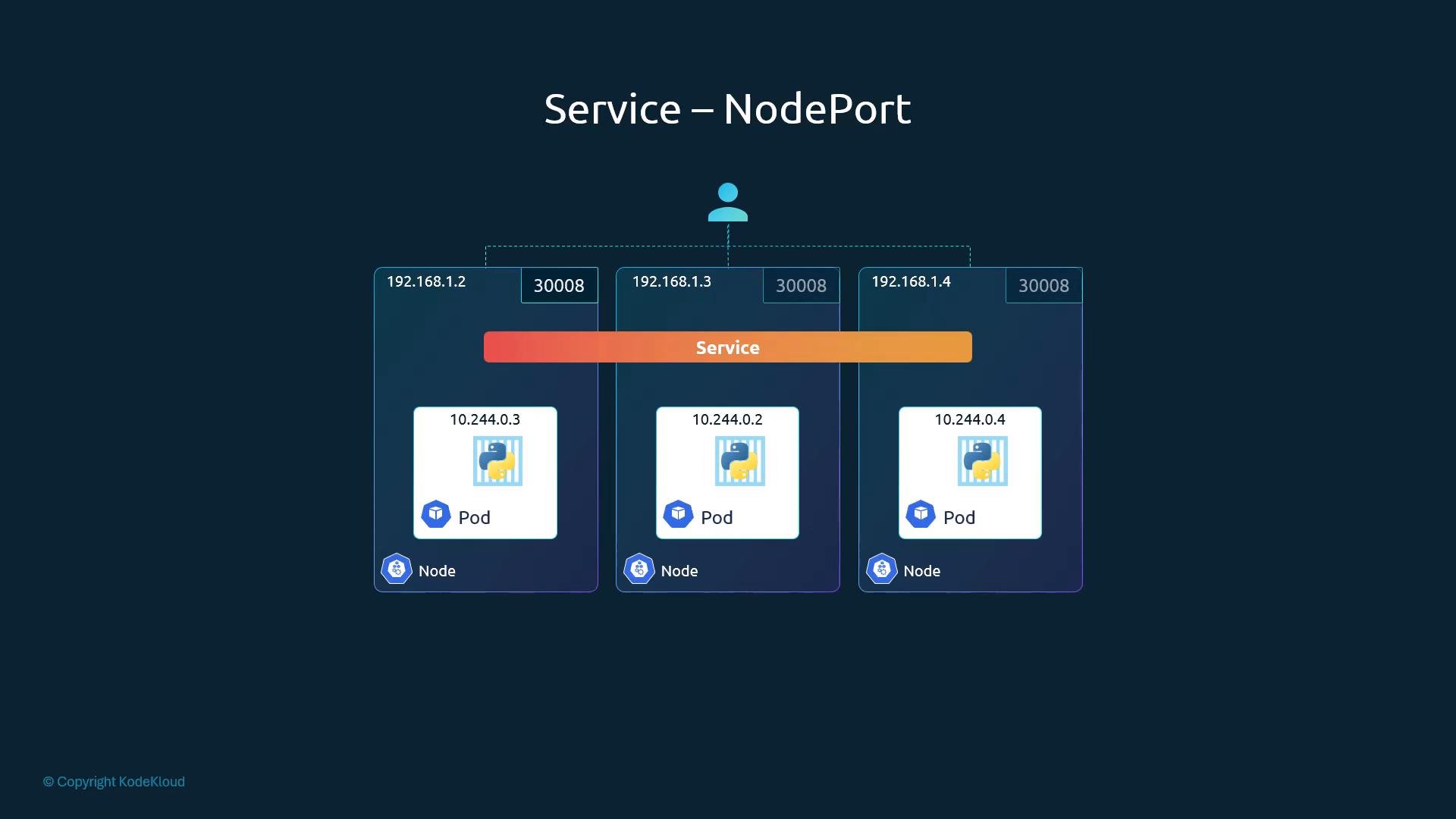
Kubernetes exposes thenodePort on every Node in the cluster, even if the Pods are only running on a subset of nodes. Any node receiving traffic on that port will forward it to the Service endpoints.
Summary and best practices
- Services provide stable network endpoints and abstract away Pod lifecycle and IP churn.
- Use ClusterIP for internal-only services, NodePort for simple external access, and LoadBalancer when using cloud provider LBs.
- Connect Services to Pods via labels and selectors; ensure consistent labels across replicas.
- Prefer Deployments/ReplicaSets for multi-replica workloads rather than single Pods.
- For production external access, prefer a provider LoadBalancer or an Ingress (with a LoadBalancer or NodePort backing it) to expose HTTP(S) services.
- Kubernetes Services documentation
- Service Types: ClusterIP, NodePort, LoadBalancer
- Kube-Proxy modes (iptables vs IPVS)