

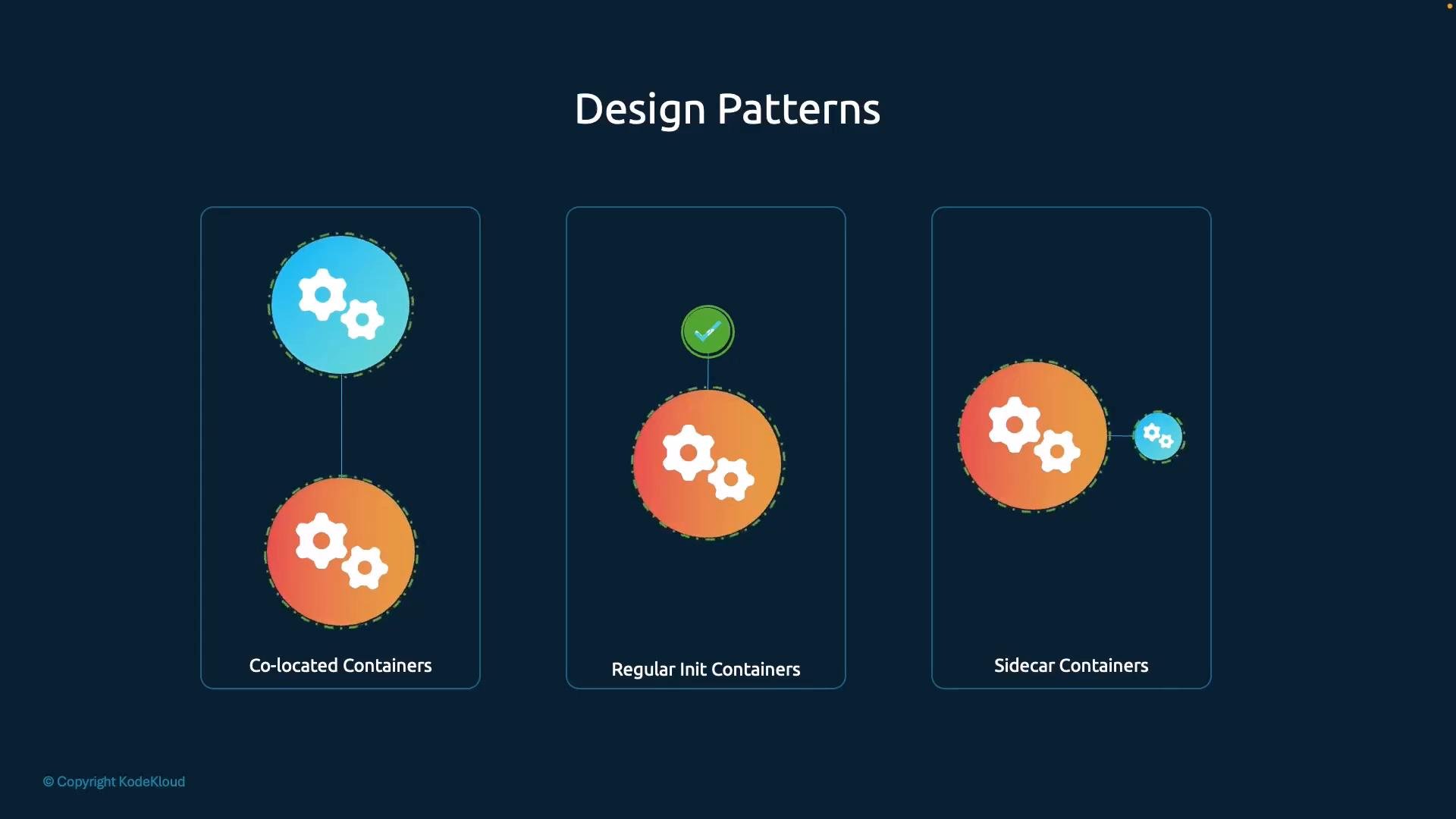
- Co-located containers (multiple concurrent containers in the
containersarray) - Init containers (
initContainers) - Sidecar containers (helper containers used alongside the main application)
Pattern summary
For more conceptual detail, see the Kubernetes Pod overview: Kubernetes Pods
Co-located containers
The co-located container pattern is the simplest: multiple containers are listed in the Pod’scontainers array and run concurrently for the Pod lifetime. Kubernetes treats these containers as peers and does not guarantee a specific startup order between them.
Example Pod with two co-located containers:
- Use this pattern when containers are independent or can start in any order.
- Avoid this pattern when one container must be initialized and ready before another starts.
Init containers
Init containers are defined in the PodinitContainers array and run one at a time in the order specified. Each init container must complete successfully before the Pod proceeds to start the regular containers. They are intended for initialization tasks and are not long-running services.
Key characteristics:
- Init containers run to completion and then exit.
- They run sequentially in the order listed.
- Main application containers start only after all init containers succeed.
- Tasks such as migrations, one-time configuration, or waiting for external services before the main app runs.
- Not suitable for long-running supporting processes — use a sidecar for that.
Init containers are not long-running — they run to completion and exit. If you need a helper process to stay active for the Pod lifetime (for example, a log shipper or proxy), use a sidecar container instead.
Sidecar containers
A sidecar is a helper container that runs alongside the main application container inside the same Pod. Common sidecar responsibilities include log collection, request proxying, metrics exporting, or syncing files. Technically, a sidecar is just another container in thecontainers array, but it’s designed to augment the main application.
Important correctness about ordering:
- Kubernetes does not guarantee startup order for regular
containerswithin the same Pod. - If the main application must not start until the sidecar is ready, use one of these options:
- An
initContainerto perform prerequisite work (note: init containers exit and cannot be long-running sidecars). - A readiness probe on the sidecar and make the main application wait (for example, by checking the sidecar’s health endpoint).
- Application-level waiting logic (retry/wait loop, IPC, or coordination scripts).
- Shared volumes for coordination (e.g., a lock file or a ready marker).
- An
Realistic sidecar example: log collection (Filebeat + Elasticsearch + Kibana)
A very common sidecar scenario is running a log shipper next to your application container. For example, run Filebeat as a sidecar to collect application logs and forward them to Elasticsearch for indexing and Kibana for visualization. Because the sidecar runs in the same Pod, it can capture startup and termination logs the moment the main container writes them. High-level architecture: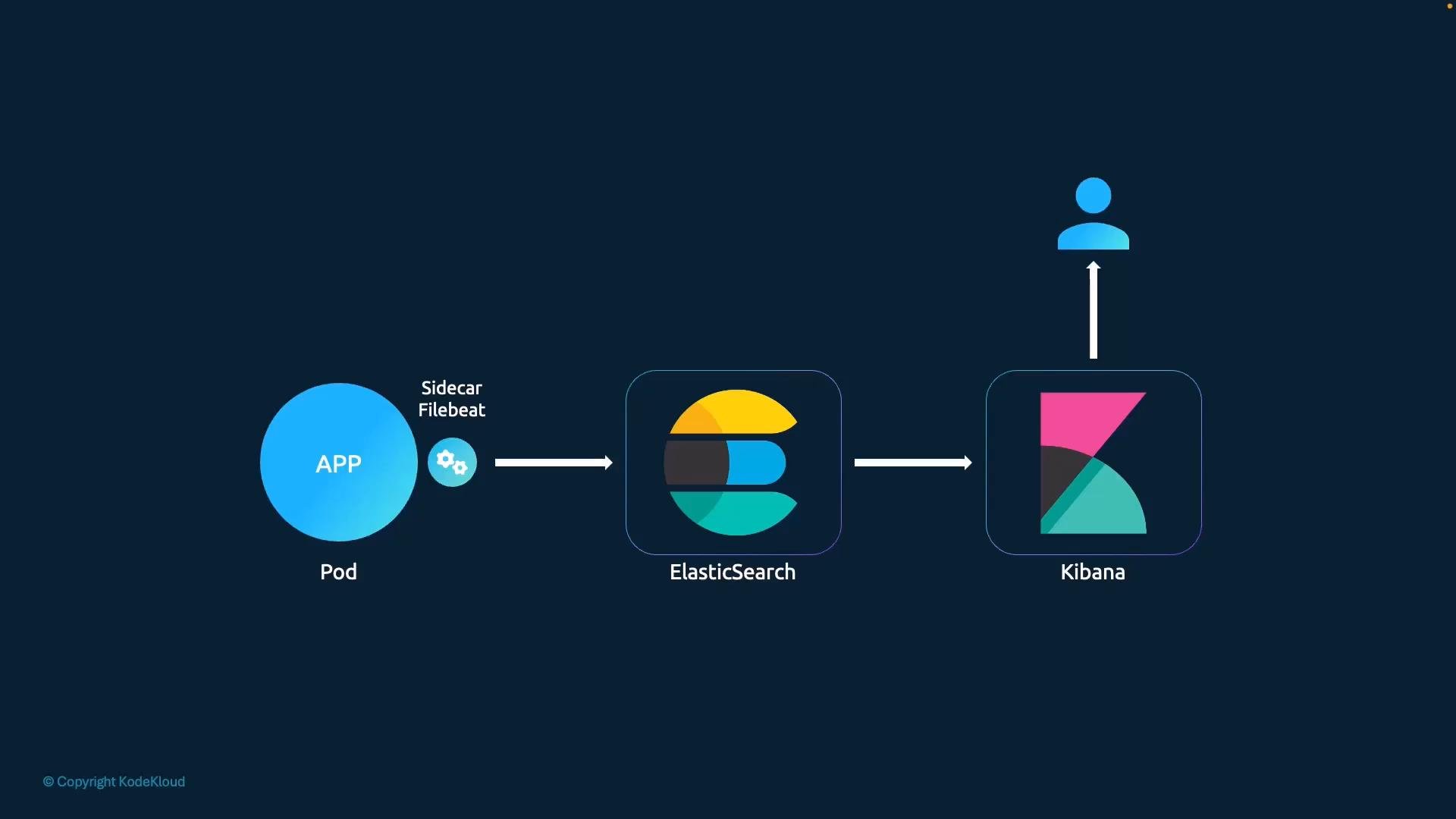
- Ensure the sidecar can read the same log files or shared volume as the app (share a volume mount).
- Consider log rotation and retention to avoid disk pressure.
- If capturing startup logs is critical, make the main app wait until the sidecar signals readiness, or use a tiny init container to write a configuration that the sidecar needs before the main app starts.
- Use structured logs (JSON) when possible for easier indexing in Elasticsearch.
Kubernetes does not provide a built-in guarantee for the startup order of regular containers in the
containers array. Use initContainers, readiness probes, or application-level waiting logic when strict ordering is required between sidecar and main containers.Quick references
- Kubernetes Pods and multi-container patterns: https://kubernetes.io/docs/concepts/workloads/pods/
- Init containers: https://kubernetes.io/docs/concepts/workloads/pods/init-containers/
- Probes (liveness, readiness, startup): https://kubernetes.io/docs/tasks/configure-pod-container/configure-liveness-readiness-startup-probes/
- Filebeat: https://www.elastic.co/beats/filebeat
- Elasticsearch: https://www.elastic.co/elasticsearch
- Kibana: https://www.elastic.co/kibana