Overview of App Service Plans
Azure App Service offers several tiers: Free, Shared, Basic, Standard, Premium, and Isolated. The Free and Shared tiers run on shared infrastructure, meaning compute resources are shared with other customers.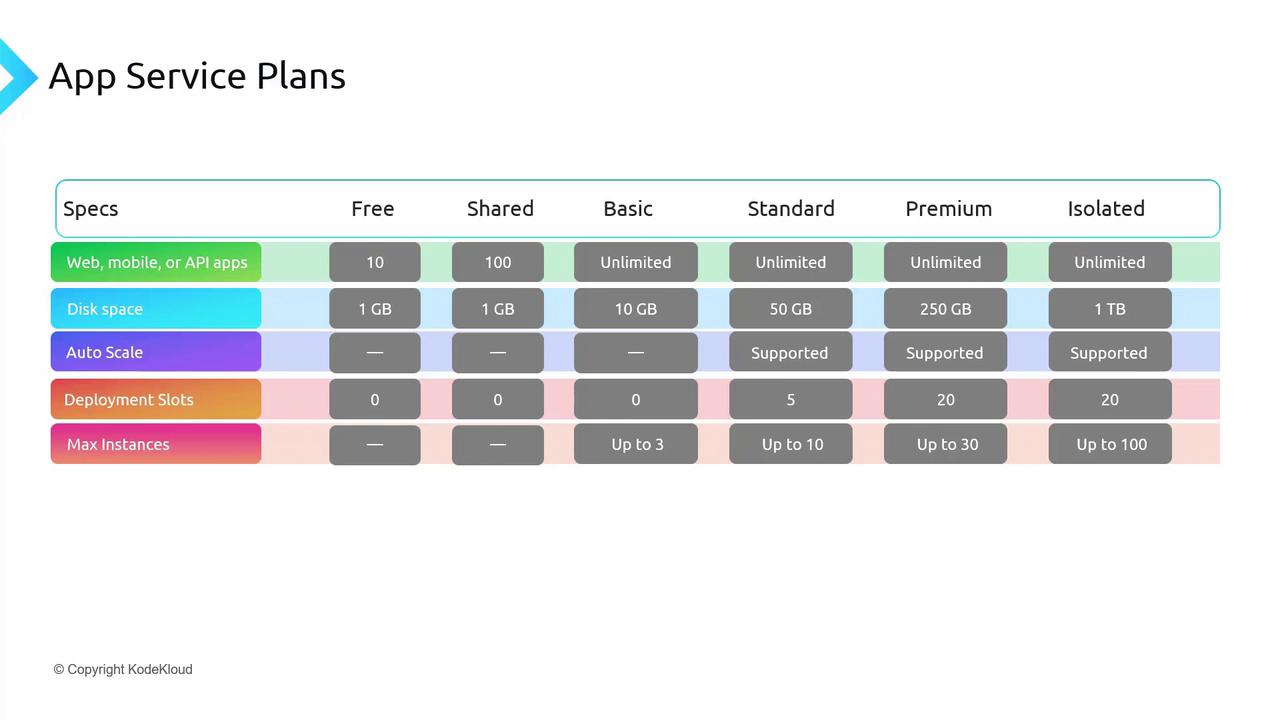
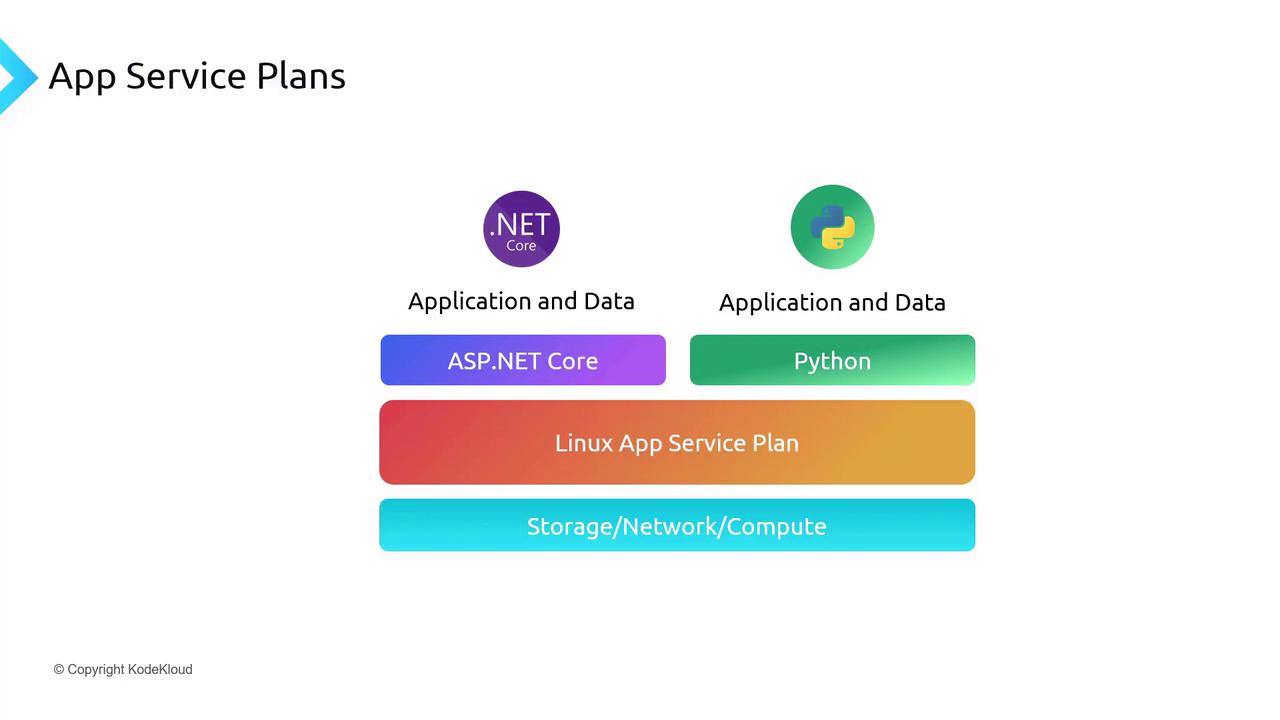
Regardless of the number of applications running on an App Service Plan, you are billed for the plan itself. For instance, on a Linux App Service Plan, you can host both an ASP.NET Core and a Python application concurrently provided the shared resources are sufficient.
Securing Web Applications
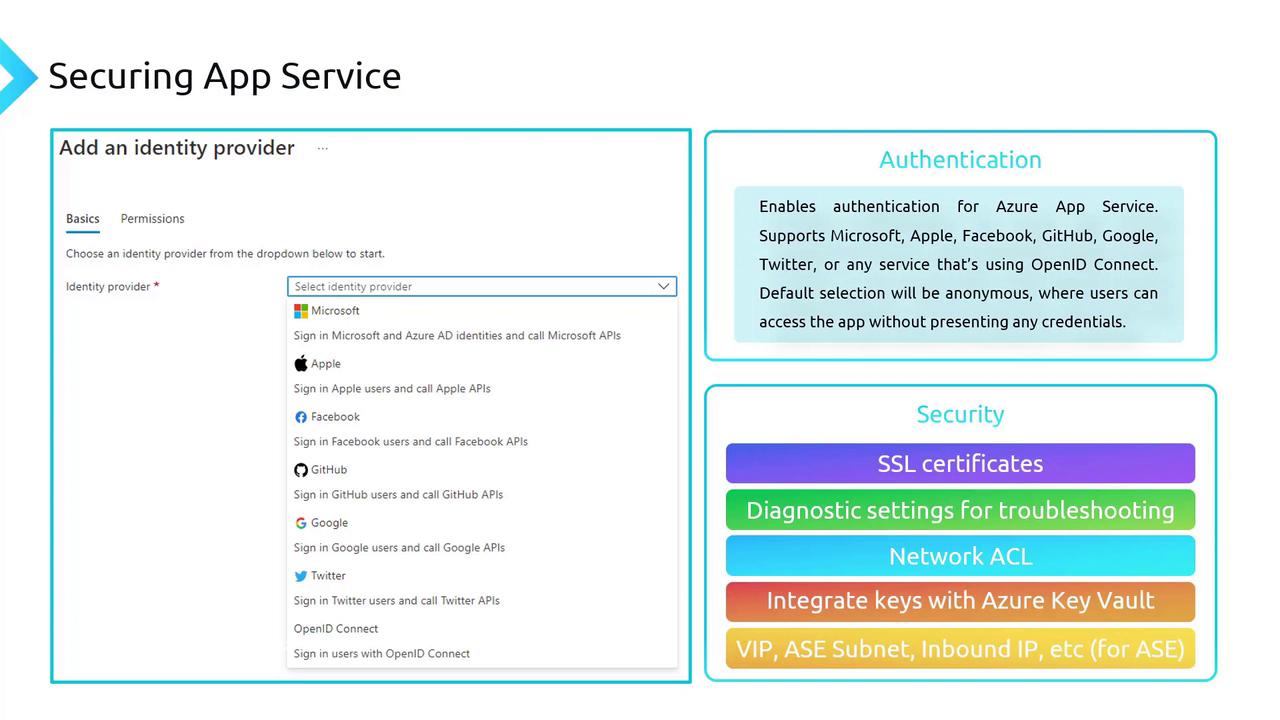
Azure App Service is a robust platform for hosting scalable web applications, RESTful APIs, and mobile backends. It incorporates several built-in security features, including authentication, SSL certificates, diagnostic settings, network access control lists (ACLs), and integration with Azure Key Vault. These features work together to protect your applications and data.Authentication
Enabling authentication ensures that users and services are verified before accessing your application. Azure App Service supports integration with popular identity providers such as Microsoft, Apple, Facebook, GitHub, Google, Twitter, and any provider supporting OpenID Connect. Without configured authentication, anonymous access is allowed by default, which might simplify access but can introduce security vulnerabilities. Key security features include:- SSL Certificates: Encrypt connections between clients and your App Service, protecting sensitive information during transmission.
- Diagnostic Settings: Capture logs and metrics to help identify and address security issues.
- Network Access Controls: Specify IP ranges that are permitted to access your application, effectively whitelisting trusted addresses.
- Azure Key Vault Integration: Securely store cryptographic keys, API keys, and connection strings using managed identities.
Hands-On: Creating and Securing a Web App in Azure
This section walks you through creating a simple web app in the Azure portal and configuring authentication to secure it.1. Create a Web App
- Navigate to the Azure portal and search for “App Service”.
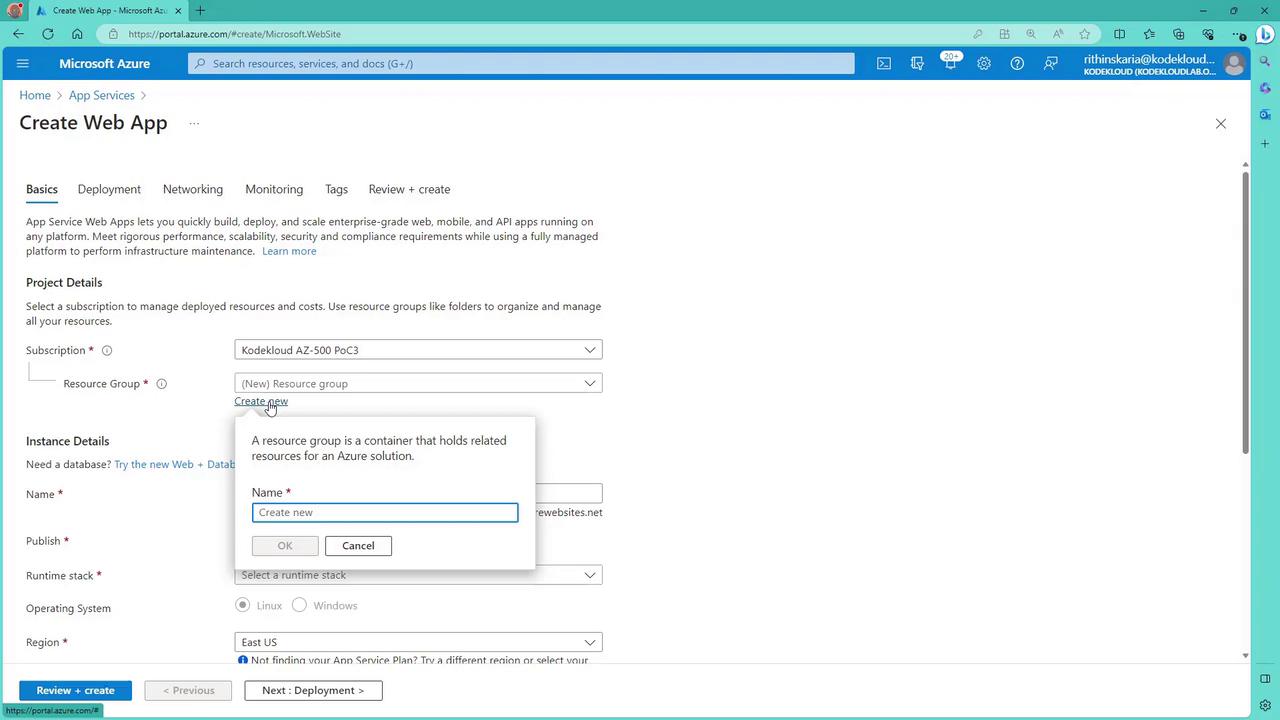
- Click to create a new web app. If needed, create a new resource group.
- Provide a unique name for your app (this becomes part of the azurewebsites.net URL).
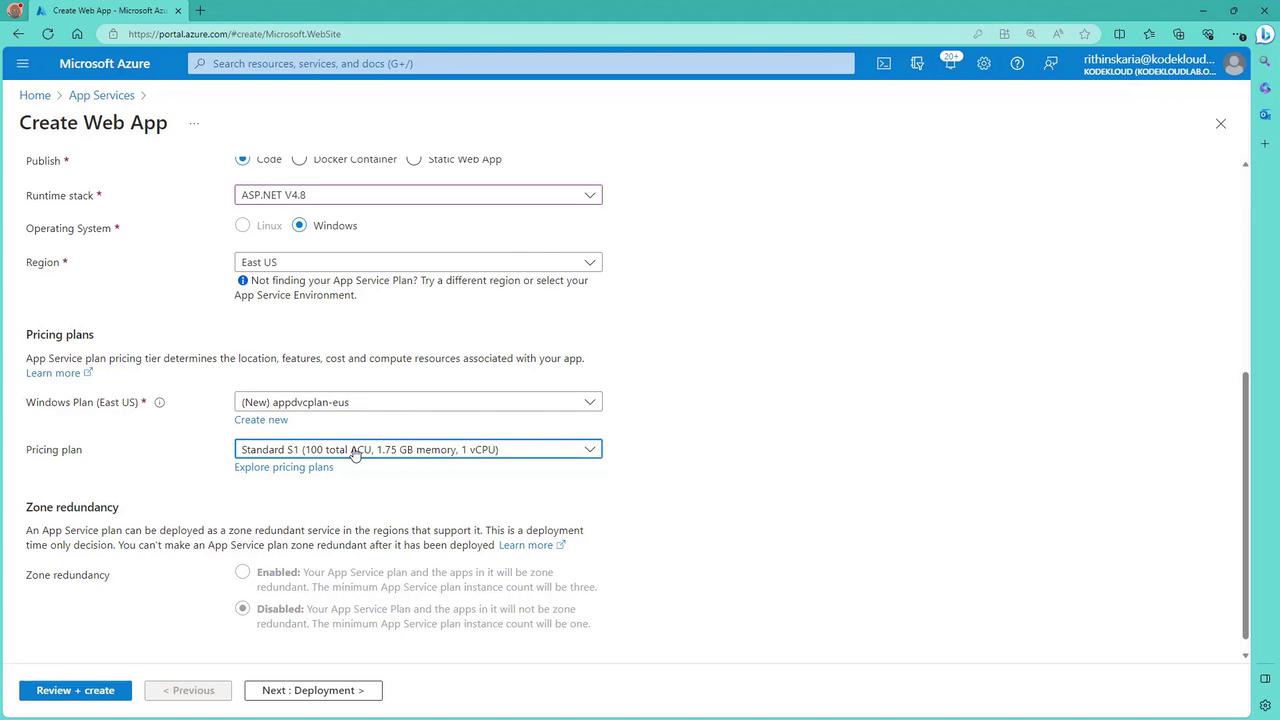
- Select a runtime (e.g., ASP.NET) and choose a region (e.g., East US).
- If you require a dedicated environment, choose to create a new App Service Plan and select the Standard tier.
2. Configure the Web App
- During the creation process, select the appropriate runtime stack and operating system.
- Choose a pricing plan that aligns with your demonstration needs.
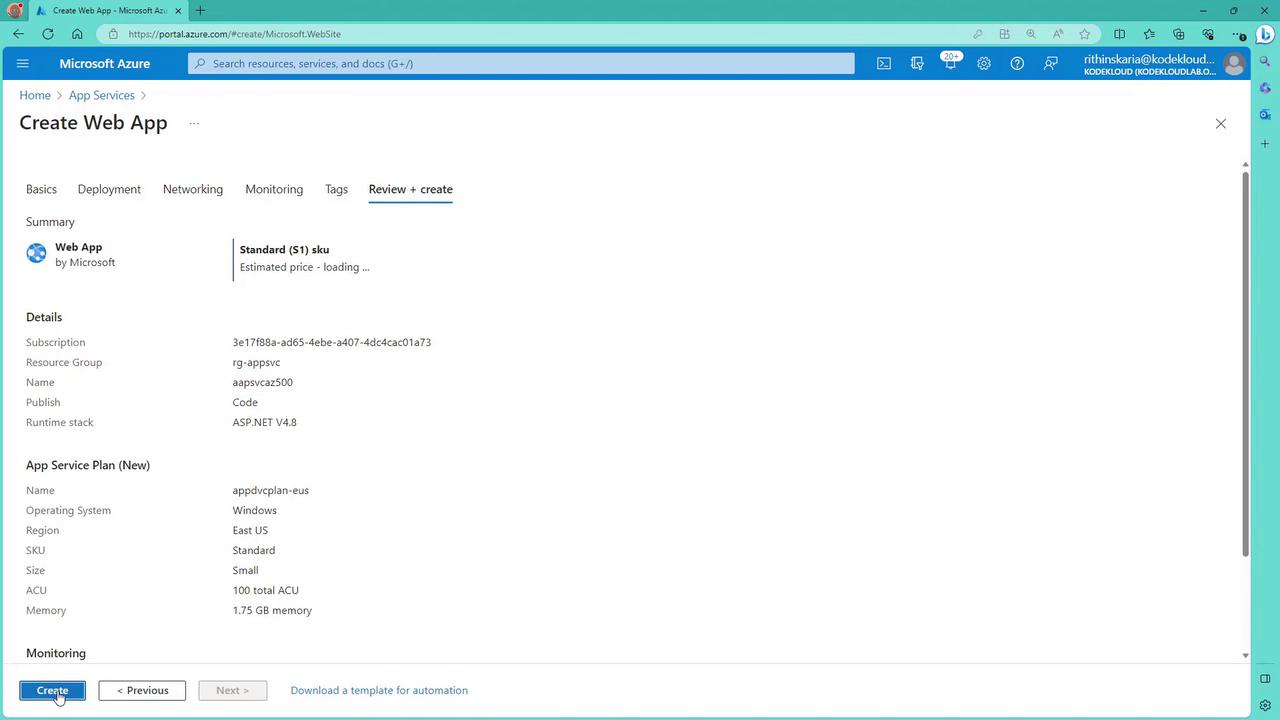
- Skip deployment options like CI/CD integrations for this demonstration.
- If necessary, configure networking options; for testing, ensure that public access remains enabled.
- Review your settings and click “Create”.
3. Deploy and Test the Web App
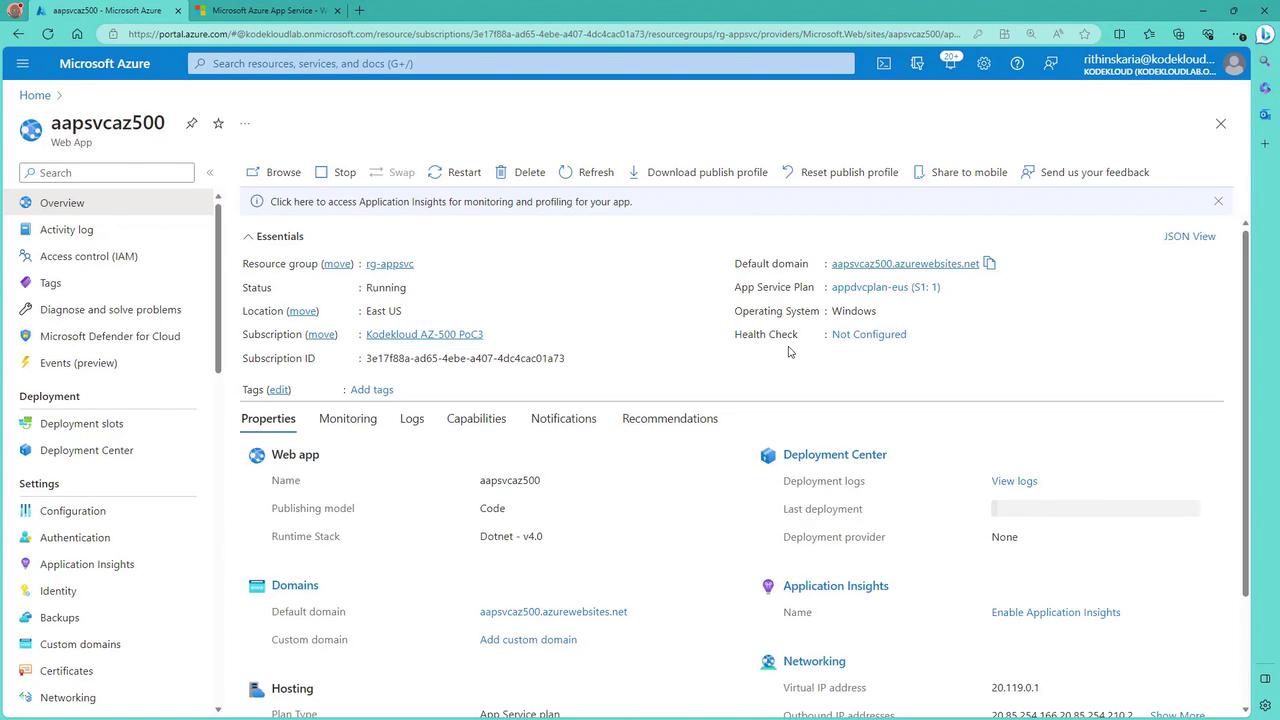
- After deployment, click “Go to resource” to review your web app details.
- Access the provided URL to view the landing page.
- Deploy your code using methods such as Visual Studio, PowerShell, or CI/CD pipelines. For more details, refer to the AZ-104: Microsoft Azure Administrator course.
4. Configure Authentication
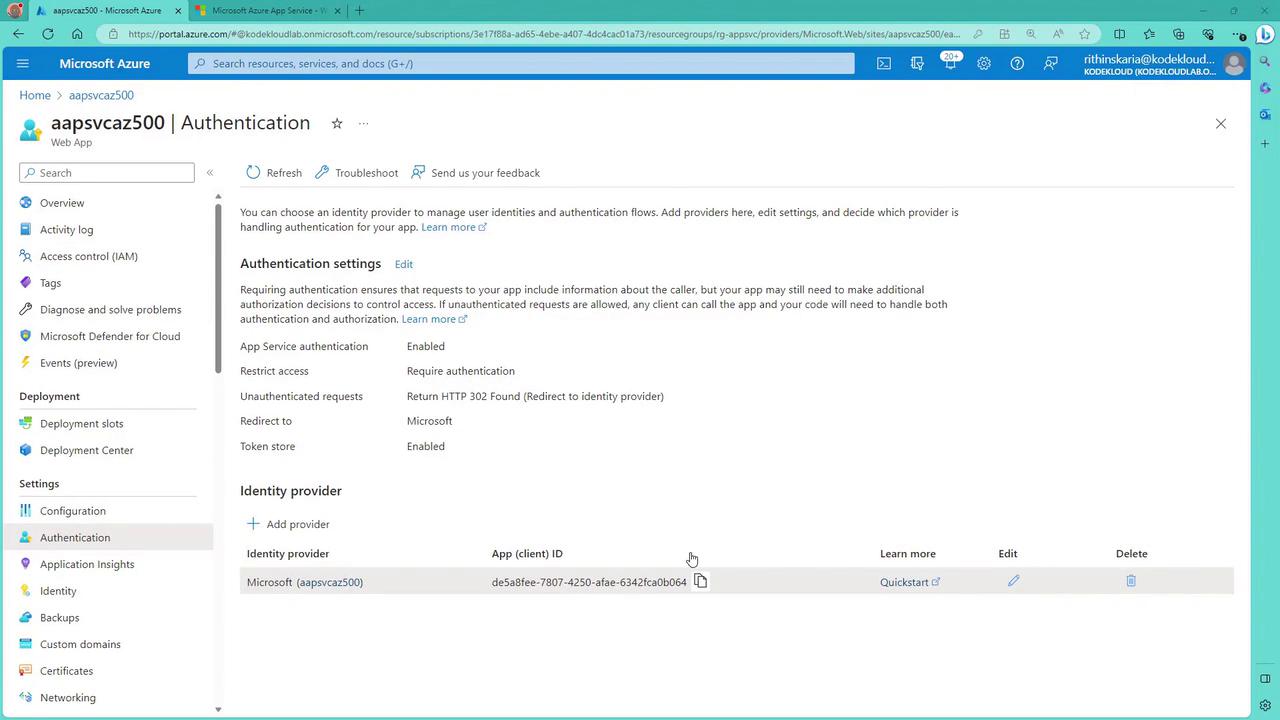
- Open the “Authentication” section in the App Service resource within the Azure portal.
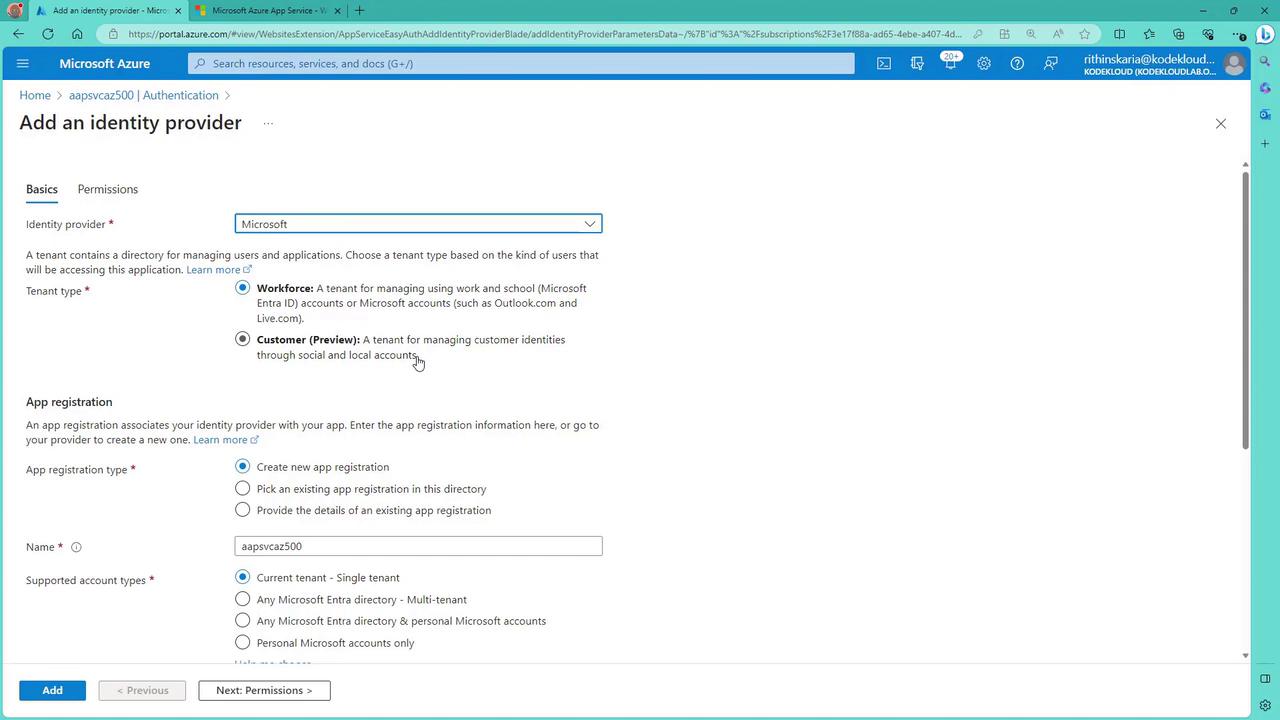
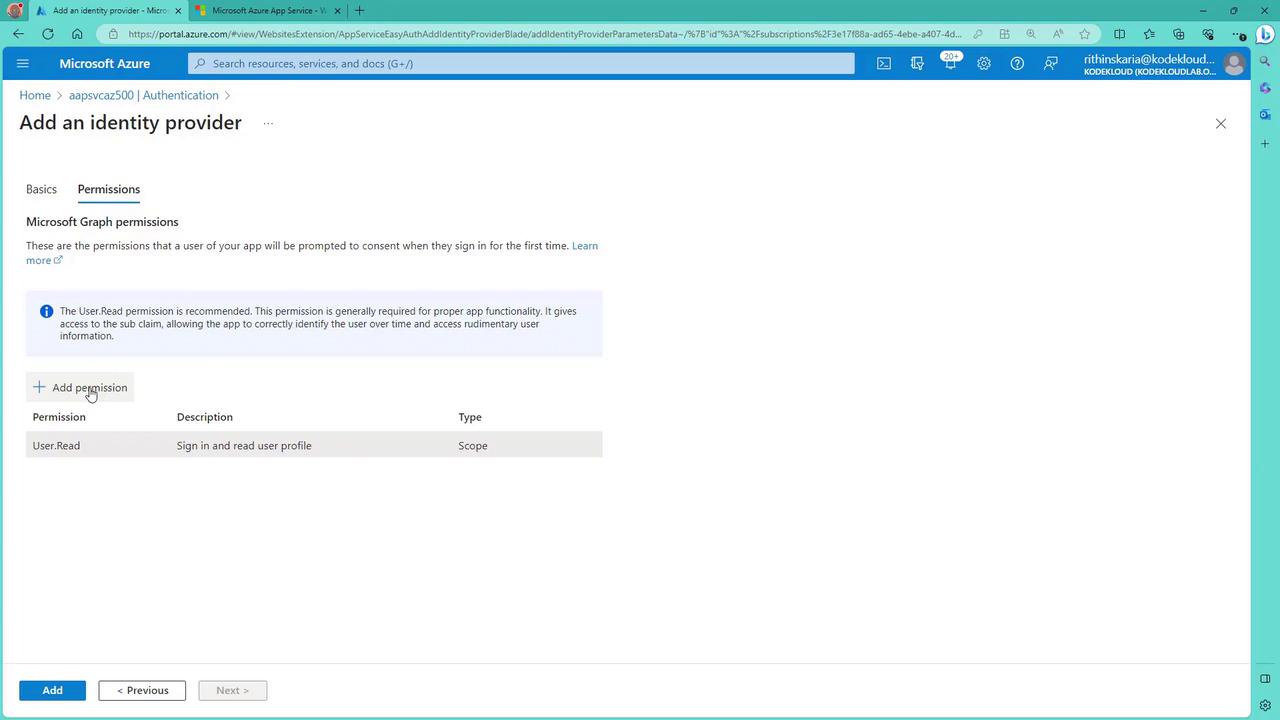
- Add an identity provider by selecting Microsoft (using Azure AD), then choose the appropriate tenant type (e.g., Workforce for organizational accounts).
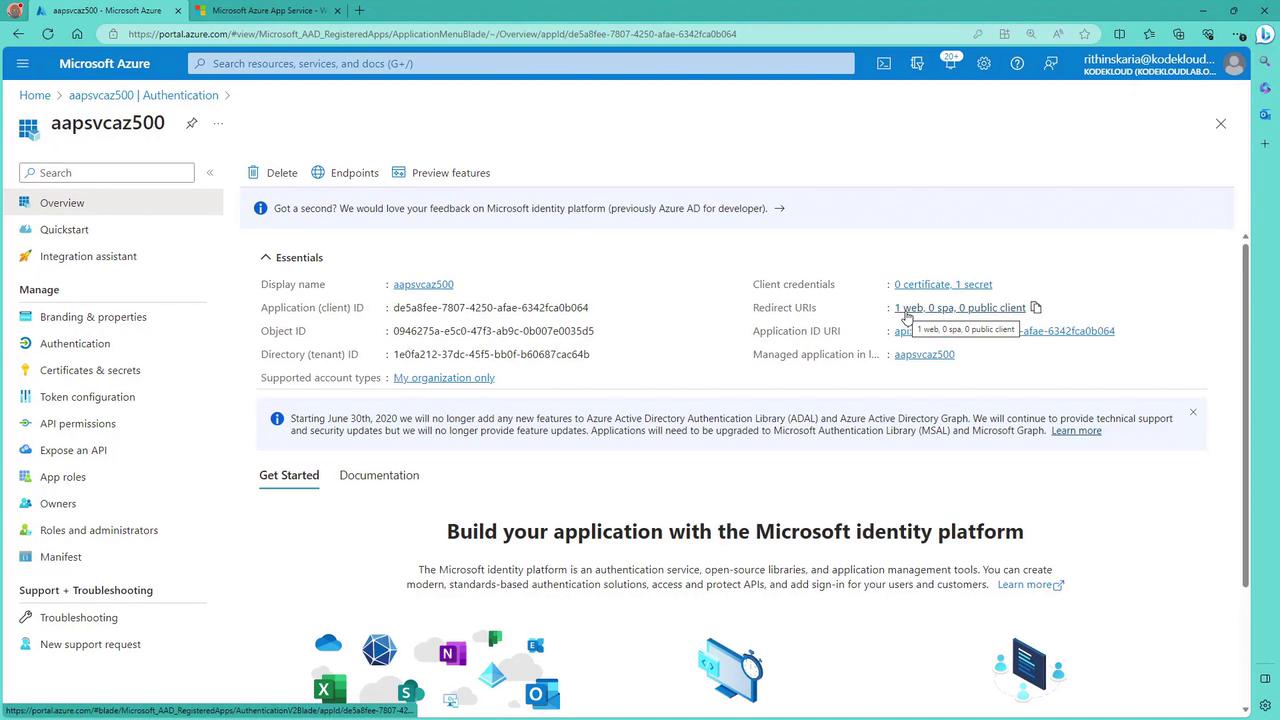
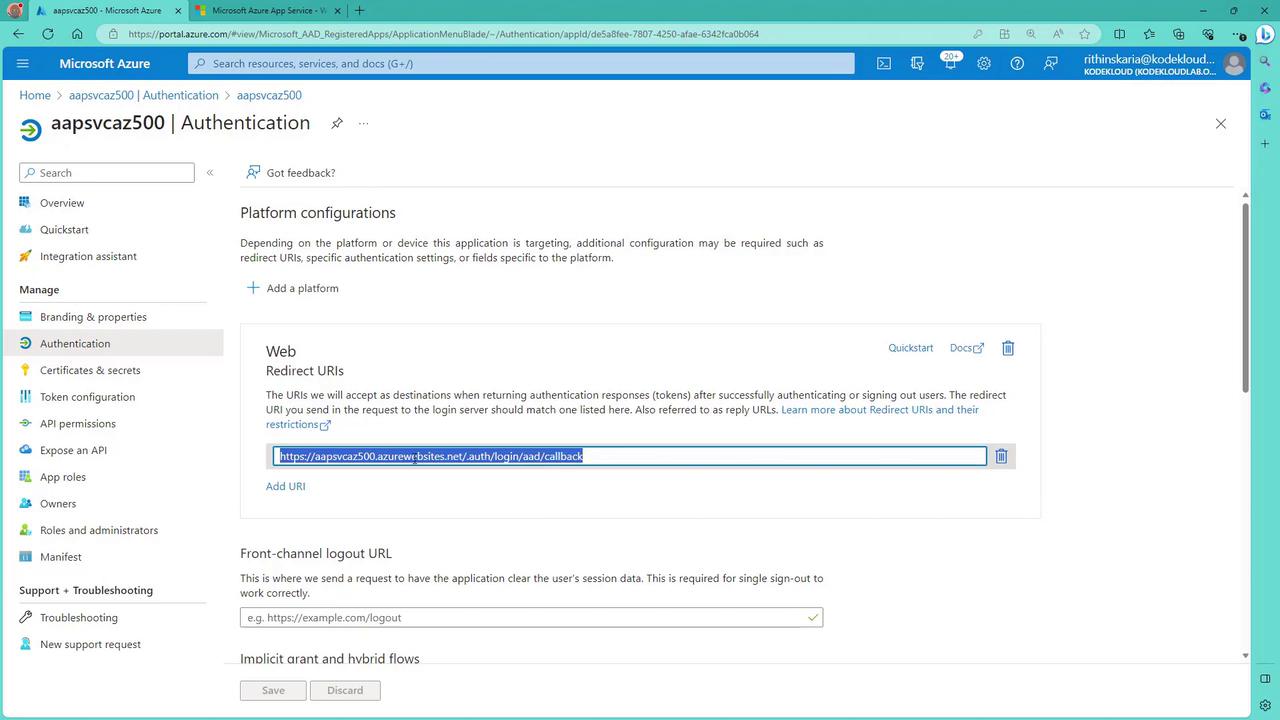
- Create a new app service registration, which will include redirect URI details similar to registering an app in Azure Active Directory.
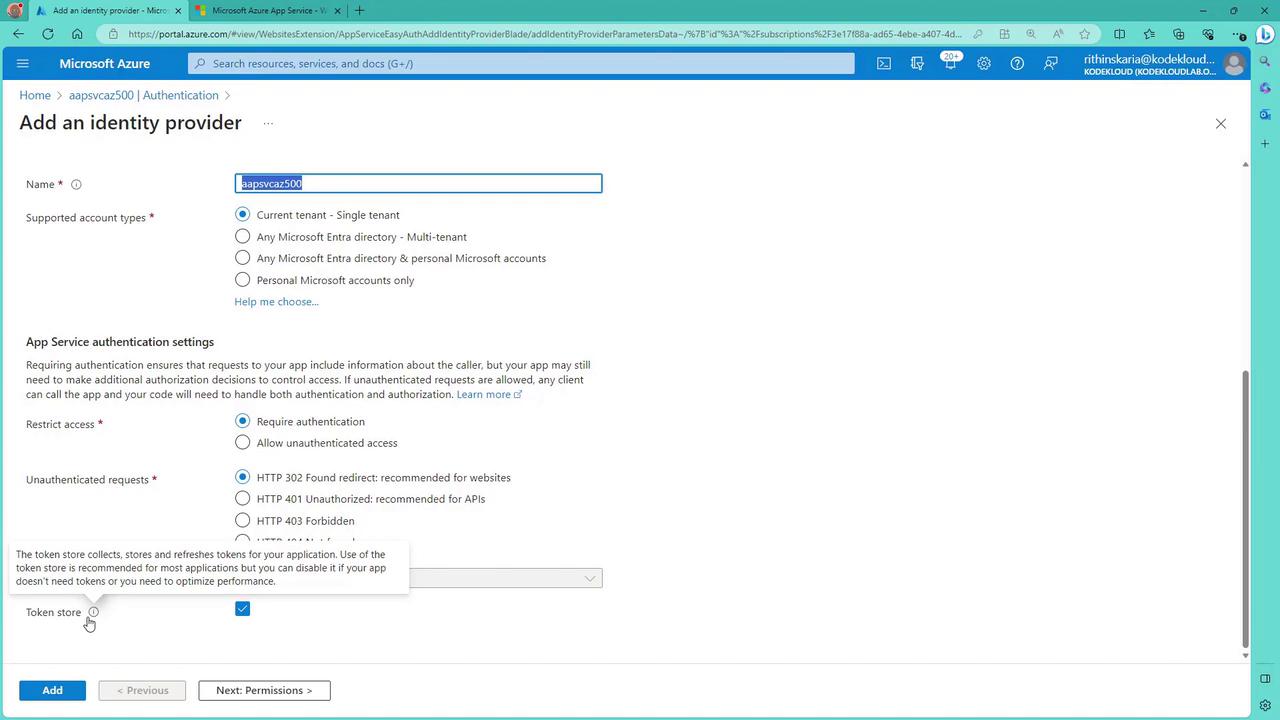
- Ensure the token store option is enabled if token management is required.
Additional Security Measures
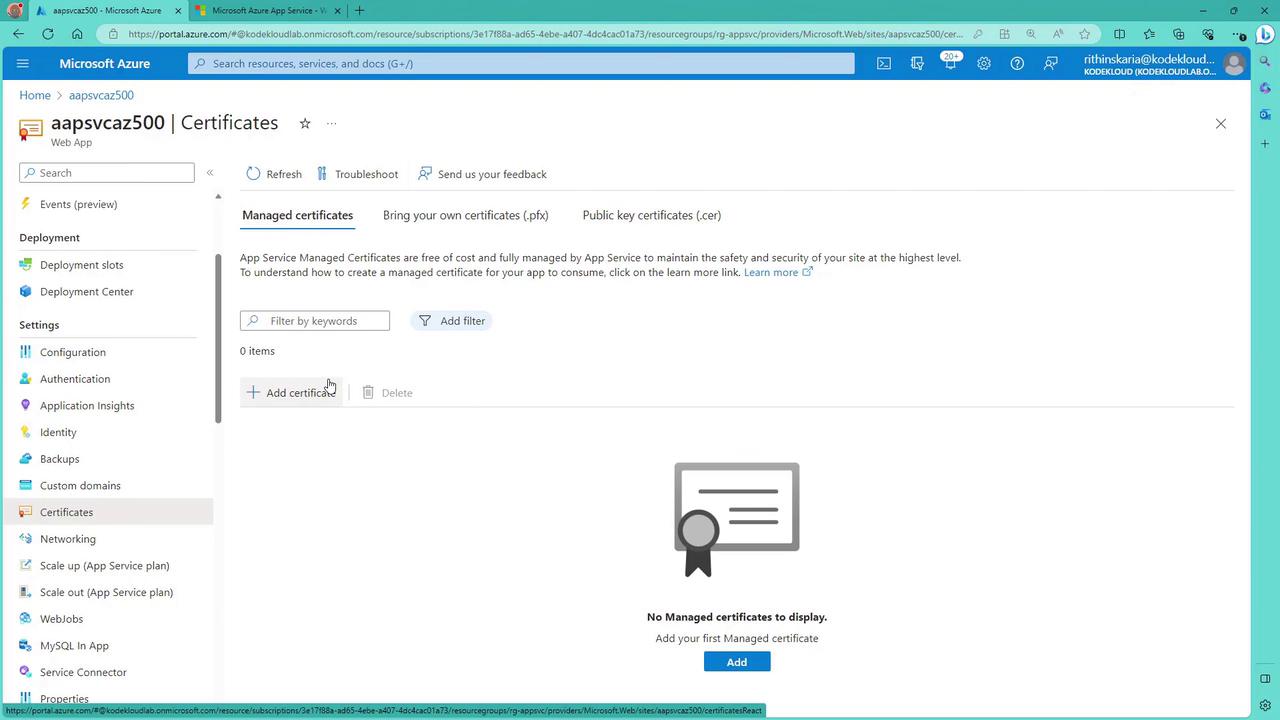
To further enhance the security of your web app, consider implementing these practices:- SSL Certificates: Enable and manage SSL certificates through the Azure portal to secure data transmission.
- Monitoring Diagnostics: Set up diagnostic settings to capture logs and metrics for tracking and addressing potential security issues.
- Inbound IP Restrictions: Limit access by specifying allowed IP addresses.
- Leveraging Azure Key Vault: Integrate your App Service with Azure Key Vault to securely manage sensitive keys and secrets.