- Understand how system routes enable default intra-VNet communication.
- Learn how to override system routes with UDRs to force traffic through NVAs.
- Configure DNAT and application rules on your firewall to control inbound and outbound traffic.
Understanding System Routes
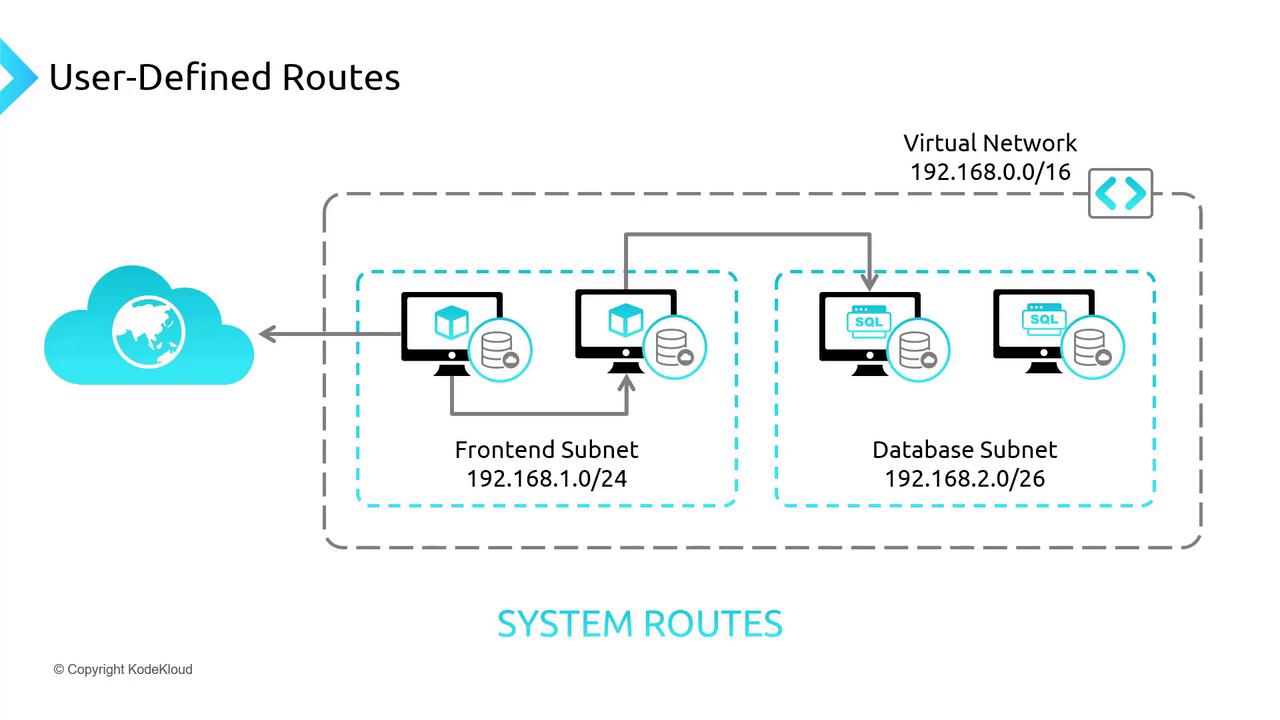
In a typical virtual network, subnets such as a front-end subnet and a database subnet inherently communicate using system routes. These routes allow:- Communication between machines within the same subnet.
- Traffic exchange between machines across different subnets within the same virtual network.
- Virtual machines (VMs) to initiate outbound communication to the Internet (e.g., for updates or NTP), even when inbound Internet traffic is blocked by default (unless explicitly allowed via network security rules).
Overriding System Routes with User-Defined Routes
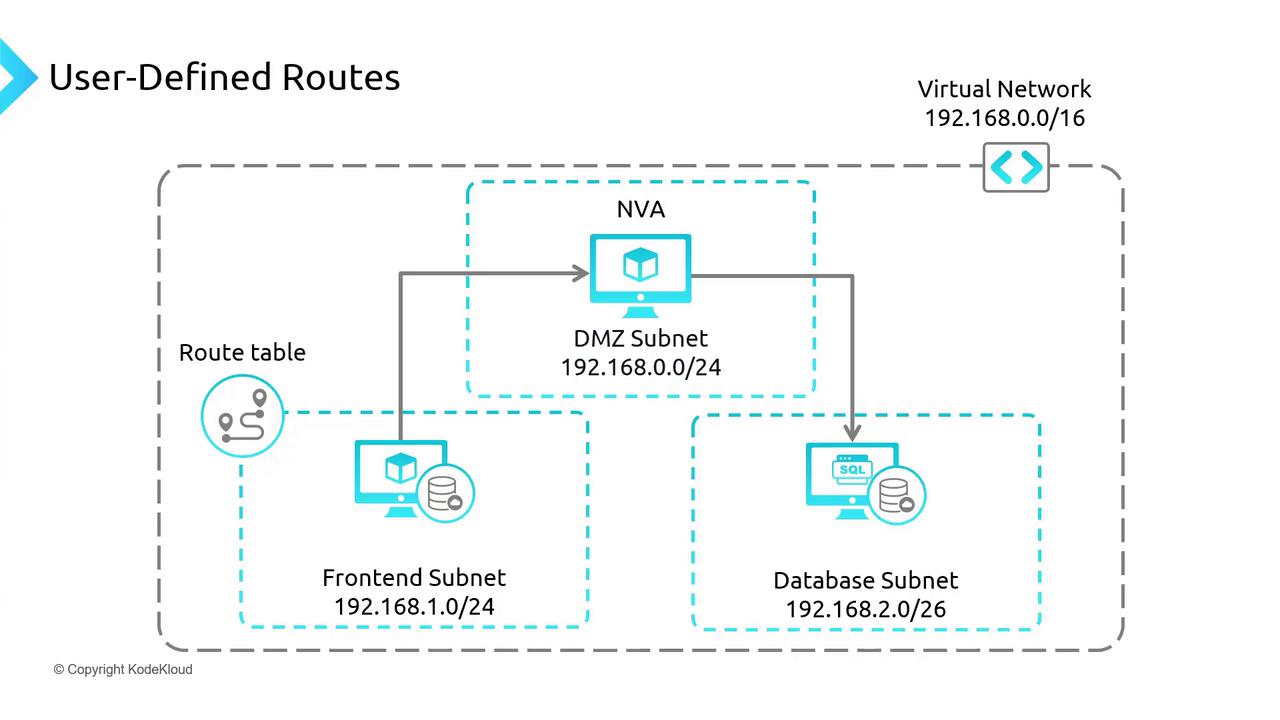
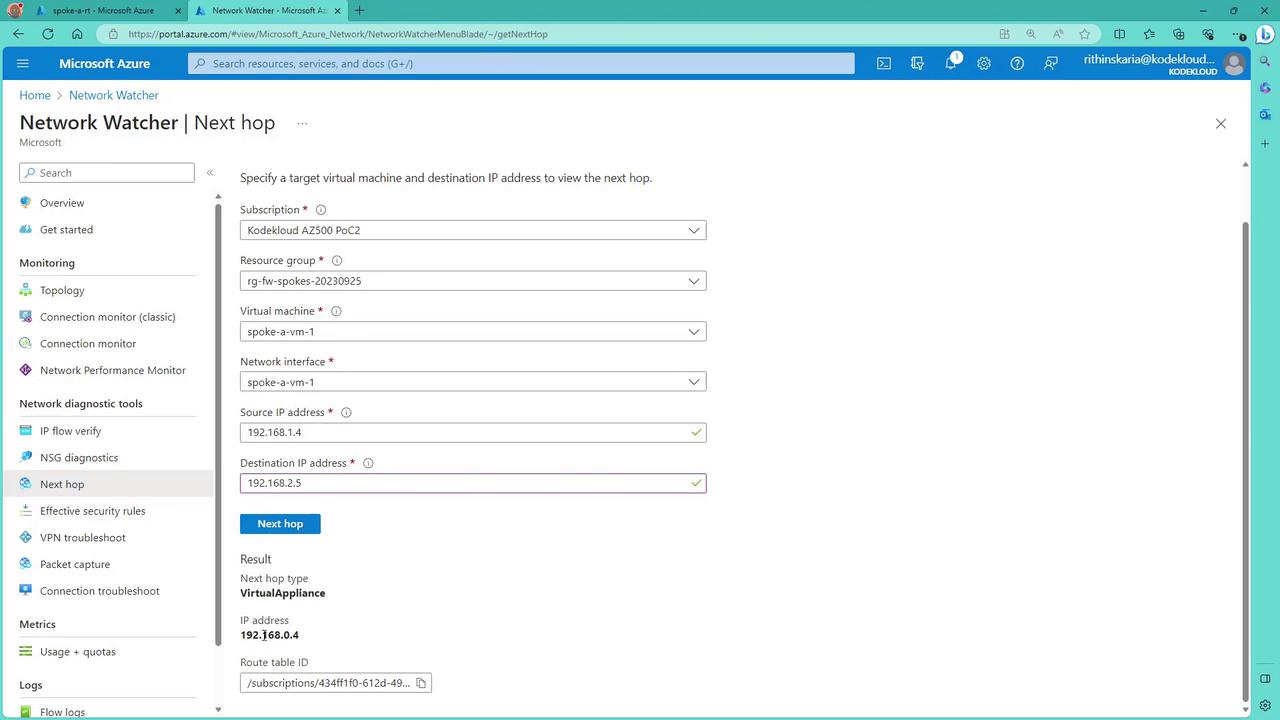
There are scenarios where the default system routes need to be overridden. For example, to ensure that traffic from the front-end subnet does not directly reach the database subnet, you can force traffic to pass through a firewall (NVA) for inspection. This is done by deploying an NVA (e.g., Palo Alto, FortiGate, Cisco, or Azure Firewall) in a dedicated subnet and configuring a route table to redirect the traffic. The route table configuration typically includes:- Redirecting traffic destined for a specific subnet (e.g., database subnet 192.168.2.0/26) to the NVA.
- Allowing only permitted traffic, as specified by firewall rules, to reach the database subnet.
Demonstration via the Azure Portal
Let’s explore the process using the Azure portal. In this example, two spoke virtual networks are paired with a hub network where the firewall resides. Initially, traffic within a spoke network (e.g., Spoke A) leverages system routes.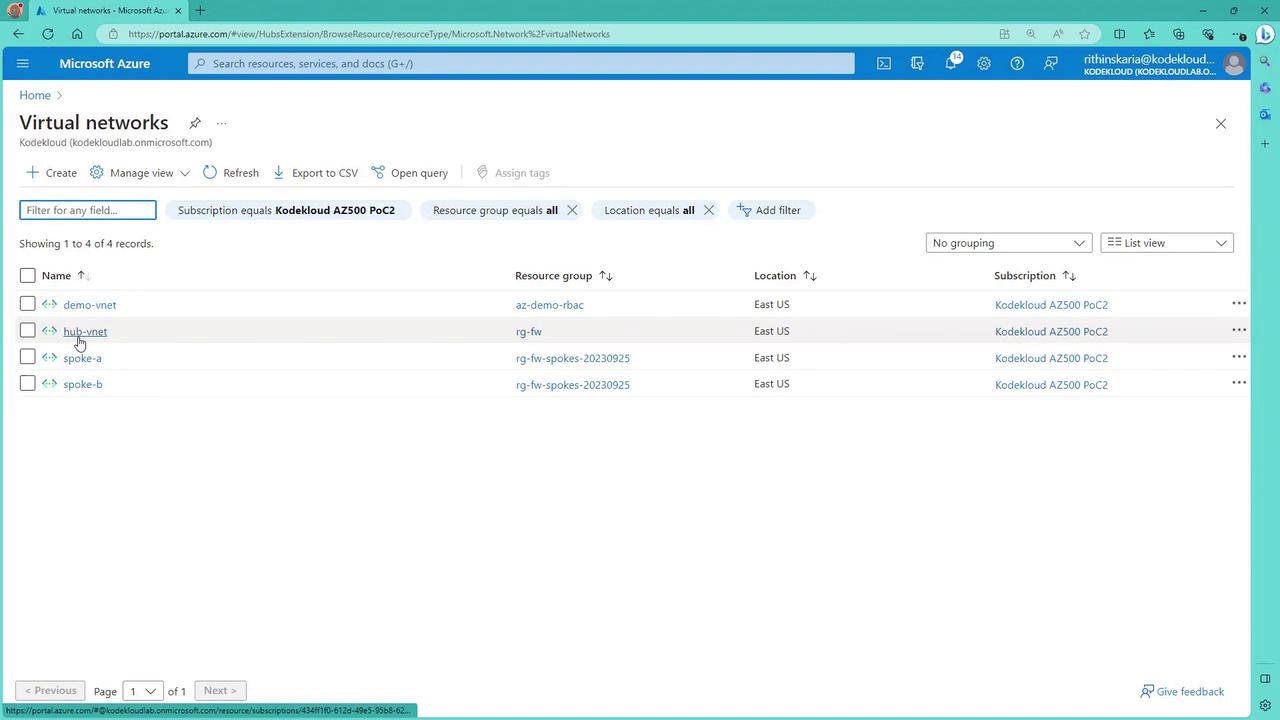
Testing VM Connectivity
Consider Spoke A, which contains two VMs. To connect to one of these VMs via SSH using its public IP, run:curl www.google.com—will confirm Internet access:
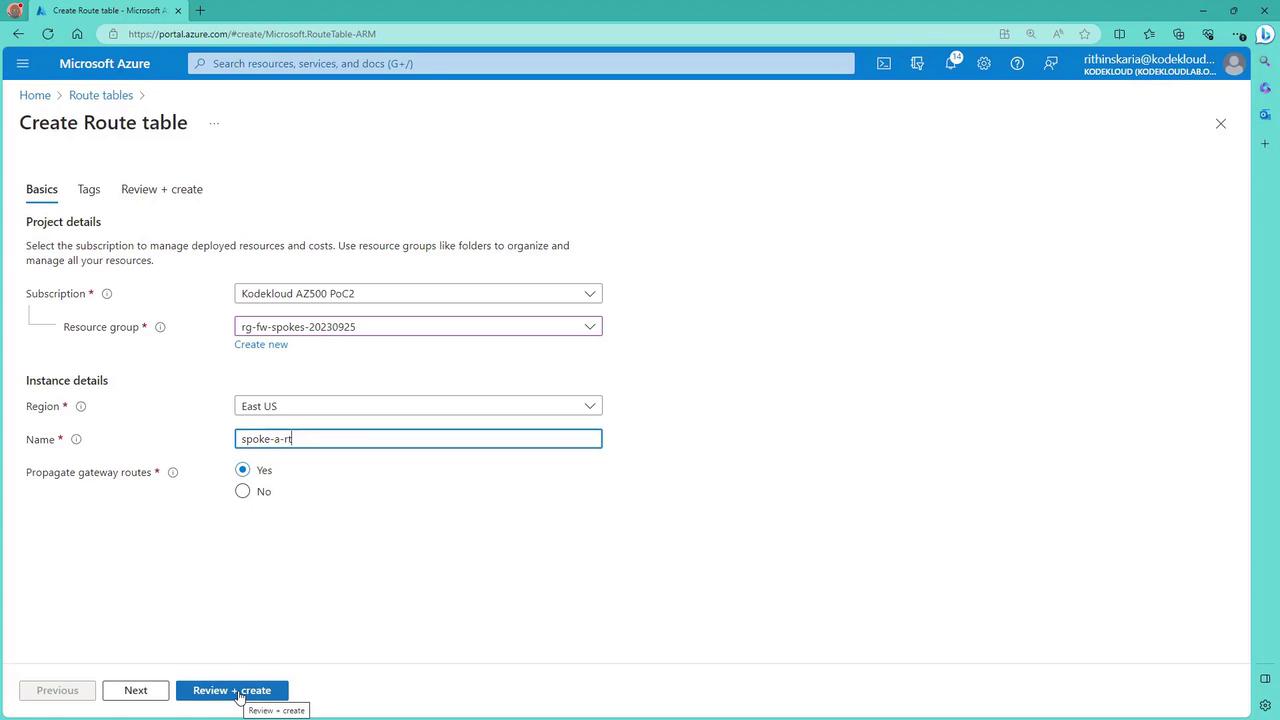
- Create a route table.
- Add routes that redirect traffic to the firewall’s IP when specific destination criteria are met.
- Associate the route table with the target subnet.
Configuring the Route Table for Firewall Traffic
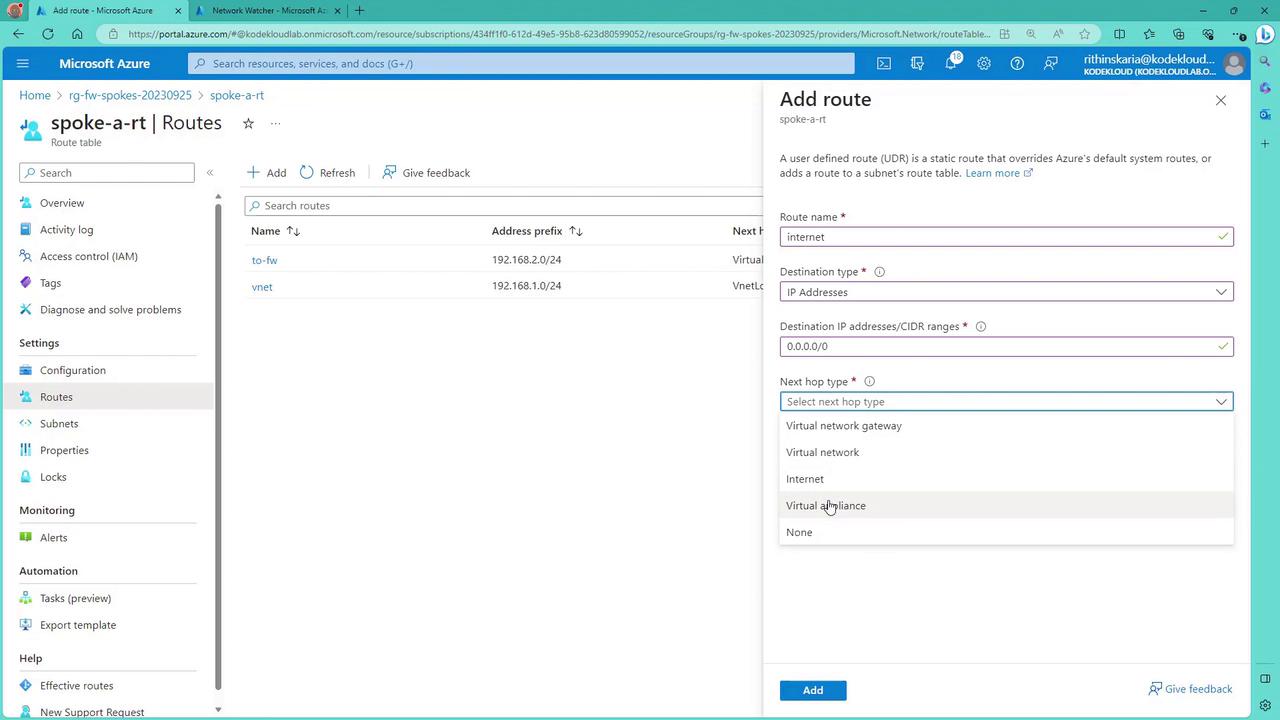
In the route table for Spoke A, you can configure multiple routes such as:- A route for traffic destined for the database subnet (e.g., destination 192.168.2.0/24), which sends traffic through the virtual appliance (firewall).
- A route for internal virtual network communication (e.g., destination 192.168.1.0/24) that continues to use the virtual network’s internal routing.
- A catch-all route (e.g., destination 0.0.0.0/0) to force Internet-bound traffic through the firewall, if required.
Configuring DNAT and Application Rules on the Firewall
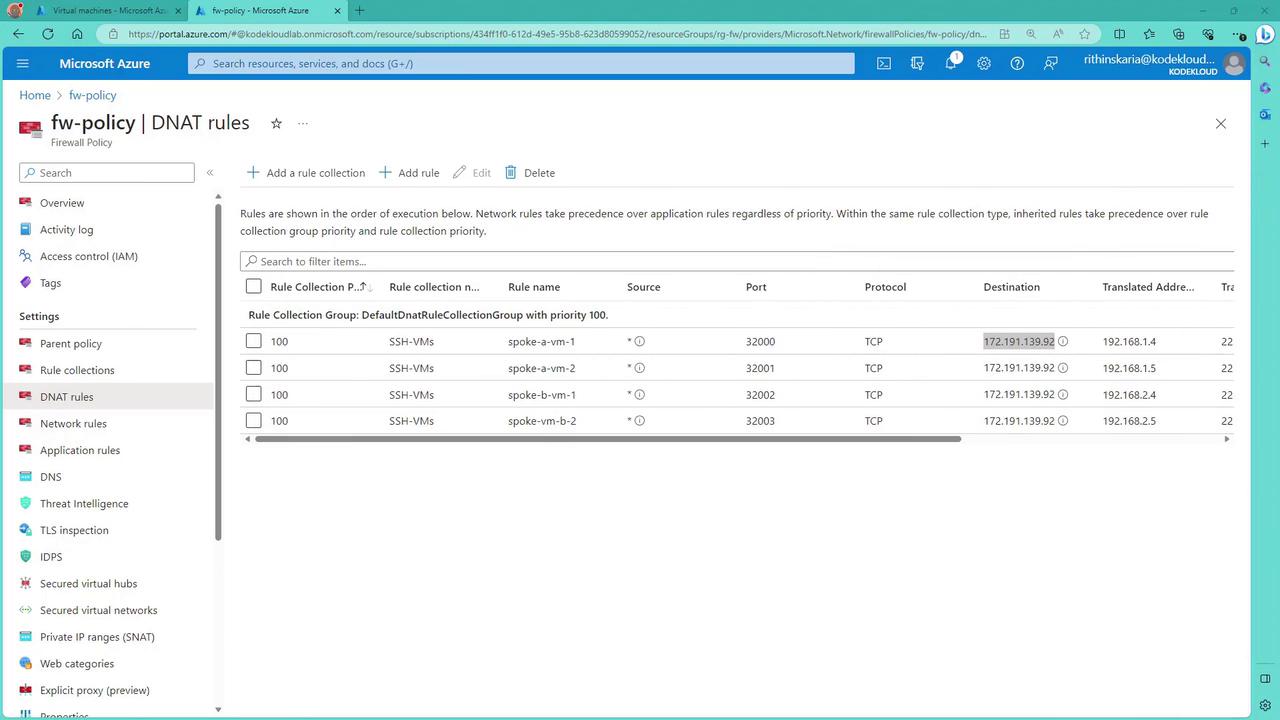
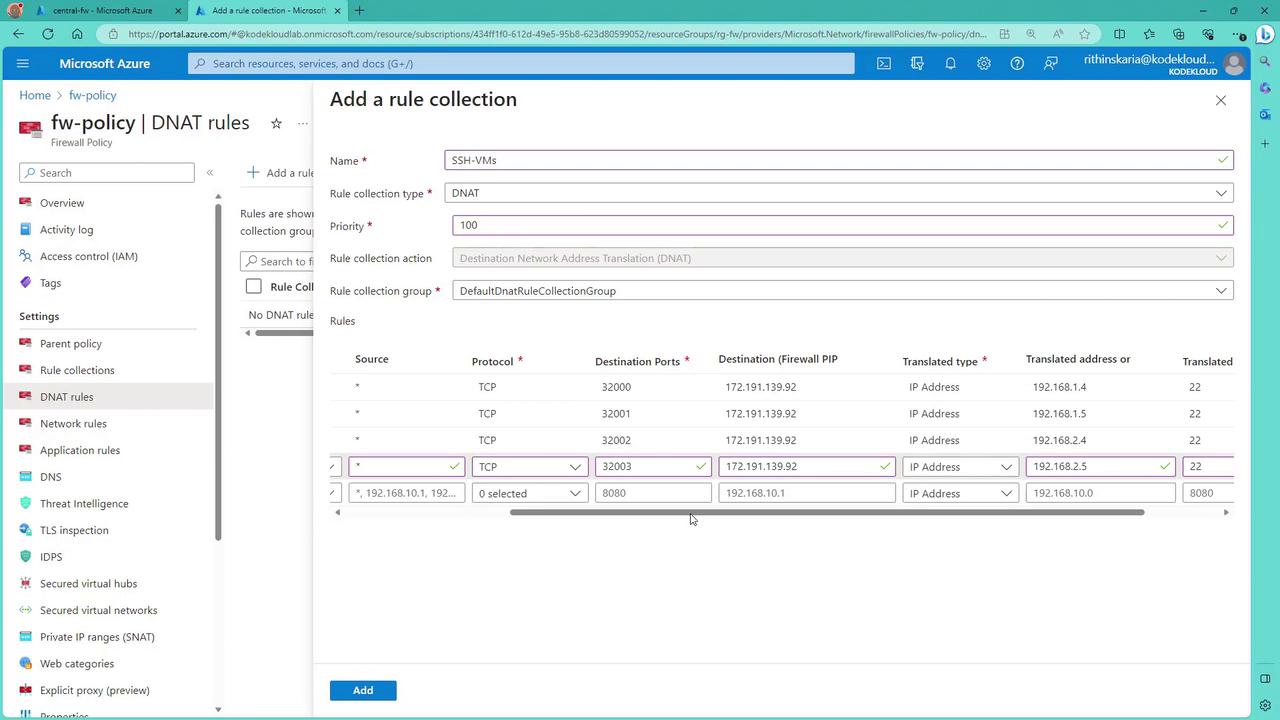
Since the firewall blocks unsolicited inbound connections, you must configure DNAT (Destination Network Address Translation) rules to allow traffic—such as SSH—to reach the VMs behind the firewall. For example, you can create a DNAT rule so that when a request targets the firewall’s public IP on port 32000, it is forwarded to port 22 of a VM in Spoke A. For Spoke A VM1, the DNAT rule could be:- Source: Any
- Protocol: TCP
- Destination: Firewall’s public IP on port 32000
- Translation: Forward to 192.168.1.4 on port 22
- Source: Any (or a specific source IP)
- Protocols: HTTP, HTTPS
- Destination Type: FQDN (e.g., *.google.com)