This guide explains forced tunneling in Azure Firewall deployments for inspecting outbound traffic using on-premises infrastructure before it reaches the internet.
This guide explains the concept of forced tunneling in Azure Firewall deployments and demonstrates how to inspect outbound traffic using on-premises infrastructure before it reaches the internet. Forced tunneling is a key security feature that routes all outbound traffic through a designated next hop, similar to directing vehicles through a checkpoint for inspection.Consider an Azure Virtual Network with three subnets: back-end, mid-tier, and front-end. With a site-to-site connection linking this virtual network to an on-premises network, you can choose to inspect traffic originating from the back-end and mid-tier subnets using on-premises inspection systems. Forced tunneling achieves this by configuring the Azure Firewall to route internet-bound traffic to a predetermined next hop instead of sending it directly online.There are two primary methods to implement forced tunneling:
Advertising a Default Route via BGP: By advertising a default route, you can direct outbound traffic to an on-premises edge firewall or another network virtual appliance.
Employing a User-Defined Route (UDR): Define a route that redirects traffic to an on-premises inspection device.
In this configuration, traffic from the back-end and mid-tier subnets is forwarded from the Azure Firewall across the site-to-site connection to an on-premises firewall. This firewall inspects and validates the traffic before it reaches the internet, ensuring that the Azure Firewall does not expose its public IP address directly to the internet.For the front-end subnet, direct internet connectivity can remain intact. You have the flexibility to channel some traffic for further inspection without compromising the ability to bypass forced tunneling when necessary.
If your Azure Firewall was previously deployed without forced tunneling enabled, it will need to be redeployed in forced tunnel mode to support this enhanced traffic redirection configuration.
Follow these steps to enable forced tunneling within the Azure Portal:
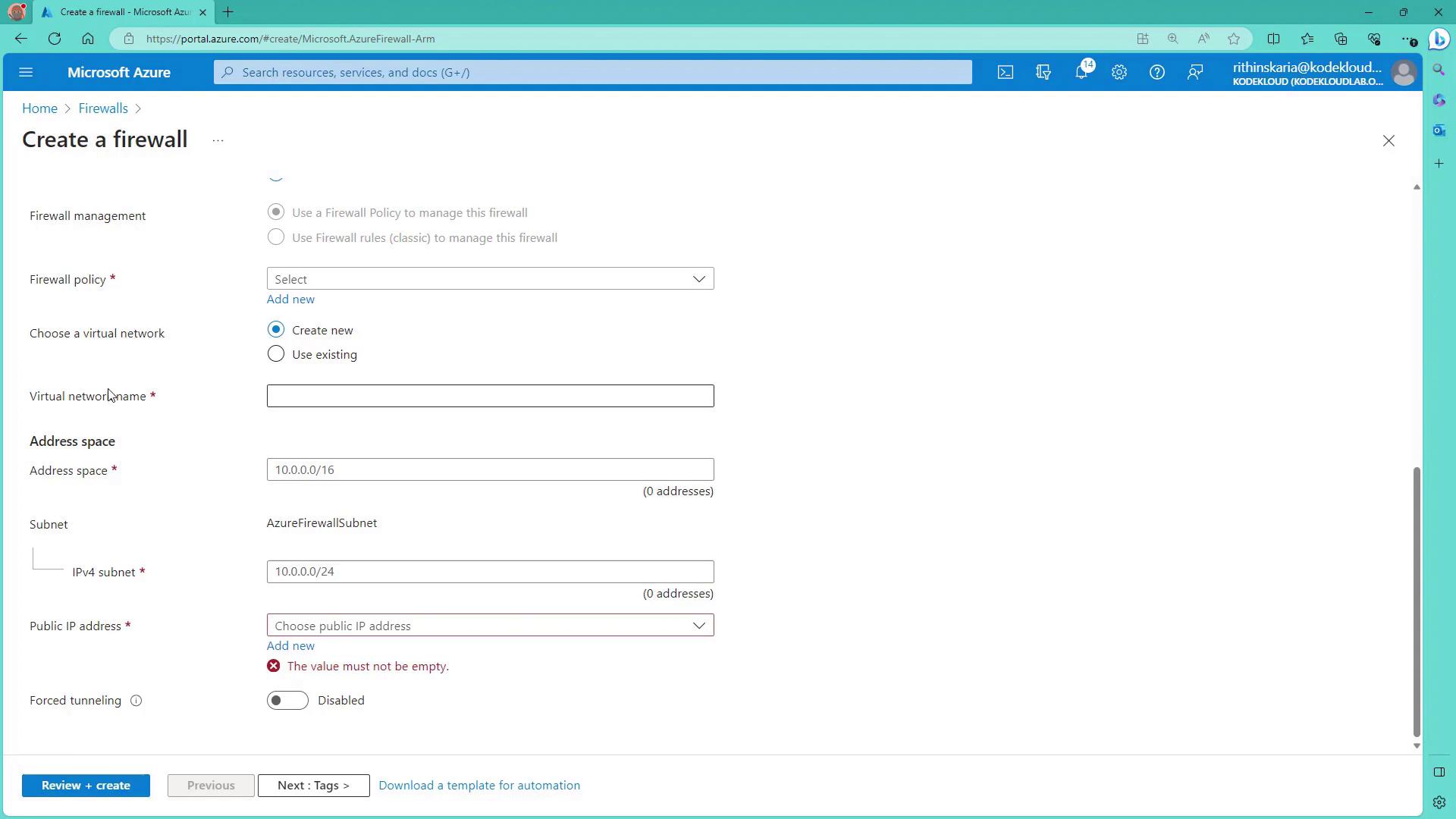
Navigate to the Firewalls section and click on Create.
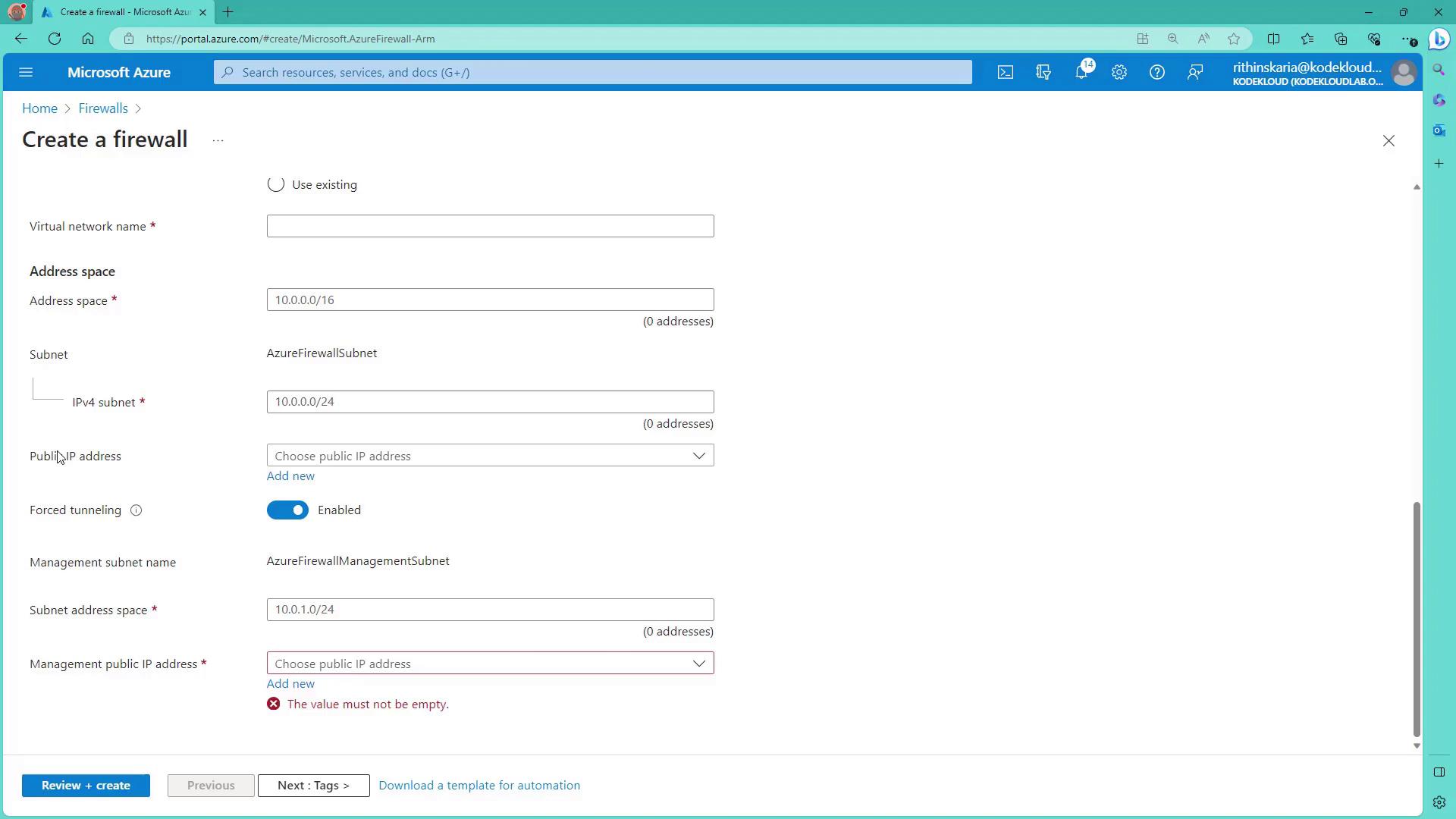
During the setup process, carefully select the forced tunneling option.
When you enable forced tunneling, a dedicated public IP address is automatically assigned as the management public IP for the Azure Firewall’s operations. This IP is exclusively used for management purposes and is not shared with any other service.
A dedicated subnet, named “Azure Firewall Management Subnet,” is created to enforce policies that route traffic over the site-to-site connection to your on-premises firewall.
Within the Azure Portal, when forced tunneling is enabled, the public IP address field for the firewall becomes optional because the management public IP is used exclusively for platform operations.
If forced tunneling is not enabled, providing a public IP address is mandatory, and that IP will be directly exposed to the internet. With forced tunneling activated, the reserved management public IP is solely dedicated to Azure operations for optimal security.
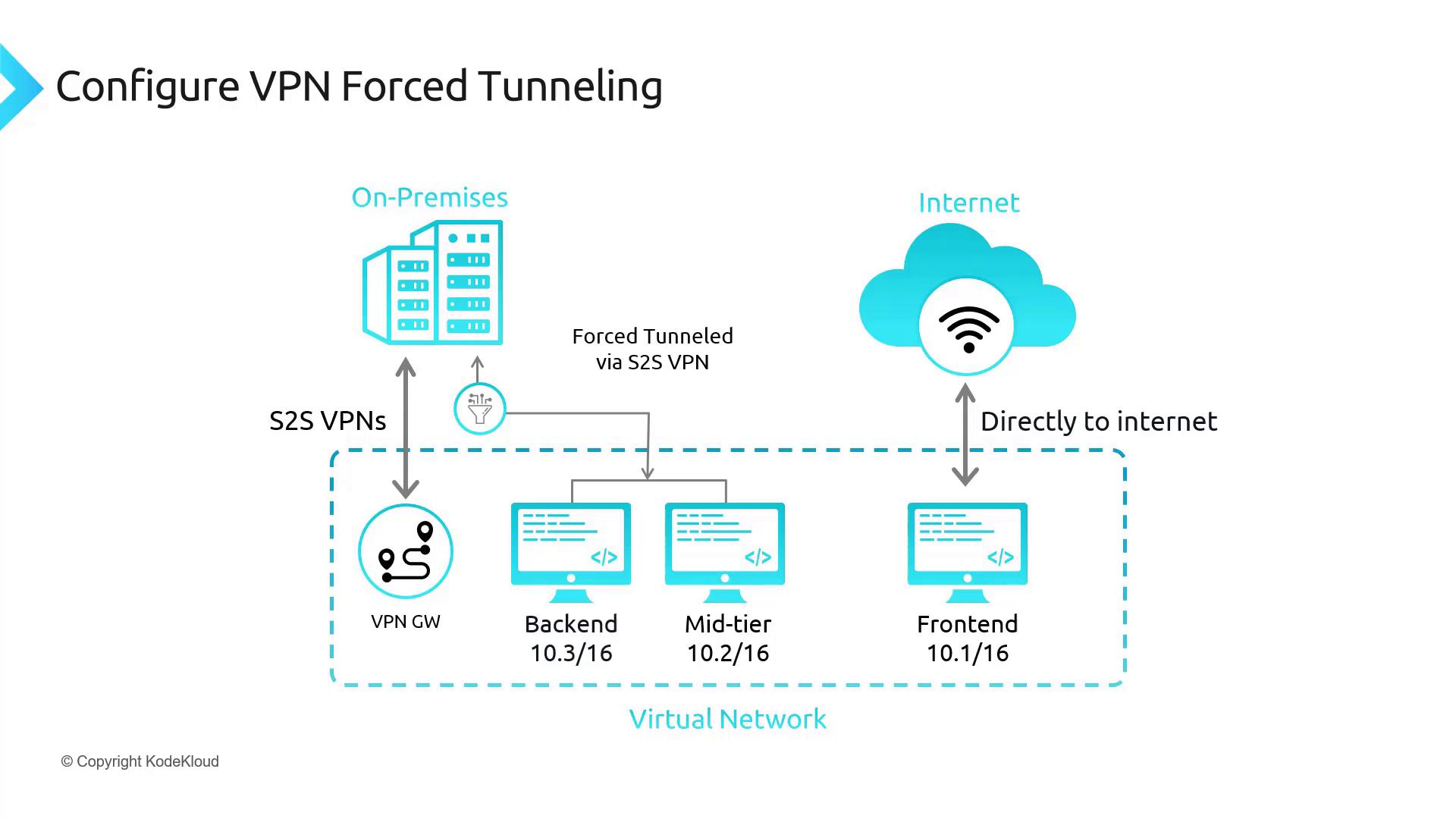
Another concept related to outbound traffic inspection is VPN forced tunneling. In this scenario, all traffic is funneled through the site-to-site connection to an on-premises VPN device or firewall—without the involvement of an Azure Firewall. Machines within the Azure Virtual Network are thus prevented from direct internet access; all internet-bound traffic is forced to pass through the on-premises inspection system.Below is an architecture diagram illustrating VPN forced tunneling:
Key points from the diagram:
The Azure Virtual Network features a VPN gateway along with dedicated back-end, mid-tier, and front-end subnets.
A site-to-site connection securely links the Azure Virtual Network to the on-premises infrastructure.
The front-end subnet retains the capability for direct internet communication if required.
All other traffic is routed over the VPN tunnel to be inspected by on-premises systems, eliminating the need for an Azure Firewall in this scenario.
Forced tunneling—whether implemented via Azure Firewall or VPN gateways—provides an essential layer of security by redirecting outbound traffic to on-premises inspection devices before it reaches the internet. This strategy minimizes direct exposure of public IP addresses and aligns with strict security compliance standards.We will soon explore additional methods involving user-defined routes and network virtual appliances (NVAs) to further refine traffic routing, ensuring that traffic from Azure Virtual Machines is securely routed through the firewall before exiting the network.For more detailed information on configuring Azure Firewall and network routing, refer to the Azure Documentation.