

By synchronizing password resets across all environments, Password Write Back offers a unified experience for users and simplifies password management for administrators.
How Password Write Back Works
In the Self-Service Password Reset (SSPR) portal, a user can set a new password. To activate this functionality, administrators must enable SSPR within the environment. Once a user resets their password using SSPR, the change is automatically replicated to their on-premises Active Directory, ensuring consistency across systems. For a high-level overview, if a user resets their password in Azure AD, the change propagates immediately to all connected applications and the on-premises infrastructure. The following diagram illustrates Microsoft’s Password Write Back feature, detailing the flow from user password reset to synchronization between Azure AD and Windows Server AD.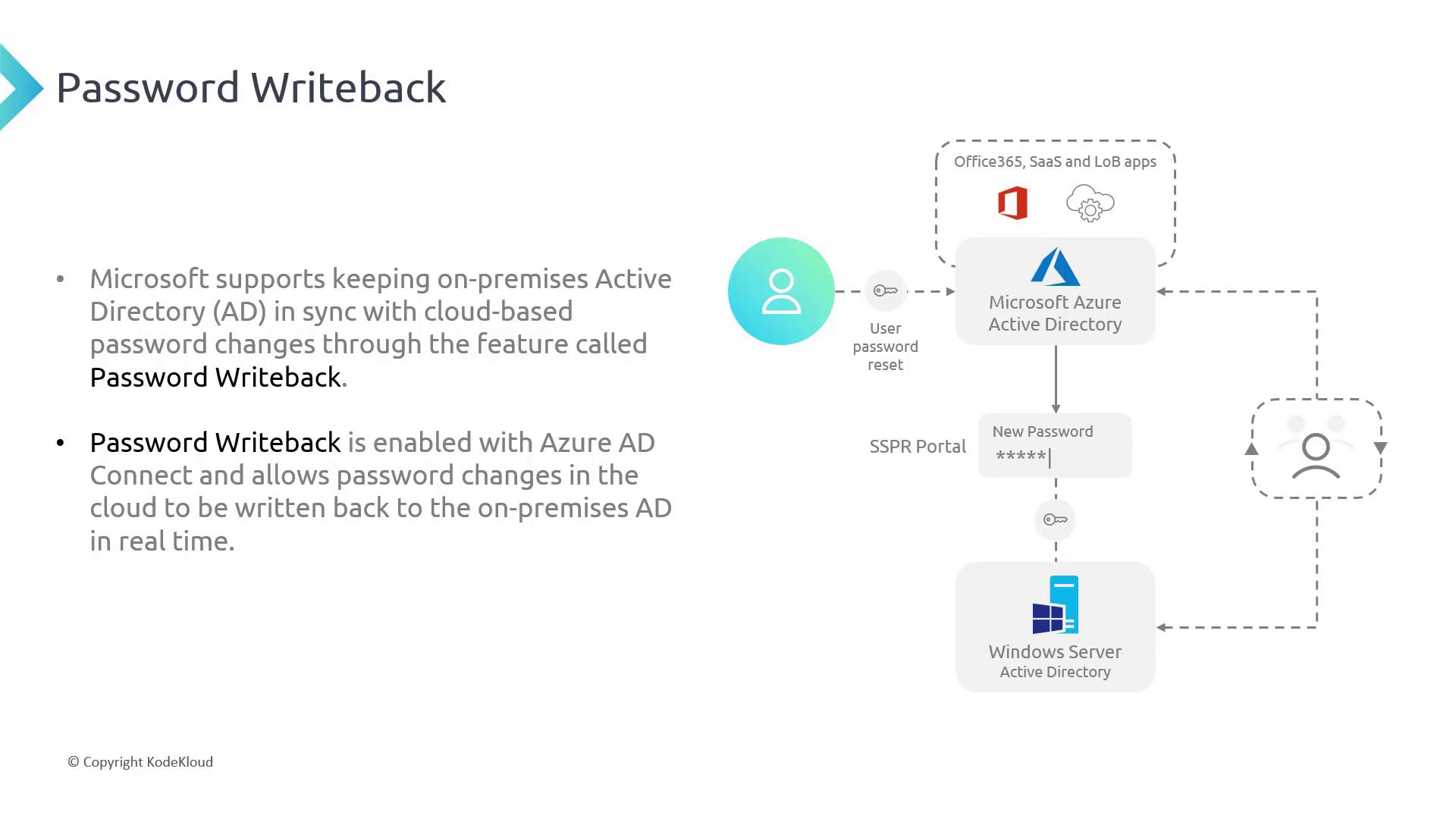
Benefits of Password Write Back
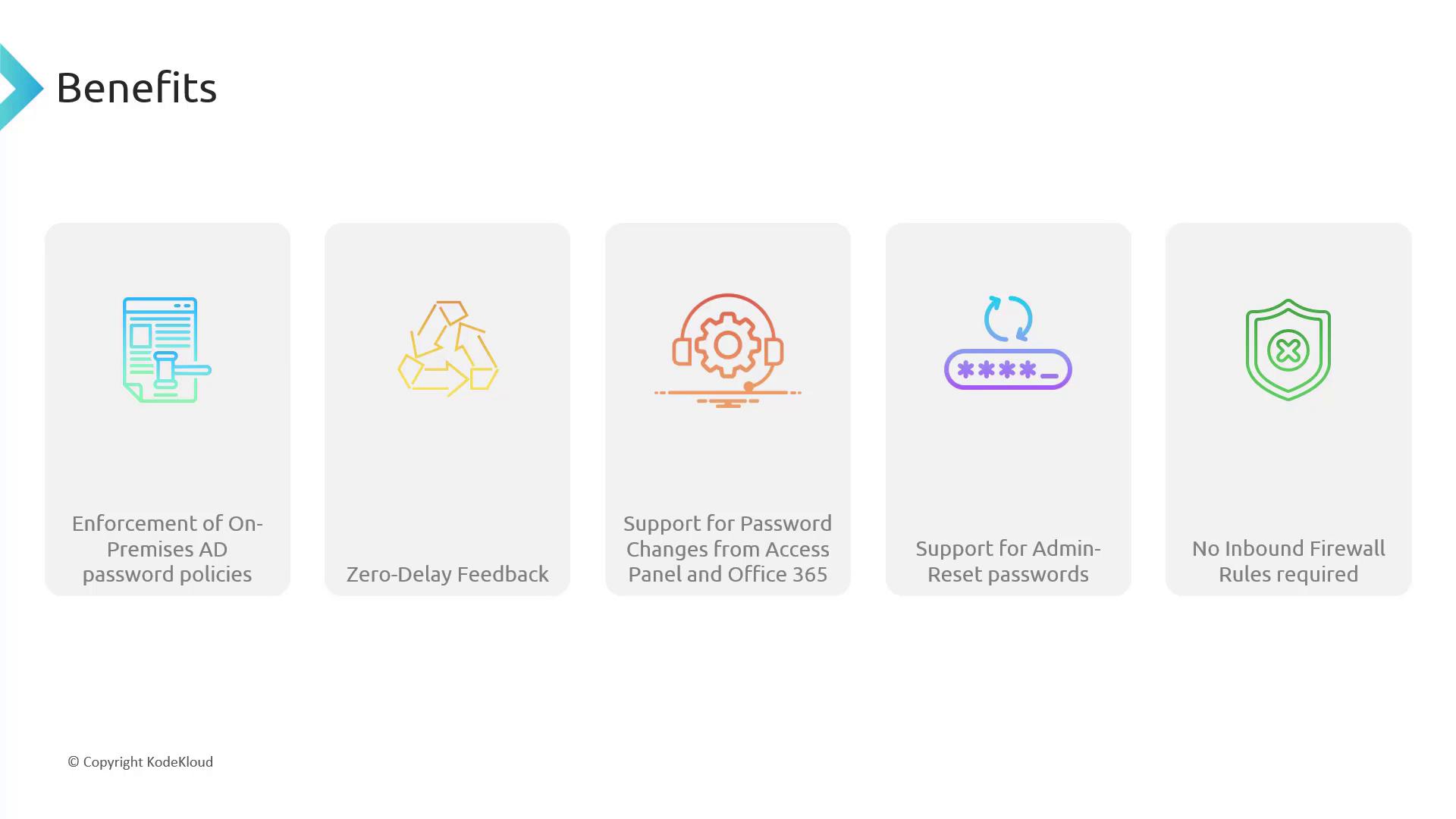
Some of the primary advantages of this feature include:- Enforcement of on-premises AD password policies during cloud-based reset events.
- Zero-delay in propagating new passwords back to the on-premises infrastructure.
- Support for password changes from multiple access points, including the Access Panel and Office 365 portal.
- Allowing administrators to reset user passwords if self-service reset is not available.
- Eliminating the need for additional inbound firewall configurations as communication is secured over HTTPS (port 443).
Enabling Password Write Back in Azure AD Connect
The following screenshot from the Azure AD Connect tool shows where to enable the Password Write Back feature. In this demonstration, the option is visible within the “Optional Features” section.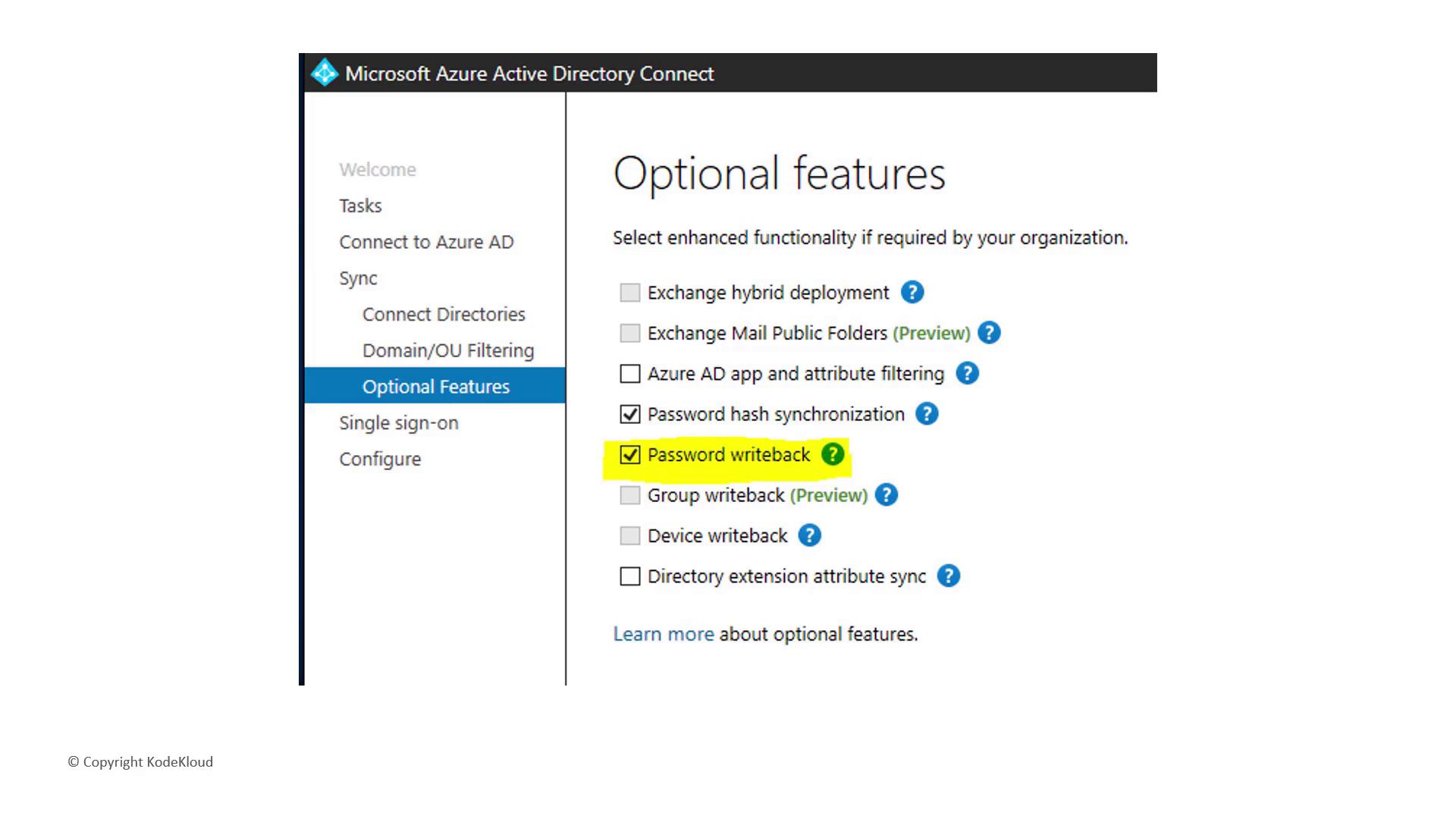
Before proceeding with the configuration, ensure that Self-Service Password Reset (SSPR) is enabled to fully utilize the Password Write Back feature.