This article covers the Secure Transfer Required option, a security feature that enforces HTTPS for Azure Storage Account transactions.
This article covers the Secure Transfer Required option, a vital security feature in the configuration of your Azure Storage Account. By enforcing secure data transfers, this setting ensures that all transactions occur over HTTPS, protecting your data from potential risks.Secure Transfer Required is a data protection measure provided by Microsoft Azure. It mandates that every request to a storage account uses HTTPS instead of HTTP. If any request is attempted using HTTP, it will be automatically rejected.
Enhanced security through encrypted data transfers.
Compliance with industry standards and data privacy regulations – critical for organizations that enforce HTTPS for all data transactions.
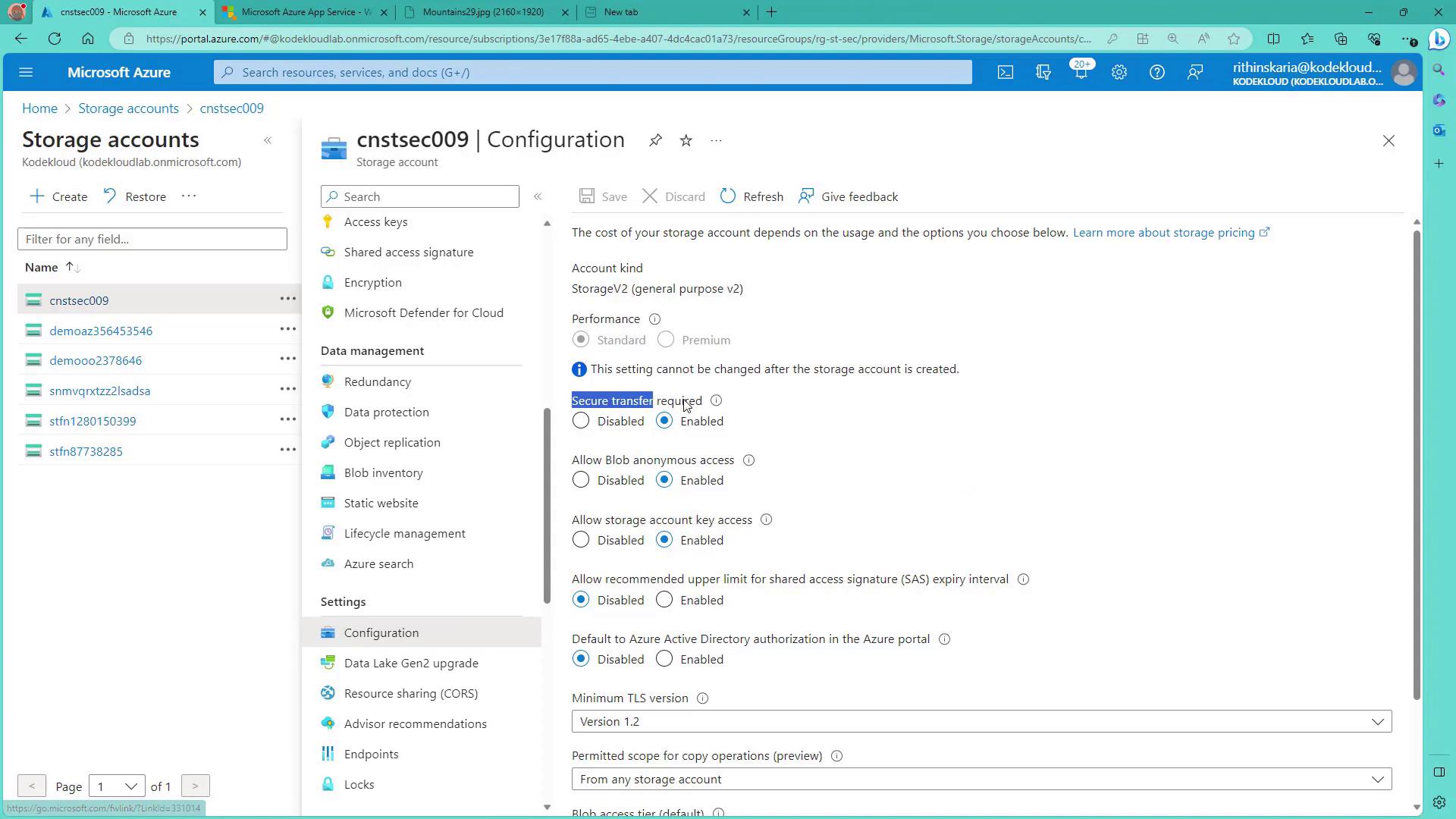
By default, this option is enabled, meaning every interaction with your Azure Storage Account is secured. Although you can temporarily disable it for testing purposes, re-enabling the feature will block all HTTP connections, thereby restoring the security protocols.
To configure this feature in the Azure portal, navigate to your storage account’s configuration settings. You’ll notice that the Secure Transfer Required option is enabled by default.
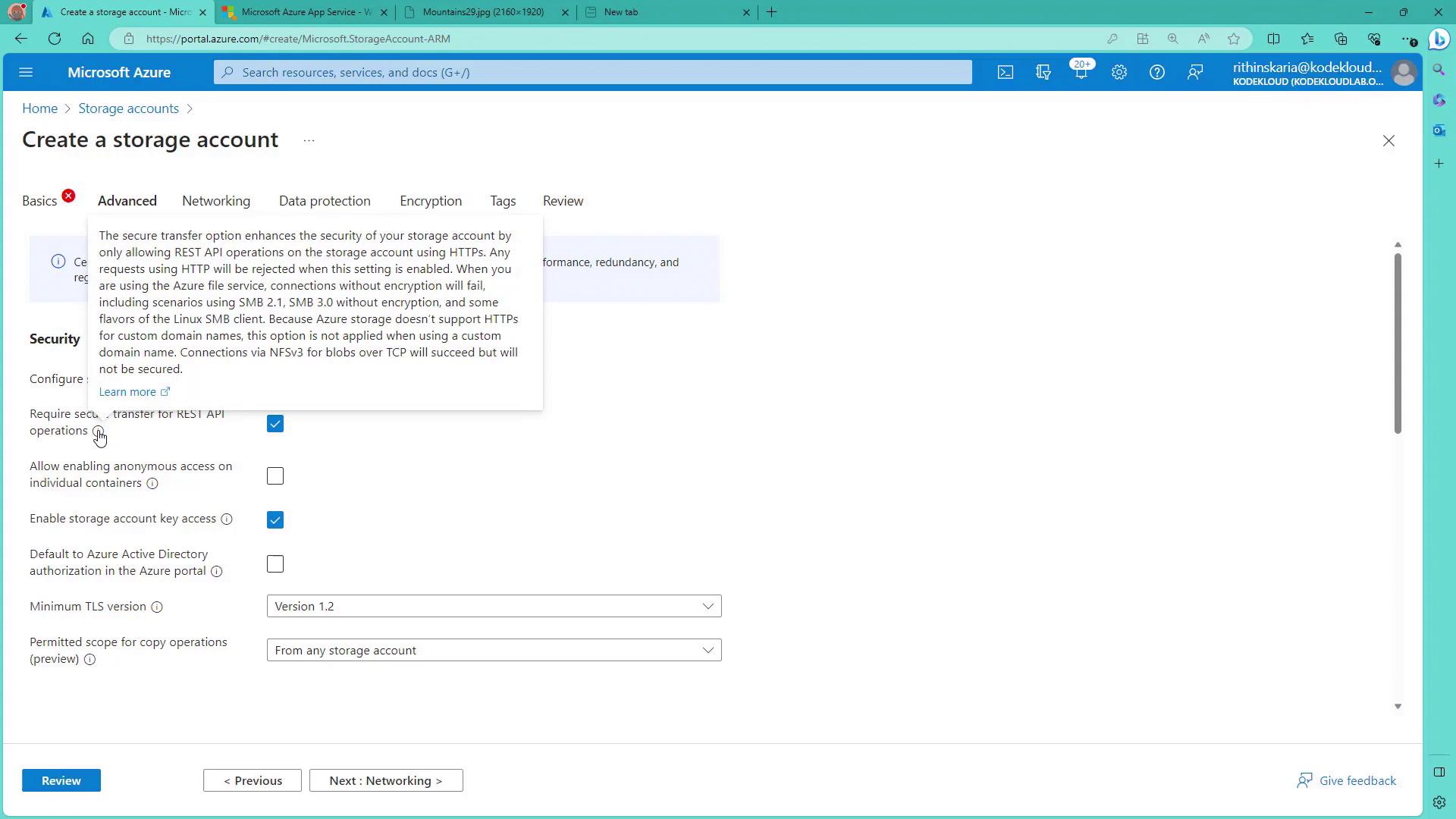
When creating a new storage account, access the “Advanced” tab to find the setting labeled “Required secure transfer for REST API operations.” Hovering over this option will display a tooltip that explains the importance of using HTTPS for all operations.
Ensure that the Secure Transfer Required option remains enabled in your production environments to maintain robust security protocols for your data transfers.
This concludes our discussion on securing data transfers in Azure Storage Accounts. In our next lesson, we will shift focus to database security, exploring best practices to further protect your data assets.See you in the next lesson.