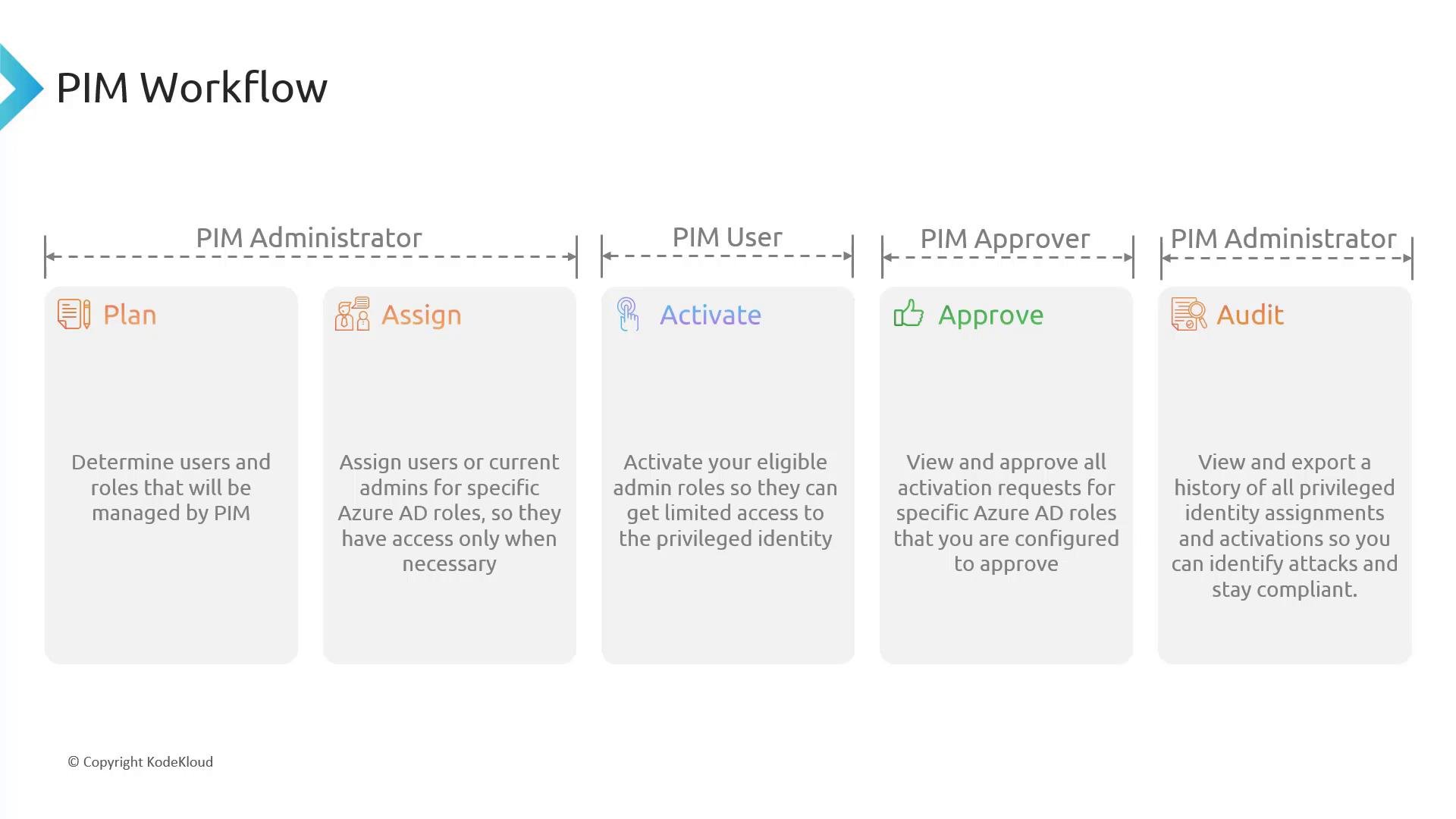
- Plan
- Assign
- Activate
- Approve (when required)
- Audit
- PIM Administrator — configures assignments, policies, and audits activity.
- PIM User — requests and activates eligible privileges.
- PIM Approver — reviews and approves activation requests when approval is required.
Plan
- Start by scoping your PIM rollout. Identify which Azure AD roles (e.g., Global Administrator, Privileged Role Administrator) and which Azure RBAC roles (e.g., Owner, Contributor) should be managed through PIM.
- Decide whether each role should be eligible (recommended) or permanently assigned (use sparingly).
- Define policy settings for each role:
- Require approval? (Yes/No)
- Require MFA? (Yes/No)
- Require activation justification? (Yes/No)
- Maximum activation duration (hours)
- Map roles to owner(s) and approver(s) so there is accountability for approvals and periodic reviews.
Plan for least privilege and just-in-time access: make users eligible only when required, avoid permanent privileged assignments, and document approval and review owners.
- Configure role assignments in PIM for the scoped identities:
- Make users or groups eligible for Azure AD roles and/or Azure resource roles.
- Configure assignment options, for example:
Require approval: trueRequire MFA: trueRequire justification: trueMaximum duration: 8 hours
- Assignments enable users to request temporary elevation rather than maintaining standing privileged access.
- Maintain an assignment inventory and periodically review eligible assignments to remove stale entries.
- When elevated rights are needed, the PIM User activates their eligible role:
- Activation methods: Azure portal (PIM blade), PowerShell, or Microsoft Graph API (where available).
- Provide required information according to policy: justification, requested duration, and complete any required MFA.
- If the role allows immediate activation (no approver), the user receives the elevated privileges for the configured duration.
- After the activation period expires, privileges are automatically revoked.
- If the role is configured to require approval, an approver receives a notification about the activation request.
- The approver reviews request details (requesting user, justification, requested duration, time of request) and takes one of these actions:
- Approve — grants the requested privileges for the approved duration.
- Deny — blocks the activation.
- Approvers should validate the business need, time window, and whether the request matches expected tasks before approving.
- Use PIM reports, access reviews, and audit logs to monitor privileged activity and ensure compliance:
- Review activation history: who activated which role, start/end times, and justification.
- Conduct periodic access reviews to confirm eligible assignments remain necessary.
- Remove unused or unnecessary eligible assignments.
- Investigate anomalous activity and escalate as needed.
- Continuous auditing closes the loop and helps refine policies, approvers, and assignment scope.
- Enforce least privilege and JIT access.
- Require MFA and justification for high‑risk roles.
- Use approval workflows for sensitive privileges.
- Keep the list of permanent assignments as small as possible.
- Automate access reviews and export logs to SIEM for correlation and alerting.
- Azure AD Privileged Identity Management documentation
- Azure RBAC documentation
- Microsoft Graph API for PIM and role management