This article explores Azure Key Vaults safety and recovery features, focusing on soft delete and backup options for secure data management.
In this article, we explore the safety and recovery features provided by Azure Key Vault with a focus on soft delete and backup options. These features ensure that your sensitive data, such as keys, secrets, and certificates, remains secure and recoverable even after accidental or unauthorized deletion.
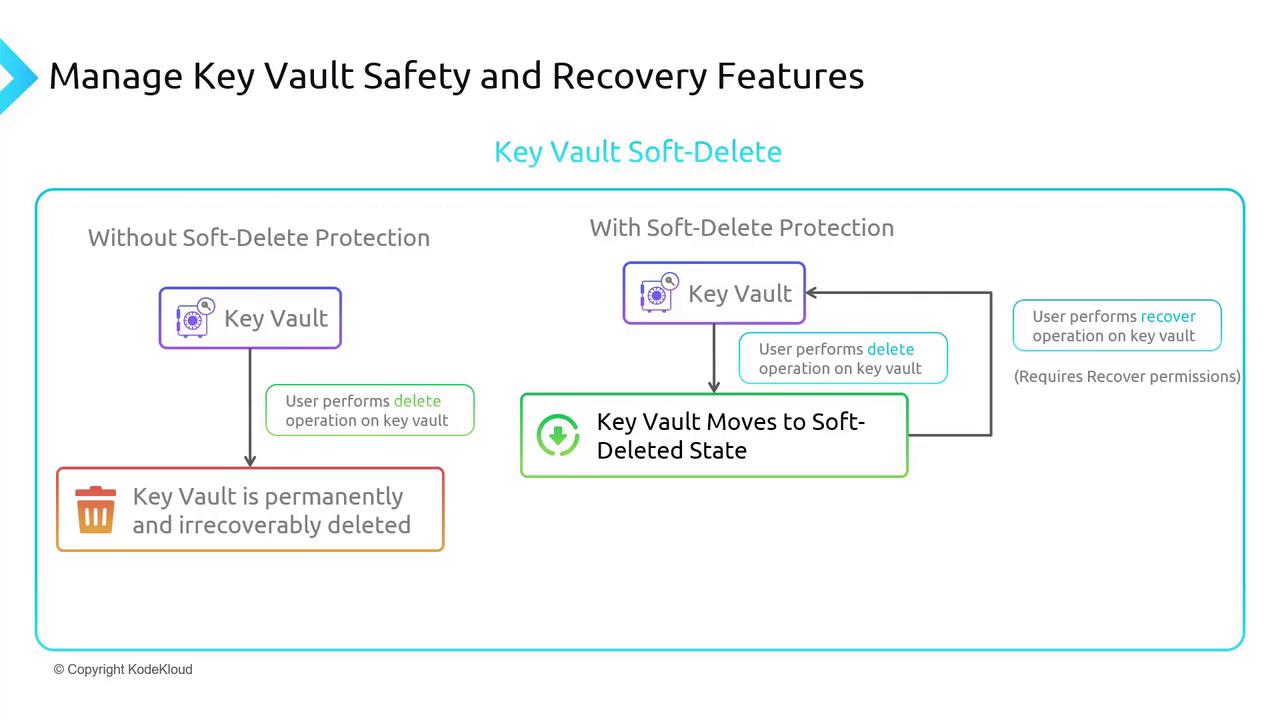
Azure Key Vault enables soft delete by default to prevent accidental or unauthorized deletions. Without soft delete, a deletion would permanently remove the vault and all its components, potentially leading to significant production outages. When soft delete is active, a deleted vault transitions into a recoverable state instead of being removed immediately.
If an immediate permanent deletion is required, you can perform a purge operation on the Key Vault. Purging bypasses the soft delete state and permanently removes the vault. Think of soft delete as a safety mechanism—a two-step process where the vault is first soft-deleted and then purged if necessary.
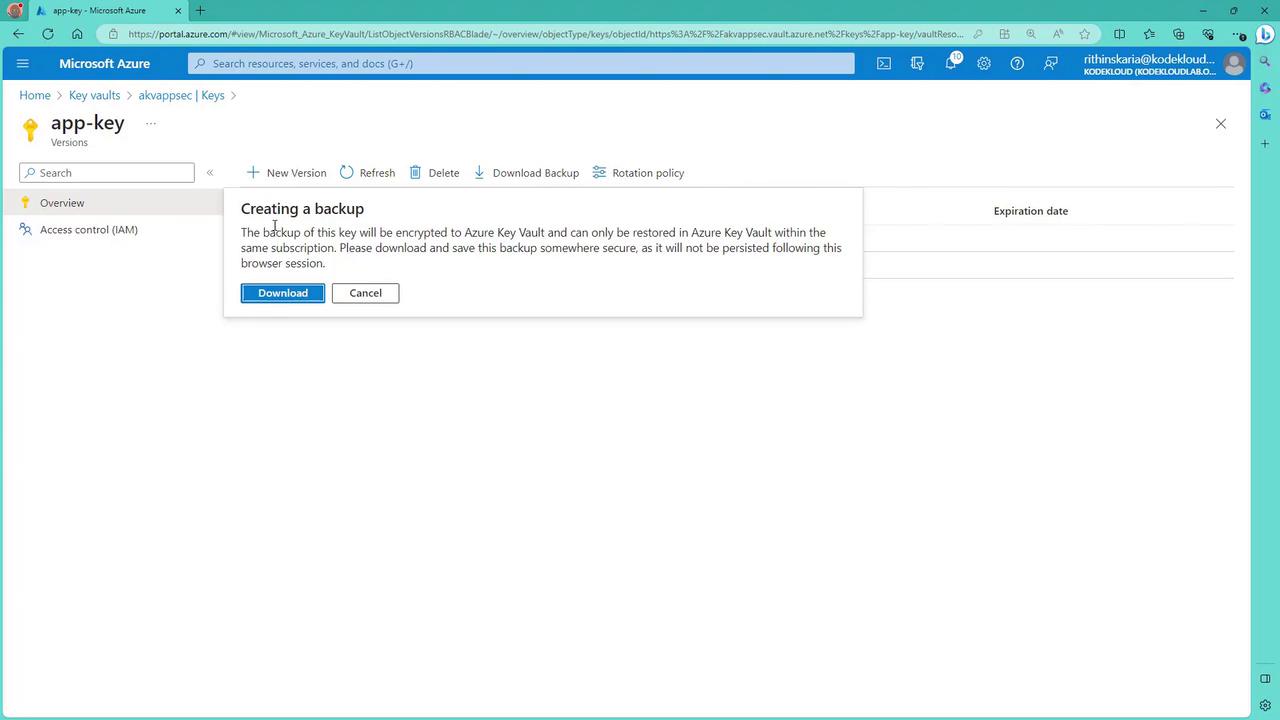
Azure Key Vault offers the ability to back up keys, secrets, and certificates individually. The backups are not stored in a recovery service vault; they must be downloaded and secured locally or in another trusted key management system. Currently, there is no single operation that backs up the entire Key Vault.
Before automating backup processes with scripts, be aware that Microsoft recommends caution with automated backups. Manual downloads help mitigate risks of errors and reduce potential support issues.
To back up a component, simply download the backup file and ensure that it is stored in a secure location.
Configuring and Accessing Backup Features in the Azure Portal
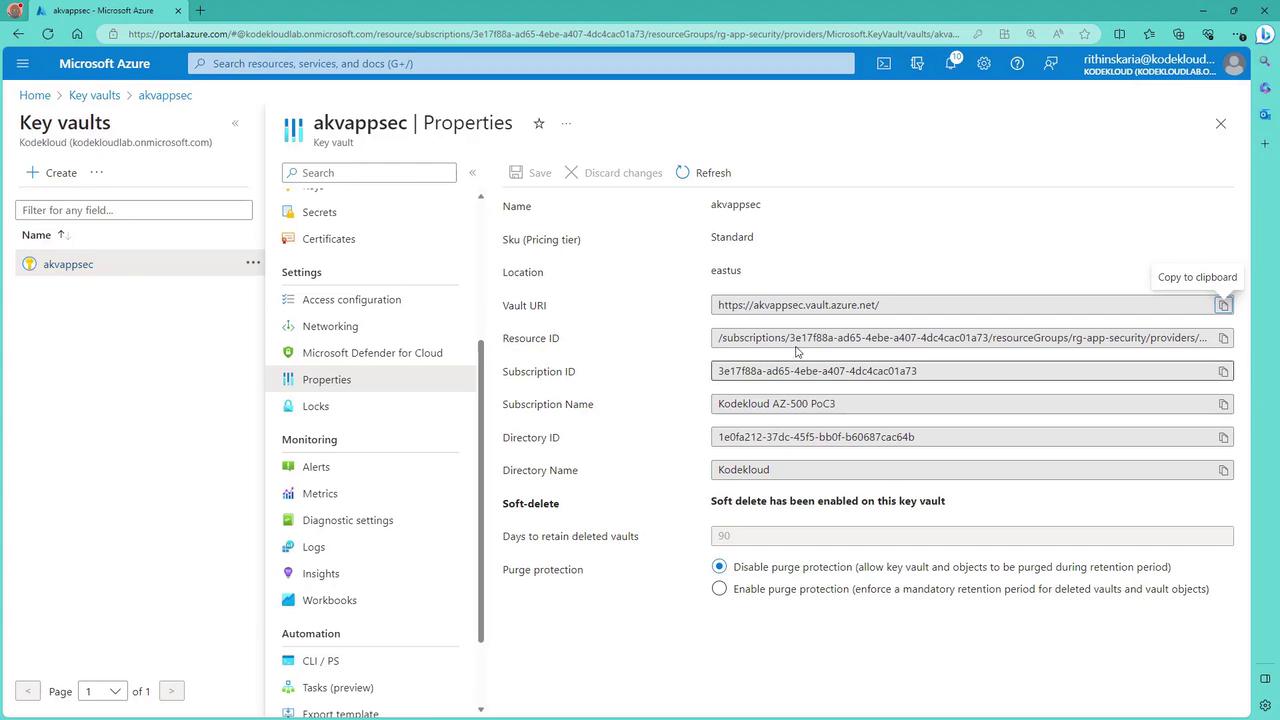
When you open a Key Vault in the Azure portal and review its properties, you will notice that soft delete is enabled by default. Additionally, purge protection can be configured when creating a vault. Although soft delete cannot be disabled once set, you can adjust purge protection settings. If purge protection is enabled, even after a vault is soft-deleted, it must remain for a mandatory retention period (typically 90 days) before it is eligible for purging.
Navigating to the keys section in your Key Vault allows you to create backups for individual keys. A backup option will appear as soon as you select a key.
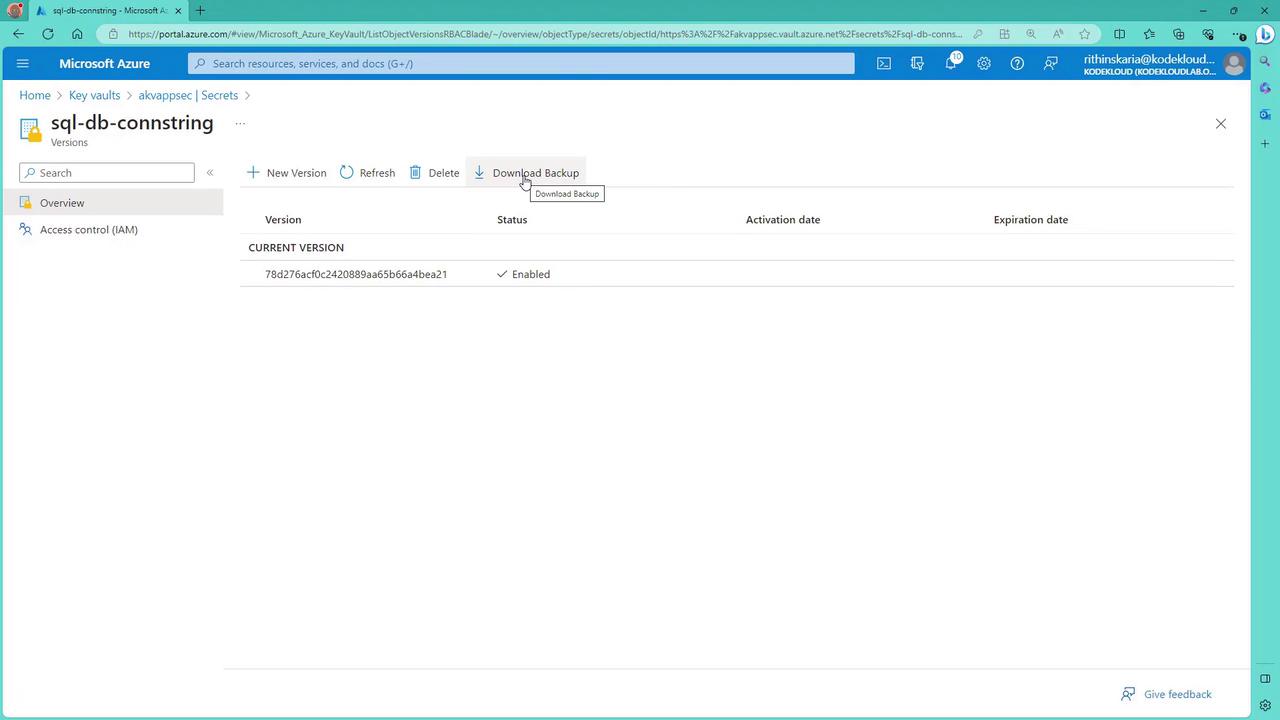
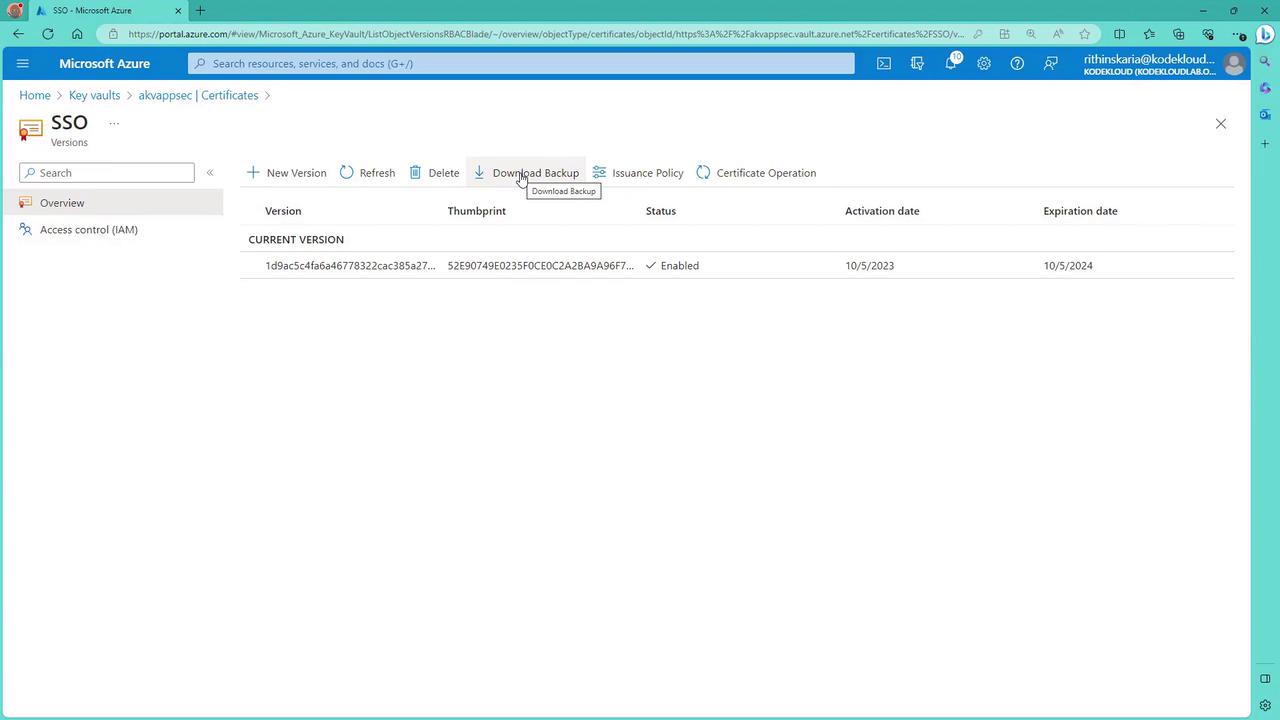
Similarly, when you view secrets, you also have the option to download their backup files. The same functionality applies when managing certificates. Viewing a certificate in the portal reveals a backup download option.
For certificates, the Azure portal provides a similar interface:
The key takeaway is that while you can back up each key, secret, or certificate individually, there is no single operation to back up an entire Key Vault. If a comprehensive backup is necessary, download and securely store each component individually.
This concludes our review of key safety and recovery features for Azure Key Vault. In our upcoming article, we will dive deeper into application security topics such as managed identities, service principals, and graph permissions.See you in the next article.