Understanding Key Azure Services
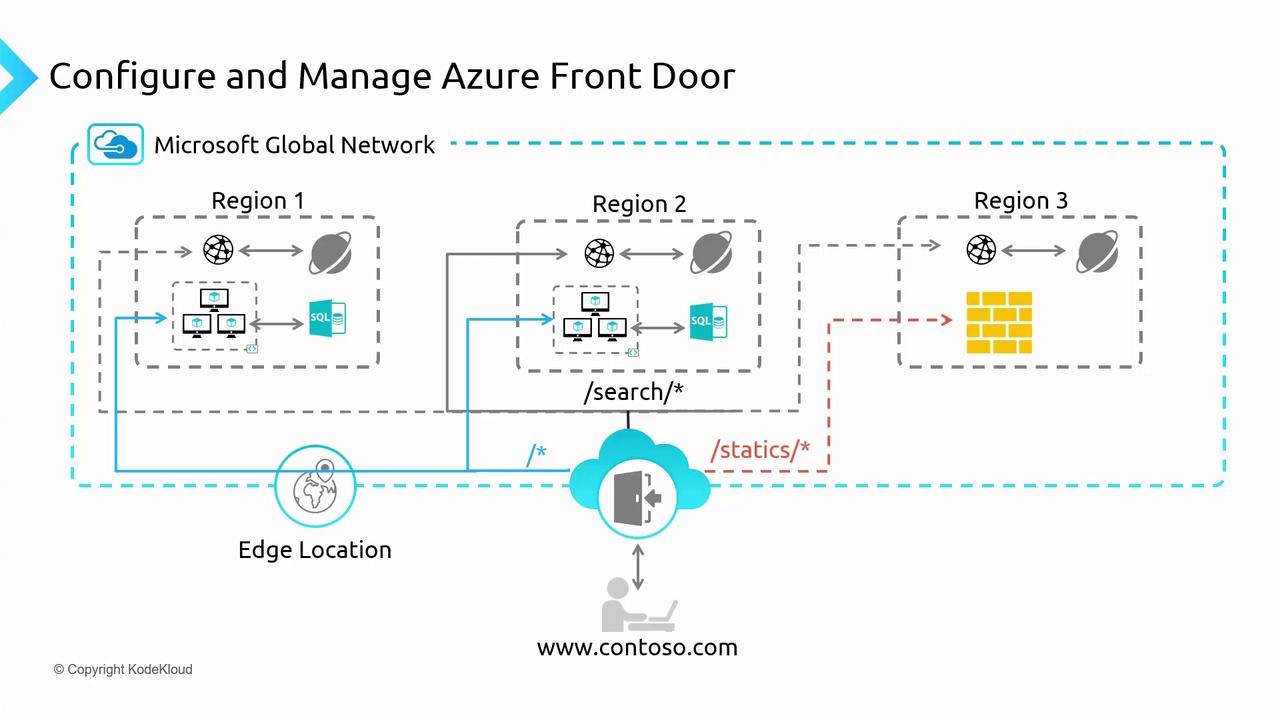
Azure Application Gateway is a regional load balancer designed primarily for handling traffic within a single region. Operating at layer 7, it can manage requests based on HTTP/HTTPS attributes such as headers and paths, making it ideal for routing traffic within a multi-tier application. In contrast, Azure Front Door is a global load balancer that operates at the edge of the Azure network. It provides robust WAF protection and ensures optimal traffic distribution across multiple endpoints—whether in different Azure regions or on-premises. Its key features include:- Global load balancing
- URL-based routing
- SSL termination
- WAF protection across regions
- Integration with Azure Content Delivery Network (CDN) to reduce latency
Key Benefits of Azure Front Door
Azure Front Door provides several benefits over regional load balancers like Application Gateway:- Global Reach: Seamlessly directs user traffic to the nearest endpoint, improving latency and performance.
- Integrated CDN: Works with Azure CDN to cache and deliver content worldwide.
- Enhanced Security: Supports WAF policies across multiple regions.
- Additional Features: Offers SSL/TLS termination, traffic routing, URL rewriting, health monitoring, and failover.
Deploying Azure Front Door
Using Azure Portal and Custom Script
To deploy Azure Front Door, you can use the Azure Portal combined with a custom deployment script. This script deploys three applications across West Europe, Southeast Asia, and East US. The deployment ensures that users are directed to the endpoint closest to their location. For example, if you are closest to West Europe, your traffic is routed accordingly. Below is a sample output from the script that sets up the resources:Ensure that .NET is installed on your computer before running the script. The script deploys three app services along with your custom application code.
Exploring the Azure Portal
- Resource Group Overview:
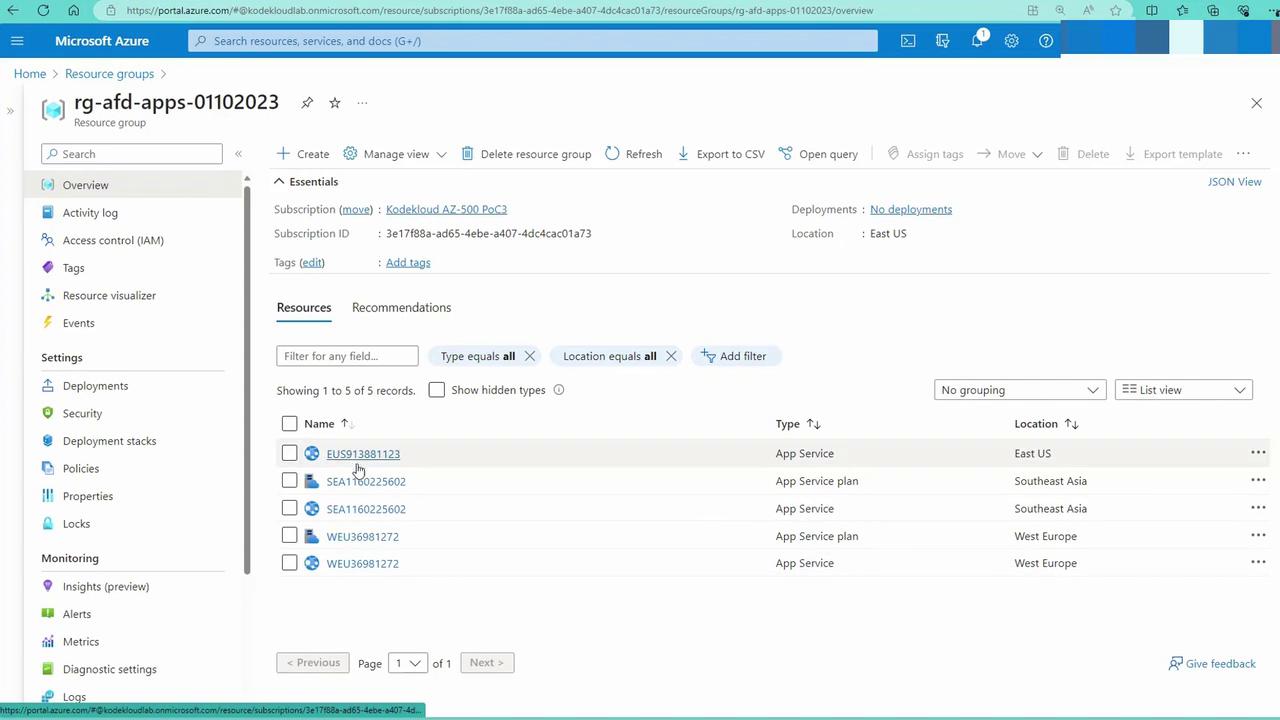
Open the Azure Portal and navigate to the resource group created by the script (e.g.,rg-afd-apps-01102023). This group contains various app service plans and deployed app services.
-
App Service Inspection:
When you open an app service (for example, “KodeKloud E-U-S”), you will see similar services deployed for West Europe (W-E-U) and Southeast Asia (“KodeKloud Southeast Asia”). -
Deploying Azure Front Door:
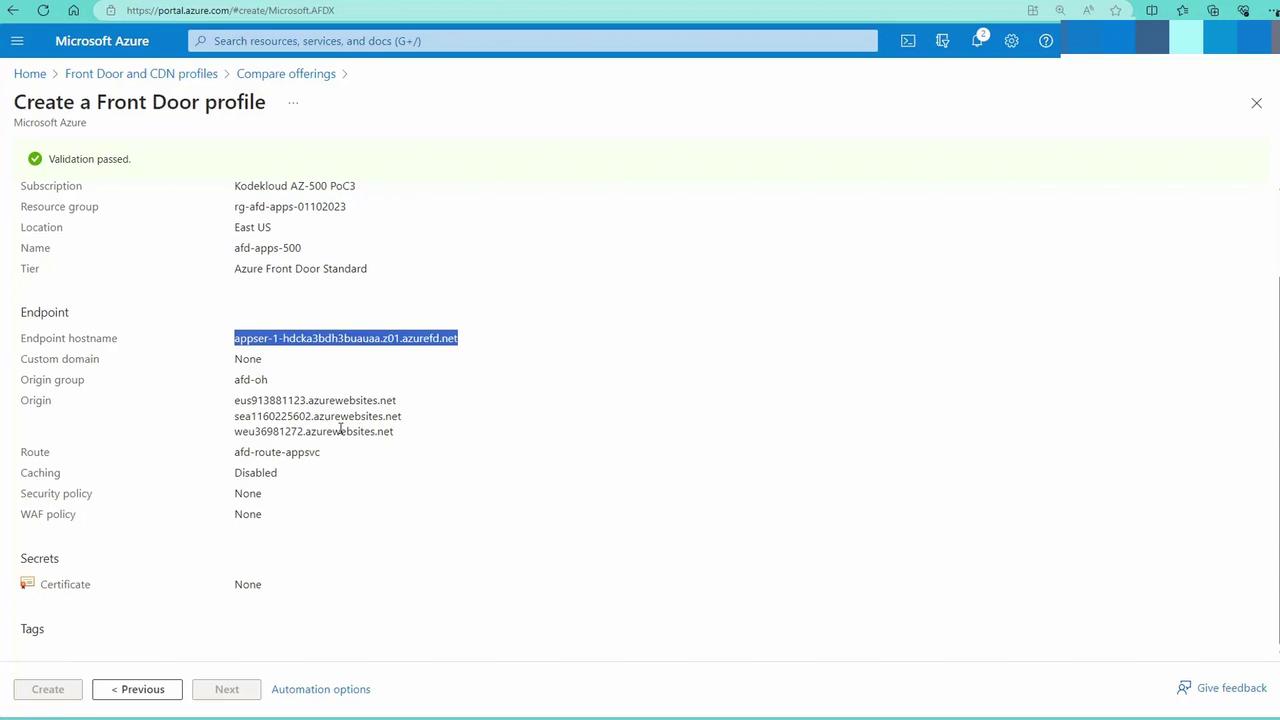
In the Azure Portal, search for “Firewall and CDN profiles” and select “Create Front Door and CDN Profile.” Although classic options are available, the modern Azure Front Door solution offers enhanced features and performance.
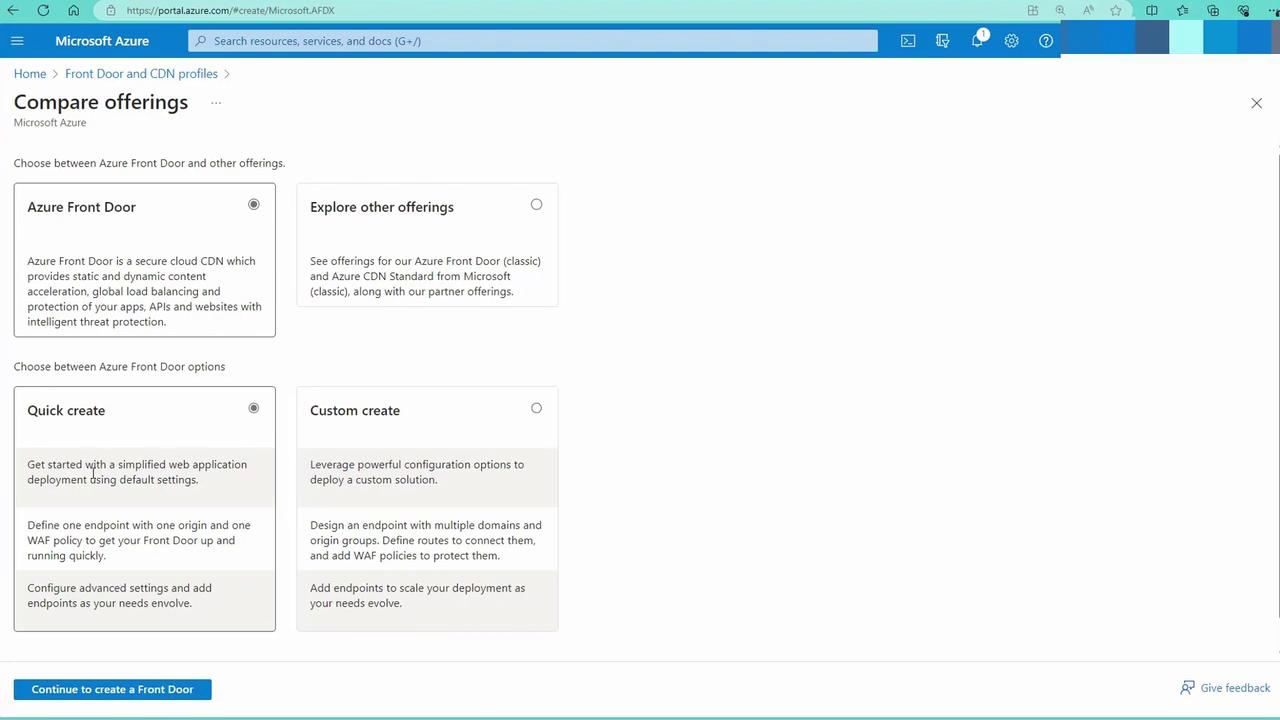
- Custom Create: Choose “Custom Create.” When prompted, select your resource group and assign a name (e.g., “AD Apps 500”). Note that, although Azure Front Door is a global service, it requires a region to store its metadata—the same region as the resource group.
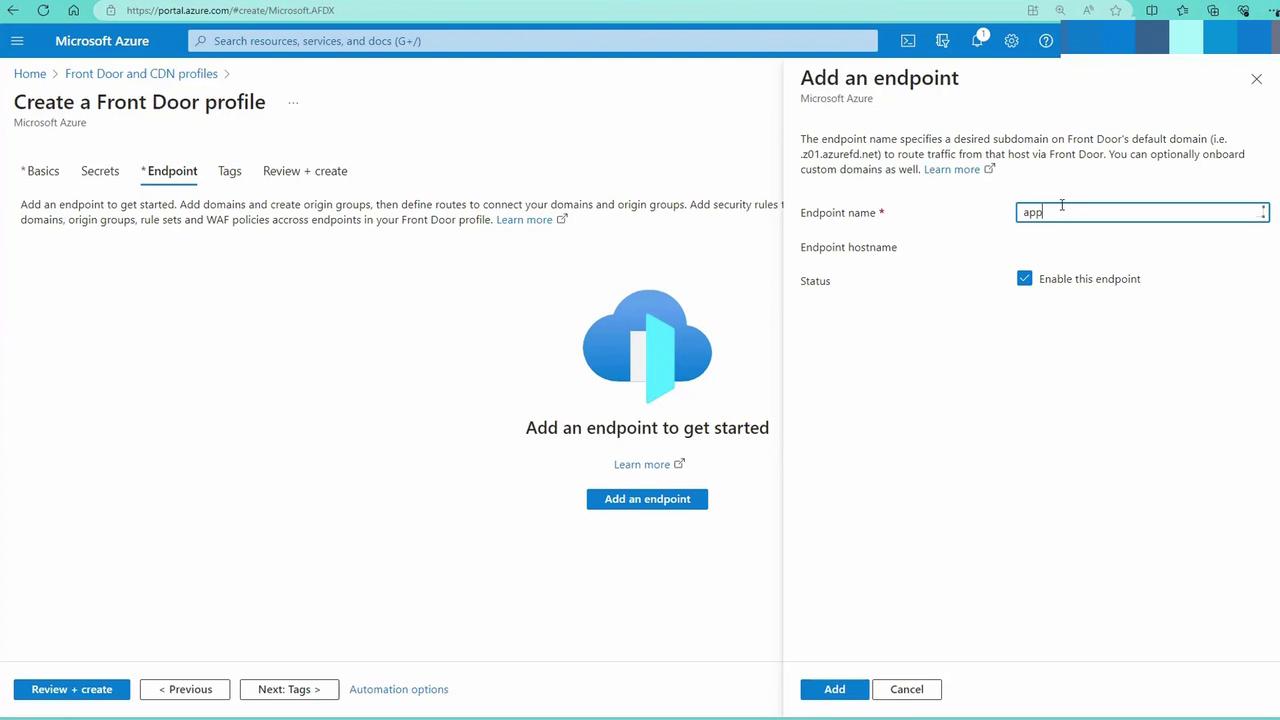
- Endpoint Configuration: Add an endpoint by providing a name (e.g., “AppSR1”) and clicking on Add.
- Adding a Route and Origin Group:
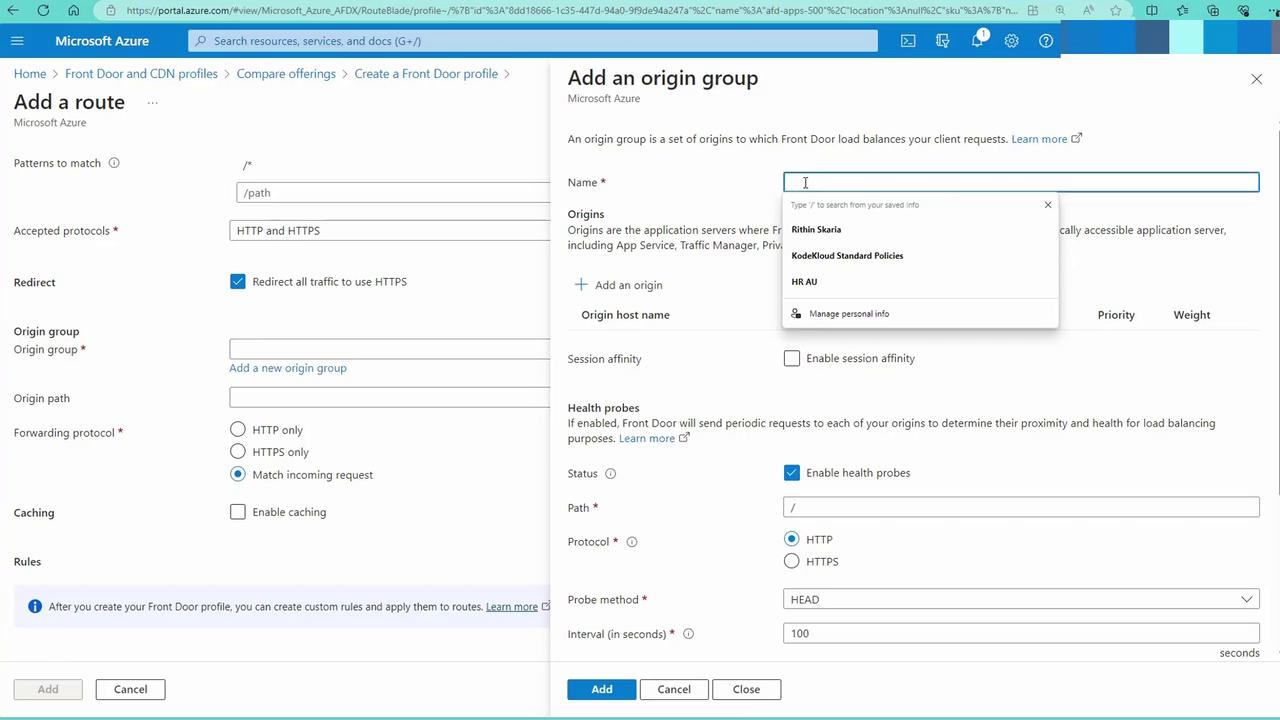
Add a route that points to an origin group—a collection of your app service endpoints. Create a new origin group (for example, “AFD origin host”) and add your regional app services. You do not need to enable validation at this point; simply include each app service as an origin.
- Configuring Health Probes:
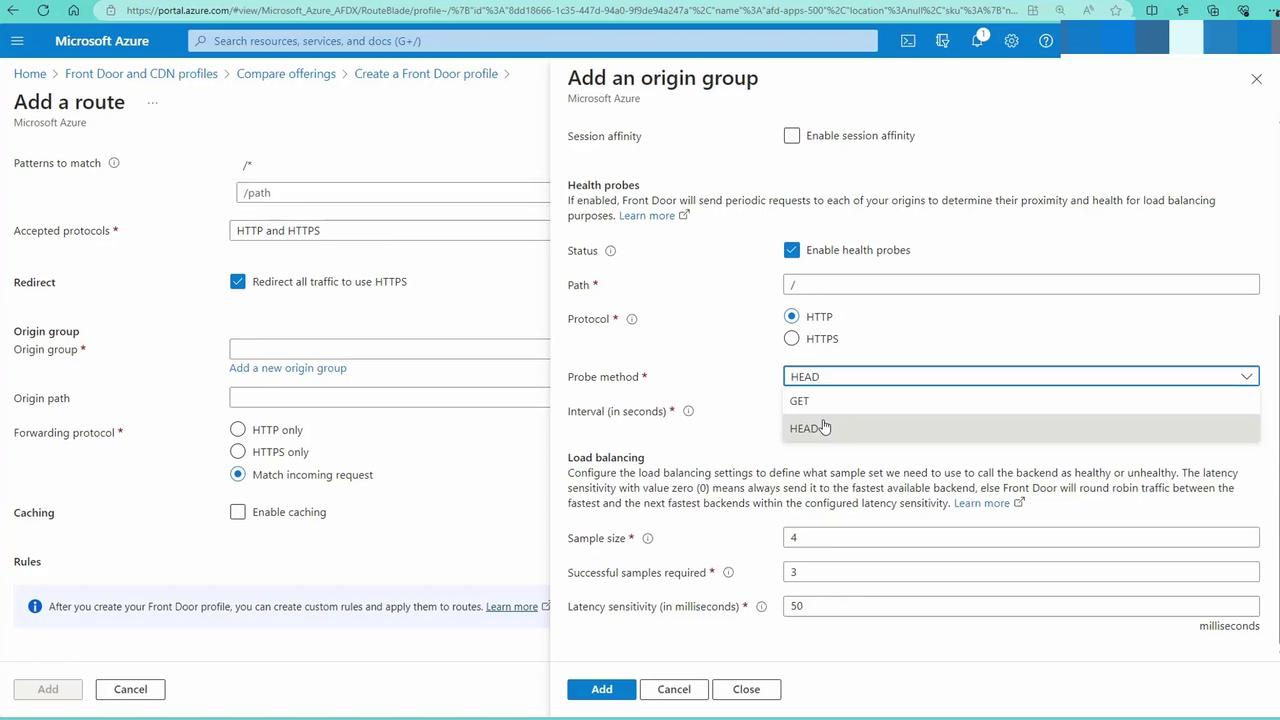
Set up health probes (e.g., a GET request every 100 seconds) to monitor the status of each endpoint. Name the route (e.g., “AFD route app svc”) and create it. This route directs traffic to the correct origin group.
- Deployment and Verification:
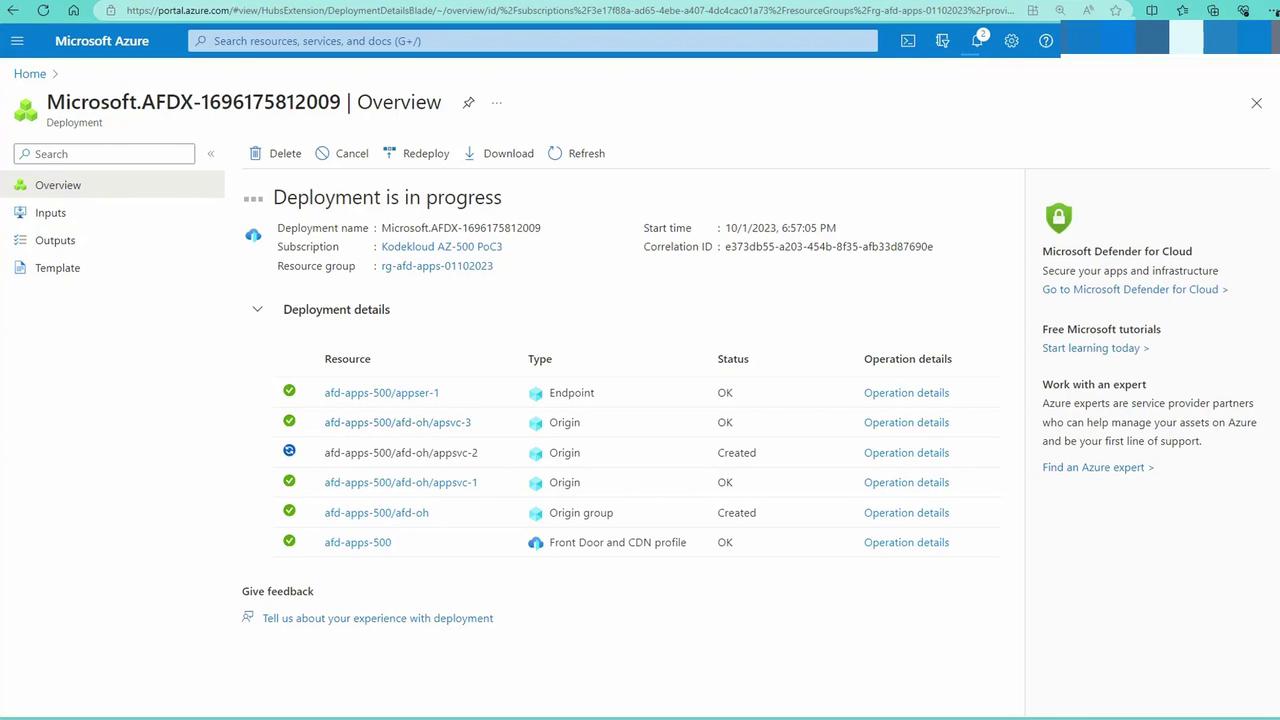
Once the configuration is complete, your Front Door instance will deploy. Traffic will now be distributed among app services based on user proximity. For instance, users in the United States may be served by the East US app service, while users in Asia Pacific may reach the Southeast Asia app service.