

Overview
Steps covered:- Create an S3 vector bucket.
- Create a vector index inside the bucket.
- Review encryption and access settings.
- Notes on vector dimensions and programmatic ingestion.
1) Create the S3 vector bucket
- Sign in to the AWS Management Console.
- From the console home, search for “S3” and open the Amazon S3 service.
- In the S3 left-hand menu, select “Vector buckets”.
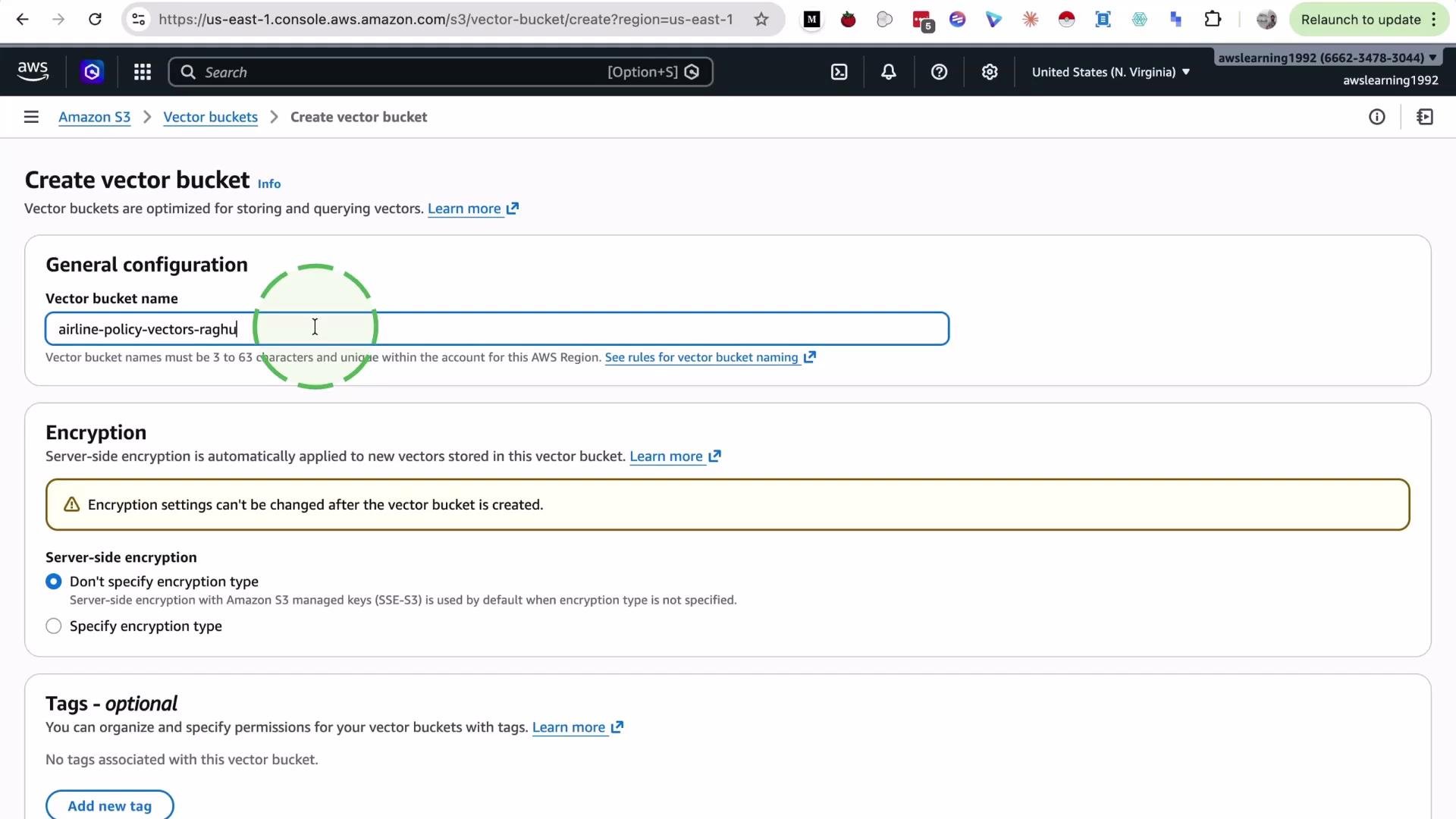
- Click Create vector bucket, provide a globally unique name, and configure encryption, tags, or access controls as needed.
- Lowercase letters, numbers, and hyphens only
- Length between 3 and 63 characters
- Must be globally unique
2) Create a vector index inside the bucket
- Open the vector bucket you just created.
- Click Create vector index.
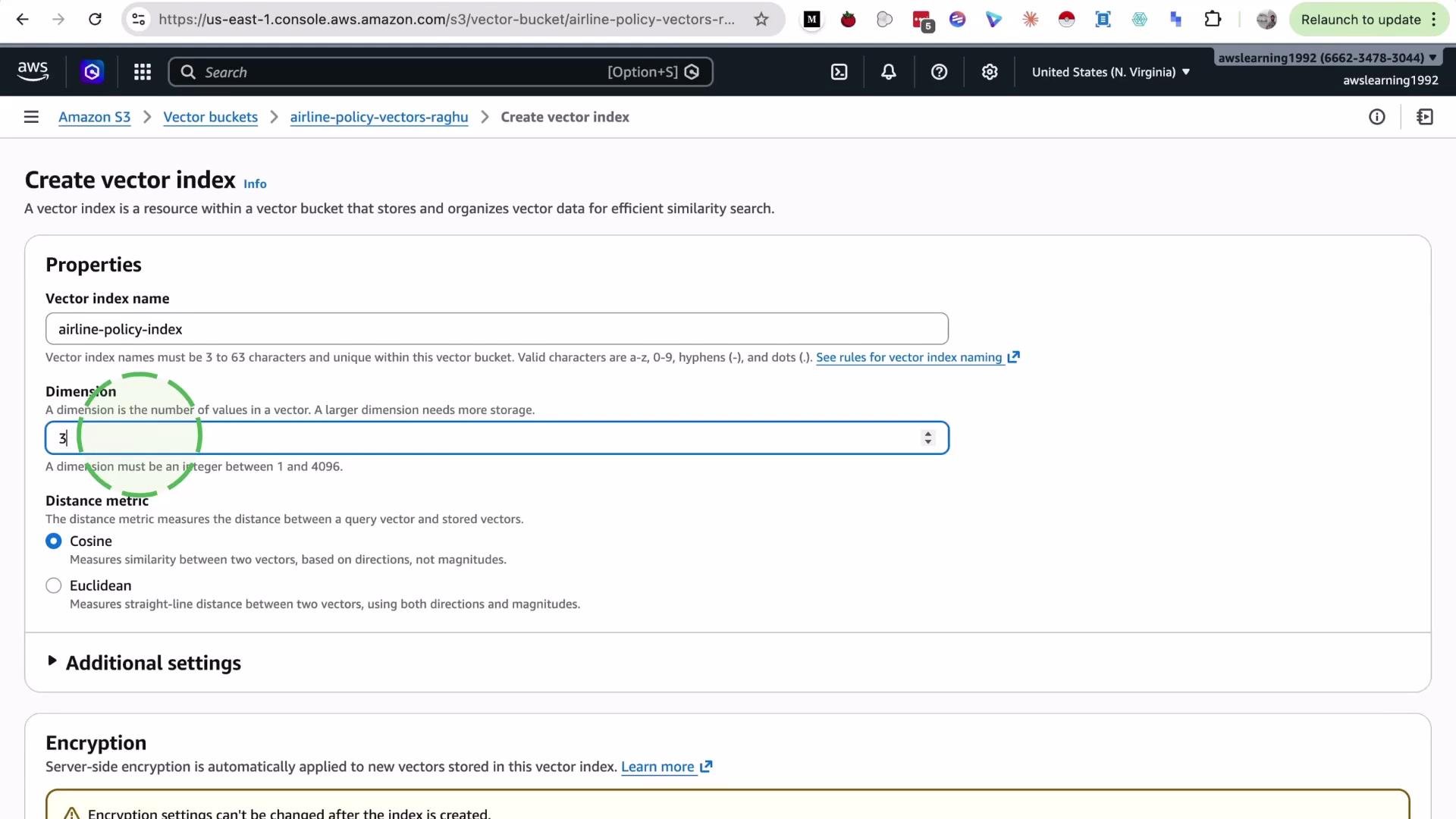
- Provide a name for the index (e.g.,
airline-policy-index). - Specify the vector dimension — the length of the embedding vectors you will store (for example,
3,768, or1536depending on your embedding model). - Select a distance metric for similarity search (e.g., cosine similarity or Euclidean distance). For this demo we use cosine similarity.
Set the vector dimension to match the output dimension of the embedding model you plan to use (for example,
1536, 768, etc.). If the dimensions don’t match, embeddings cannot be indexed or queried correctly.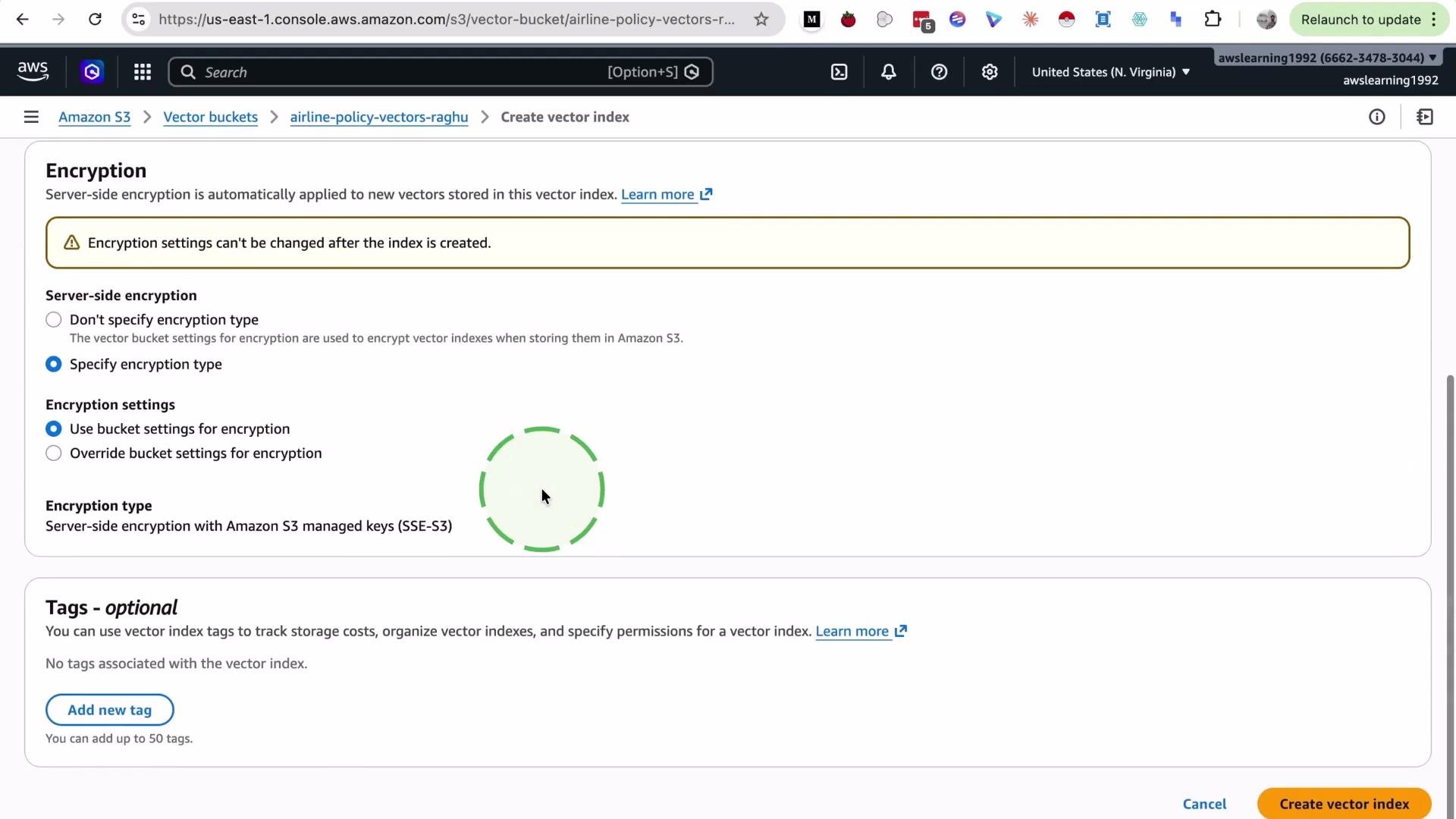
3) Verify the index
After creation, the vector index is listed inside the bucket. The index uses the selected similarity metric and the dimension you provided.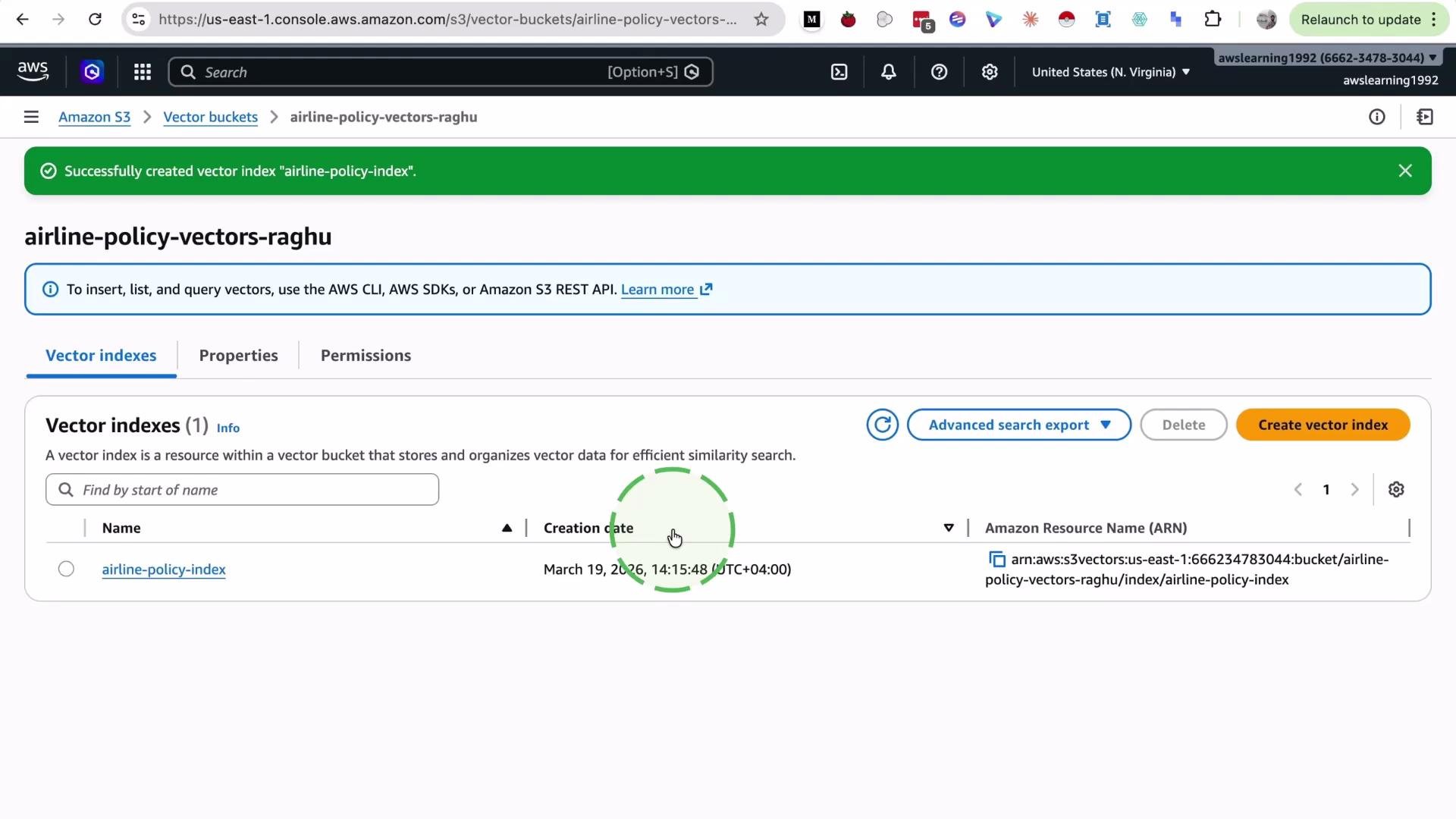
Quick reference table
4) Next steps — programmatic ingestion
You can connect to the S3 vector bucket programmatically to ingest embeddings into the index and perform similarity searches. Typical workflow:- Generate embeddings using your chosen model.
- Ensure embeddings have the same dimension as the index.
- Use the AWS SDK or supported APIs to upload vectors and metadata to the index.
- Run similarity queries (e.g., k-NN using the chosen metric) to retrieve nearest neighbors.
Links and references
- Amazon S3 Documentation
- Amazon S3 Vector Indexes (console) (search for “Vector buckets” in S3 console)
- Embedding model references: check your model provider for output dimensions (e.g., OpenAI, Hugging Face)