Hello and welcome back. In this lesson we’ll explore S3 Vector Buckets — Amazon S3’s native support for storing and querying vector embeddings directly inside S3. This capability lets you keep embeddings and perform similarity search without deploying a separate vector database, simplifying architecture and lowering operational cost. Why this matters
  • Vector embeddings power semantic search, recommendation, and retrieval-augmented generation (RAG). Storing and querying embeddings natively in S3 reduces data movement, simplifies security and lifecycle management, and leverages S3’s serverless scale.
Analogy
  • A regular S3 bucket is like a giant filing cabinet where you store files and retrieve them by filename or key.
  • S3 Vector Buckets extend that cabinet so it can “understand” the content and let you search by similarity rather than just name or path.
Learn more about Amazon S3: Amazon S3 overview
S3 Vector Buckets provide serverless, scalable vector storage and similarity search directly within S3, reducing operational overhead and often lowering costs compared to dedicated vector databases.
Overview: what S3 Vector Buckets provide
  • Native vector storage and similarity search inside S3.
  • Serverless operation: no infrastructure to provision or manage.
  • Integration with AWS ecosystem (e.g., Bedrock Knowledge Bases) and export paths to analytics/search services like OpenSearch.
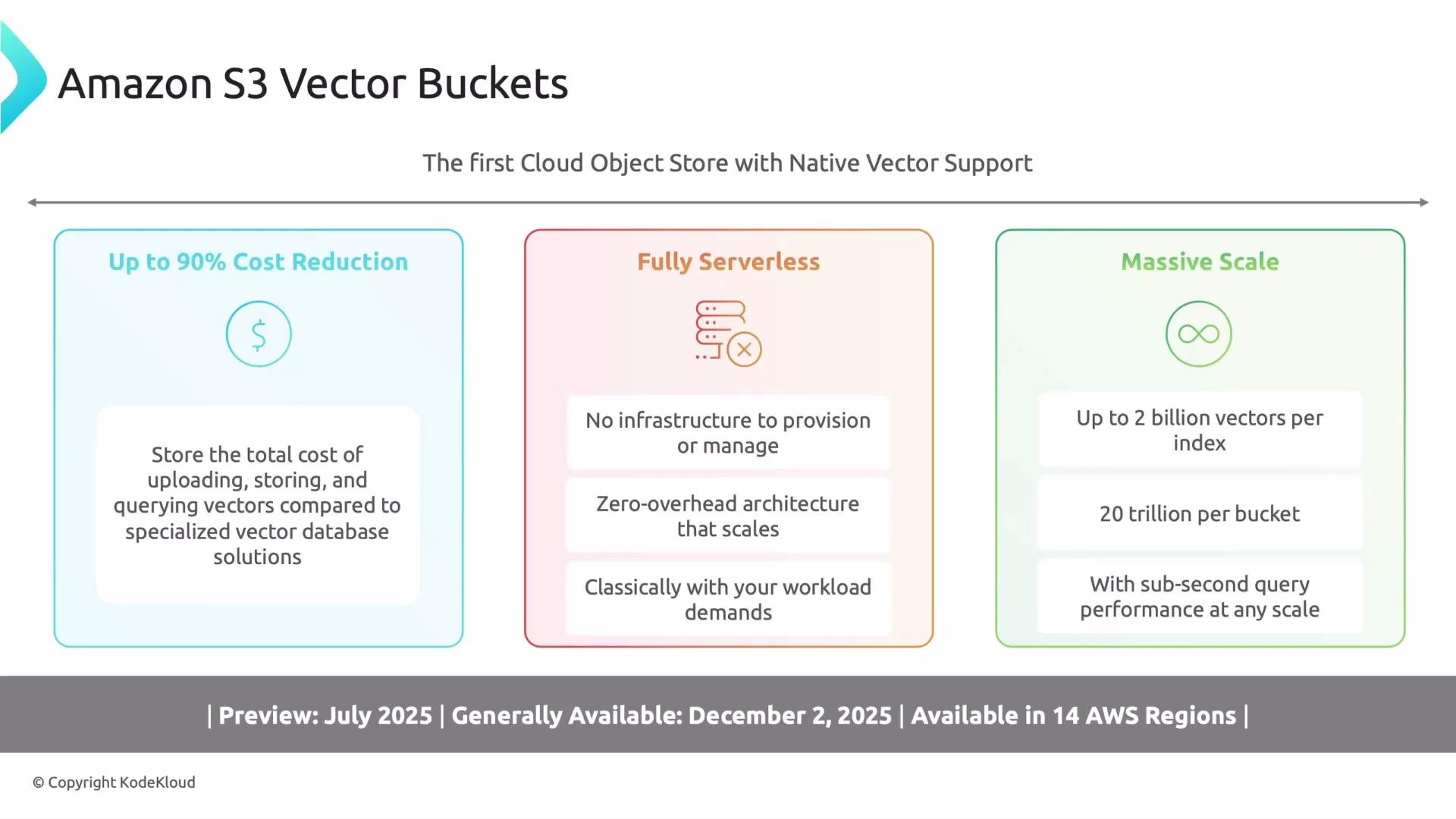
The image is a graphic for Amazon S3 Vector Buckets, highlighting features like cost reduction, serverless architecture, and massive scaling capabilities, with details about preview and availability dates.
Key benefits (at-a-glance)
BenefitWhy it mattersTypical outcome
Cost savingsAvoids separate vector DB storage/compute costsUp to ~90% cost reductions in many scenarios
ServerlessFully managed by AWS, auto-scalingLess ops overhead and simpler deployments
Massive scaleHigh per-index and per-bucket vector limitsSupports billions–trillions of vectors
Low latencyOptimized for sub-second similarity queriesFast retrieval for real-time apps
Ecosystem integrationWorks with Bedrock, OpenSearch, IAM, PrivateLinkEasier integration into ML and app pipelines
Preview, GA and availability timeline S3 Vector Buckets progressed quickly from preview to general availability and expanded both features and regional reach.
  • Preview (July 14, 2025): initial capabilities, integration with Bedrock Knowledge Bases, and export support to OpenSearch.
  • GA (December 2, 2025): increased limits and performance, expanded to 14 AWS Regions, added CloudFormation support, PrivateLink, tagging, and higher write throughput.
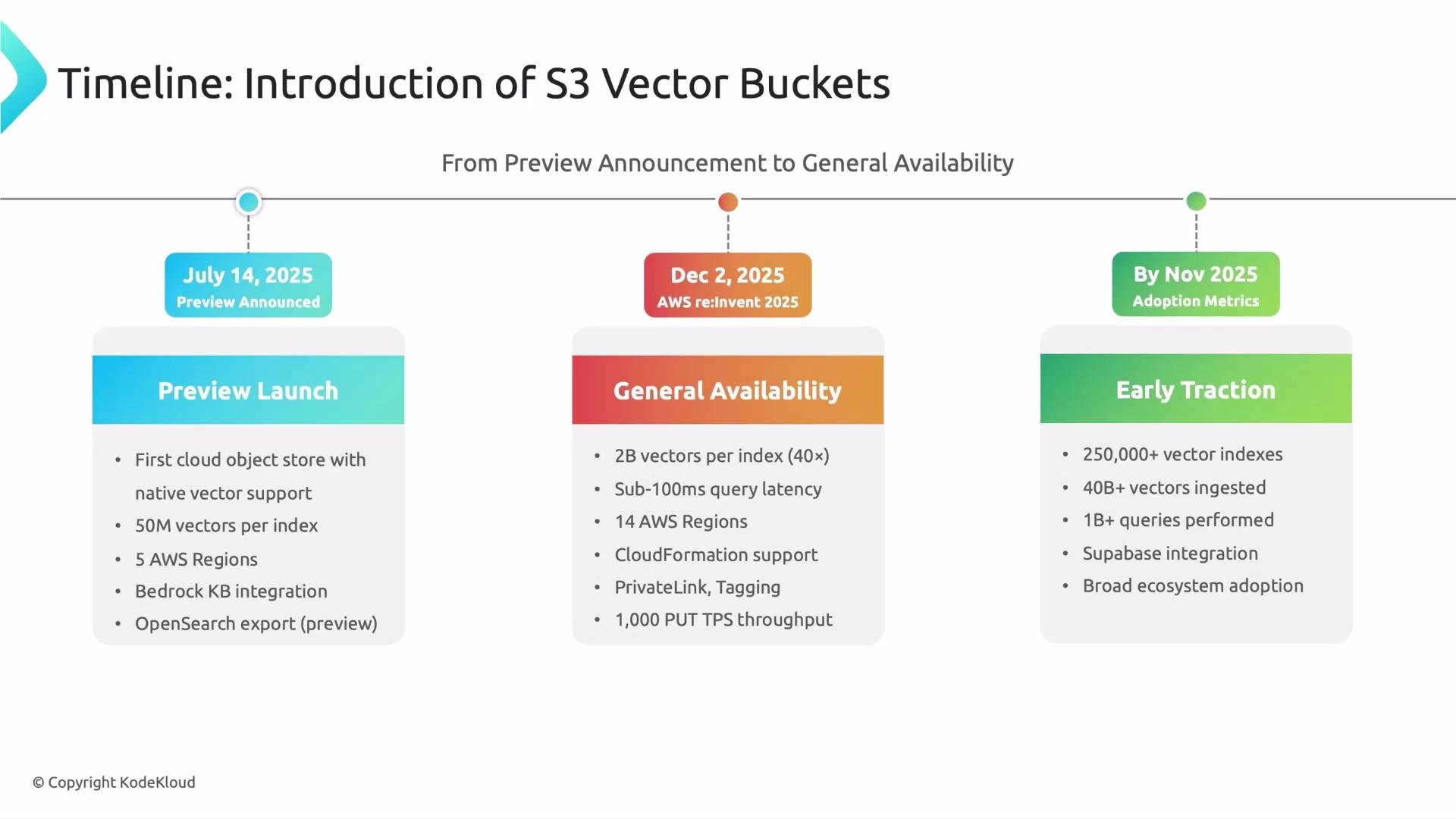
The image depicts a timeline for the introduction of S3 Vector Buckets, highlighting key milestones: the preview launch in July 2025, general availability by December 2025, and early traction metrics by November 2025.
Preview vs GA — highlights and limits
AreaPreviewGeneral Availability (GA)
Launch dateJuly 14, 2025December 2, 2025
Per-index limitInitial limits in previewUp to 2 billion vectors per index
Per-bucket scaleEarly scale testsUp to 20 trillion vectors per bucket
Query latencyPreview optimizationsSub-100 ms typical / sub-second at scale
Features added at GABasic integrationsCloudFormation, PrivateLink, tagging, 1,000 PUT TPS
Early traction and ecosystem adoption
  • During preview, customers and partners tested large workloads: hundreds of thousands of vector indexes and tens of billions of vectors.
  • By November 2025 some adopters executed over a billion similarity queries against S3 Vector Buckets.
  • Ecosystem integrations (for example, Supabase) began appearing quickly, signaling strong interest from the developer community.
Final thoughts S3 Vector Buckets bring scalable, cost-effective vector search into the S3 ecosystem. They are an attractive option when you want to:
  • Simplify architecture by co-locating objects and embeddings in the same store.
  • Reduce operational overhead with serverless scaling.
  • Leverage AWS integrations for production ML and search workflows.
Next steps / hands-on demo In the next lesson we’ll walk through a hands-on demo: creating an S3 Vector Bucket, ingesting embeddings, and running similarity queries so you can see the end-to-end workflow. References and further reading See you in the next lesson.

Watch Video