

- How to compute image embeddings with CLIP (sentence-transformers).
- How to store image vectors and metadata in LanceDB.
- How to run text-to-image searches and visualize results.
- Python 3.8+
- Jupyter Notebook or JupyterLab
- Packages:
lancedb,sentence-transformers,Pillow,matplotlib,numpy,pandas
Getting started — setup and preview images
- Set up paths and preview the images you’ll embed (a cat, a dog, and a fox).
- Run this code cell in a notebook to locate images and display them.
image_pathsgathers all PNG and JPG files in theimagesfolder.- We preview each image with
matplotlibto confirm the dataset before embedding.
- Load a CLIP-based model (
clip-ViT-B-32) viasentence-transformers. - Convert each image to an embedding vector.
- Store the vector along with the image path in LanceDB for future retrieval.
Loading the CLIP model may take some time the first time because the pretrained weights are downloaded. Expect a minute or two depending on your connection and environment.
DB_PATH (if present) and creates a fresh LanceDB instance.
The script below deletes any existing LanceDB at the configured
DB_PATH. Back up data if you need to preserve a previous index.- We call
model.encode(images)with PIL images—sentence-transformers handles conversion for CLIP models. - Each record stored in LanceDB contains the
path(for later loading/display) and thevector.
- Encode a text query using the same CLIP model so text and images live in the same embedding space.
- Query the LanceDB table for nearest neighbors and visualize the result(s).
- Run these sample searches in the notebook to see text-to-image retrieval:
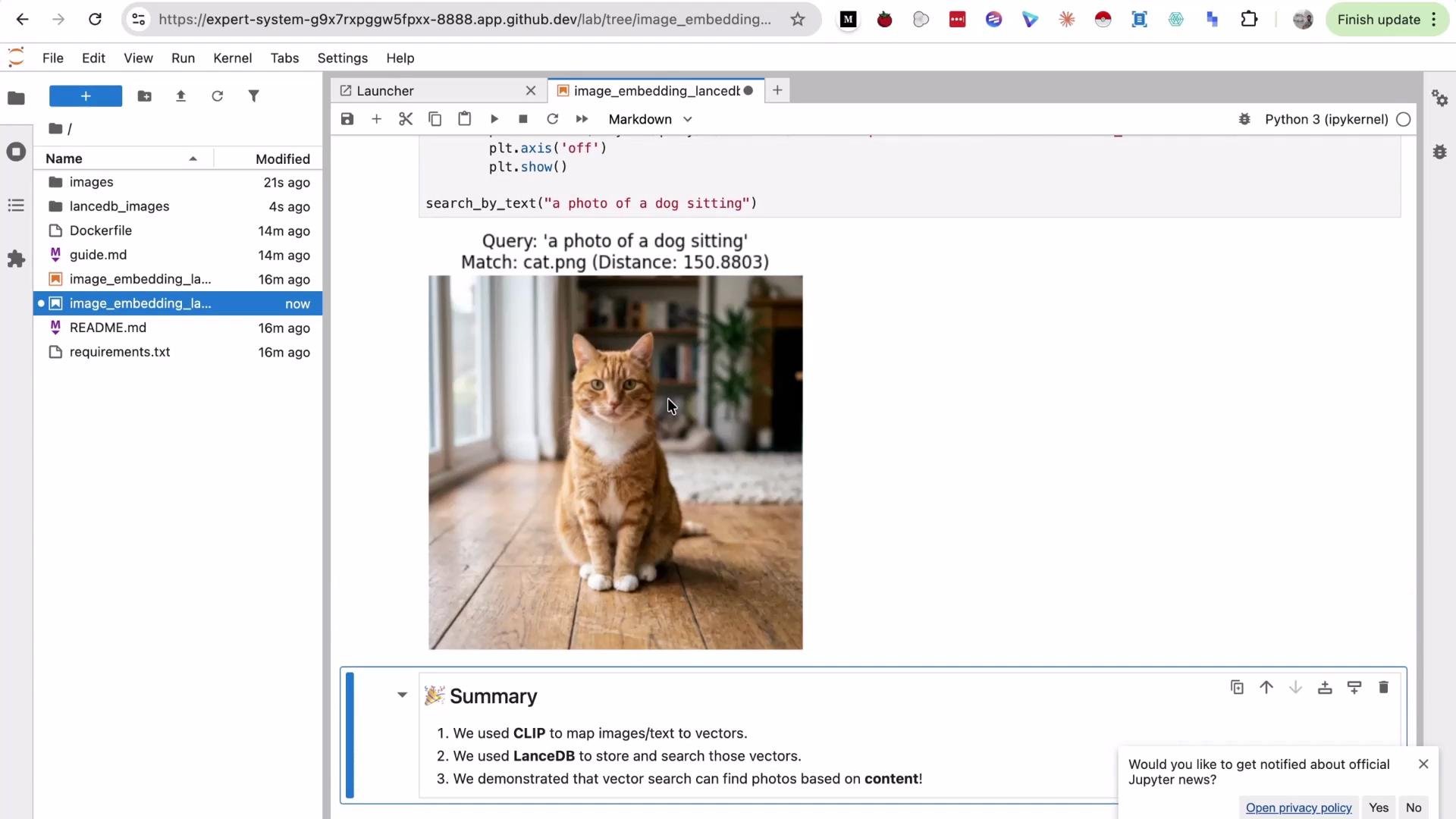
- Query phrasing affects retrieval quality. Adding descriptive context (e.g., “running”, “sitting”) can help find the correct image when the attribute is present.
- Very short or ambiguous queries (e.g., “dog”) may return a different image if its embedding is closer in vector space.
- We used a CLIP-based model (via
sentence-transformers) to compute embeddings for images and text so they share a joint embedding space. - Image vectors and metadata (image paths) were stored in LanceDB and searched via nearest-neighbor queries.
- Query phrasing and level of descriptive detail influence retrieval results; refine queries to improve accuracy.
- LanceDB: https://www.lancedb.ai/
- sentence-transformers (CLIP models): https://www.sbert.net/
- CLIP (OpenAI): https://github.com/openai/CLIP
- Jupyter: https://jupyter.org/
- If embeddings take a long time to generate, ensure GPU support is enabled and that the
sentence-transformersmodel can access the internet to download weights. - If the search returns unexpected images, try more descriptive queries or inspect pairwise distances in the returned DataFrame to understand which images are nearest in embedding space.