

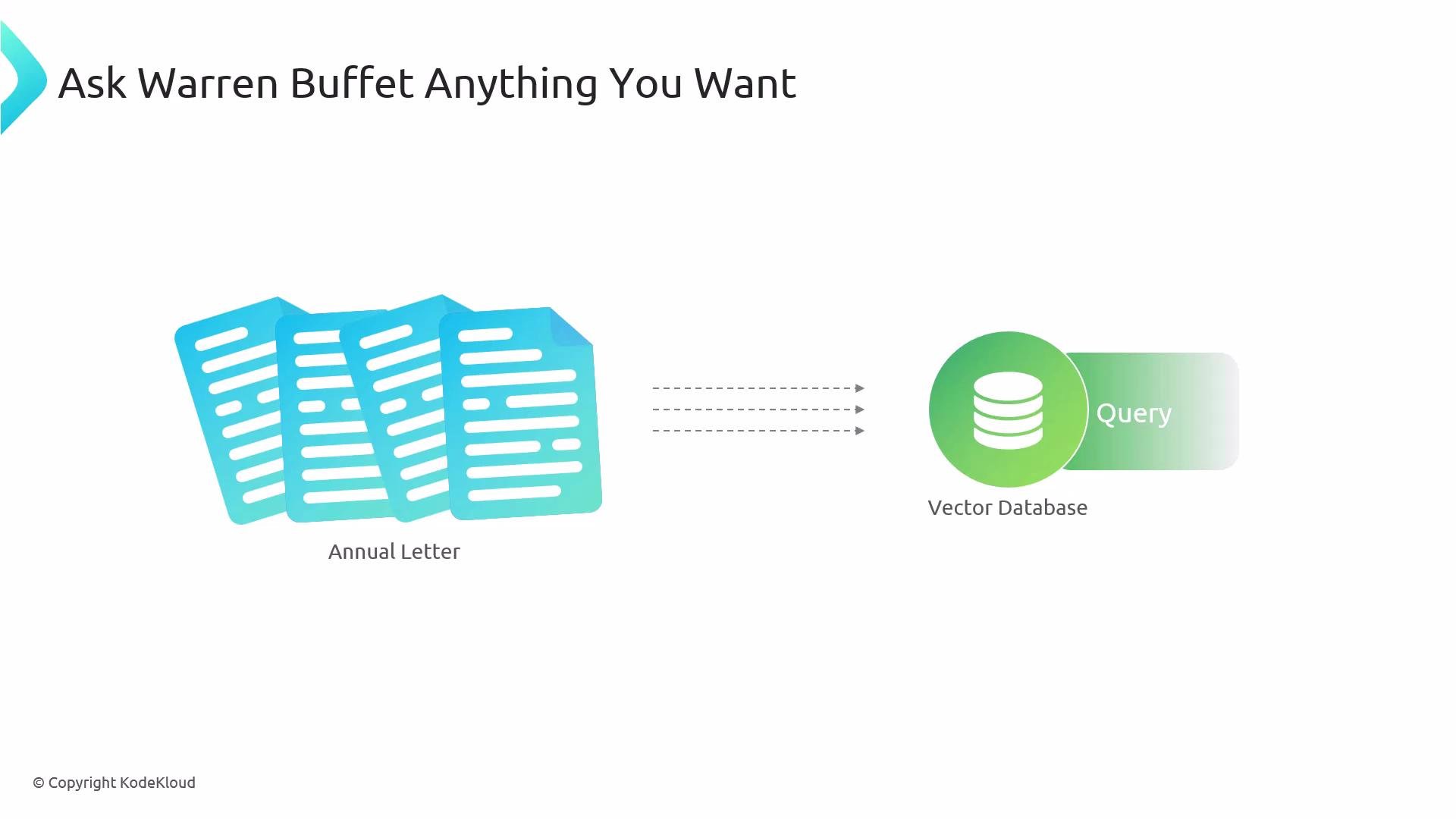
The demo app
The demo uses a simple web app with two primary views:- A vector search interface for asking natural‑language questions.
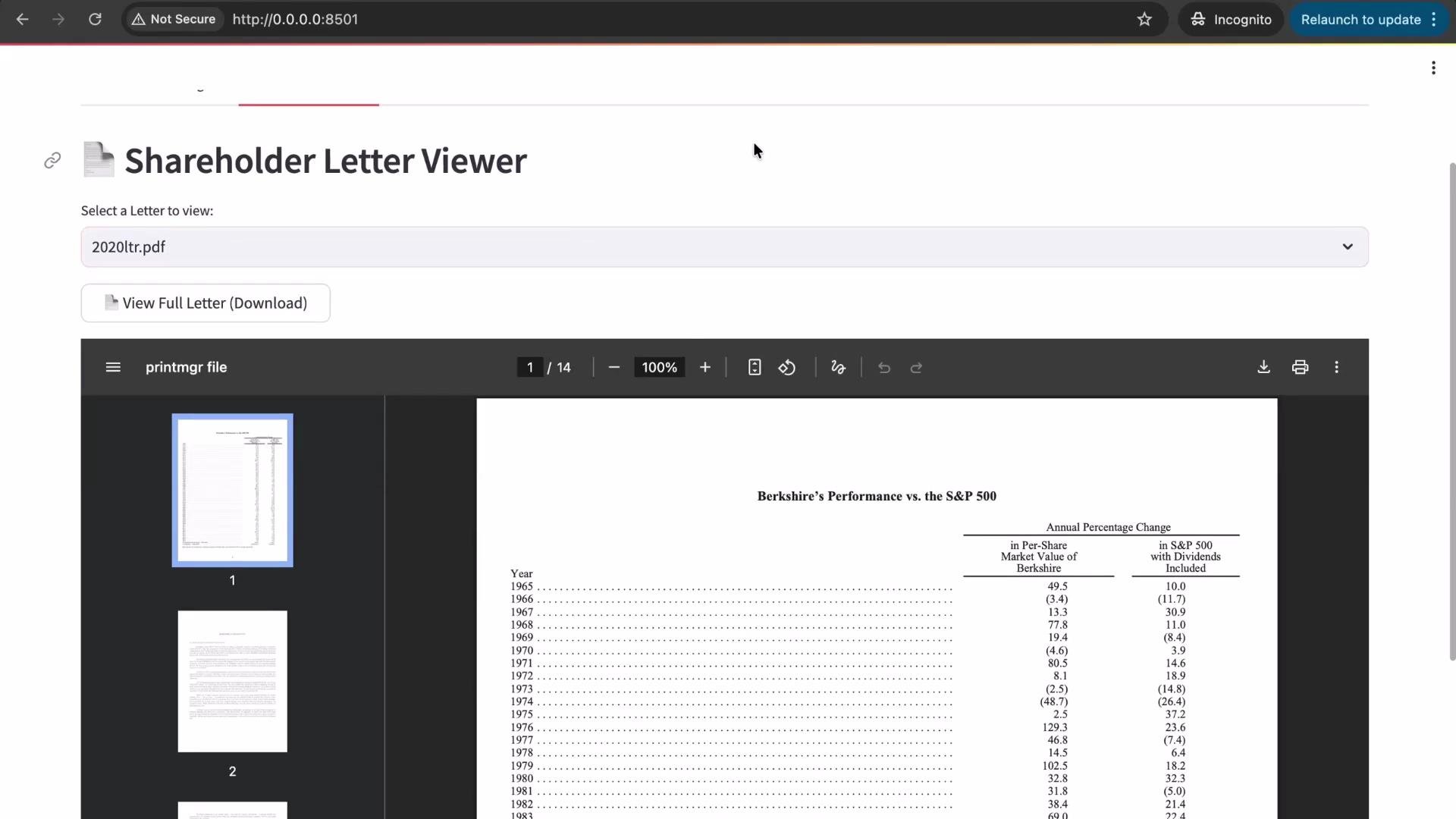
- A document viewer/reference where you can inspect each uploaded letter.
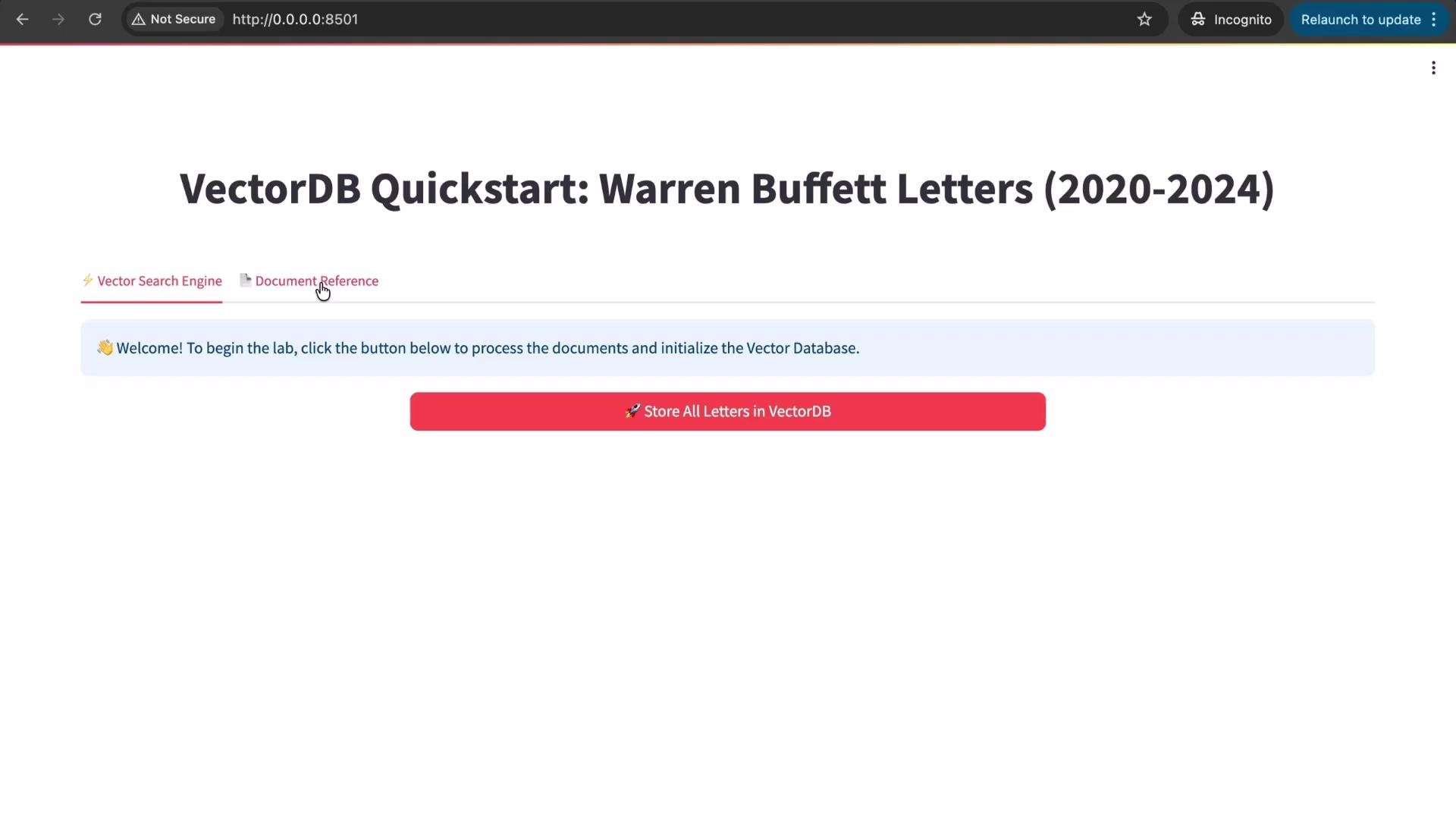
Indexing: chunking → embeddings → vectors
Indexing is a three-step pipeline in the backend:- Split each document into smaller chunks (chunking).
- Convert each chunk into an embedding vector using an embedding model.
- Store the embedding vectors in the vector database for fast similarity search.
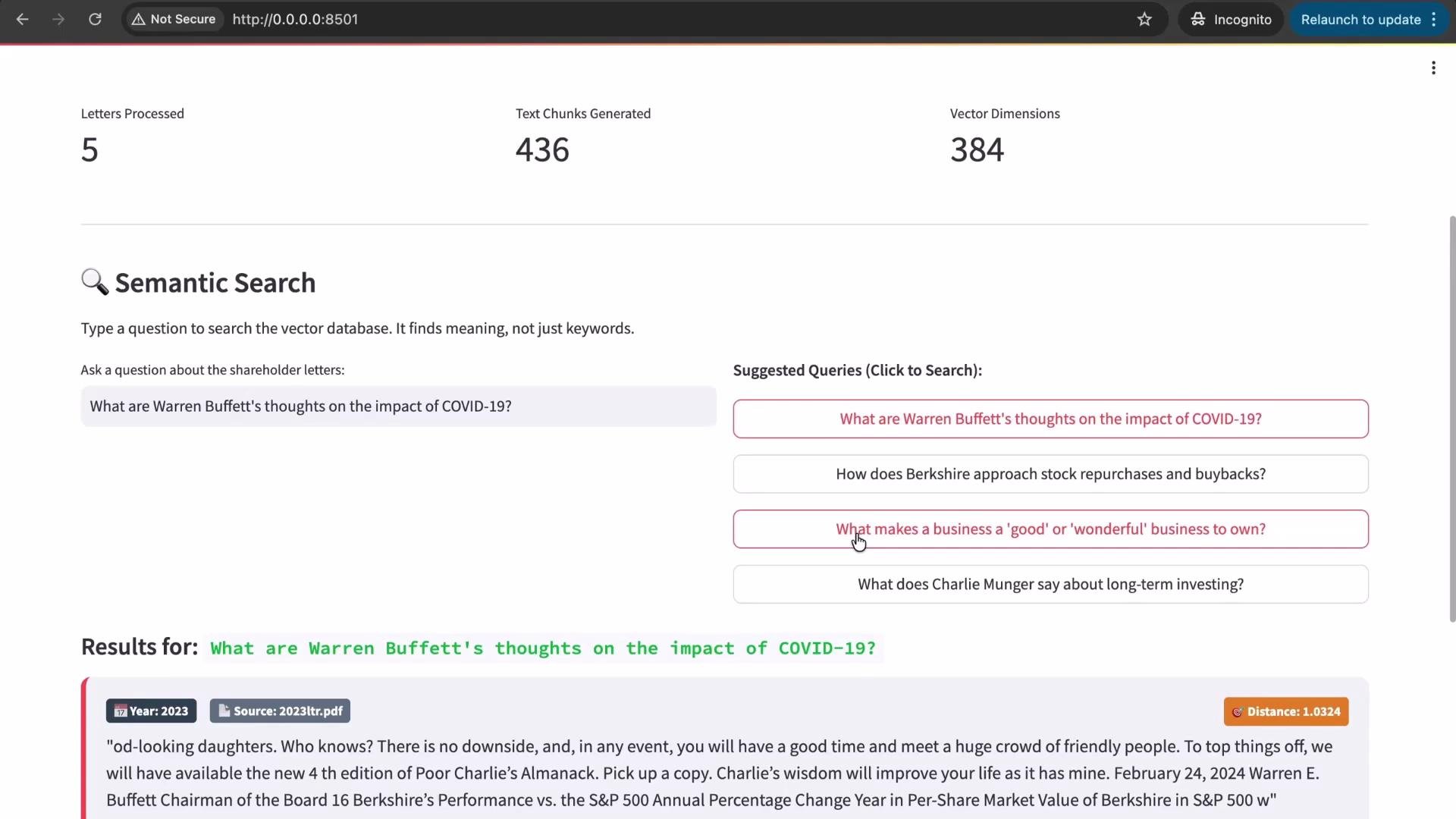
Store All Letters in VectorDB button, the system processed the documents and returned these metrics:
Notes:
- Chunking splits long documents into indexable pieces so retrieval returns manageable passages.
- The embedding dimension (
384) is the length of each numeric vector produced by the embedding model; vector comparisons operate on those fixed‑length representations.
Semantic search (meaning-based retrieval)
When you submit a query, the app converts the text into an embedding and compares it with stored vectors to find semantically similar chunks. This returns passages that match the intent of the query rather than exact keywords. Example query:What are Warren Buffett's thoughts on the impact of COVID-19?The app generates an embedding for the question, searches the vector index, and returns top matches ranked by similarity (or distance). The UI shows the source documents, the excerpt, and a distance/score for each match.
Example queries and behavior
Try different natural‑language phrasings. The system matches meaning, so related terms are often found even if the exact word isn’t used.- Query:
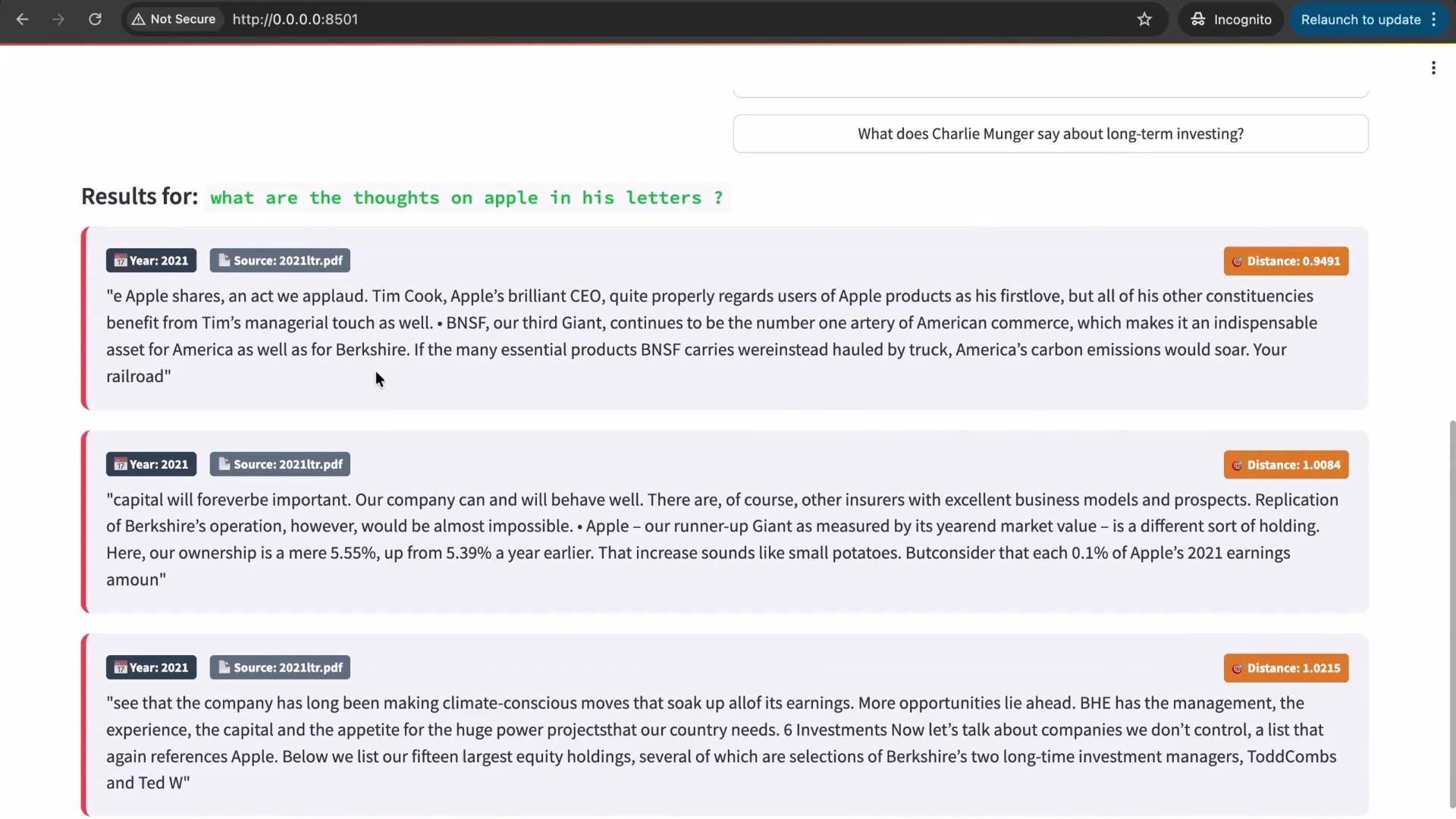
What are his thoughts on Apple?
Returns passages discussing Apple’s role in Berkshire, praise of its leadership, and references to Apple shares.
- Related query:
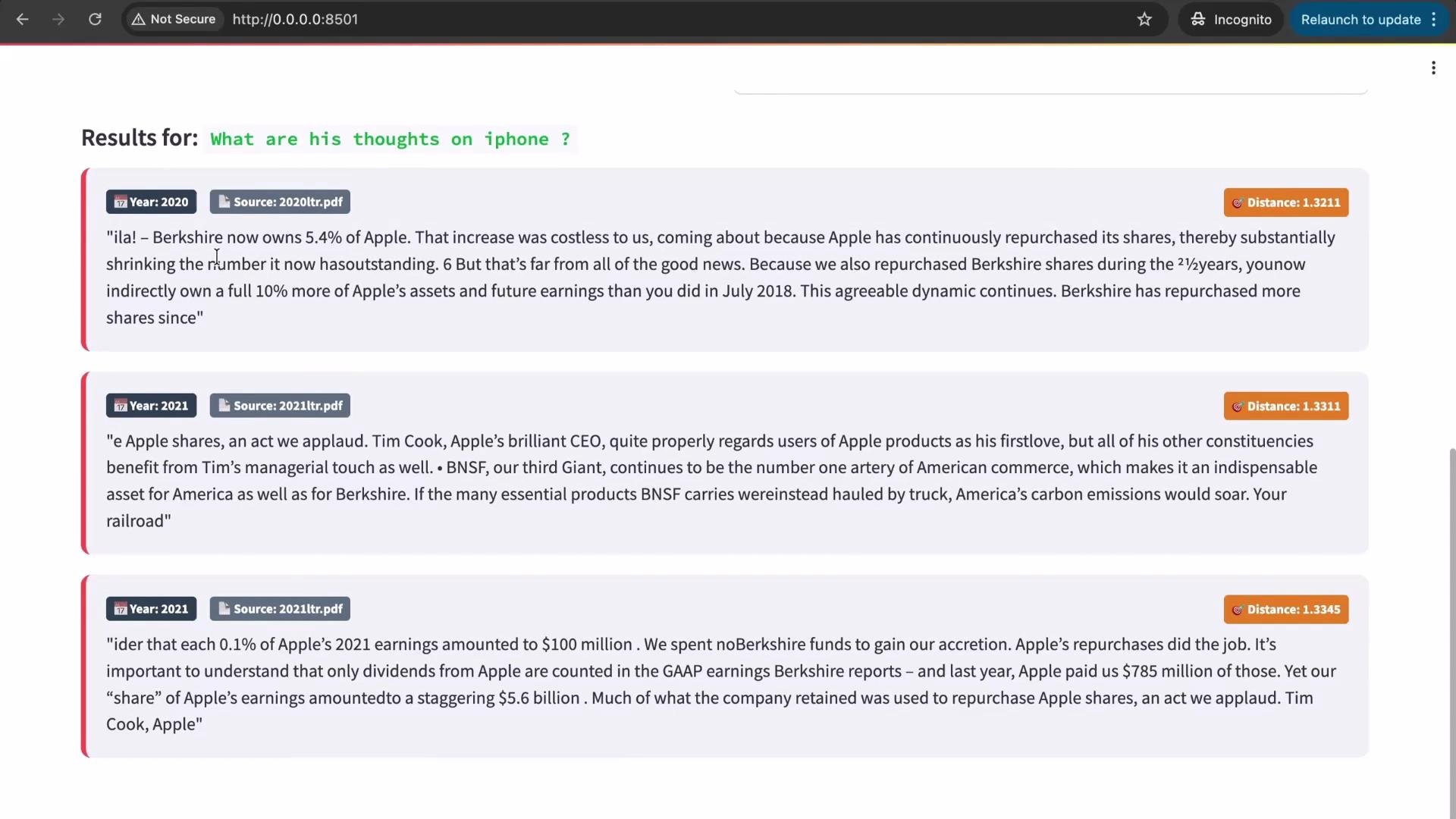
What are his thoughts on iPhone?
Even if “iPhone” does not appear verbatim in an excerpt, the semantic search can return Apple‑related content because the meaning aligns.
When to use this pattern
Document search using a vector database is widely used to:- Index internal company documents, contracts, and policies.
- Power knowledge bases and help centers for natural‑language queries.
- Enable fast, meaning‑based retrieval for downstream workflows.
This demo uses only a vector database and semantic search. No LLMs or external AI APIs (e.g., ChatGPT or Claude) were required to perform the searches shown here.
Next topics
In upcoming lessons we’ll cover:- How embeddings are generated and tradeoffs between models.
- Chunking strategies and how they influence retrieval accuracy.
- Distance metrics (cosine, Euclidean) and how to interpret scores in practice.
Links and references
- Vector database concepts and providers: https://www.vector-db.org/ (example directory)
- Embedding models and documentation: https://platform.openai.com/docs/guides/embeddings (reference)
- Semantic search best practices and chunking strategies: https://www.deeplearning.ai/ (guides and learning resources)