

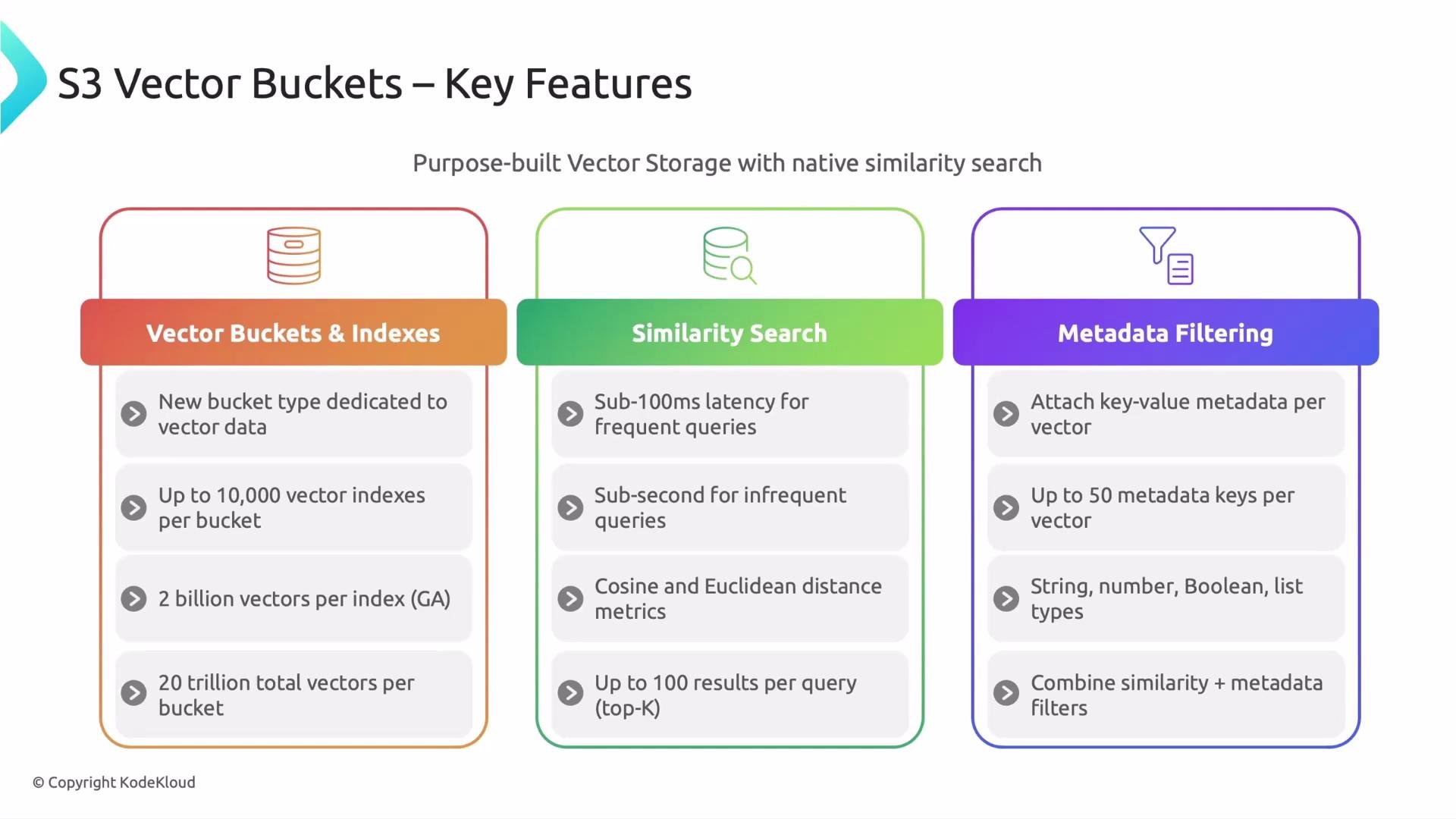
- S3 Vector Buckets introduce a new bucket type dedicated to vector data. These are separate from standard S3 buckets—designed, indexed, and managed specifically for vector workloads.
- By default, a single vector bucket supports up to 10,000 vector indexes (quota-based; request increases through AWS Service Quotas may be possible).
- Each index can hold up to 2 billion vectors (subject to service limits and quotas).
- Across an entire bucket the default general-availability ceiling is up to 20 trillion vectors (account-, region-, and quota-dependent).
- These per-index and per-bucket limits provide a very large scale ceiling suitable for enterprise AI and retrieval applications.
Second: Similarity search
- Native similarity search is the core capability: perform semantic nearest-neighbor queries directly over embeddings stored in the bucket.
- Typical latencies for well-cached or frequently accessed indexes can be sub-100 ms; colder or more complex queries are often sub-second. Actual latency depends on index configuration, query complexity, and workload characteristics.
- Supported distance metrics include cosine and Euclidean, letting you pick the metric that best matches your embedding model and retrieval objective.
- Top-k search supports returning up to 100 results per query by default, allowing multiple ranked matches (e.g., top 10 most relevant documents).
- Each vector can include up to 50 metadata key-value pairs (constraints on per-key and overall metadata size still apply).
- Supported metadata types: string, number, boolean, and list.
- You can combine metadata filters with similarity search in a single query. That enables results scoped by project, user, date range, or other attributes while still returning semantically similar matches.
- Example: services like Supabase can restrict semantic search results to a specific project or user in the same query, which is useful for multi-tenant applications and RBAC scenarios.
- S3 Vector Buckets are fully serverless: there is no cluster or VM provisioning required, and no manual cluster tuning.
- The service auto-optimizes data layout and indexing for price/performance behind the scenes.
- Billing is usage-based: you pay for PUTs, storage, and queries (there are no separate cluster-hour charges).
- The service provides strong write consistency, so newly ingested vectors are generally queryable immediately—important for streaming or high-ingest pipelines.
- Native integration with AWS Bedrock Knowledge Bases helps power RAG applications without custom glue code.
- Export or integrate with Amazon OpenSearch Service for advanced search features and analytics.
- Work with Amazon SageMaker (Unified Studio) to combine vector retrieval with model training and evaluation.
- Manage resources and automation using AWS CloudFormation.
- Secure connectivity with AWS PrivateLink and enforce permissions through AWS IAM.
- Vector buckets use a dedicated set of IAM actions and resource types for vector-specific permissions, keeping vector ACLs separate from standard S3 policies.
- Data at rest can be encrypted using
SSE-S3orSSE-KMS(including customer-managed keys through KMS). - Public access block is enabled by default for vector buckets to reduce accidental public exposure.
- Service Control Policies (SCPs) are supported to enforce organization-wide governance.
Security notes: S3 Vector Buckets separate vector permissions from standard S3 and enable public access block by default. Use IAM, SCPs, and
SSE-KMS when customer-managed keys are required for compliance.- Dedicated vector bucket type and massive scale (indexes, per-index and per-bucket limits; quotas may be adjusted).
- Native, low-latency similarity search with cosine and Euclidean distance metrics.
- Rich metadata filtering combined with similarity queries.
- Serverless, auto-optimized, pay-as-you-go model with strong write consistency.
- Deep AWS integrations (Bedrock, OpenSearch, SageMaker, CloudFormation, PrivateLink, IAM).
- Dedicated security controls, encryption options, and enforced public access block.