

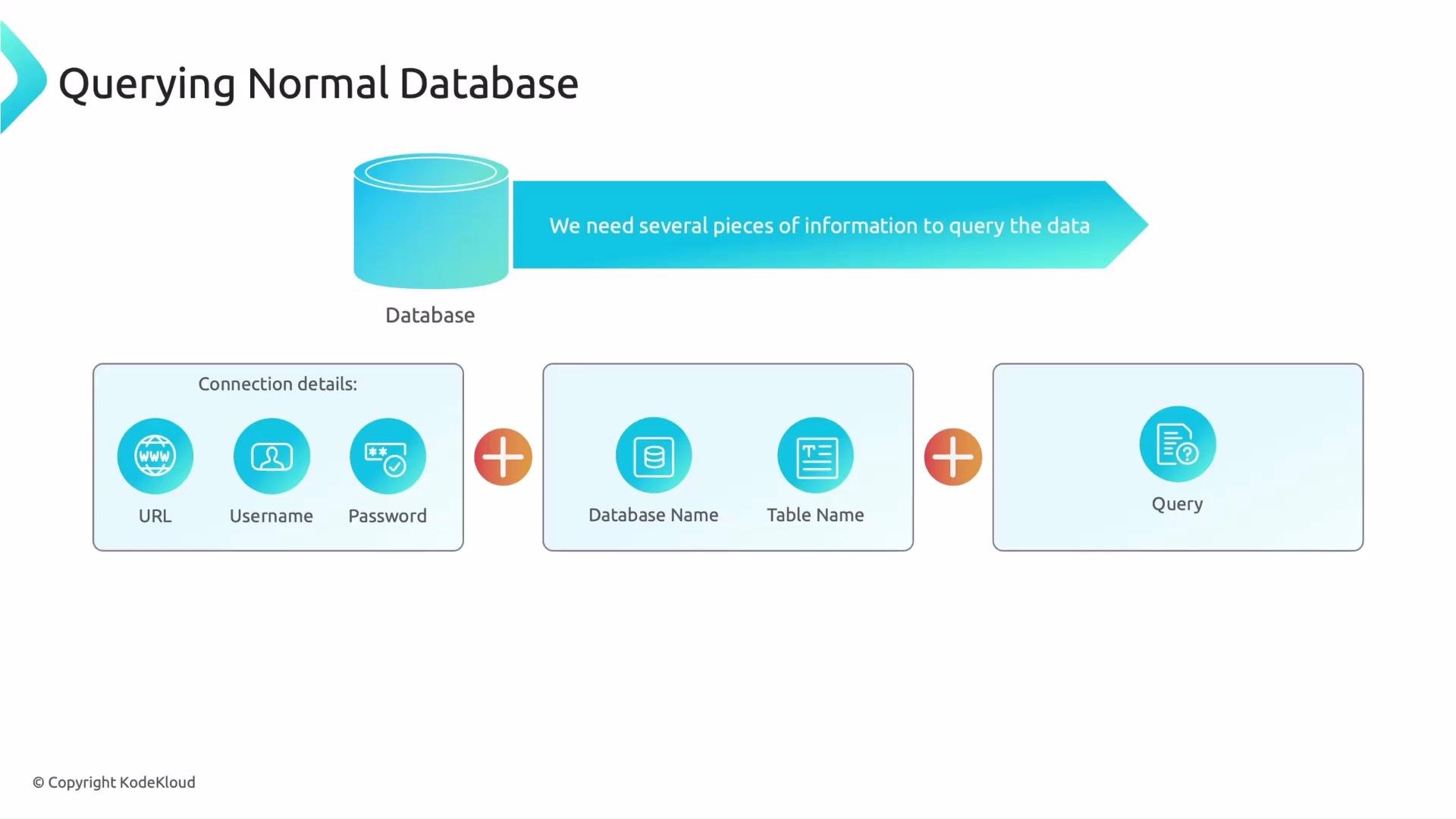
What you need to query a normal (relational) database
When you query a relational database such as MySQL or PostgreSQL, the process is structured and deterministic: you must provide specific, concrete details. Typically you need:- Connection details: host/URL, username, and password — credentials to access the database.
- Location details: which database and which table to query — a database can contain many tables, like drawers in a filing cabinet.
- The query: an exact instruction that specifies which rows and columns to return.
Typical SQL example
Here is a simple SQL query that selects all products in theelectronics category:
SELECT *— return all columns for matching rows.FROM products— search theproductstable.WHERE category = 'electronics'— filter rows wherecategoryexactly equals'electronics'.
Relational databases match exact values (and boolean combinations of conditions). They are fast and predictable for structured, keyword-based queries, but they do not inherently understand the semantic meaning of words.
gadgets or tech items, the SQL query above would return zero rows even though Laptop, Phone, and Tablet are conceptually related — because the table stores the literal string electronics, not the semantic concept “gadgets.”
Quick comparison: relational vs semantic (vector) search
Security and best practices
Never hard-code credentials in source files or client-side code. Use environment variables, secrets management, or managed identity solutions to protect database credentials.
Where to go from here
Now that you understand how relational databases require exact queries and structured access, the next step is to learn how vector databases perform semantic search using embeddings and similarity metrics. That approach lets you search by meaning, not just exact keyword matches. Links and references:- MySQL Documentation
- PostgreSQL Documentation
- For vector database concepts, explore vendor docs (e.g., Pinecone, Milvus, Weaviate) or general resources about embeddings and similarity search.